
HD/CD Security Indicator Kit Installation Instructions
HD-SI Hex Dogging Security Indicator CD-SI Cylinder Dogging Security Indicator
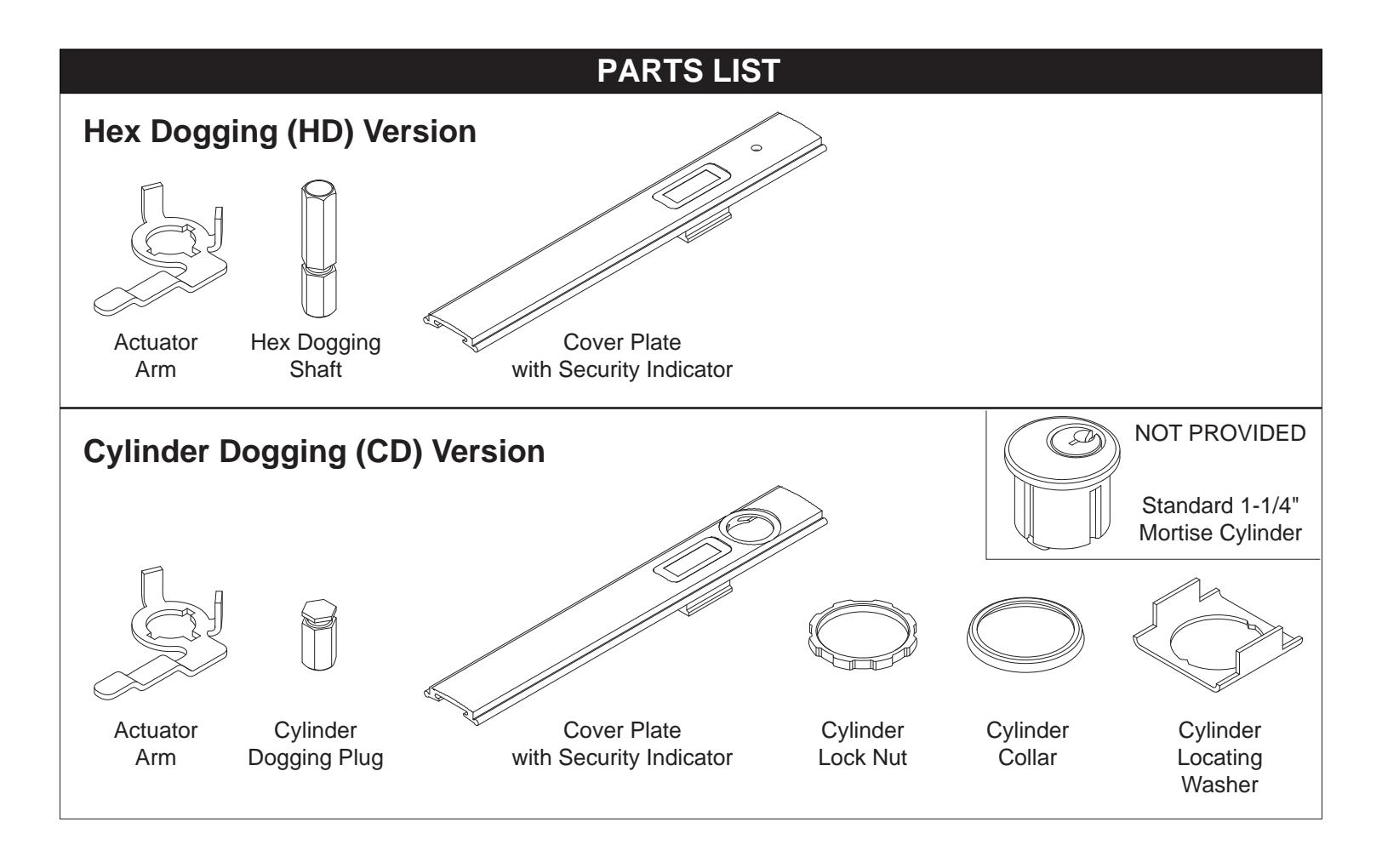
The dogging security indicator, available for hex dogging and cylinder dogging, includes "Lock" and "Unlock" indicators showing when a device is dogged and undogged. This provides a quick visual assessment of door security in case of emergency where lock down is necessary.
The dogging security indicator kit is available for Von Duprin 98/99 and 33A/35A Series exit devices, for the models listed at right. This is applicable to panic devices only, with cover plates available for 3' and 4' doors.
| 33A/35A Standard | 98/99 Standard & XP |
| 33A/3527A Standard | 98/9927 Standard |
| 33A/3547A Standard | 98/9947 Standard |
| 33A/3549A Standard | 98/9949 Standard |
| 33A/3550AWDC Standard | 98/9950WDC Standard |
| 98/9957 Standard | |
| 98/9975 Standard | |
This kit is not compatible with devices produced before 9/97, which have an older dogging design. The cylinder dogging (CD) version of this kit requires a standard 1-1/4" mortise cylinder. A cylinder is not furnished with this kit and must be specified when ordering.
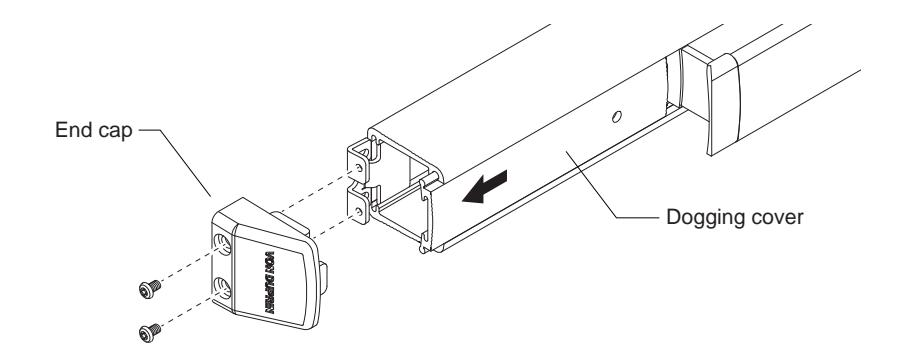
1 Remove end cap and dogging cover from exit device.
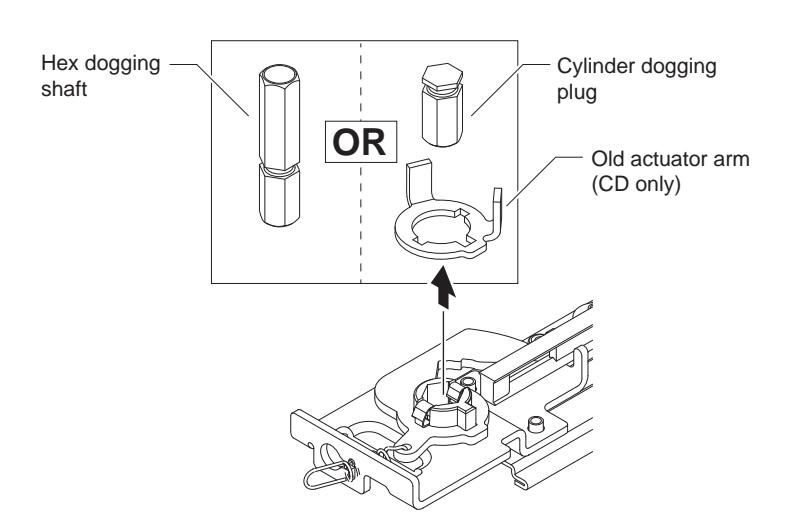
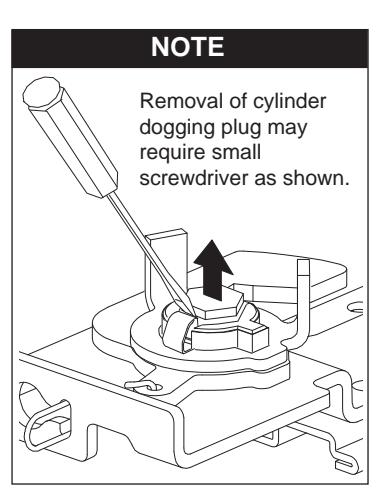
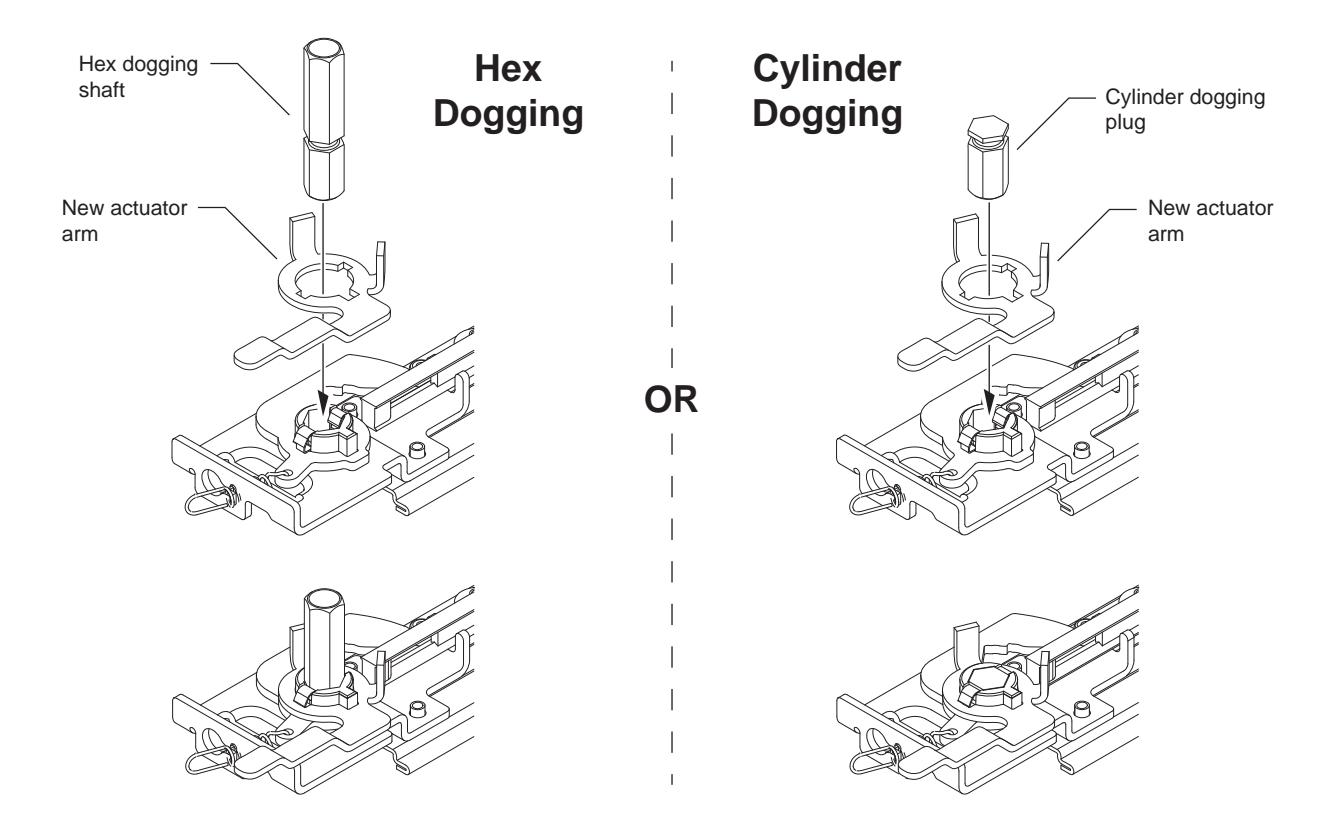
2 Remove hex dogging shaft or cylinder dogging plug, and old actuator arm.
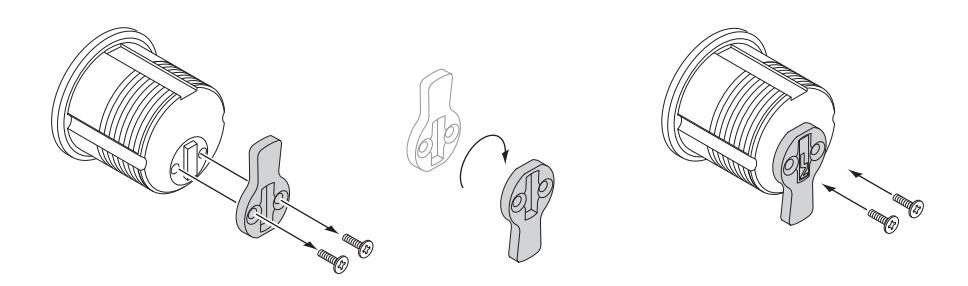
5 Reverse mortise cylinder cam as shown (with key removed).
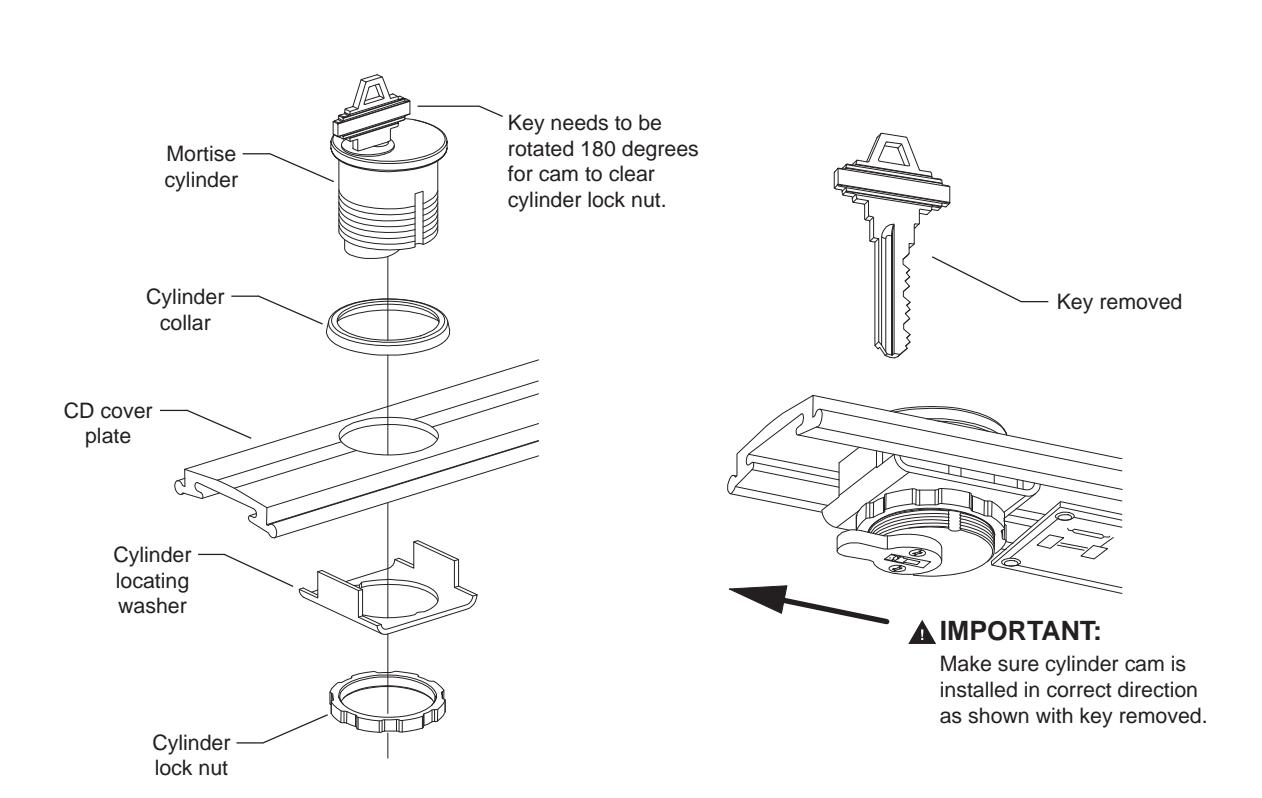
6 Install mortise cylinder into cover plate and verify that cam is in correct direction.

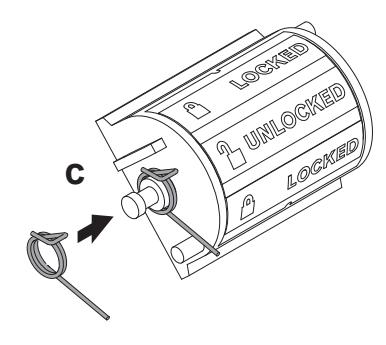
Note that the spring must be installed on the side of the tumbler closest to the dogging hole or cylinder.
a. Remove tumbler assembly from back side of cover plate.
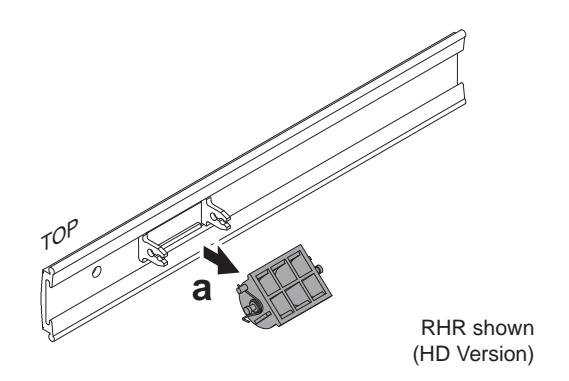
b. Remove tumbler spring from right side of assembly.
!
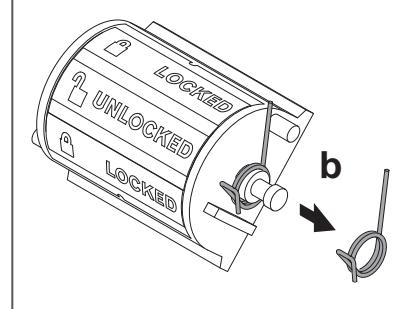
c. Reinstall spring on opposite (left) side of assembly. Once compressed, the spring sits on top of the small stud as shown.
d. Reinstall tumbler by snapping it into the clips on back side of cover plate.
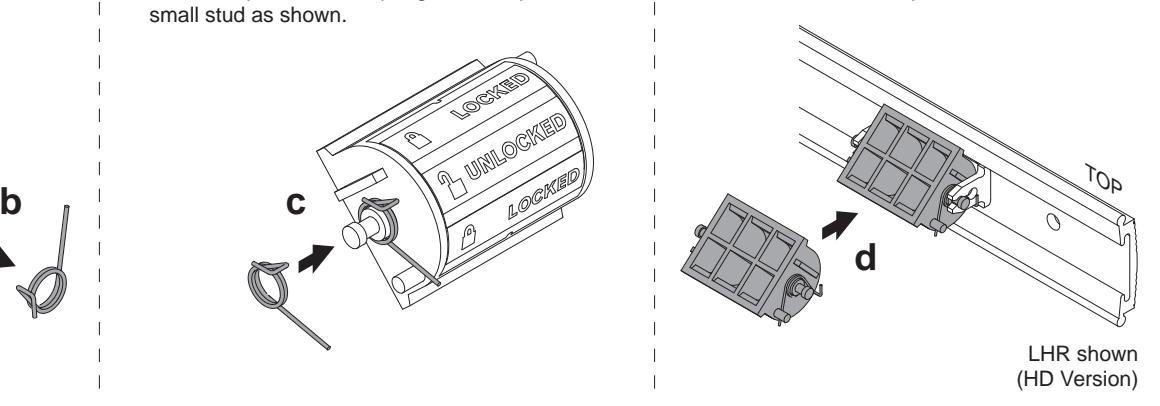
! NOTE: Undog device before installing cover plate.
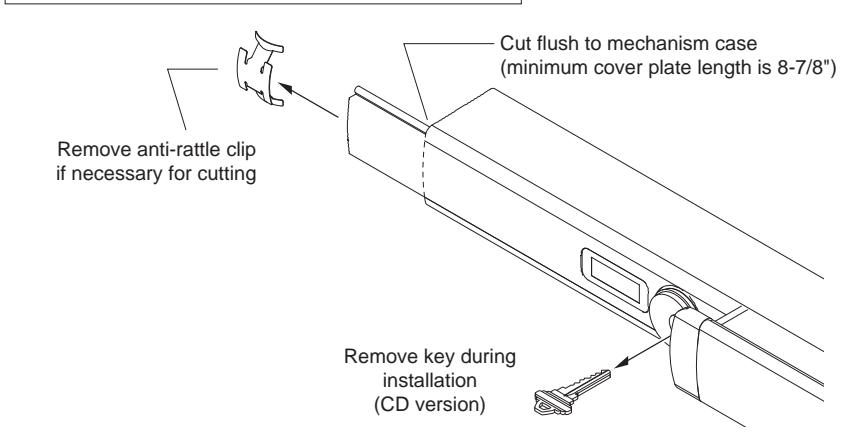
9 Reinstall end cap.
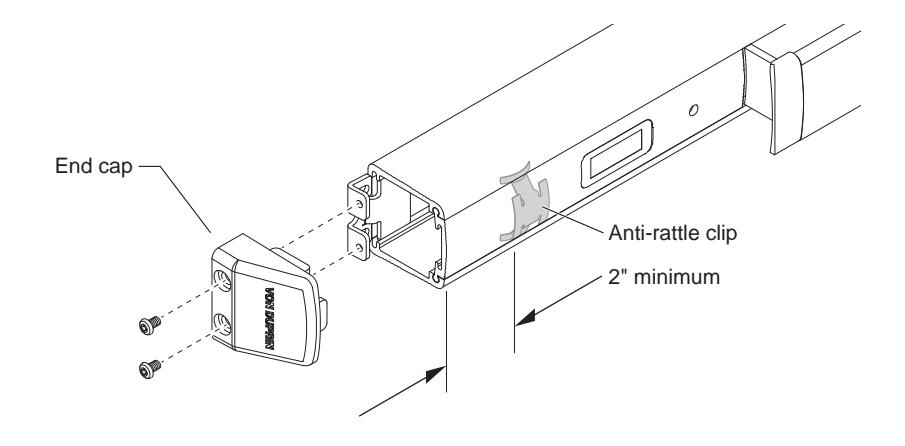
DOGGING INDICATOR FUNCTIONAL TEST
NOTE: Hex dogging shown below. Cylinder dogging is the same except it uses key in cylinder rather than hex key in hole.
- 1. Depress pushbar and hold.
- 2. Place hex key in hole as shown and turn clockwise. Push bar stays in down position.
- 3. Device is now dogged and indicator should show unlocked.
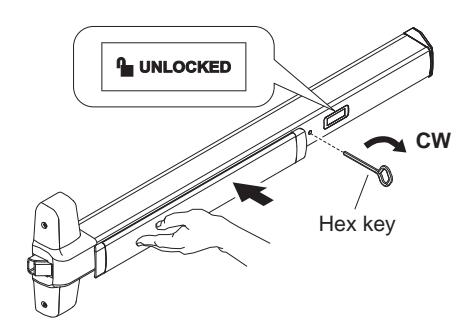
DOGGED - UNLOCKED
- 4. To undog device, place hex key in hole as shown and turn counterclockwise, releasing pushbar.
- 5. With device undogged, indicator should show locked.
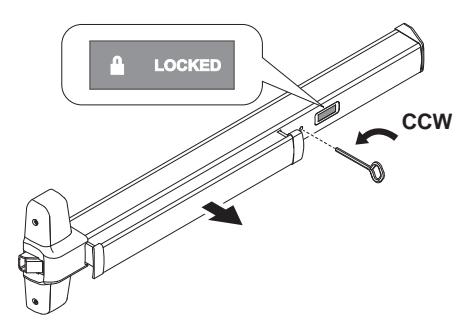
UNDOGGED - LOCKED