


← Von Duprin

ELECTRIC EXIT DEVICE KIT INSTALLATION INSTRUCTIONS MOTOR DRIVE ELECTRIC LATCH RETRACTION
1550K-MDV22
VON DUPRIN 22 SERIES
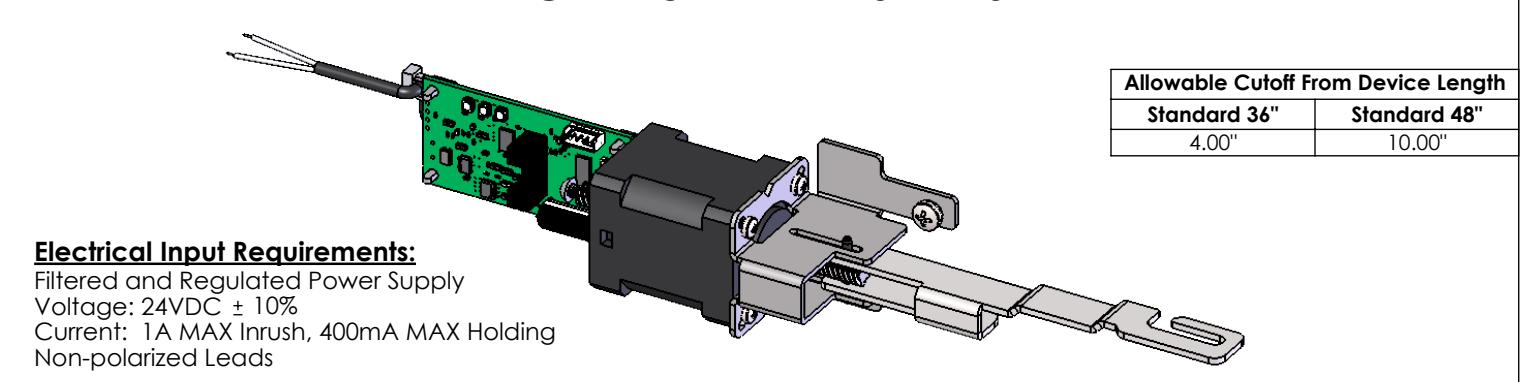
PROVIDES SIMULTANEOUS ELECTRIC LATCH RETRACTION AND DOGGING (PUSH BAR DEPRESSED)
Installation:
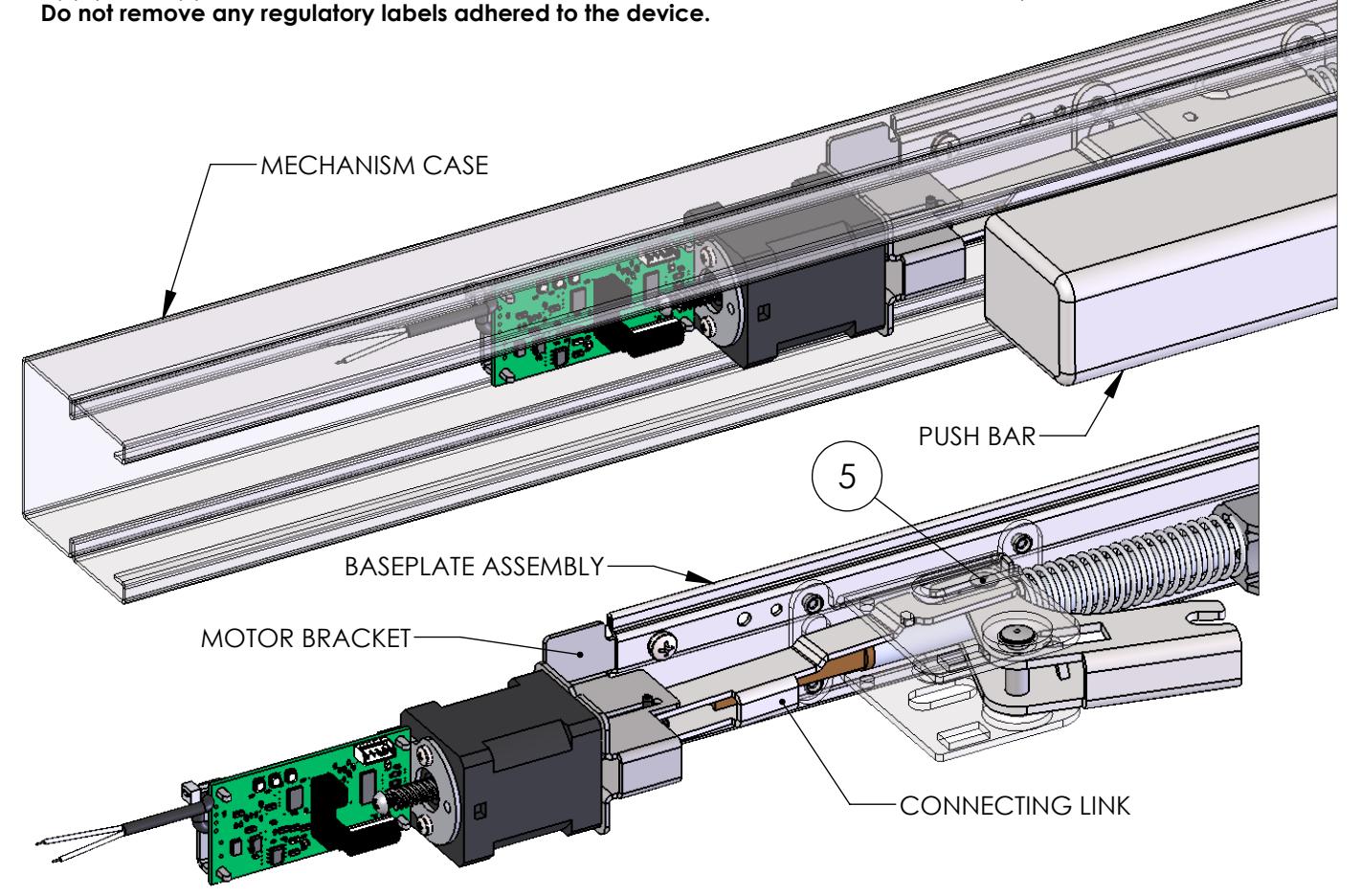
- 1. Separate the mechanism case from the baseplate assembly.
- 2. Separate the push bar from the baseplate assembly.
- 3. Remove the manual dogging assembly, if present, from the baseplate assembly and discard.
- 4. Locate the 1550K-MDV22 Kit near the holes that secured the manual dogging assembly.
- 5. Attach the connecting link to the rear mechanism of the baseplate assembly.
- 6. Attach the motor bracket to the baseplate assembly using the supplied screws and lockwashers through the holes that secured the manual dogging assembly.
- 7. Attach the push bar to the baseplate assembly.
- 8. Attach the mechanism case to the baseplate assembly.
| 9. | Apply the supplied technical assistance labels to the center case cover and the end cap. |
|---|---|
| 2-Conductor Wire Run | |||
|---|---|---|---|
| Distance | Wire Gauge | ||
| 70' | 22 | ||
| 110' | 20 | ||
| 180' | 18 | ||
| 280' | 16 | ||
| 450' | 14 | ||
| 720' | 12 | ||
Motor Drive Electric Latch Retraction Adjustment:
- 1. Verify the device is properly adjusted for mechanical operation. Electric operation should not exceed the mechanical operation or there will be a high risk of damage to the device. We suggest setting the latch retraction under electric operation at 1/16" less than the latch retraction under mechanical operation.
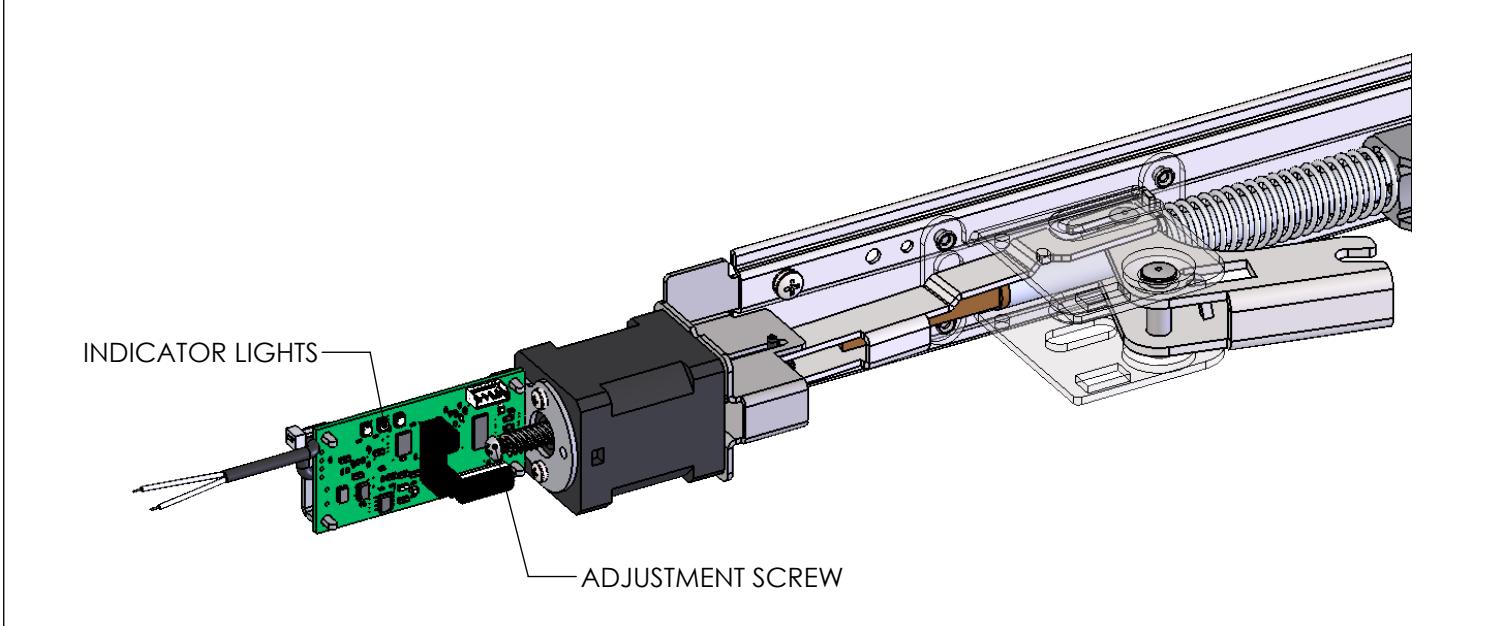
- 2. Locate the adjustment screw in the rear of the motor assembly. Rotate the adjustment screw clockwise to increase the latch retraction or counterclockwise to decrease the latch retraction.
Onboard Indicator Light Assignments:
Maintain input power to the exit device and check the onboard indicator lights. Remove input power before attempting a solution.
|
Green
(Power) |
Yellow
(Sensor) |
Red
(Error) |
Indication | Possible Solution |
|---|---|---|---|---|
| Off | Off | Off | No Power. |
Connect the wiring between the power
supply and the exit device. |
| On | On | Off |
Normal Operation. The push bar is retracted to the dogged
position and dogged; the latch is retracted by default. The device is allowed 2 attempts. |
|
| On | Off | On |
Error in operation. The push bar did not retract to the dogged
position within 2 attempts. |
Rotate the adjustment screw
counterclockwise to decrease the latch retraction. |
| On | On | On |
Error in operation. Without power being removed, the push bar
went from being dogged to unintentionally being extended, and then the push bar did not retract to the dogged position within 2 attempts. |
Clear the jam condition manually. |
| On | Blink | On |
Error in operation. The push bar did not extend from the
dogged position when the power was last removed. The device will not attempt a retraction. |
Clear the jam condition manually. |
| On |
Simultaneous
Blink |
Error in operation. The input voltage dropped below the
specification during operation. |
Decrease the wire run or increase the wire
gauge. |
|
| On | Alternating Blink | Error in operation. An electronics fault was detected. | An electronics replacement is required. | |