unicon-model-cl20-multi-use-cabinet-lock.pdf_638394
Open the original PDF document
View PDF
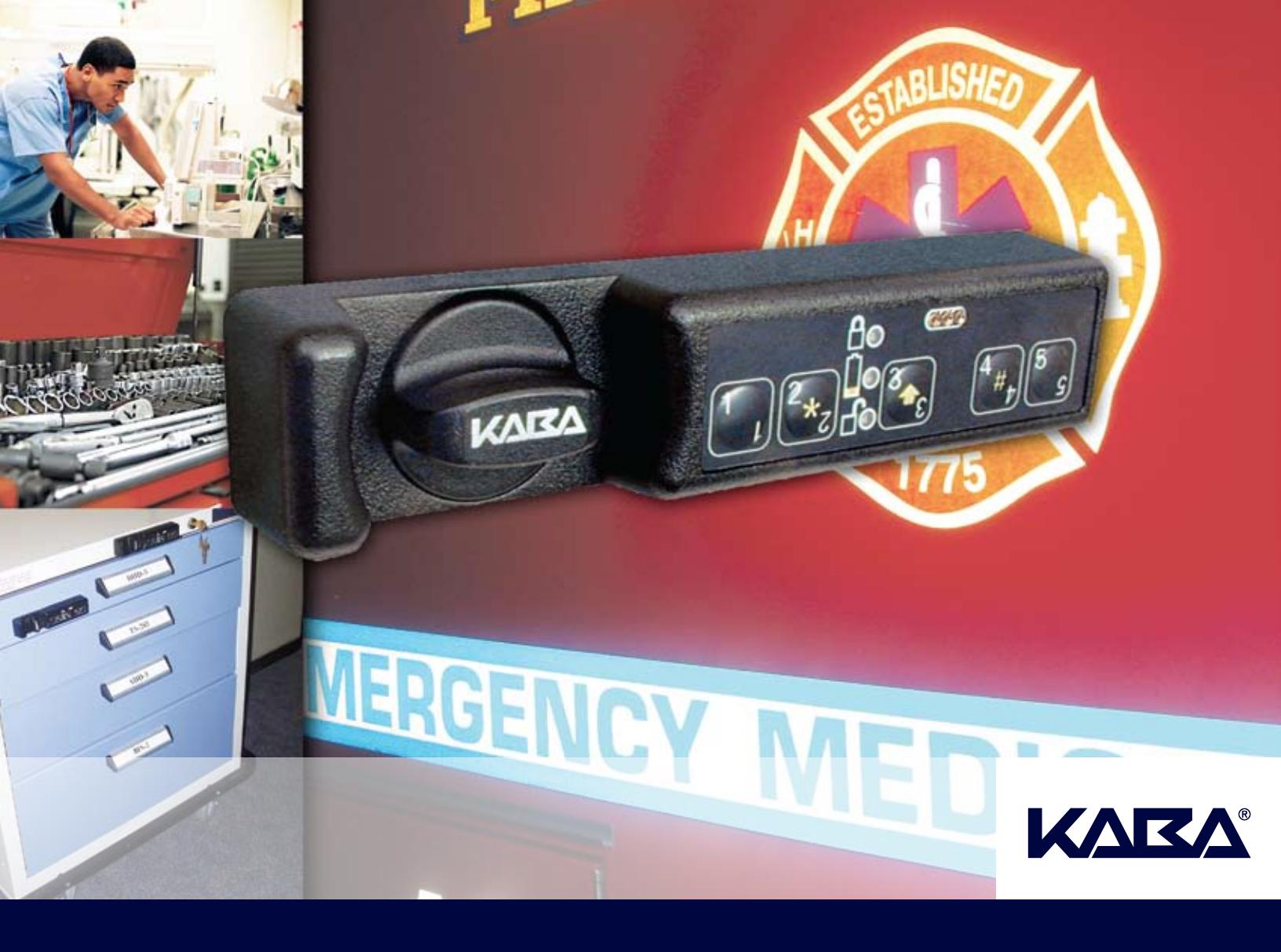
Unicon™ CL Series Multi-Use Cabinet Lock
Model CL20
Introduction
The Kaba Mas history is rich in the development of innovative products, designed for a wide variety of container applications. From sophisticated locks safeguarding classified information and the cash supply stored in automated teller machines (ATMs) to complete systems serving goods-in-transit, Kaba Mas products are world renowned for their ability to greatly reduce incidence of theft.
This tradition continues with the Unicon™ Series CL20 cabinet lock. Designed for new or replacement applications, the CL20 is ideal for locations that require access by multiple employees, assigning a User ID to each. Regulatory compliance is made easier due to the security, control and accountability provided by the Unicon™ CL20.
CL20 at a Glance
Economical Retrofit
Identical mounting hole patterns as the industry leading products, for ease of replacement in existing applications.
Power
Two CR-2 lithium 3v batteries in main housing.
Access Control
Users are assigned a 3-digit user ID and can select a unique 5-digit PIN. Use of PIN is optional, but is suggested for added security.
Touch Key Number Pad
Five button keypad accepts user commands.
Installation
Four common mounting orientations, for wood and sheet metal applications.
Audit Trail
The user's ID is recorded with date and time stamp each time a function is performed on the lock. This includes both opening and closing events. (Requires Unicon™ CL Series Software.)
Wrong Try Lockout
After five consecutive failed combination attempts, lock disables for three minutes. Additional consecutive failed attempts will result in another three minute penalty after each failed attempt.
Key Override (optional)
Key override sensor kit allows cabinet key to override lock and allow entry. This will be recorded in the lock audit.
Operating Modes
- Independent Mode: Master User adds individual access users to the lock.
- Supervisor/Subordinate Mode: Master User adds up to three supervisors, who then add or delete their direct subordinates to/from the lock.
Access Modes
- Single User: Entering one valid combination required to open lock.
- Dual User: Entering two valid combinations required to open lock.
Bolt Designs
Manual return dead bolt or automatic spring loaded latch bolt.
Access Schedules
Can be set and maintained at the PC using Unicon™ CL Series Software and uploaded (transferred) to lock via Dallas iButton key fob.
Customer Service
The Kaba Mas technical support staff is available 24 hours a day, seven days a week to answer any technical questions you may have. Please call us at 877-950-4744.
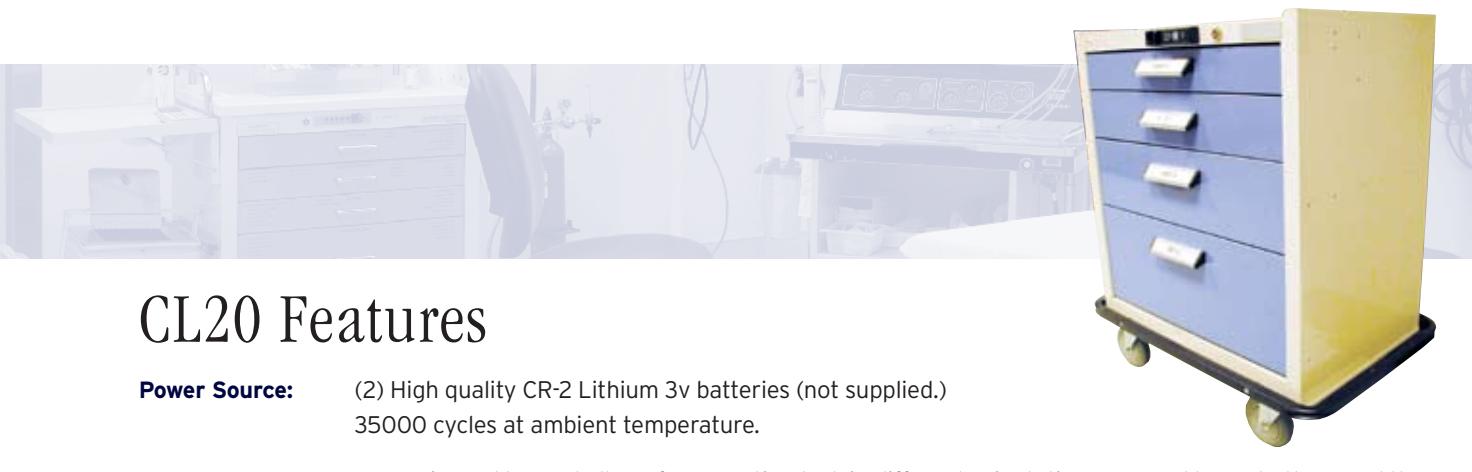
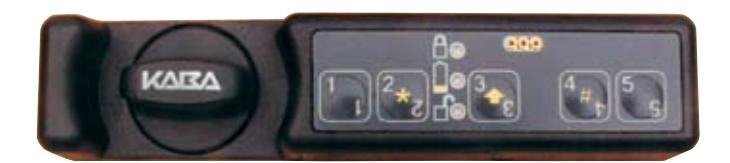
Keypad: One universal keypad allows for mounting lock in different orientations. Keypad has 5 buttons and three
LEDs - lock open, lock closed and battery low indicator.
Bolt/Cam Styles: Manual turn dead bolt, manual cam latch, or spring loaded latch bolt with variations in bolt and cam
positioning allowed.
Bolt Throw: End throw, cross throw or combination of both.
Access Users: Independent Mode: (1) Master User, (124) Access users Supervisor/Subordinate Mode: (1) Master User, (3)
Supervisors, (121) Subordinate access users.
Manage/Control: In Independent mode, the master user adds access users. In Supervisor/Subordinate mode, the master user
adds supervisors.
Audit Trail: 400 events (including opening and closing) stored in the lock with time and date stamp, can be downloaded
to PC via a Dallas iButton Reporting (Red) Key Fob. (Requires Unicon CL Series Software.)
Uploadable Information can be loaded at the PC and transferred to the lock via a Dallas iButton Programming (Teal) Key
Programming: Fob. (Requires Unicon CL Series Software.)
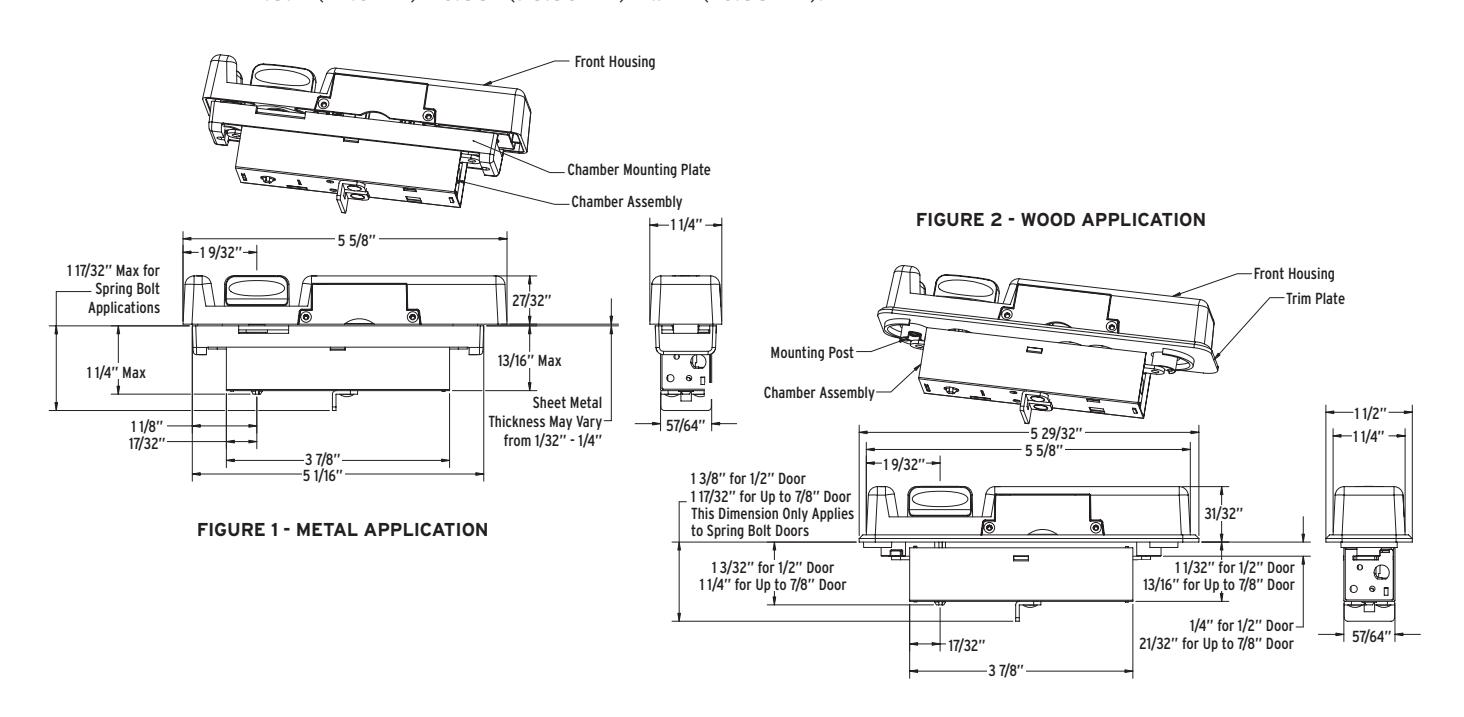
Mechanical Lock front - Black, injection-mold polycarbonate, 1.25" (31.71 mm) x 5.63" (143 mm) x .85" (21.6 mm).
Construction: Turn knob - Black powder coat zinc diecast, clutch mechanism prevents opening of lock when over-torqued.
Chamber - Metal electro-mechanical assembly that includes motor and locking mechanisms -
.89" (22.6mm) x 3.88" (98.56mm) x .94" (23.88mm).
Bolt/Cam Options
- Manual Dead Bolt End Throw
- Manual Dead Bolt Cross Throw
- Manual Dead Bolt End Throw and Cross Throw Parts
- Spring Loaded Latch Bolt End Throw
- Spring Loaded Latch Bolt Cross Throw
- Cam Latch
Figure 3 - Spring Bolt Wood A A B
Door Thickness/Material
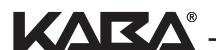
Metal: 14-20 gauge sheet metal 1/8" (3.18 mm) sheet metal 3/16" (4.76 mm) sheet metal 1/4" (6.35 mm) sheet metal Wood: 1/2" (12.7 mm) to 7/8" (22.23 mm)
Control Shaft Options
- 1.75" (Standard Applications)
- 1.915" (Other/Cart Applications)
Consult factory for additional shaft lengths.
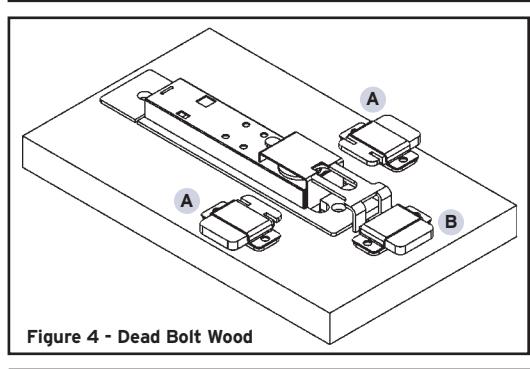
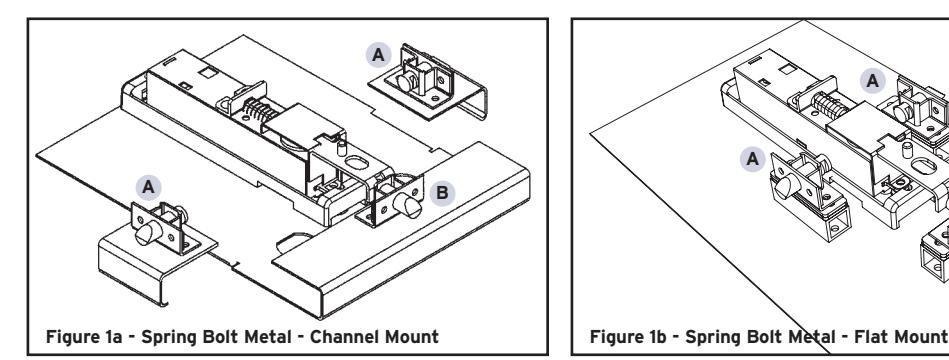
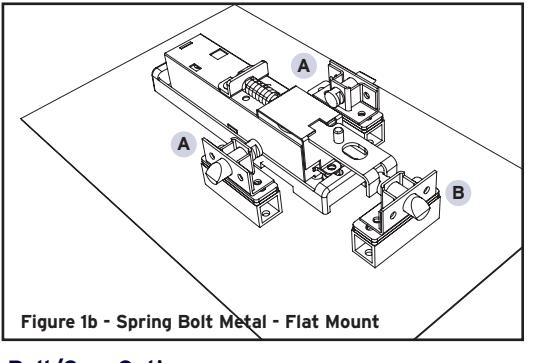
Figure 1a and 1b: Spring loaded latch bolt, metal installation - channel mount (a) and flat mount (b).
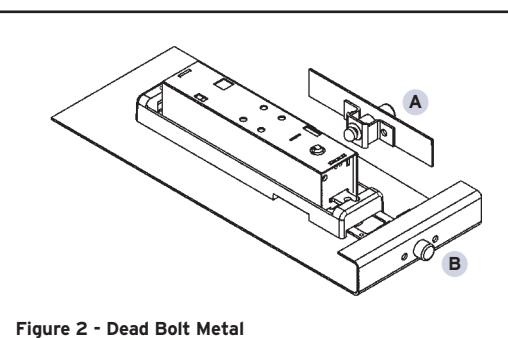
Figure 2: Manual dead bolt, metal installation.
Figure 3: Spring loaded latch bolt, wood installation.
Figure 4: Manual dead bolt, wood installation.
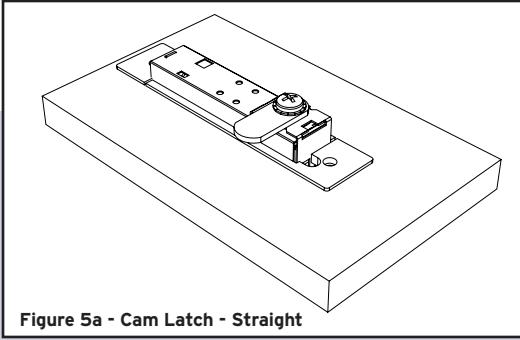
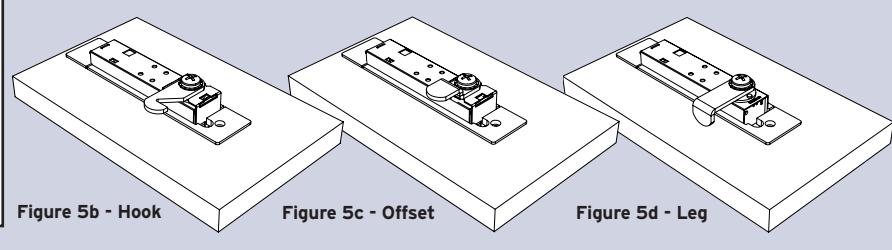
Figures 5a - 5d: Cam latch installations. (Wood shown. Metal also available.)
Refer to Figures 1 - 4 for possible spring and dead bolt positions. (A) Cross throw position, (B) End throw position.
Cam latch wood installation with Straight cam shown in 5a. Cam variations: Hook (5b), Offset (5c), Leg (5d). All four cam latches are included with the Cam Latch option.
Cam Latch can be positioned 180° from position shown.
4
Unicon™ CL Series Software
The Unicon CL Series Software is an integral component of the Unicon CL20 multi-use cabinet lock. While basic lock functions can be performed at the lock without software, efficient administration, maximum convenience and full audit capability can only be achieved once the software has been installed.
Programming
The Unicon CL Series Software allows you to load information at the PC, and via a Programming Key Fob, transfer that information directly to the lock. The following can be uploaded to the lock:
- Operating mode and Lock ID (Lock ID is important for audit purposes.)
- Date and time
- User Data (Add/delete users.)
- Lock access schedules (shifts)
- Reporting capabilities (Defines who has authority to retrieve data from the lock.)
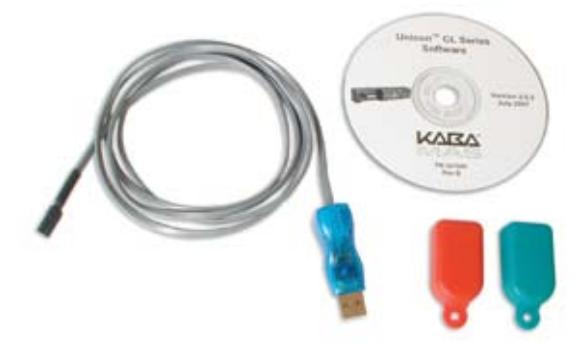
Unicon CL Series Software Implementation Package includes: Install CD-ROM; 1 Reporting (Red) Key Fob (download data from lock); 1 Programming (Teal) Key Fob (upload data to lock); 1 USB Adapter; 1 Key Fob Reader/Data Cable.
Data Retrieval
In addition, the Unicon CL Series Software allows you to download (retrieve) the following information from the lock via a Reporting Key Fob and transfer it to the PC:
- User table consists of all User IDs that are current in the lock
-
Audit Trail this feature records lock transactions in sequential order. Examples of audit events are:
- Lock opened
- Lock closed
- Users added/deleted
- PIN activated/changed
- Wrong try lockout
Reporting
Reporting features include sorting, data selection, and export to various formats (Crystal Reports, Adobe® PDF, Microsoft® Excel, Microsoft® Word, etc.)
System Requirements
PC Hardware minimum requirements for Microsoft® SQL Server Express Edition*:
- IBM® compatible PC capable of running Windows®, with available USB communication port
- 600 MHz Pentium III-compatible or faster processor, 1 GHz or faster processor recommended
- 512 MB of RAM or more recommended
- Hard-disk drive with 830 MB available disk free space recommended
- CD-ROM or DVD-ROM drive
- Windows® XP (Service Pack 2 or later), Windows® 2000 Server (Service Pack 4 or later), Windows® Server 2003 Standard, Enterprise or DataCenter editions (Service Pack 1 or later), Windows® Small Business Server 2003 (Service Pack 1 or later)
Unicon CL10 Support
The Unicon CL Series software can also be used for administration of Unicon CL10 locks.
* The Unicon database can also be installed on a Microsoft® SQL Server 2005 database engine.
Applications
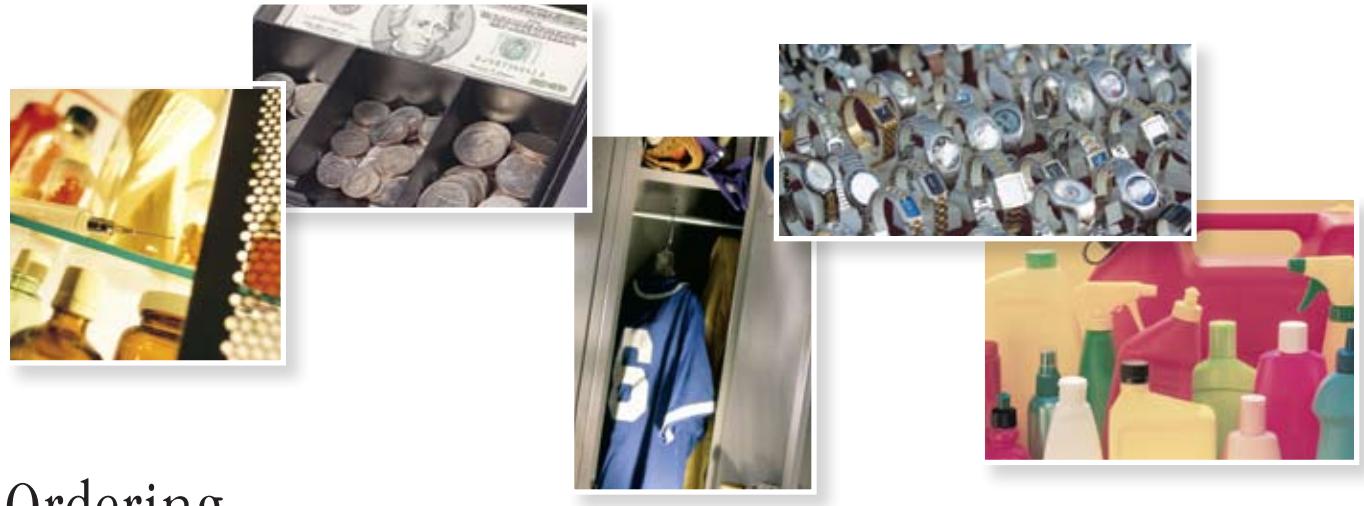
- Narcotics Storage
- Liquor Cabinets
- Gun Boxes
- Cleaning Supply Cabinets
- Tool Carts
- Display Cases
- Petty Cash Drawers
- Lock Boxes
- Lockers
- Filing Cabinets
- Hazardous Materials Storage
- Pharmaceutical Cases
- Key Cabinets
Ordering
Unicon Model CL20 ordering example
Model CL20 multi-use cabinet lock with housing, power source, keypad style, door thickness, bolt, control shaft, country code, install, and packaging.



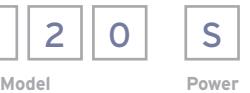
Source
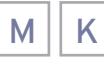
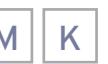
Keypad Door

Thickness

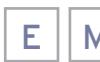

Bolt Control

Shaft Length

Code

Accessories
- Unicon CL Series Software Implementation Package (See Software Section for Details)
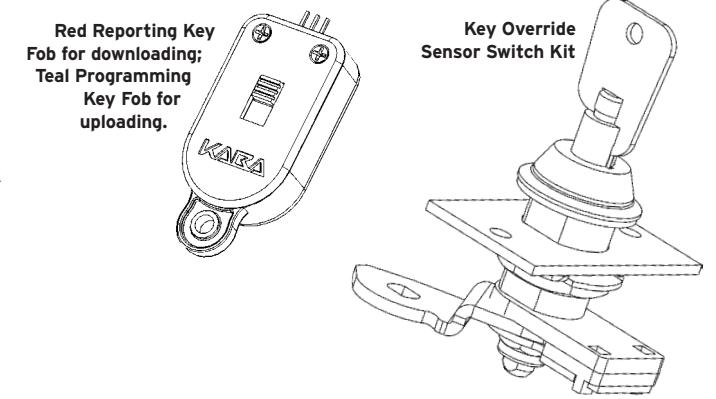
- Reporting Key Fob (Red) for Downloading Data from Lock
- Programming Key Fob (Teal) for Uploading Data to Lock
- Key Override Sensor Switch Kit
- Lock Covers
For a complete list of options and accessories, refer to the Kaba Mas List Price Book.
The Kaba Safe Lock Division relies on product innovation to meet our markets' ever-changing needs for loss prevention and access control solutions.
The Kaba and LA GARD brands are synonymous worldwide with security, control and accountability.
Kaba AG | Kaba Mas | Kaba Mauer GmbH
Kaba Mas LLC 749 W. Short St. Lexington, KY 40508
phone 859-253-4744
toll-free 877-KabaMas (522-2627)
fax 859-255-2655
web www.kaba-mas.com CL20.R308.2K