models-cl10-cl20-metal-spring-latch-bolt-installation.pdf_638366
Open the original PDF document
View PDF

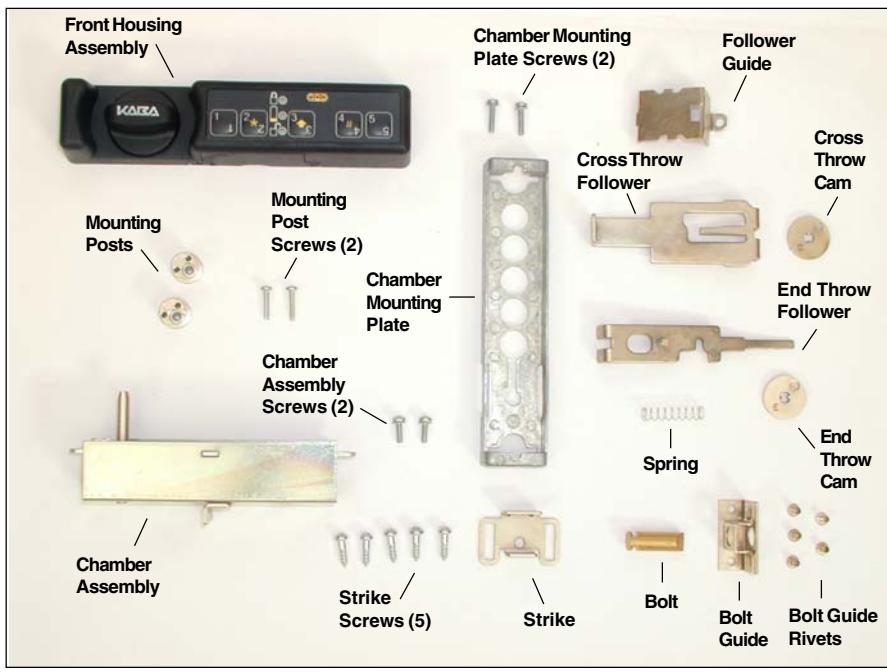
Figure 1 - Unicon CL10/CL20 Metal Spring Latch Bolt Lock Parts
These installation instructions are intended for a standard install. Please refer to the Kaba Mas web site for installation variations.
Prepare for New Installation of the Lock (If Required)
- 1. Verify the position for the strike (if applicable) before preparing the mounting surface for installation.
- 2. Use the template provided to prepare the mounting surface for lock installation. Complete steps A, B, and C.
Install Bolt Hardware (If Required)
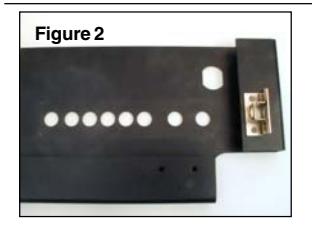
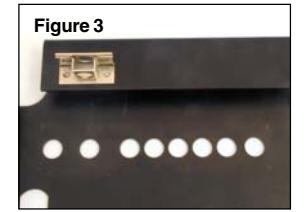
1. Use a hammer and center punch to mount the bolt guide onto the inside surface using the rivets provided. (Figure 2 - End Throw, Figure 3 - Cross Throw)
Note: A pop rivet gun and appropriate size pop rivets may be used instead of the standard rivets provided.
Basic Tools and Materials Needed
- Drill (variable speed is best)
- 1" drill bit or 1" hole saw
- 1/8" (3mm) drill bit
- 7/16" (11mm) drill bit or step drill
- Scribe, awl, center punch, or sharp instrument for marking holes (& for rivets)
- Fine round metal file or or deburring tool to remove all sharp edges
- Small Phillips head screwdriver (recommend magnetized tip)
- Hammer (if installing rivets provided)
- Pencil
- Tape measure or ruler
- Tape
- ESD wrist band
WARNING: Kaba Mas locks are protected from 25,000 V Electrostatic Discharge (ESD) damage when correctly installed. Follow these precautions to avoid ESD damage when installing the lock:
- Do not touch the circuit board wthin the front housing assembly.
- Use an ESD wrist band grounded to the lock or container during installation.
- ******************************************************************************* For an End Throw Installation: (See back of sheet for Cross Throw.)
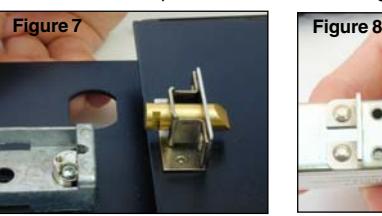
- 4. Insert the bolt into the bolt guide with the tapered side of the bolt facing up, away from the mounting surface. (Figure 7)
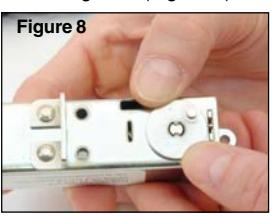
- 5. Place the cam (marked by an E on the back surface) onto the control shaft, with the post closest to the bolt guide. (Figure 8)
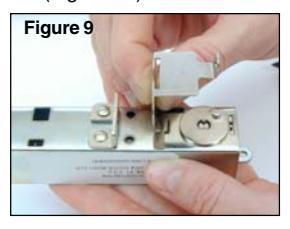
- 6. Insert follower guide into the slot on the chamber. (Figure 9)
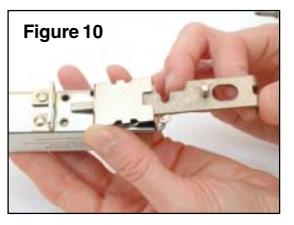
- 7. Pivot the follower guide down halfway, and insert the follower into the slot. (Figure 10)
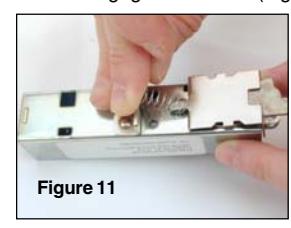
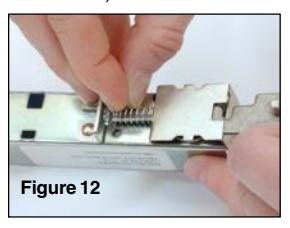
8. Place the spring on the end of the follower and then insert the follower end into the follower retainer on the chamber, ensuring that the follower engages the cam. (Figures 11 & 12)
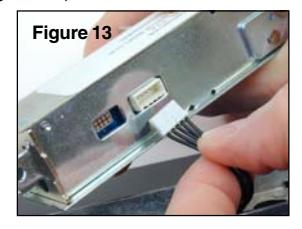
9. Hold the chamber and follower assembly in place while plugging the cable from the front housing assembly into the chamber assembly. (Figure 13)
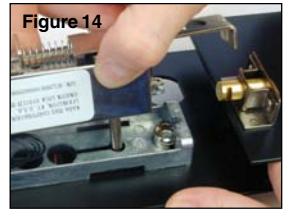
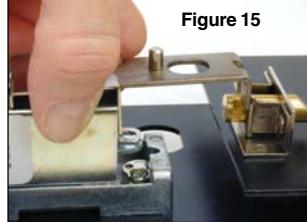
10. Insert the spindle shaft into the front housing through the chamber plate, and slot the legs of the follower over the bolt. (Figures 14 & 15)
Install Lock
1. Place mounting posts on housing assembly and attach with thread forming screws (without star washers.) (Figure 4)
Note: Ensure that the screw holes of the mounting posts align with the screw holes in the front housing assembly.
2. Orient the front housing assembly to
the correct position in alignment with the mounting surface, and feed the cable through the middle hole of the mounting surface and the chamber mounting plate. (Figure 5)
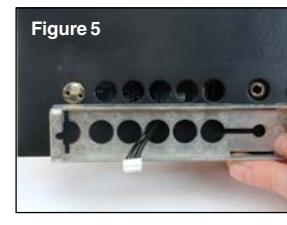
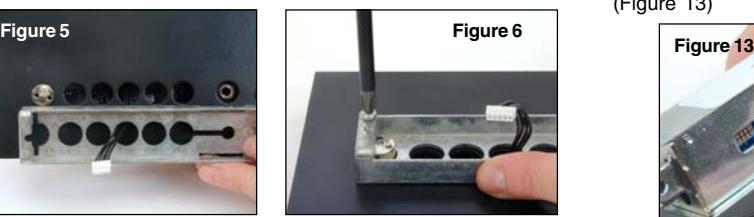
Figure 4
3. Install the rear (away from the spindle) 4-40 x 1/2" chamber mounting plate screw to attach the chamber mounting plate to the front housing. (Figure 6)
Note: You may have to turn the knob to engage the spindle.
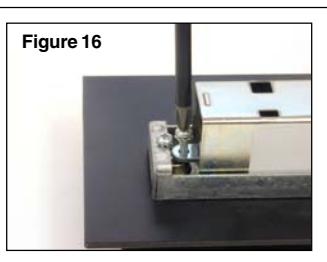
- 11. Install the rear (away from the spindle) 4-40 x 3/8" chamber assembly screw to attach the chamber assembly to the front housing. (Figure 16)
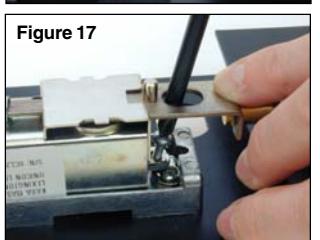
- 12. Push the follower and bolt back in order to install the front (closest to the bolt) 4-40 x 3/8" chamber assembly screw to attach the chamber assembly to the front housing. (Figure 17)
- 13. Push the follower and bolt back again to install the front 4-40 x 1/2" chamber mounting plate screw to finish attaching the chamber mounting plate to the front housing. (Figure 18)
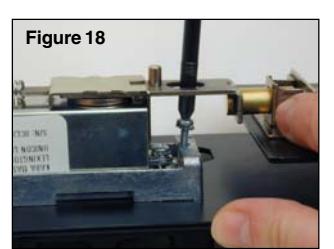
Note: Ensure that the follower engages the cam and that the spring engages the notched edge of the follower guide.
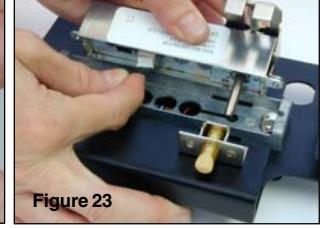
- 8. Hold the chamber and follower assembly in place while plugging the cable from the front housing assembly into the chamber assembly. (Figure 23)
- 9. Insert the spindle shaft into the front housing through the chamber plate and slot the legs of the follower over the bolt. (Figures 24 & 25)
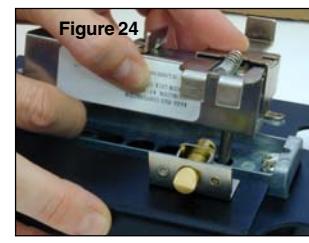
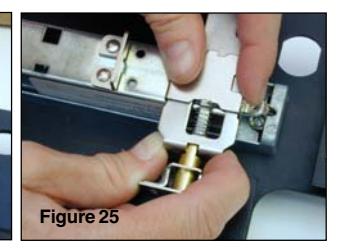
Note: You may have to turn the knob to engage the spindle.
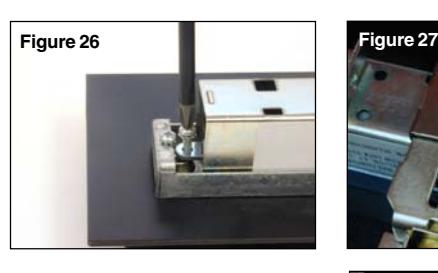
- 10. Install the rear (away from the spindle) 4-40 x 3/8" chamber assembly screw to attach the chamber assembly to the front housing. (Figure 26)
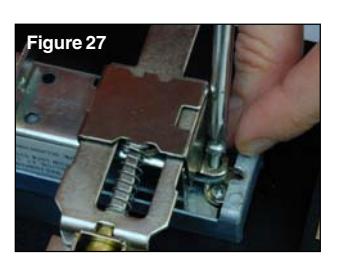
- 11. Install the front (closest to the bolt) 4-40 x 3/8" chamber assembly screw to finish attaching the chamber assembly to the front housing. (Figure 27)
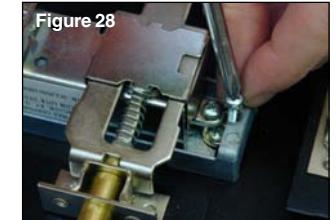
12. Install the front 4-40 x 1/2" attaching the chamber mounting
Install Strike (If Required)
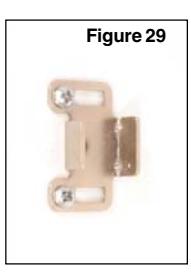
- 1. Install the strike using two of the chrome Phillips head strike screws. (Figure 29)
- 2. Once adjusted, secure the center of the strike with a third chrome Phillips head strike screw.
Install Batteries
- 1. Remove the two screws from the battery panel and then remove the panel. (Figure 30)
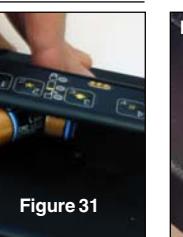
- 2. Install two fresh, high quality, name brand (Energizer® or Duracell®) CR-2 lithium batteries. (Figure 31)
Note: The negative end of the battery should be inserted into the battery cavity first.
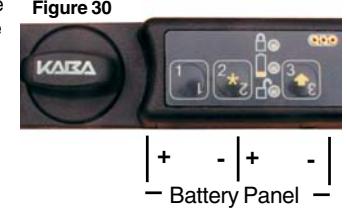
- 3. While the lock is locked, turn the knob forcefully to adjust the KABA logo to the horizontal position. (Figure 30)
- 4. Test opening of the lock with the default combination for the model you are installing: Model CL10 - "5525", Model CL20 - "111 12345".
Note: For the Model CL10, you must test the lock by toggling between locked and unlocked. To unlock, simply enter the default lock user combination of "5525". To lock the lock, enter the default lock user combination of "5525". Then press and hold the key until the yellow
light Y displays.
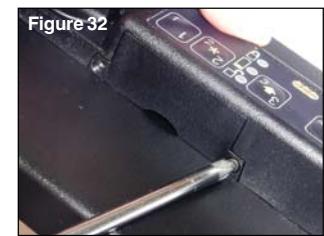
5. Reattach the battery panel (Figure 32) and test the lock once more with the default combination.
For a Cross Throw Installation: (See front of sheet for End Throw.)
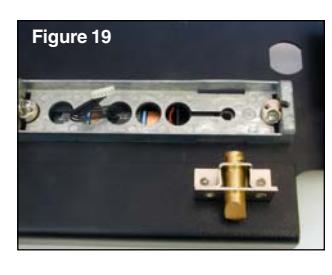
4. Insert the bolt into the bolt guide with the tapered side of the bolt facing up, away from the mounting surface. (Figure 19)
******************************************************************************
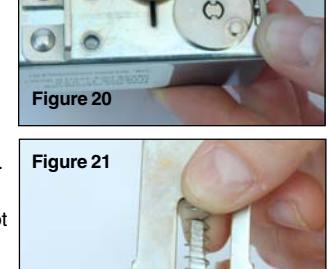
5. Place the cam (marked by a C on the back surface) onto the control shaft, with the post closest to the bolt guide. (Figure 20)
- 6. Place the spring on the follower. (Figure 21)
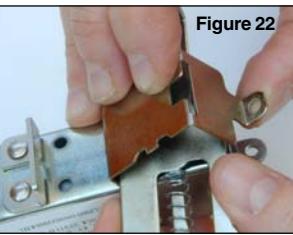
- 7. Insert follower guide into the slot on the chamber and pivot the follower guide down halfway while also placing the follower between the cam and the follower guide. (Figure 22)
chamber mounting screw to finish plate to the front housing. (Figure 28)
© 2006-2007 Kaba Mas Corporation. All rights reserved. Product warranty information can be found at: www.kaba-mas.com
Kaba Mas Corporation 749 W. Short Street, Lexington, KY 40508 USA Phone: (859) 253-4744 FAX: (859) 255-2655 Customer Service: (800) 950-4744