iu_digitech_easy_03_eng
Open the original PDF document
View PDF

DigiTech
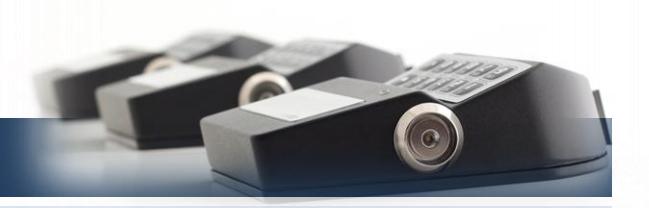
User instructions
Default codes
Manager 0 1 - 1 2 3 4 5 6 + Optional Dallas key User 2 0 2 - 0 2 0 2 0 2 + Optional Dallas key User 3 0 3 - 0 3 0 3 0 3 + Optional Dallas key User x x x – x x x x x x + Optional Dallas key
Dallas key
In the event that the user is composed of "code + Dallas key", before or after entering the code, the Dallas key must be placed on the appropriate Dallas key reader.
Override user
The override user 30 opens without waiting the time delay. In the default programming they are set in dual code opening but, upon request, the single opening mode can also be set.
Silent alarm
It is activated by increasing or decreasing the last digit by one number when entering the opening code.
Penalty
After four attempts to enter an incorrect code, the lock starts a 4-minute delay period. Each attempt to enter the code within the 4 minutes delay period restarts the count.
Low battery warning
A message on the display and a long beep during opening indicates a low battery level. Replace immediately the low battery with a new Alkaline battery.
Sound signals
A double beep normally indicates a correct operation. A long beep indicates an incorrect operation and the end of the operation itself.
Reccomendations
Do not use easily identifiable codes such as 123456, dates of birth or other personal information.
Opening (It is recommended to change the factory code before use and to safely store the new code)
Press any key to turn on the device. The display shows the message: USER CODE
Enter the opening code. The display shows the time delay counting if programmed. TIME DELAY
At the end of the time delay, the display shows the counting of the open window. OPEN WINDOW
Enter the opening code. The display shows the message: OPEN
Open the safe door within 4 seconds.
Dual code opening (It is recommended to change the factory code before use and to safely store the new code)
Press any key to turn on the device. The display shows the message: USER CODE
Enter the opening code. The display shows the time delay counting if programmed. TIME DELAY
At the end of the time delay, the display shows the counting of the open window. OPEN WINDOW
Enter the 1° opening code. The display shows the message: 2° USER CODE
Enter the 2° opening code. The display shows the message: OPEN WINDOW
Open the safe door within 4 seconds.
Change code ( Safely store the new code and perform various opening / closing tests before closing the safe door )
To be performed with the door open!
Press and hold . The display shows the message:
Enter the old code . The display shows the message: NEW CODE
Enter the new code . The display shows the message: CONFIRM CODE
Perform various opening / closing tests before closing the safe door.
| X X – X X X X X X |
|---|
| 00:59 |
| 00:01 |
| X X – X X X X X X |
| 00:59 |
| 00:01 |
| X X – X X X X X X |
OLD CODE X X - X X X X X X
X X X X X X

User instructions
DigiTech
Users management
Press and hold . The display shows the message:
Enter the Manager code.
Press to scroll the list or enter the user ID.
"" installed user, "X" disabled user, "_" deleted user.
The override user (30) can be installed only when the lock is open.
Press . If the user is not installed, the display shows the message:
Press to confirm, or to disable/enable/delete and to confirm.
Membrane test
Press any key to turn on the device.
Press and hold the button . The display shows the message:
Press in sequence the buttons shown in the display. MEMBRANE TEST
A confirmation beep is given for each pushed key working properly.
A damaged key is indicated with a long beep. The display shows the message: WRONG/FAULTY
Change time and date
Press and hold . The display shows the message:
Enter the Manager code. The display shows the message: TIME AMD DATE
Press . The display shows the date and time currently set:
To modify, press . The display shows the message:
Enter time and date and press to confirm.
Time delay
Press and hold . The display shows the message:
Enter the Manager code. The display shows the time delay currently set: TIME DELAY 00
To modify, press . The display shows the message:
Enter the desired values and press to confirm. VALUES UPDATED
USERS MANAGEMENT 0 1 – X X X X X X
02 03 04 05 06 x _ _
02
INSTALL?
MEMBRANE TEST 1234567890
1234567890
KEY
TIME AND DATE 0 1 – X X X X X X
SETTINGS 12:00 WED
13 /02/2019 hh:mm _ _ _ DD/MM/YYYY
SET TIME DELAY 0 1 – X X X X X X
OPEN WINDOW 01
TIME DELAY mm OPEN WINDOW mm
Further information
For the complete manual and further information on the product's features, please visit www.tecnosicurezza.it
GLOBAL HEADQUARTERS USA HEADQUARTERS SPAIN HEADQUARTERS
Via Cesare Battisti. 276 50, Thomas Lane C/Menor, 4 - Nave 10 37057 San Giovanni Lupatoto Tel.+39 045 826 64 70 Tel.+1 859 490 89 30 Tel.+34 91 804 33 91
Verona Versailles, KY 40383
Tecnosicurezza SpA Tecnosicurezza Inc. Tecnosicurezza Sa
Pol. Ind La Mina 28770 Colmenar Viejo Fax. +39 045 826 64 69 Fax.+34 91 804 32 63
info@tecnosicurezza.it info@usatecno.com info@tecnosicurezza.es
