Original Source Document Full PDF Version
← Corbin

Installation Instructions

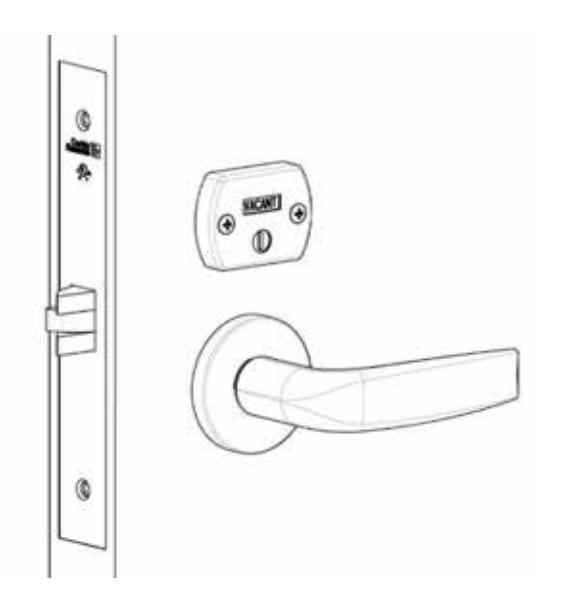
Corbin Russwin Occupancy Indicators for ML2000 Series Mortise Locks without Cylinder Installation Instructions_FM289 image on

Occupancy Indicators

without cylinder

Mortise Lockset
Corbin Russwin Occupancy Indicators for ML2000 Series Mortise Locks without Cylinder Installation Instructions_FM289 image on

Corbin Russwin Occupancy Indicators for ML2000 Series Mortise Locks without Cylinder Installation Instructions_FM289 diagram

This product can expose you to lead which is known to the state of California to cause cancer and birth defects or other reproductive harm. For more information go to www.P65warnings.ca.gov.

Corbin Russwin Occupancy Indicators for ML2000 Series Mortise Locks without Cylinder Installation Instructions_FM289 image on

1 Prep Door

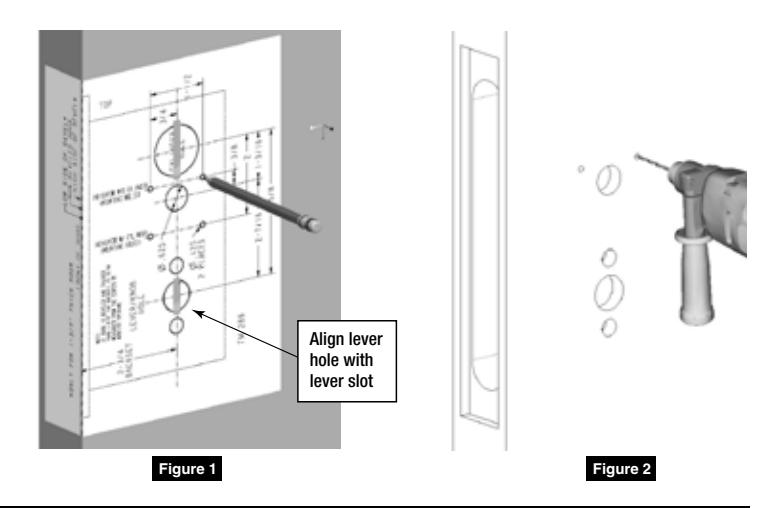
  • 1. Using door marker FM298, mark holes. (Figure 1)
  • 2. Drill two .125" diameter holes where marked, through inside door surface. (Figure 2)
Corbin Russwin Occupancy Indicators for ML2000 Series Mortise Locks without Cylinder Installation Instructions_FM289 image on

2 Install Lock and Indicator

  • 1. Install lock.
  • 2. Screw indicator onto door. (Figure 3)

NOTE: When installing, make sure lock is unlocked, deadbolt is retracted and indicator shows green window (unsecure / vacant). (Figure 4)

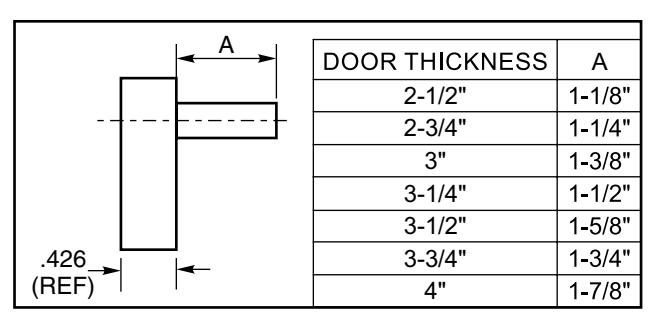
NOTE: For doors 2-1/2" or over, use chart to cut indicator spindle. (Figure 5)

Corbin Russwin Occupancy Indicators for ML2000 Series Mortise Locks without Cylinder Installation Instructions_FM289 image on

Corbin Russwin Occupancy Indicators for ML2000 Series Mortise Locks without Cylinder Installation Instructions_FM289 diagram

Figure 5

Corbin Russwin 225 Episcopal Road Berlin, CT 06037 Phone: 800-543-3658 Fax: 800-447-6714 corbinrusswin.com