


DOOR OUTSIDE FACE © Device Mounting Holes & Trim 3-5/8 (92)€ Device 3-5/8 (92)1/2 (13) Dia. Thru 2 Holes -6-7/16 (164)1/2 (13) Dia. Thru (T1450 Only) 3/8 (10) Dia. x 3/4 (19) Deep (T1450 Only)
Installation Instructions
- Pull trim becomes handed after assembly (parts are universal). See other side for components and instructions.
- 2. After marking door inside face for device location (Device Instructions), carry "Centerline of Device Mounting Holes" from inside to outside door face. Follow steps 2a. and 2b. below.
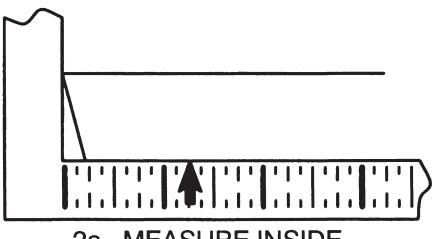
2a. MEASURE INSIDE LINE LOCATION.
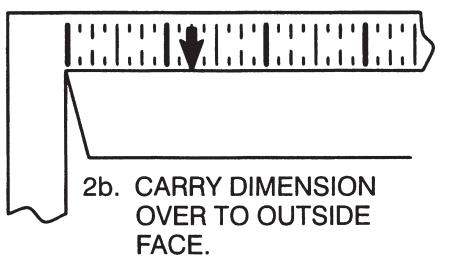
- 3. Carry horizontal "Centerline of Device" from inside to outside door face.
- 4. Align trim template and tape to outside door face.
CAUTION: Office copiers and facsimile machines may change the size of a drawing and make the template inaccurate to use as a door marker. It this is not the original template packed with the trim, use only the dimensions written on the template to locate the holes on the door (do not use the template as a door marker).
- 5. Spot holes and prepare door for trim.
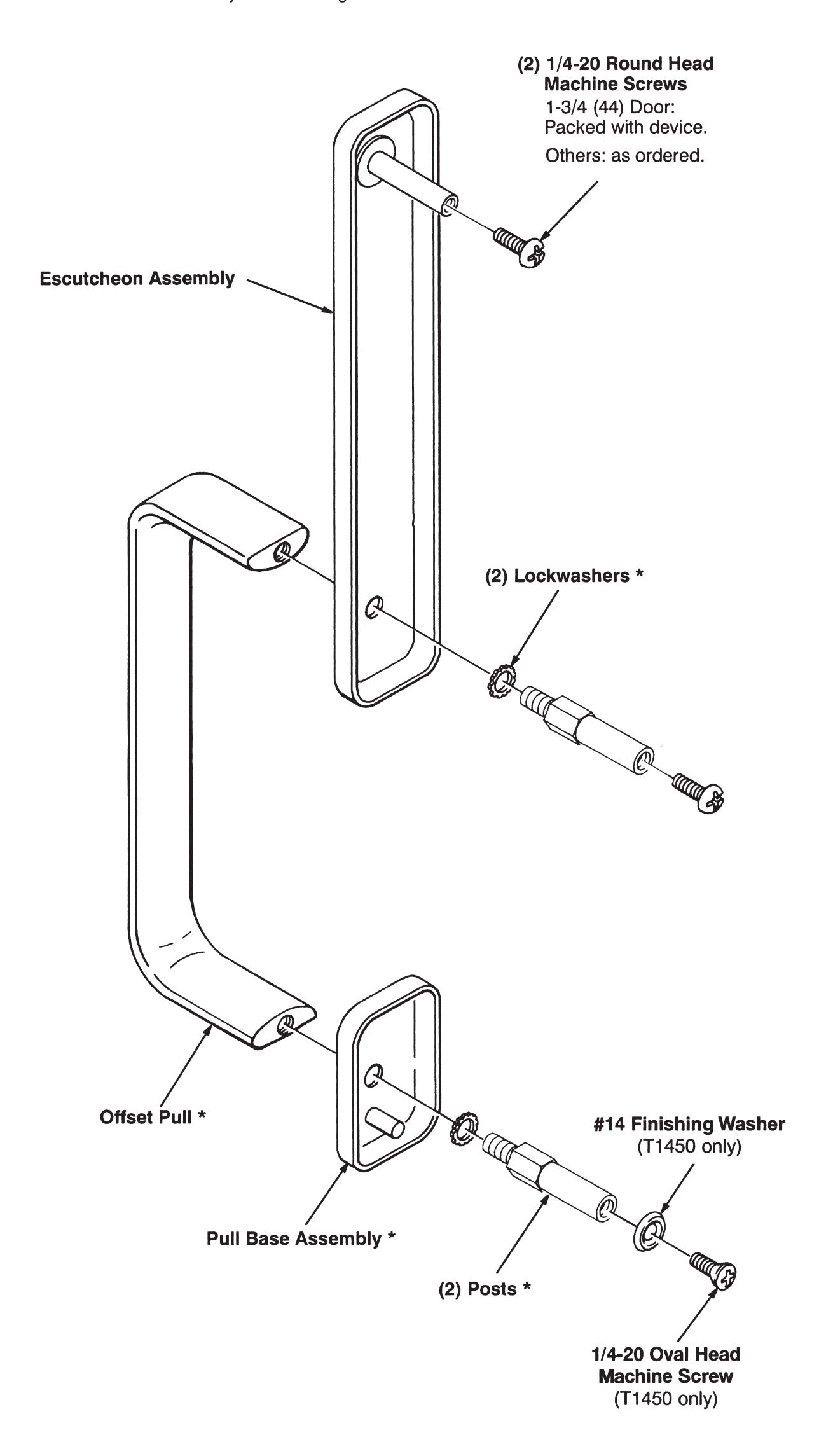
- 6. Mount trim to door, bolting escutcheon to device. Continue as shown on device instructions.
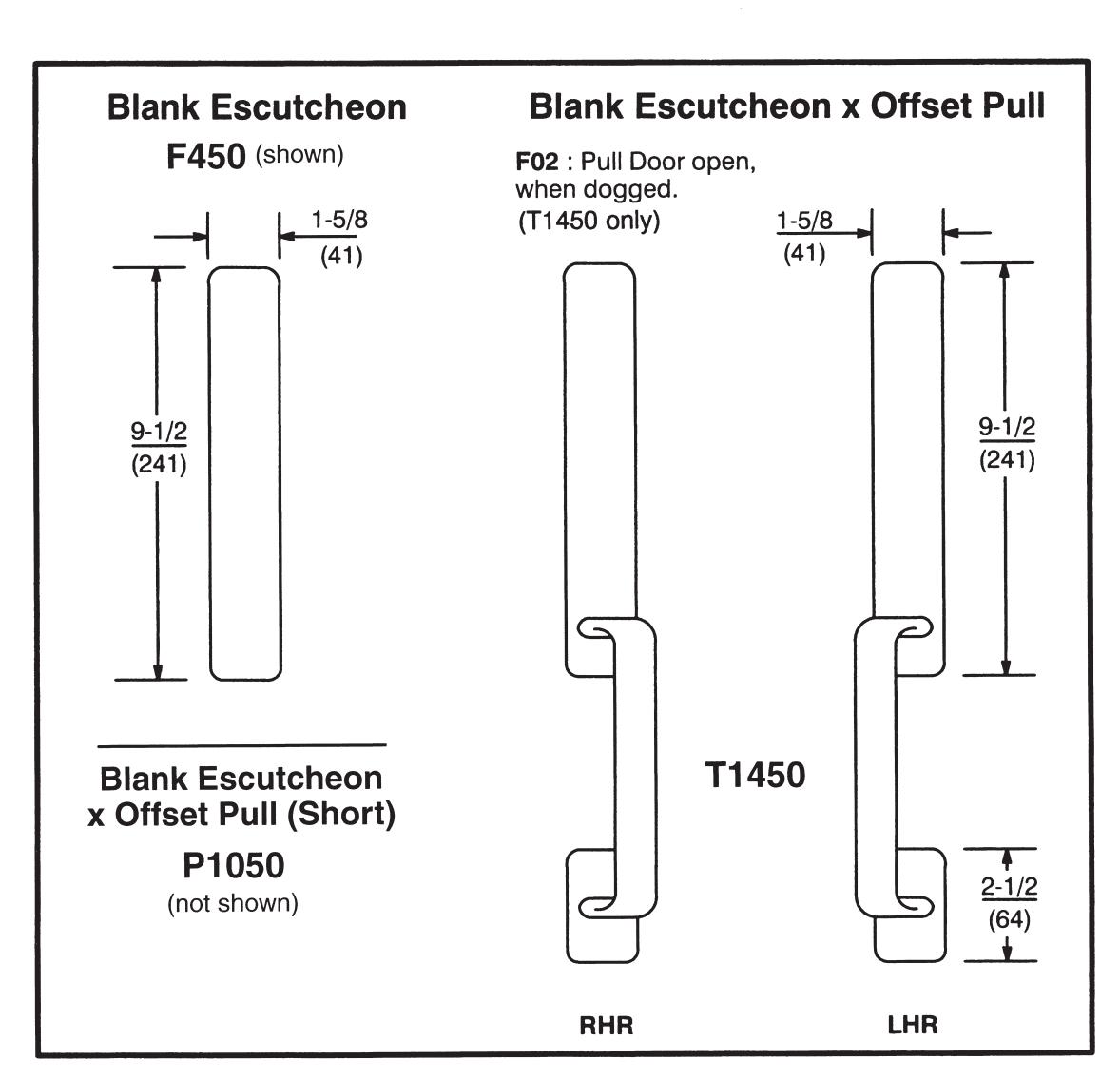
Dimensions given in
F450, P1050, T1450 Trim Installation Template

In U.S.: Corbin Russwin, Inc. 225 Episcopal Road Berlin, CT 06037 USA Phone: 800-543-3658
Technical Product Support: Phone: 888-607-5703
In Canada: ASSA ABLOY Door Security Solutions Canada 160 Four Valley Drive Vaughan, Ontario, Canada L4K 4T9 Phone: 800-461-3007
FM 186 11/18
WARNING
This product can expose you to lead which is known to the state of California to cause cancer and birth defects or other reproductive harm. For more information go to www.P65warnings.ca.gov.
08/2018