


← Corbin
Installation Instructions

Sargent 650A, Corbin Russwin CRAL600 Series Mullion
PE80, PED, and 80 Series Exit Devices
- 1. To ensure correct positioning between center cases, install exit devices according to the instructions included with the devices before installing the mullion.
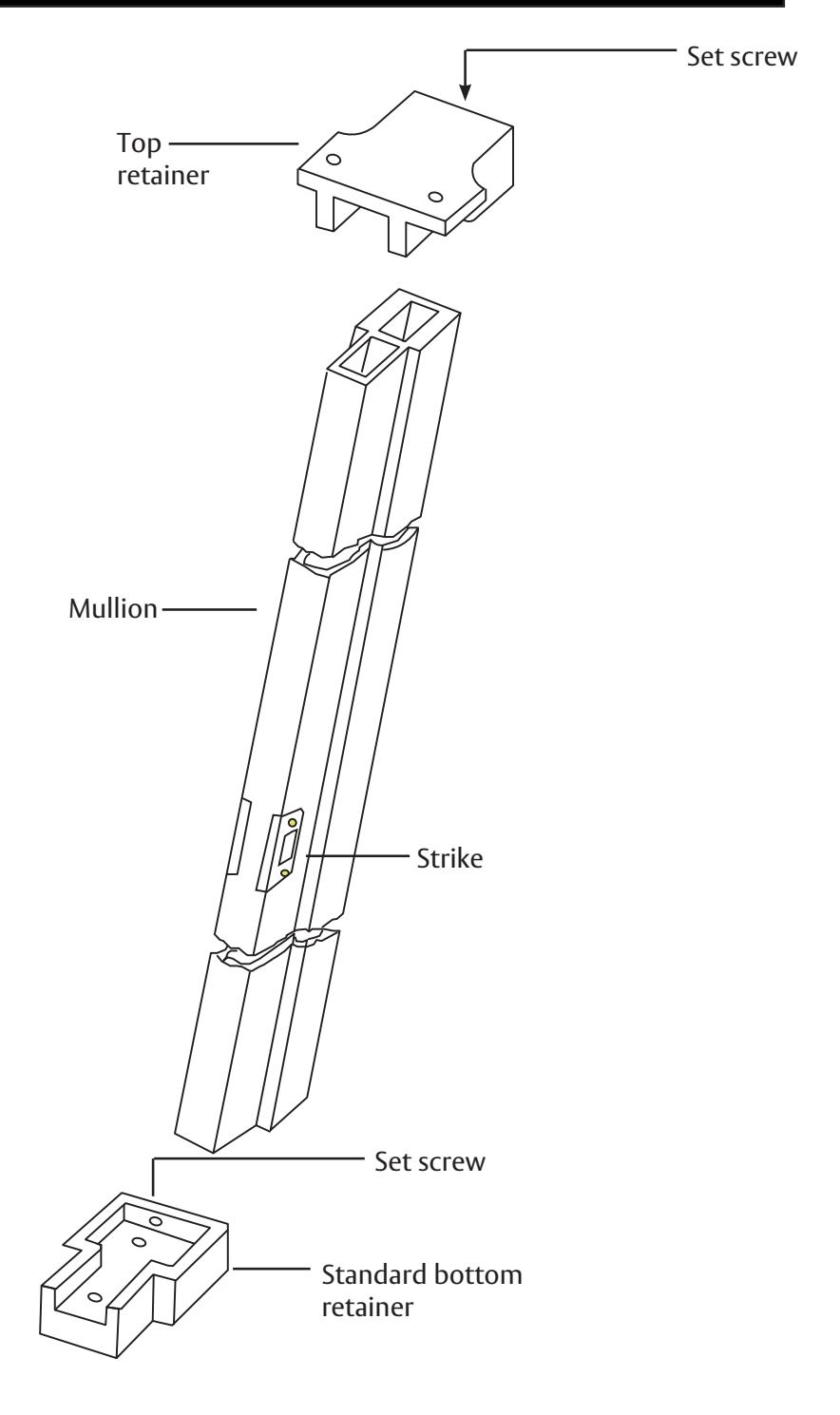
- 2. Center bottom retainer between doors and fasten it in place.
- 3. Cut off top of mullion to required length.
- 4. Place mullion in bottom retainer.
- 5. Place top retainer on top of mullion and slide mullion in position.
- 6. Center top retainer between doors and fasten in place.
- 7. Tighten set screws on back of retainers to prevent rattle.
- 8. Apply stabilizer blocks to doors. (Stabilizers packed with the mullion.)

This product can expose you to lead which is known to the state of California to cause cancer and birth defects or other reproductive harm. For more information go to www.P65warnings.ca.gov.