ZKTeco USA ML10 User Manual Sheet
Open the original PDF document
View PDFUser Manual
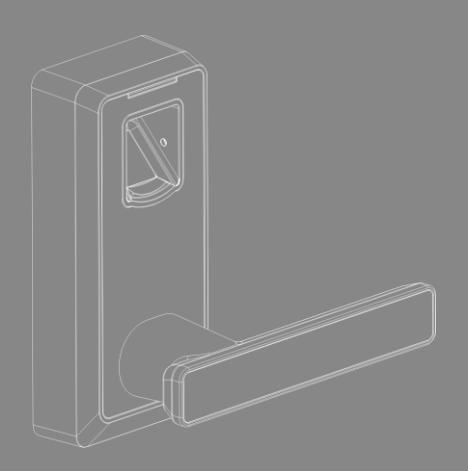
PL10/ML10 Version: 1.0

- 1. New lock is configured to grant ANY fingerprint access to unlock.
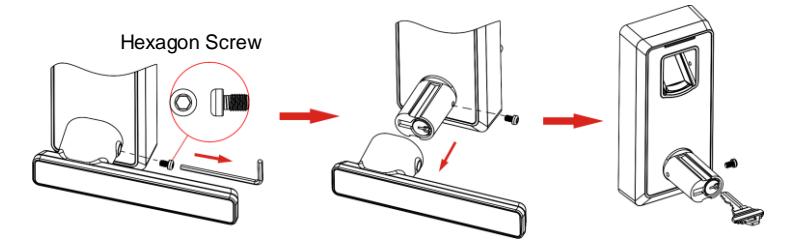
- 2. The lock is equipped with mechanical keys for manual unlocking. Remove mechanical keys from the package and keep them in a safe place.
- 3. To power on the lock, four alkaline AA batteries (not included) are required. Non-alkaline and rechargeable batteries ARE NOT RECOMMENDED.
- 4. Please avoid strong light direct to the fingerprint holder, otherwise the infrared sensor might be disturbed.
- 5. The operation of setting lock has a stand-by time limit of 10 seconds; Without any activity, lock will shut off after 10 seconds.
- 6. Keep your fingers clean when using this lock.

Appearance
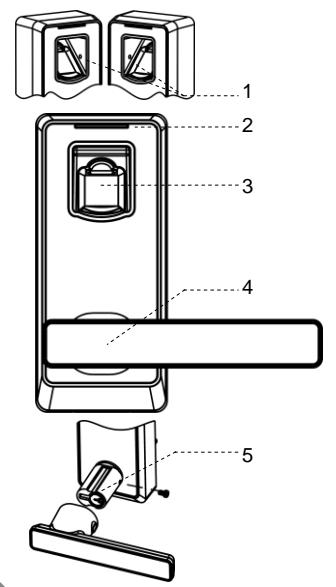
- 1 Infrared sensor hole
- 2 LED
- 3 Fingerprint Sensor
- 4 Handle
- 5 Mechanical key hole
- 6 Battery box cover
- 7 Battery Area
- 8 Button / Temporary User
- 9 Button / Admin user
- 10 Back LED
- 11 Button / Delete user
- 12 Button / Add user
- 13 Reset Button
- 14 Button / Normal User
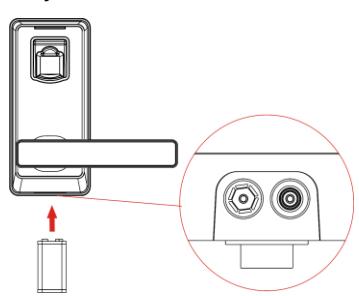
- 15 9V Emergency battery interface
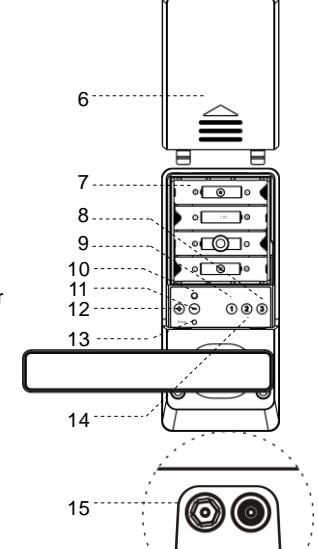

User Introduction
| User Type | Capacity | Privilege |
|---|---|---|
| Admin user | 10 | Add/delete fingerprint; Enable Normal |
|
Open;
Unlock the door |
||
| Normal user | 60 | Unlock the door; Enable Normal Open |
| Temporary user | 20 | Unlock the door; Enable Normal Open |
Button Definition
| Buttons | Function | Other functions |
|---|---|---|
| Add Users | ||
| Delete Users | ||
|
Admin User
Group |
Enable Normal Open | |
|
Normal User
Group |
||
|
Temporary User
Group |
Lock Status Indication
| Lock Status | Indication | |
|---|---|---|
| Operation success | 1 Beep and LED blinks green | |
| Operation failure | 2 Beep and LED blinks red | |
| Low battery | 7 Beep and LED blinks red 7 times | |
| Unlocking | 1 Beep and electric engine makes a rolling sound for the first | |
| time, which indicates that the door is open. | ||
| Locking | Electric engine makes a rolling sound for the second time, | |
| which indicates that the door is closed. | ||
Initialize Lock
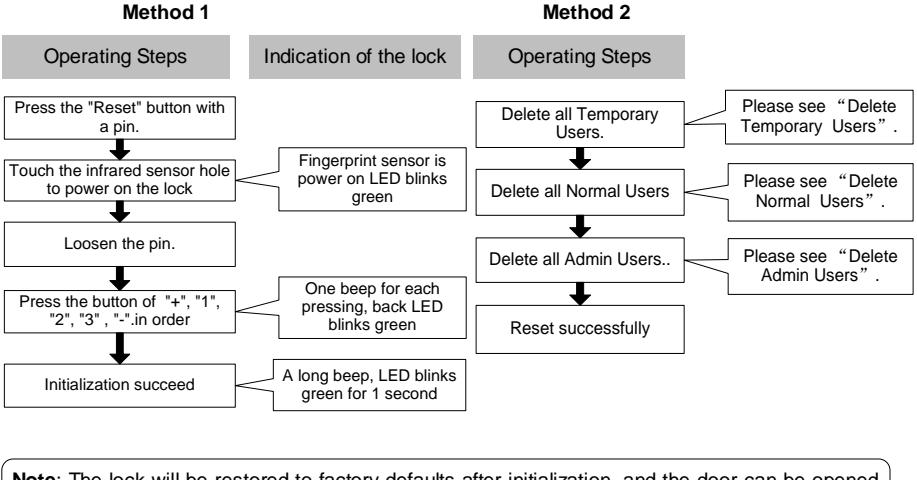
Note : The lock will be restored to factory defaults after initialization, and the door can be opened with any fingerprint.
How to use mechanical key?
How to use 9V emergency battery?

Register First Admin
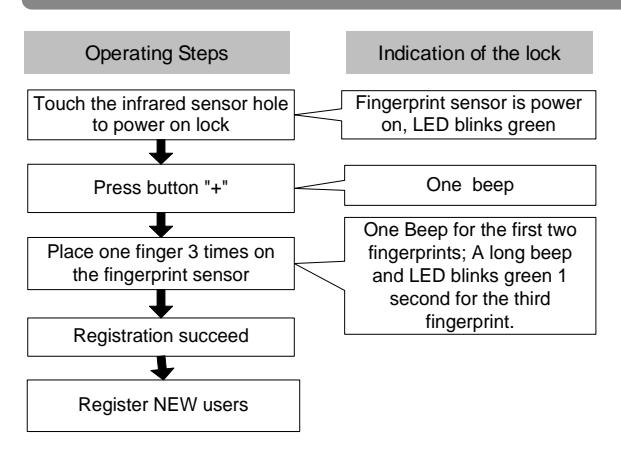
Note: 1. The first user will be the first Admin automatically at default.
- 2. Admin group supports 10 users; you can still register 9 new Admins in next step.
- 3. The operating steps of Register new users: Press button 1/2/3 to select user group, then place one new finger 3 times on the fingerprint sensor to continue register new user.

Register Other Admin
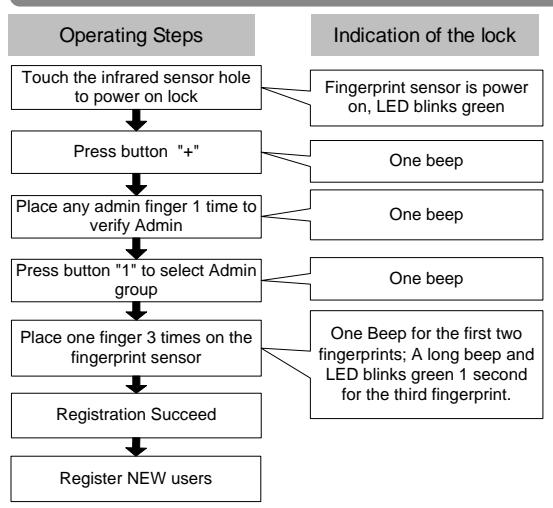
Note: 1. Admin group supports 10 users; you can still register 9 new Admin in this step.
2. The operating steps of Register new users: Press button 1/2/3 to select user group, then place one new finger 3 times on the fingerprint sensor to continue register new user.

Register Normal User
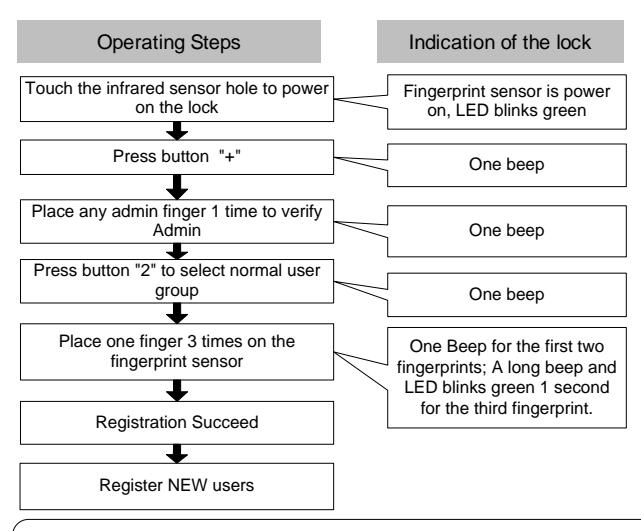
Note: 1. Normal User group supports 60 users.
2. The operating steps of Register new users: Press button 1/2/3 to select user group, then place one new finger 3 times on the fingerprint sensor to continue register new user.
Register Temporary User
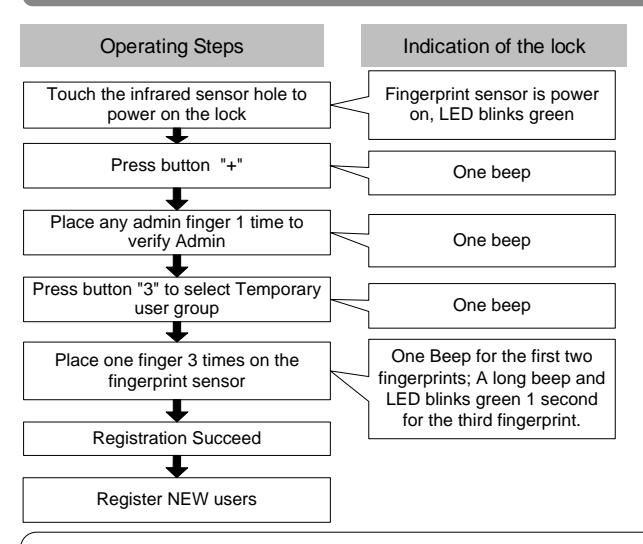
Note: 1. Temporary User group supports 20 users.
2. The operating steps of Register new users: Press button 1/2/3 to select user group, then place one new finger 3 times on the fingerprint sensor to continue register new user.
Delete Temporary User Group
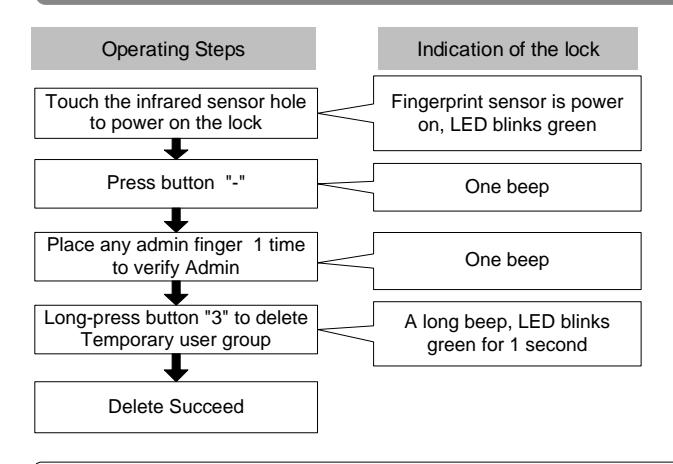
Note: All delete operation is only valid for group.
Delete Normal User Group
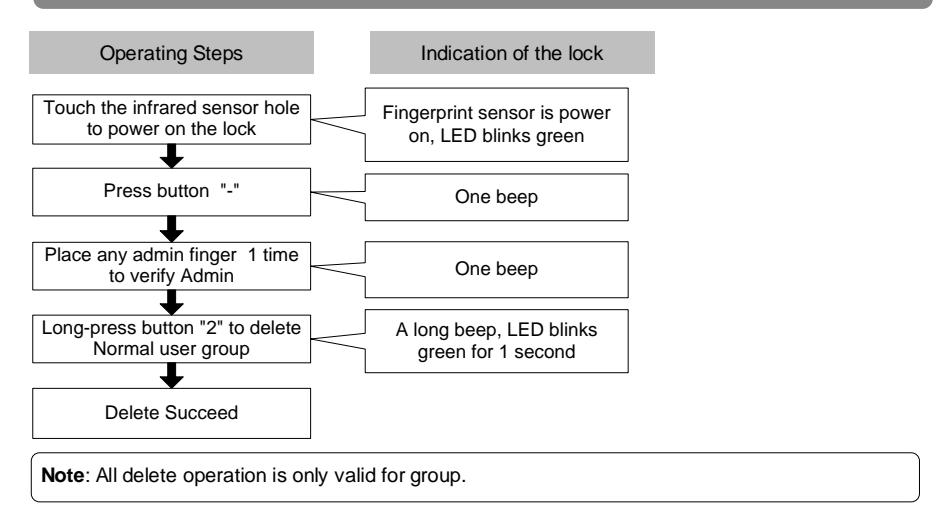
Delete Admin Group
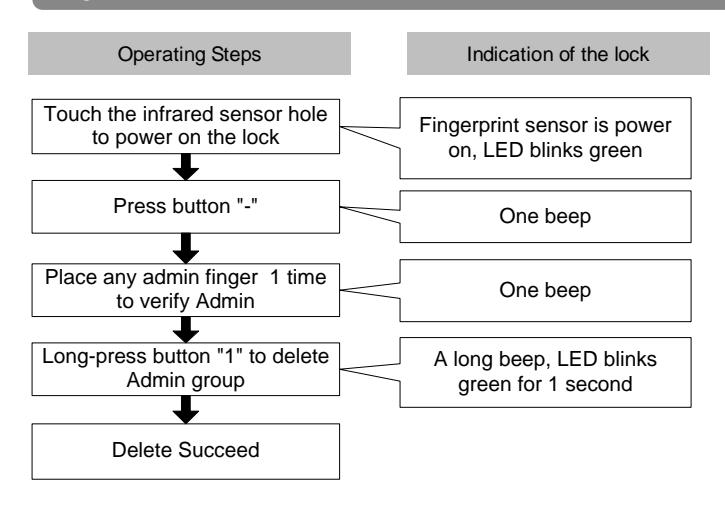
Note : All delete operation is only valid for group.

Enable And Disable Normal Open
Enable Normal Open:
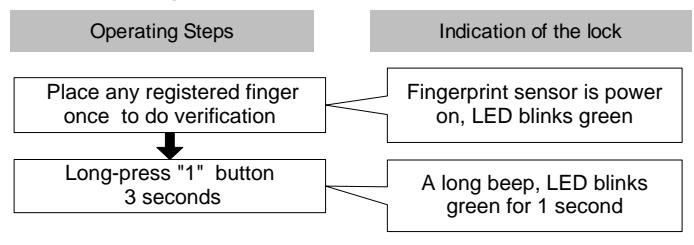
Disable Normal Open:
Place any registered finger 1 time to disable.