ZKTeco USA LPR Gate Controller Data Sheet
Open the original PDF document
View PDF

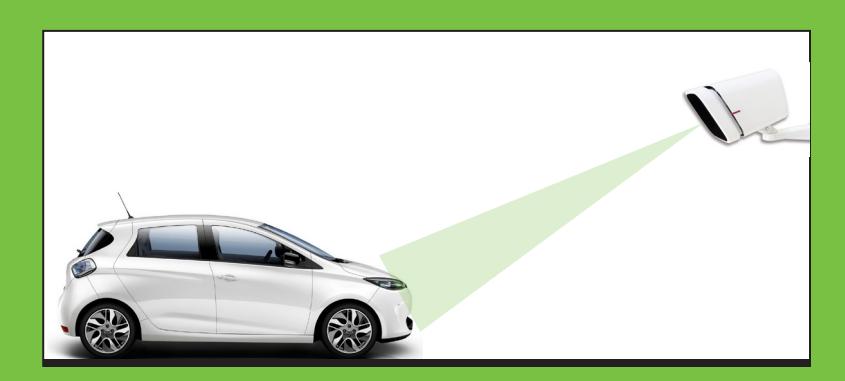
- Paying too much for parking lot attendants?
- Paying too much for vehicle fobs and expensive long-range fob readers?
- Are tenants annoyed forgetting their fobs or needing to roll down their car window on cold rainy days when entering their PIN codes for gate access?
• LPR Gate Controller eliminates these costs and headaches!
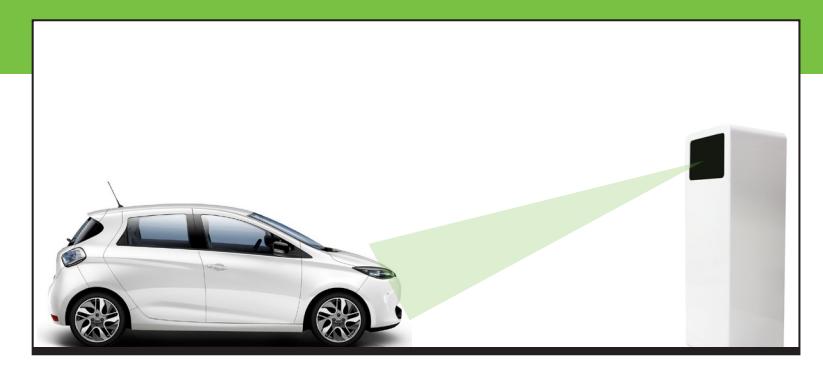
LPR Gate Controller
LPR Gate Controller Key Features
- Access Control for parking facilities
- Weatherproof Gate controller (IP67)
- Powerful built-in camera OCR engine
- License Plate Recognition (LPR)
- Black listed Plate Notification
- Completely Stand-alone operation
- Built-in I/O, TCP/IP and Wiegand ports
- Connects either to barrier or separate controller
- Fast easy setup
- Built-in password-protected webserver for remote access
- Encrypted and configurable data storage management
- Remote camera lens focus & zoom
improve security for parking facilities and provide far greater safety & convenience for drivers. LPR Gate Controller is the perfect gate access control
LPR Gate Controller is the latest generation of license plate recognition (LPR) gate controllers designed to
solution for homeowners associations (HOA) and small business parks.
The LPR gate controllers can connect directly with a separate controller (via Wiegand) or operate completely stand-alone. With built-in OCR engine and relay contact, the LPR gate controllers can be connected directly to the parking facility barrier without need for a separate controller nor software.
LPR Gate Controller is one of the fastest, easiest, most affordable gate controller solutions available in the market today.
LPR Gate Controller
User friendliness...
- Built-in web browser allows for remote camera lens zoom & focus
- Remote control of configuration settings
- Auto-synchronize settings for multi-gate controller installations
- Plug & Play connectors: No need to open camera housing
- Completely stand-alone. Built-in I/O, TCP/IP and Wiegand ports
- IP67 weatherproof housings
...and high performance
- Powerful OCR engine recognizes license plates from all over the world
- Recognition of both license plate number and state
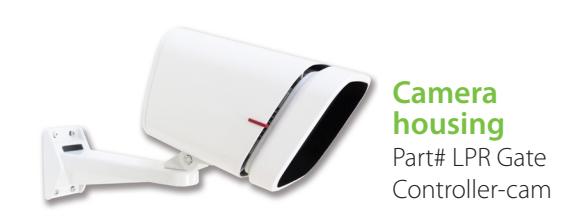
Technical Specifications
OPERATING CONDITIONS
| Maximum lane width | Up to 18 feet / 5.5 meters (High Res models) |
|---|---|
| Operability | 24 hours a day, 365 days a year |
| Operation status | External color LED indicator |
| Working temperature | From -13ºF to +122ºF | From -25ºC to +50ºC (Temperature Control models) |
HOUSING
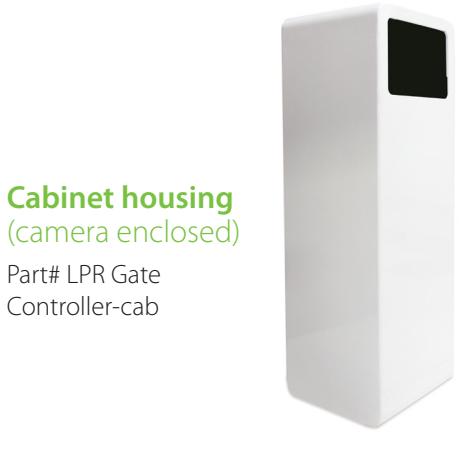
| Models | Camera housing and Cabinet housing (cabinet encloses camera) |
|---|---|
| Dimensions (H x W x D) | Camera housing: 5.8" x 5.8" x 8.9" / 147mm x 147mm x 226mm / Cabinet housing: 24" x 8" x 8" / 610 mm x 203 mm x 203 mm |
| Material and color | Camera housing: white rugged aluminum / Cabinet housing: iron or stainless steel |
| Weight | Camera housing: 5.6 lbs (3 kg) / Cabinet housing: 25.5 lbs (11.6 kg) |
| Protection | Camera housing: IP67 / Cabinet housing: IP67* |
CAMERA
| Image size | 752 x 480 px | 1280 x 600 px (High Res models) |
|---|---|
| Camera | Black & White, progressive scan / Color, progressive scan (Color plate recognition models) |
| Lighting | Infrared 850 nm | White 5650K-Cool White (Color plate recognition models) |
| Motorized zoom lens | 5-50mm |
POWER
| Consumption | 6,4W (DC) | 7,8W (AC)** |
|---|---|
| Power input | 12-24 V DC / 100-240 V AC (47-63 Hz) |
CONNECTIVITY
| Communication ports | Ethernet 10/100 Mbps | Wiegand output interface 26/37 bits |
|---|---|
| Inputs / Outputs | 2 inputs / 1 output |
| Connectors | Waterproof plug & play circular connectors |
COMPLIANCE
| UL | cULus certified, File Number: E472847 (CL DC models) |
|---|---|
| FCC | Class A digital devices / Title: 47 CFR Parts 2 and 15 |
| LVD | Low Voltage Directive 2006/95/EC (standard EN 60950-1) (AC voltage models) |
| Photobiological Safety | IEC 62471 |
| Environmental | IEC 60068-2-x |
* Functional zone IP67 / Whole cabinet IP56 - Type 3R.
ZKTeco USA
6 Kingsbridge Road, Unit 8, Fairfield, NJ 07004
Phone: (862) 505-2101 • Fax: (862) 204-5906 • sales@zkaccess.com • www.zkaccess.com

** Consumption may vary according to the model and/or working mode. Please, check the product manual and the data sheets.