ZKTeco USA Connect Wiegand Reader to C3 Installation Guide
Open the original PDF document
View PDF

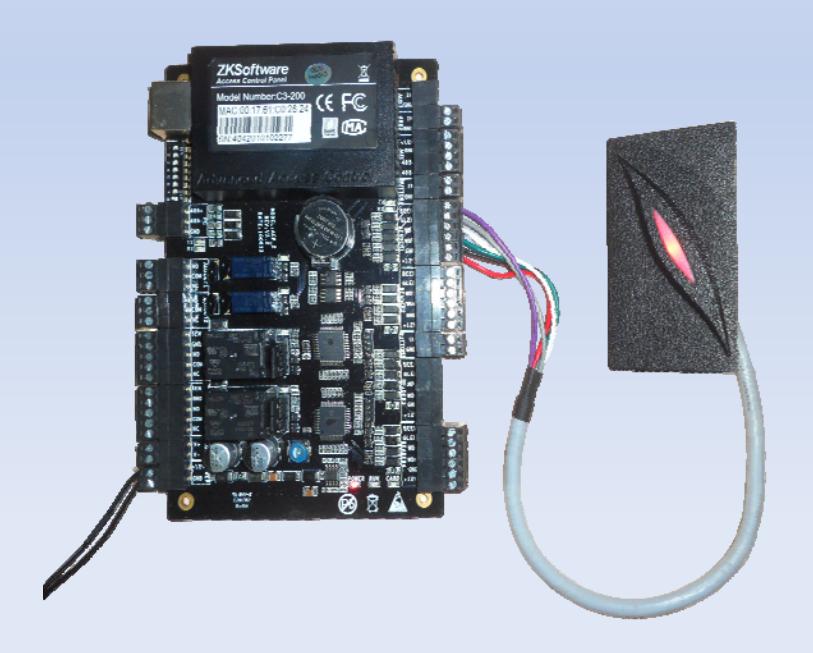
How to connect a Wiegand reader to C3
A Wiegand reader will work with C3 by connecting Wiegand output to Wiegand input of the C3 controller. The Wiegand output signal should be Wiegand 26 and 34 formats.
How many Wiegand readers could C3 connect?
C3 can connect a different number of Wiegand readers in different modes. C3-100 can connect two Wiegand readers in the one-door two-way mode. C3-200 provides four readers, which can be connected in the two-door two-way mode. C3-400 provides four readers, which can be connected in the two-door two-way or four-door one-way mode.
Connecting to Wiegand readers
The Wiegand interfaces provided by the C3 series can be connected to different types of readers. Our C3 controller support Wiegand 26 and 34 format RFID readers;
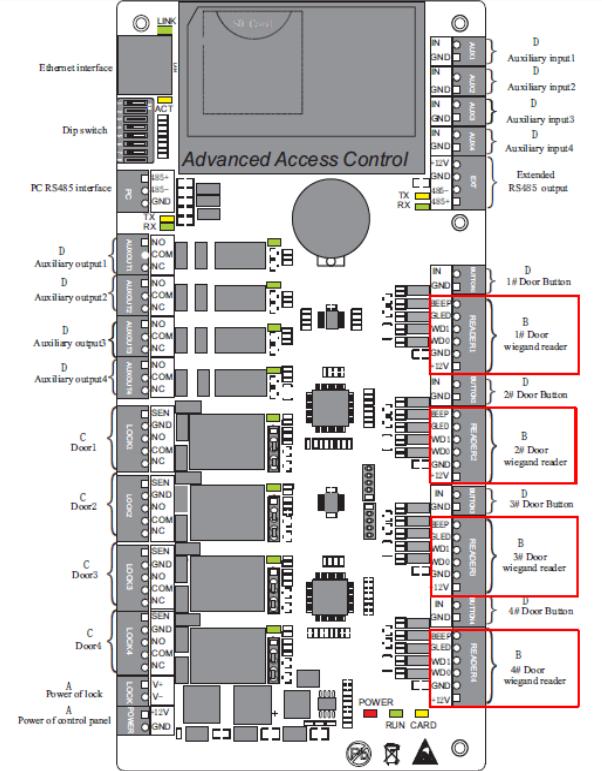
Connecting to Wiegand readers

Cable Connection
All readers are color coded in the same way to correspond to the labeled inputs on the control unit. We need to connect WD0, WD1 and GND.
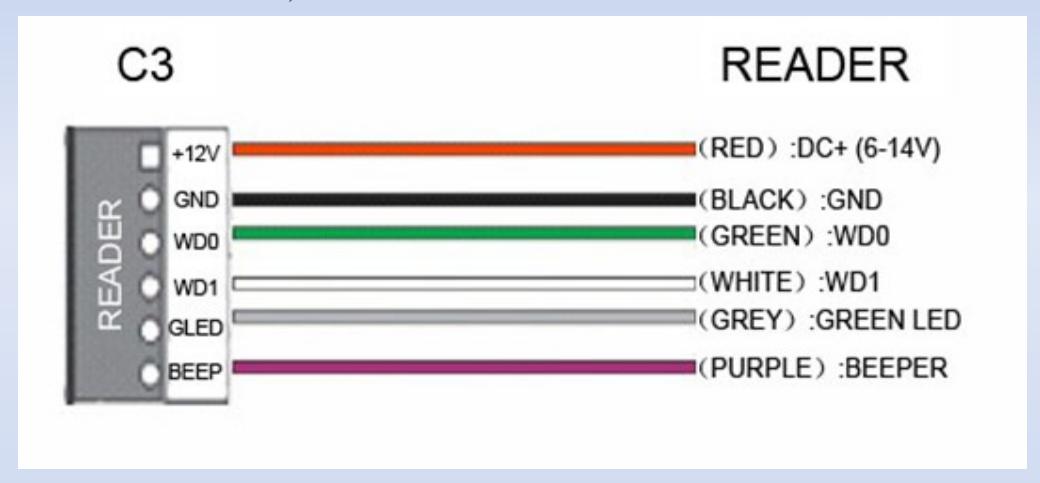
Connection between C3 and Readers
Note : 1. If your card reader does not use DC 12V voltage, an external power supply is needed.
2. A reader should be installed at a height of about 1.4 meters above the ground and at a distance of 30-50mm away from a door frame.