X-10 Quick Reference Guide
Open the original PDF document
View PDFQuick Reference Guide X-10™
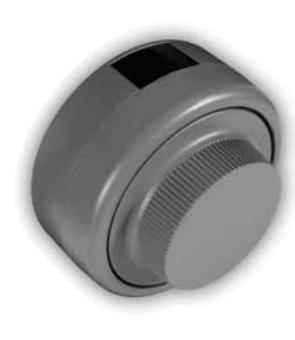
Note: If at any time the dial remains stationary for more than 40 seconds, the lock will reset (LCD will go blank) requiring the operator to redial the entire combination or restart the operation.
OPEN THE LOCK (Factory Combination = 50-25-50) Single Combination Mode
- 1. Dial left until lock is "powered".
- 2. Continue dialing left to first number of
- combination. Stop. 3. Dial right to second number of combination. Stop.
- 4. Dial left to third number of combination. Stop.
- 5. Dial right . After OP with a right arrow is displayed, continue dialing right to retract bolt.
Dual Combination Mode
- First Operator
- 1. Dial the first combination as in Single Mode.
2. Dial right until C2 is displayed.
- Second Operator 3. Within 40 seconds dial left to first number of
- the second combination. Stop. 4. Dial right to second number of combination. Stop.
- 5. Dial left to third number of combination. Stop. 6. Dial right . After OP with a right arrow is
displayed, continue dialing right to retract bolt.
Supervisory / Subordinate Mode
• To Unlock (UL) To enable lock access for the Subordinate combination, dial the Supervisor combination as if dialing the combination to open the lock. Then dial right and UL will appear on the display. Once the lock is in an Unlocked status, the Subordinate combination can be used to open the lock at any
time.
• To Lock Up (LU) To disable lock access for the Subordinate combination, reenter the Supervisor combination. Then dial right and LU will display the Subordinate
SET OPERATING MODE and CHANGE
combination will no longer open the lock.
COMBINATION(s): Note: If using the serial number method, simply dial an incorrect combination to get a lightning bolt. While lightning bolt is displayed, insert Change Key into back of lock. Dial the 8 digit serial
- number at this time then go to step 6. 1. Open the lock and retract the bolt to open
- container if not already open.
- 2. Release container locking bolts if necessary. 3. Dial left until lock is "powered". The Change
-
Key symbol will be displayed. 4. Dial
left-right-left
to dial the current
- combinations(s).
- 5. Dial right until SL is displayed.
-
6. Dial
left
to select the mode of operation:
- 1 Single Mode
- 2 Dual Mode 3 - Supervisor/Subordinate Mode
- Once the mode is selected, pause briefly. 7. Dial right until EC appears.
- 8. Dial left-right-left to dial the new combination as if dialing the combination to open the lock.
- 9. Dial right briskly. The new combination will be displayed tow times, two digits at a time, followed by PO .
- 10. Pull out change key. CC will appear.
- 11. Dial left-right-left to dial new combination again for confirmation. Once OP with a right arrow is displayed, continue dialing right to retract the bolt. The new combination is now set.
continued...
If selection 2 or 3, Dual or Super/Sub Mode:
- 8. Dial right until C1 appears.
- 9. Dial left-right-left to dial the first new combination (Supervisory if Super/Sub Mode) as if dialing the combination to open the lock.
- 10. Dial right briskly. The new combination will be displayed two times, two digits at a time, followed by PO .
- 11. Dial right until C2 appears.
- 12. Dial left-right-left to dial the second new combination (Subordinate if Super/Sub Mode) as if dialing the combination to open the lock.
- 13. Dial right briskly. The new combination will be displayed two times, two digits at a time, followed by PO .
-
14. Pull Out change key.
- A.) Dual Mode, confirmation is "C1."
- B.) Super/Sub Mode, confirmation is "CC."
- 15. Dial the new combinations once again for confirmation.
The new combinations are now set.
IF YOU LOCK THE CHANGE KEY IN THE SAFE Note: You cannot use the serial number in place of the combination for this procedure.
- The combination must be known. 1. Allow the lock to power down. (After 40
- seconds, the display will go blank.) 2. Dial right (CW) until lock is "powered" and the
- number of successful openings flash. 3. While flashing, turn the dial left (CCW) and dial the current combination(s) just as you would to open the lock; i.e., left (CCW) to dial the first number, right (CW) to dial the second number, left (CCW) to dial the third number.
- 4. Dial right (CW). After OP with a right arrow ( OP en right) is displayed, continue dialing to the right to retract the lock bolt.
You may now restart the procedure to Set the Operating Mode and Change Combination(s). Release container locking bolts if necessary.
- Check Number of Successful Openings 1. Allow the lock to power down. (After 40
- seconds, the display will go blank.) 2. Dial to the right to display the total number of
successful openings (two digits at a time).
- Check Number of unSuccessful attempts 1. Allow the lock to power down. (After 40
- seconds, the display will go blank.) 2. Dial left until lock is "powered". If 3 or more consecutive unsuccessful attempts have occurred, a lighting bolt along with the two digit
count will be displayed.
- Check FIRMWARE LEVEL AND DATES 1. Allow the lock to power down. (After 40
- seconds, the display will go blank.) 2. Dial right , once the audit count is displayed, you may continue to Dial to the right (CW) to determine the Firmware Level and dial to the right again to display Firmware Date .

Kaba Mas LLC 749 W. Short Street, Lexington, KY 40508 USA Phone: 859-253-4744 FAX: 859-255-2655 Technical Support: 800-950-4744 www.kaba-mas.com