Simplex 9600 Changing the Code
Open the original PDF document
View PDFChanging the Code/Combination Simplex 9600
Note: If your lock is opening on every turn of the knob or lever, except upon entering a code, this may be a ZERO CODE. Before attempting to remove the lock from the door, refer to the troubleshooting procedures outlined at bottom of this document for a zero code symptom/solution.
9600 Series FAQ Changing the Code/Combination
Read the instructions through once before attempting to change the combination.
The factory pre-set combination is 2 and 4 pressed simultaneously (and released), then press 3 (and release).
The door must be open.
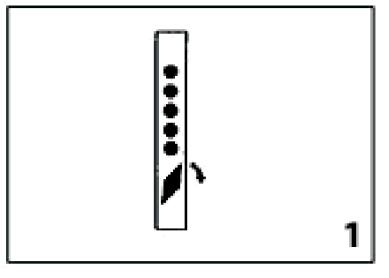
- 1. Turn the control knob to the left (counterclockwise) to the stop position and release (see figure 1) . This clears the lock of previously used buttons.
- 2. Enter the existing combination. Make sure you depress each button fully and release.
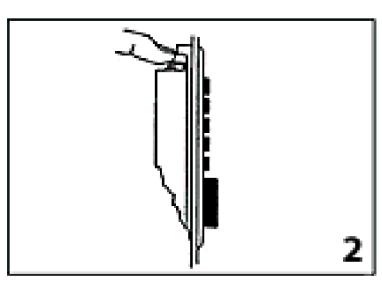
- 3. Push down the combination change slide on the back side of the lock. Located at the end opposite control knob (see figure 2) .
- 4. Turn the control knob to the left (counterclockwise) to the stop position and release (see figure 1) . This clears the old combination.
- 5. Select a new combination, write it down. Some or all of the buttons may be used for your new combination—pressed individually or simultaneously.
Each button may be used only once. We do not recommend the use of a onebutton combination.
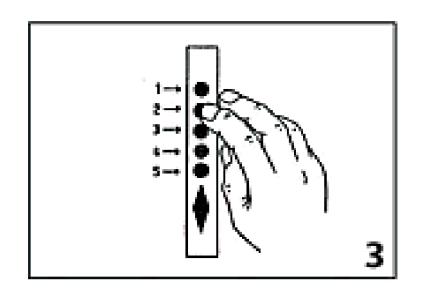
- 6. Enter your new combination. Depress each button fully and release it. You must feel a click each time you press a button to know that the button was fully depressed (see figure 3) .
-
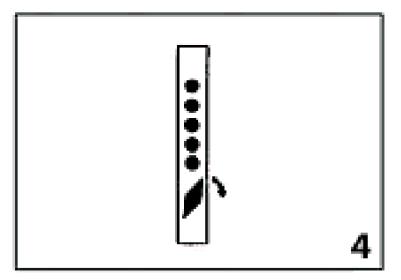
7. Turn the control knob to the right (clockwise) to the stop position and release to activate the new combination
(see figure 4)
.
- 8. Enter new combination and test operation.
Note:
- • Do not force at any time.
- • If a wrong combination is entered while operating the lock, turn the outside thumbturn to the left (counterclockwise) to the stop position and release. This will clear any previously depressed buttons. Enter in the correct combination.
Troubleshooting
Symptom/problem: Turning outside thumbturn clockwise always retracts latch without depressing any buttons.
Cause: Lock is in zero combination.
Solution: Follow the procedure for setting a new combination except omit step 2.