Securitron DK-26PSS, DK-26PBK Keypads Installation Instructions
Open the original PDF document
View PDF

SECURITRON MODEL DK-26PSS, DK-26PBK KEYPAD INSTALLATION INSTRUCTIONS
The DK-26P series is the keypad portion of Securitron's DK-26 digital entry system. It is purchased either to add a second keypad or to replace a failed keypad in a DK-26 installation. The part number DK-26PSS calls out brushed stainless steel finish. DK-26PBK calls out black powder-coat finish.
Please note that since 1984, Securitron has manufactured a number of other digital entry keypads which employ a separate keypad and CPU board. The part numbers of these older products are: DK-10, DK-20, DK-20+ and DK-25. The DK-26P series keypad is not compatible with any of the older CPU boards. It works only with the DK-26 CPU board. This is because the older products employed keypads with pairs of keys being read as a single input so there was a total of five inputs for the keypad and CPU board (not counting the Bell key). The DK-26 system is a true ten digit product with ten separate inputs.
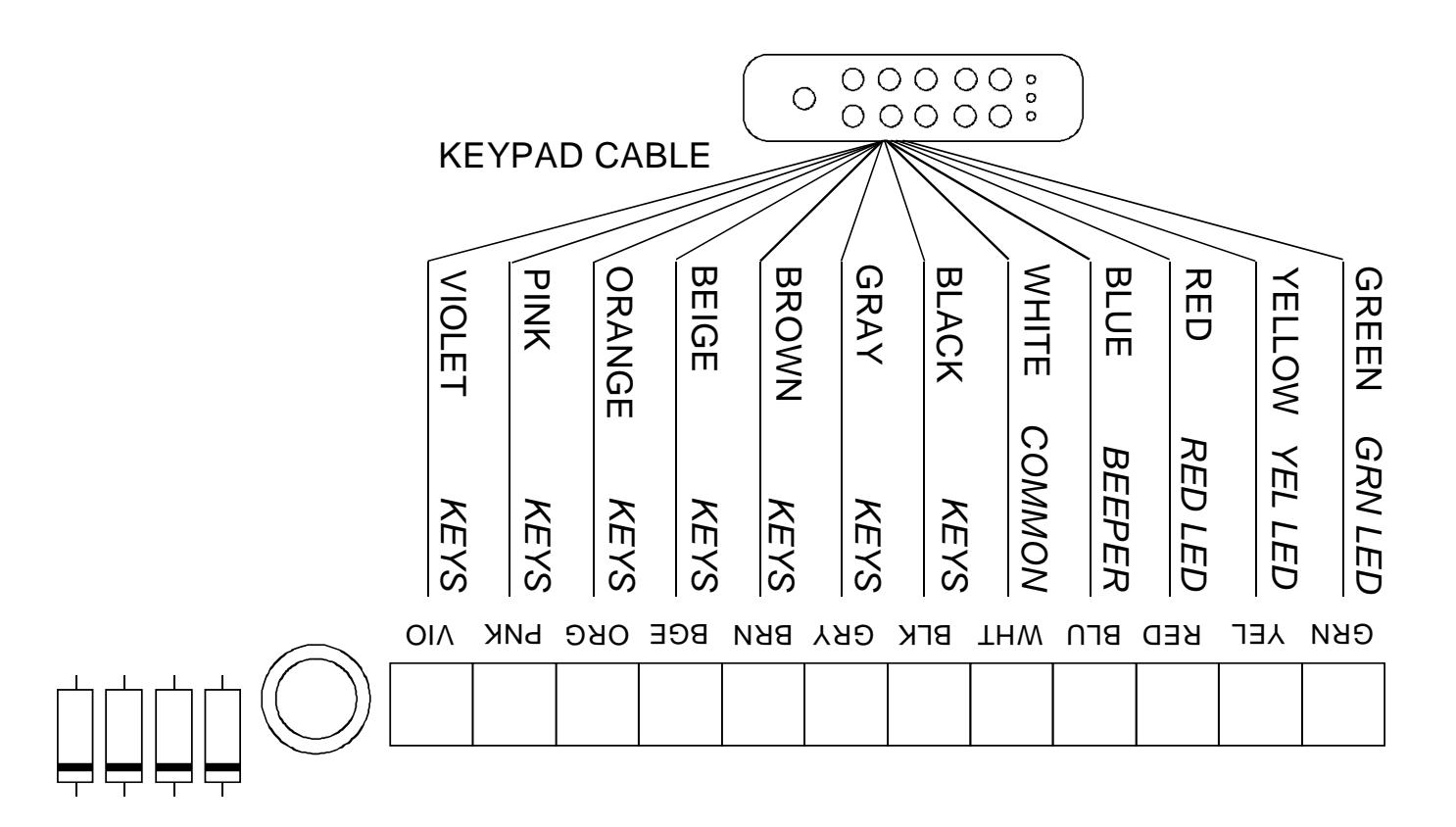
For addition of a second keypad in a DK-26 installation , it's just a matter of connecting the keypad wires to the CPU board in parallel with the first keypad. Two wires will be on each terminal. Two keypads are the maximum that can be used in this way.
For replacement of the keypad in a DK-26 installation , it's just a matter of disconnecting the old keypad from the terminal strip on the CPU board and connecting the new one. If you don't have your DK-26 manual, the drawing below shows the connections.