SMB Installation Instructions 480-4SBB, 480-6SBB SURFACE MOUNT BOX with BATTERY COMPARTMENT
Open the original PDF document
View PDF

801 Avenida Acaso, Camarillo, Ca. 93012 • (805) 494-0622 • www.sdcsecurity.com • E-mail: service@sdcsecurity.com
INSTALLATION INSTRUCTIONS 480-4SBB / 480-6SBB SURFACE MOUNT BOX w/BATTERY COMPARTMENT
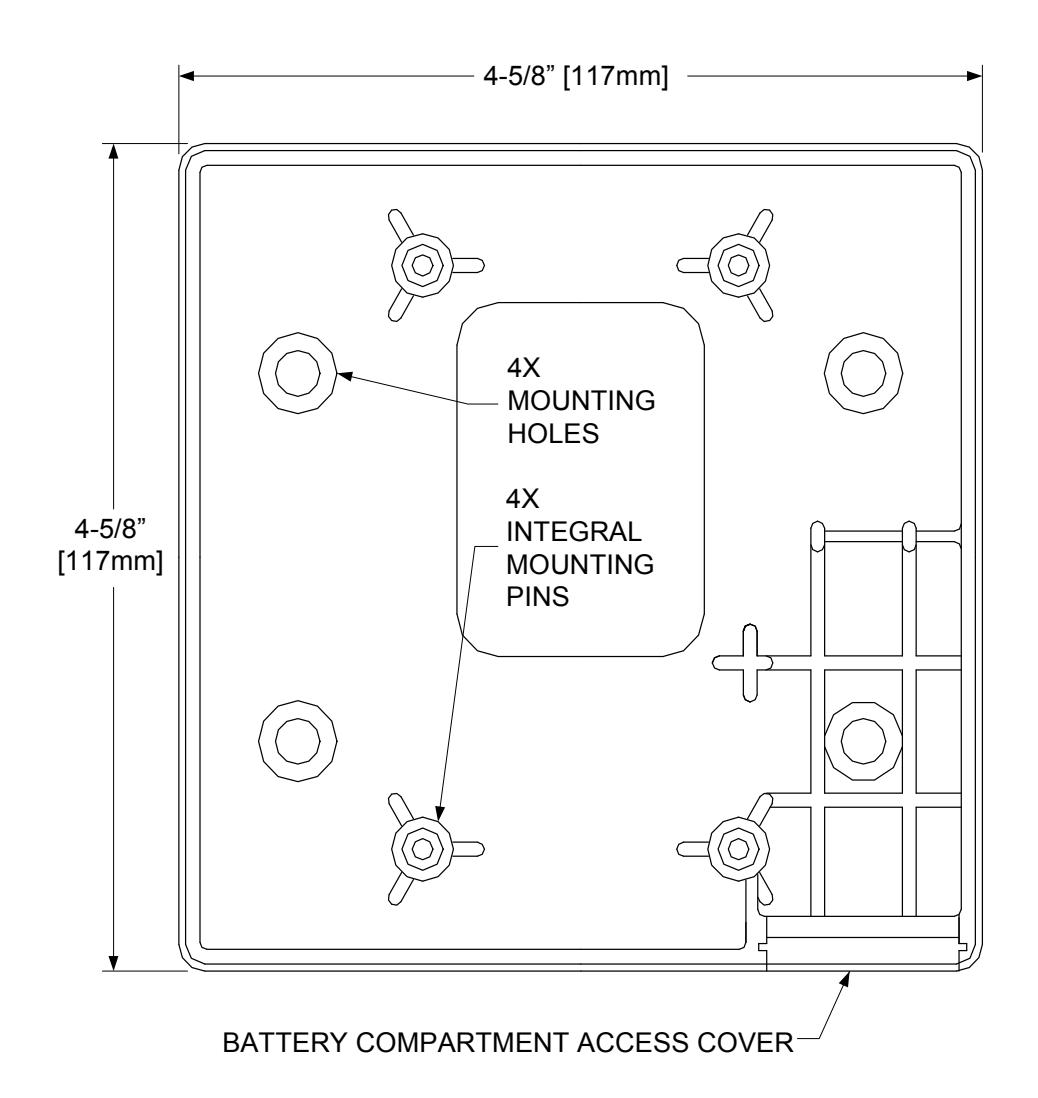
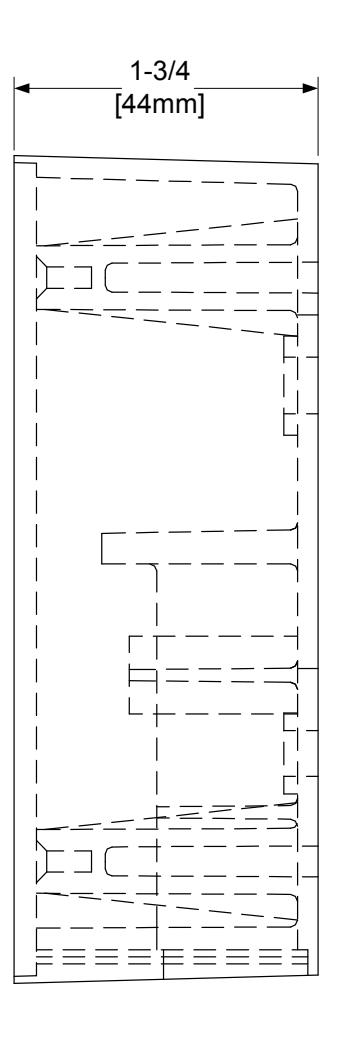
BLACK ABS MATERIAL BOX EQUIPPED FOR WIRED OR WIRELESS APPLICATION. USED WITH 4-1/2" SQ. AND 6" SQ. SWITCHES
480-4SSB / 480-6SBB MOUNTING INSTRUCTIONS
(HARD WIRED and WIRELESS)
- 1) Break out the battery compartment access cover from the back of the box and install it into the open area in the side wall located at the bottom of the box, as it will hang on the wall. When the access cover is in the closed position, the slot in the cover will face out and be closest to the switch. When installed correctly, the door slides smoothly and will be held in place by the mounting plate. If needed, drill a small weep hole in the bottom of the box (as it hangs) to allow moisture to evaporate.
- 2) Use appropriate screws (not supplied) to mount the box to the wall surface at the 4 open mounting hole positions.
- 3) If you are using a wireless transmitter, attach the transmitter to the back of the box using the included double sided tape. Connect the battery terminals to the battery and install into the battery compartment. Program the transmitter to match the receiver.
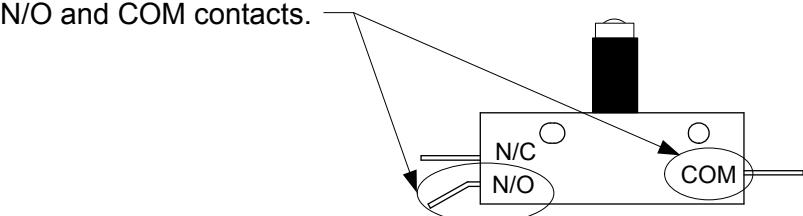
- 4) For either Hard-wired or Wireless setups, connect the lead wires to the switch at the
5) Fit the 6-32 x 5/8" socket cap screws from the switch parts bag into the 4 integral mounting pins located at the upper and lower 2-gang positions.
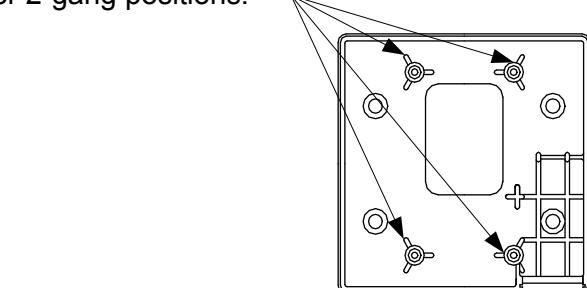
6) Hang the wall switch onto the socket cap screws and tighten down with the allen wrenches provided in the parts bag or with the handle grip allen wrenches. Alternate the tightening of the screws a few turns at a time each from the top to bottom.