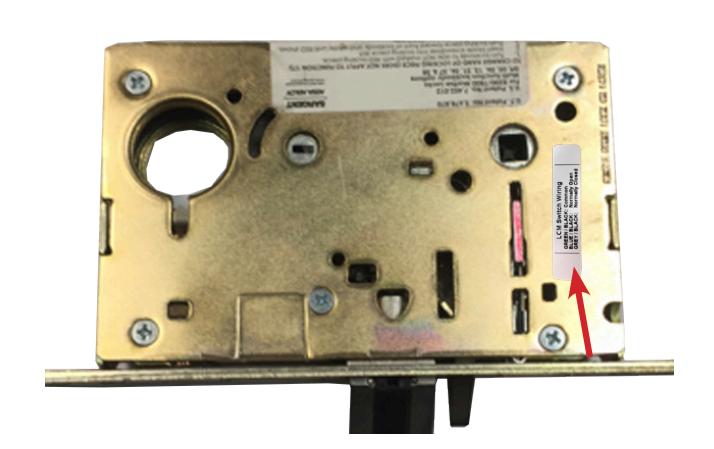
SCHLAGE L8200- SGTLCMKIT-ML Installation Instruction
Open the original PDF document
View PDF


SGTLCMKIT-ML
INSERT INSTRUCTIONS
FIELD INSTALLABLE LATCH CATCH MONITOR SWITCH FOR THE SARGENT 8237. THE KITS EASY "DROP-IN" INSTALLATION MONITORS WHETHER THE LOCK IS IN LOCKED OR UNLOCKED STATUS. THE SWITCH IS SPDT ( SINGLE PULL, DOUBLE THROW ).
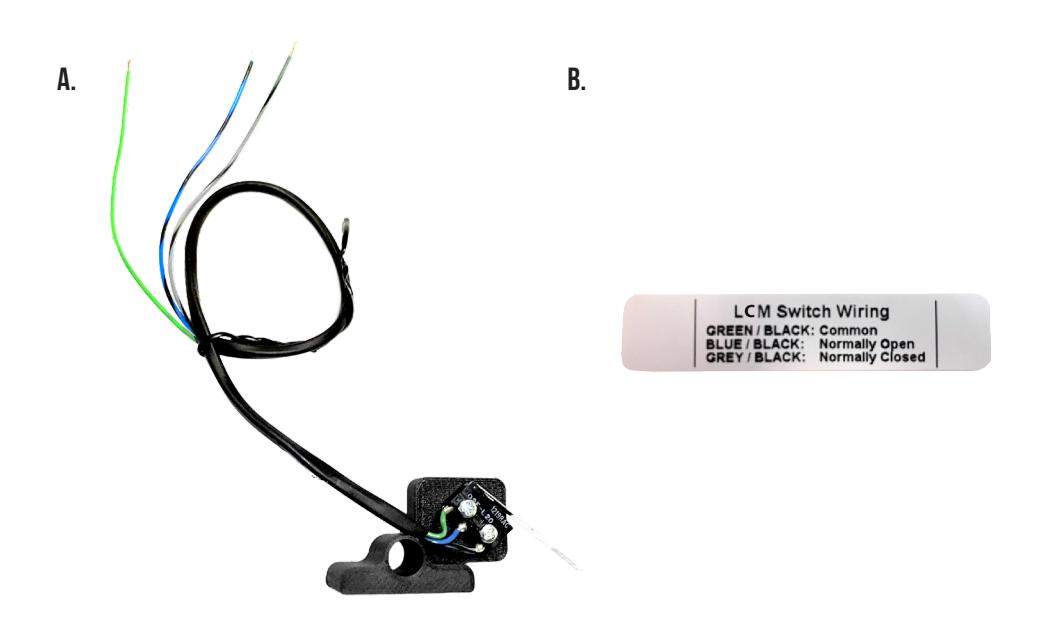
KIT INCLUDES
A. 51212 - (x1) LCM Bracket B. 20015 - (x1) LCM Sticker
TOOLS REQUIRED
Cordless Drill
SPECIFICATIONS
- Single Pole Double Throw (SPDT)
- Rating: .5A @24VAC
- Configuration: Green Common (C)
Blue - Normally Open (NO) Gray - Normally Closed (NC)
INSTALLATION INSTRUCTIONS

1 Remove all 5 screws to remove cover.
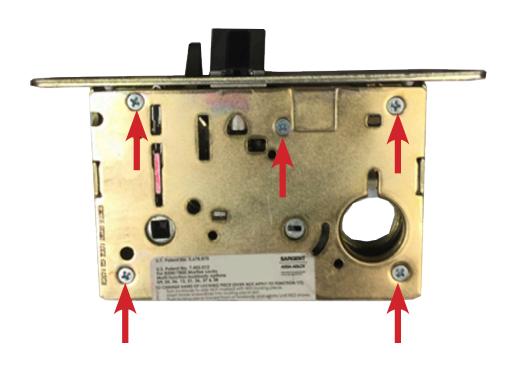
2. Remove cover & cylinder locking hub and set aside. Grab LCM switch.
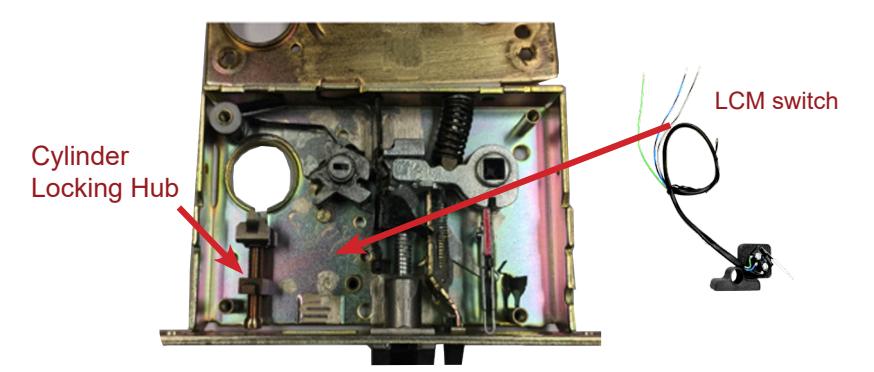
3. Feed LCM wires through the existing hole at the top of the lock. Drop LCM Bracket over (2) existing posts, and align switch with T-Turn Hub.
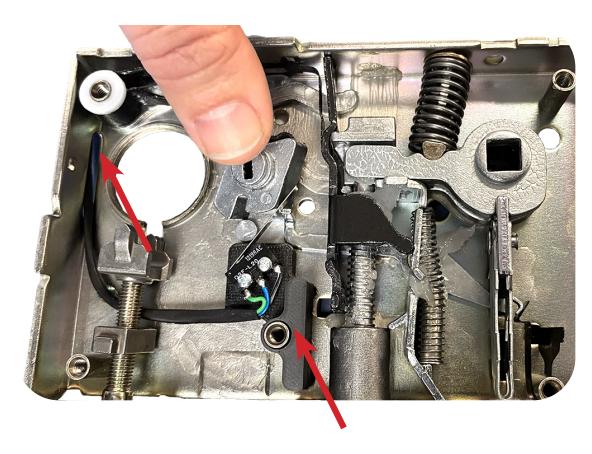
Re-install cylinder locking hub, making sure wires are run underneath screw.
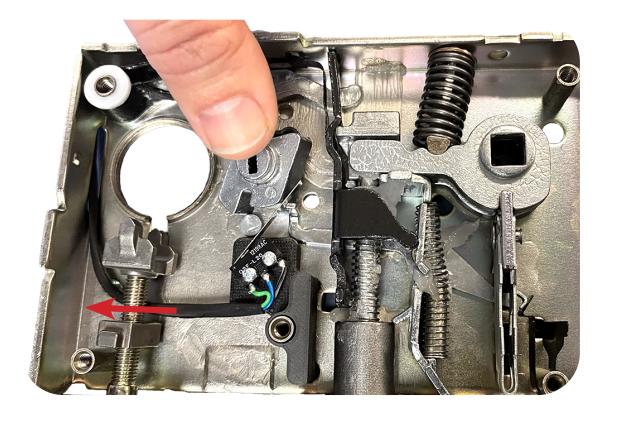
5. Replace cover & re-install (5) screws. Add LCM color code sticker to lock cover.