SARGENT713-SGTREEKIT-ET Installation Instruction
Open the original PDF document
View PDF

sgtREeKIT-et
I N S E R T I n s t r u c t i o n s
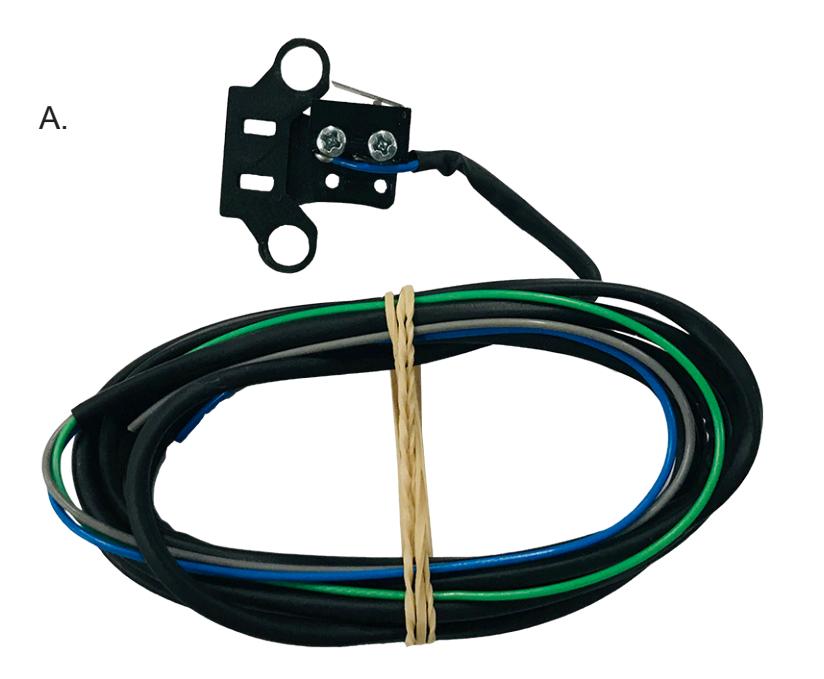
The Command Access SGTREEKIT-ET is a field-installable Request to Enter switch for the Sargent 700 series exit trim.
B.

C.
REE SWITCH WIRING
Green: Common Blue: Normally Open Grey: Normally Closed
a. 60398 - sgt700reekit-et #2 phillips screwdriver
b. 20060 - Cable tie
c. 20015 - REE switch label
Kit Includes Tools Required
installation instructions

1
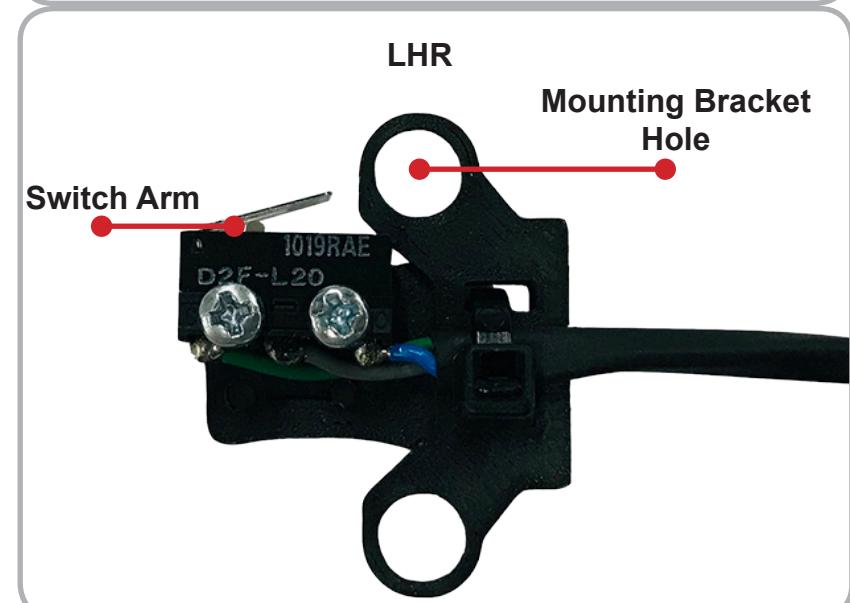
SGTREEKIT-ET will be sent handed for RHR applications.
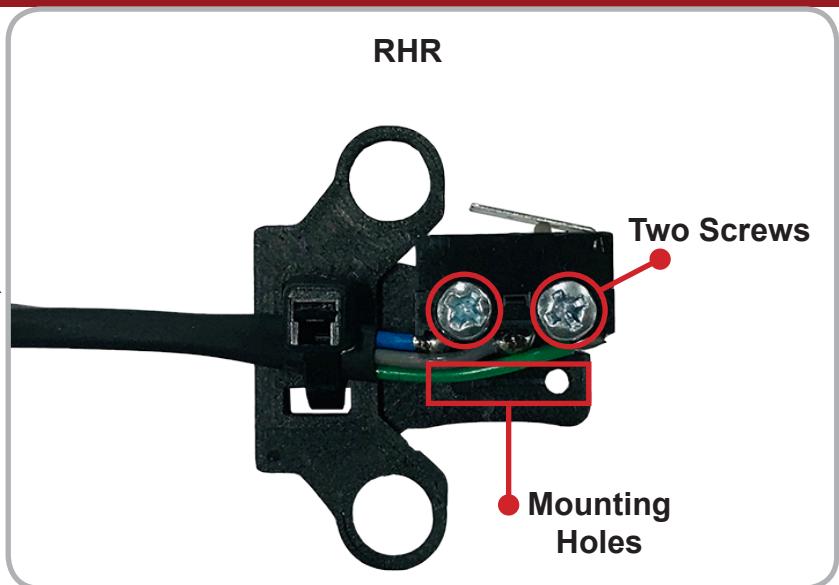
If you need to reverse to a LHR function, remove the Two Screws holding the switch body to the Mounting Bracket and install the body on the opposite Mounting Holes with the Switch Arm towards the Mounting Bracket Hole .
2
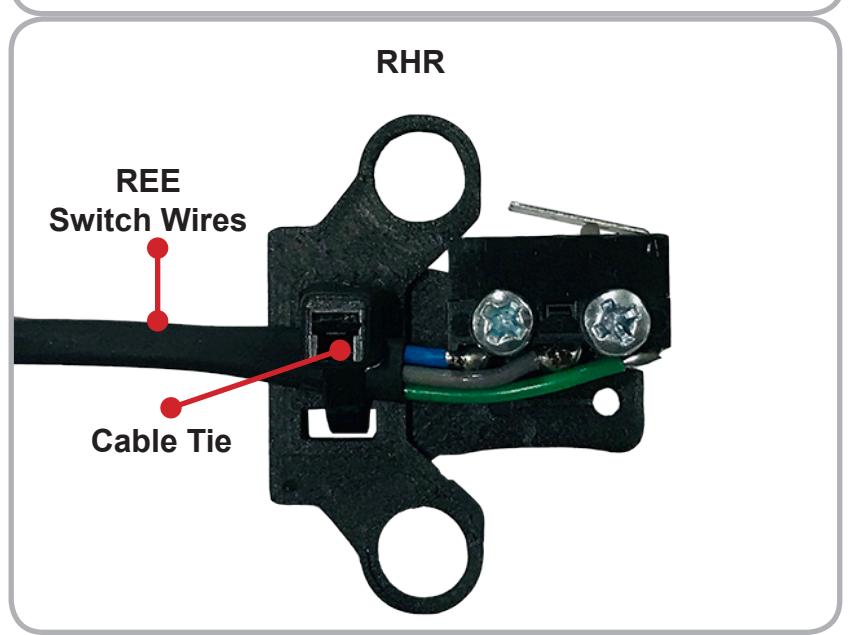
Once the REE Switch is installed in the desired location, use the supplied Cable Tie to provide strain relief by securing the REE Switch Wires to the Mounting Bracket, using the Strain Relief Cutouts .
INSTALLATION INSTRUCTIONS

Remove the Backing Bracket Screw, Washer and Backing Bracket from the trim.
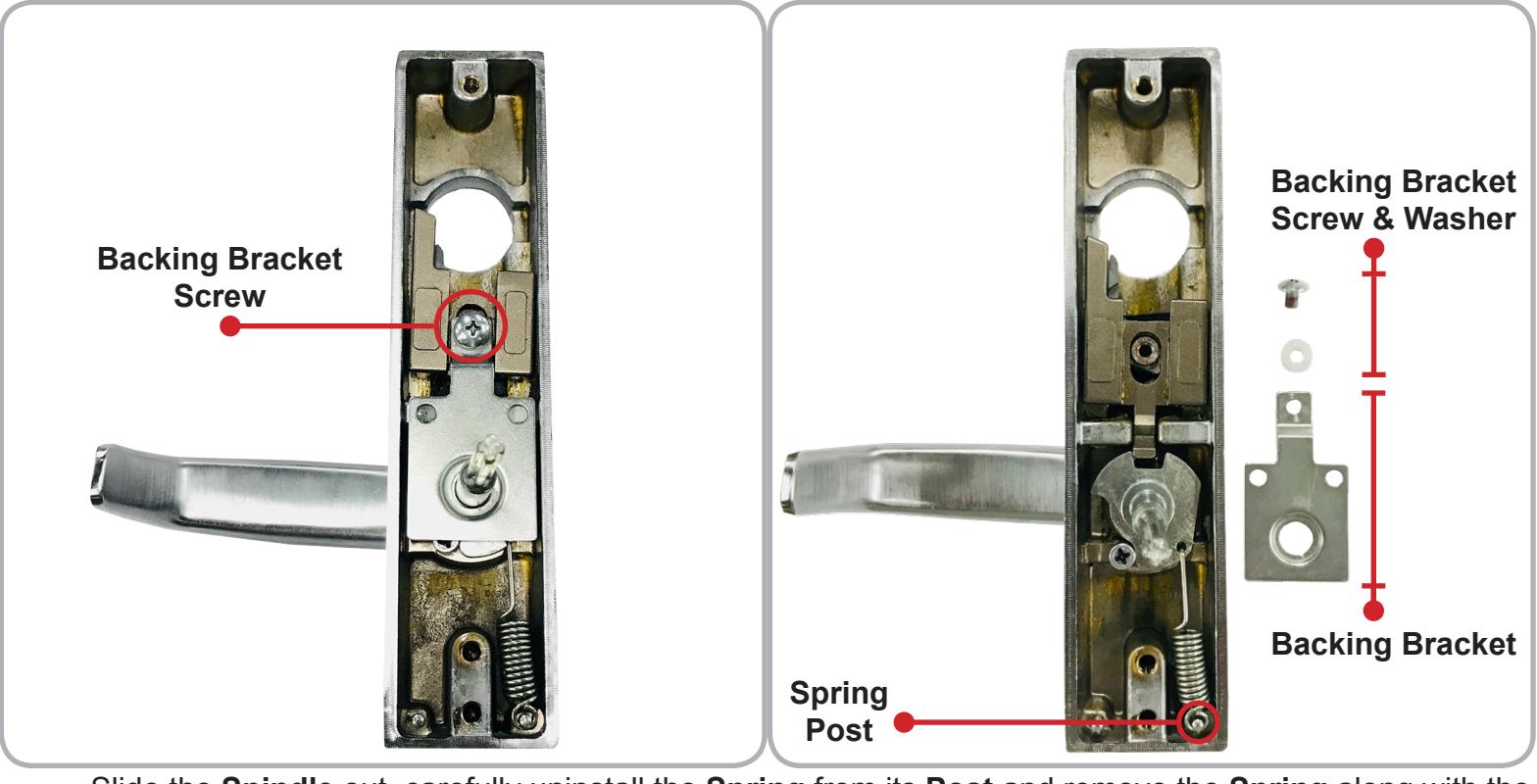
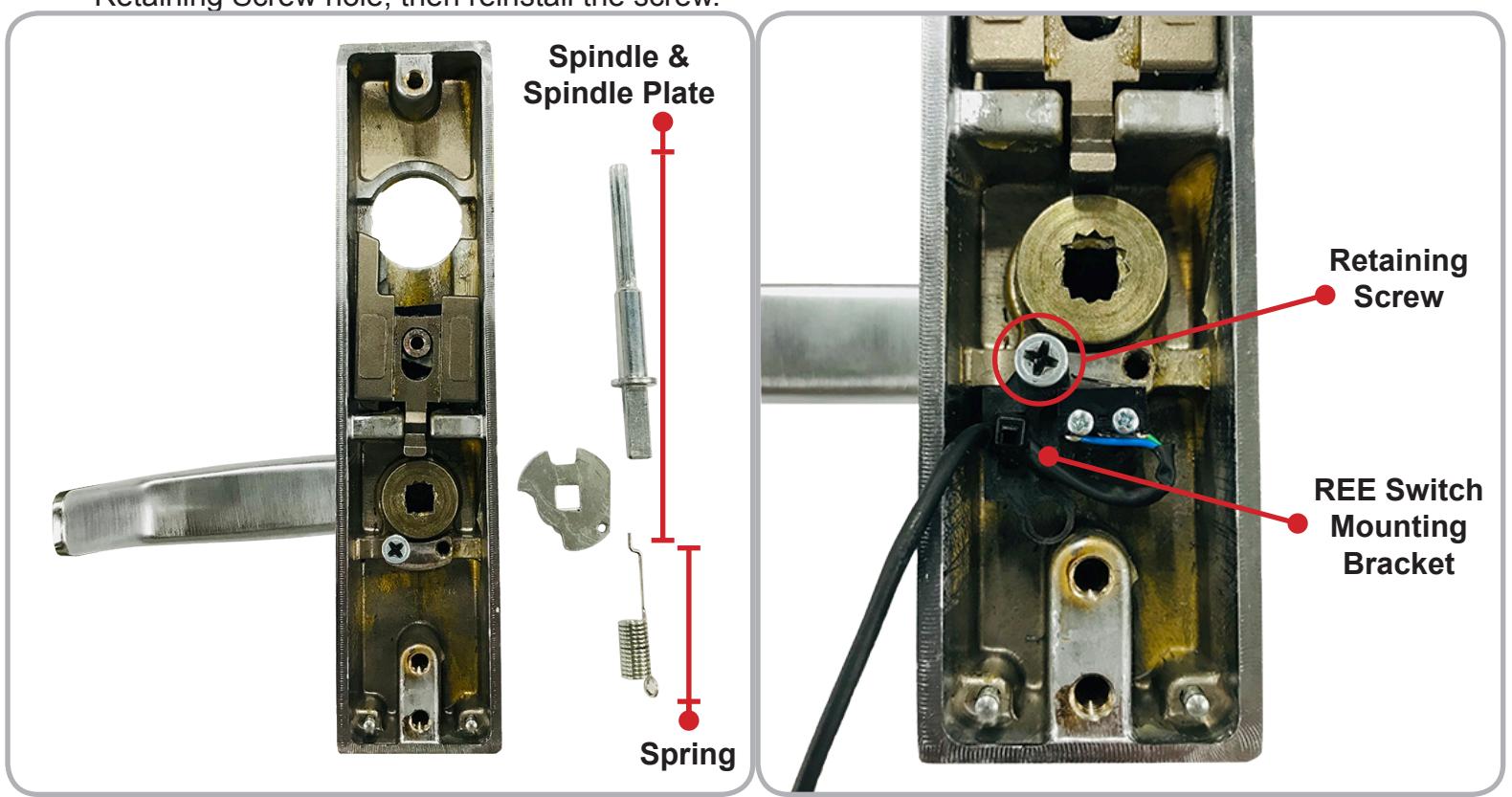
Slide the Spindle out, carefully uninstall the Spring from its Post and remove the Spring along with the Spindle Plate . Remove the Retaining Screw and place the REE Switch Mounting Bracket over the Retaining Screw hole, then reinstall the screw.
INSTALLATION INSTRUCTIONS

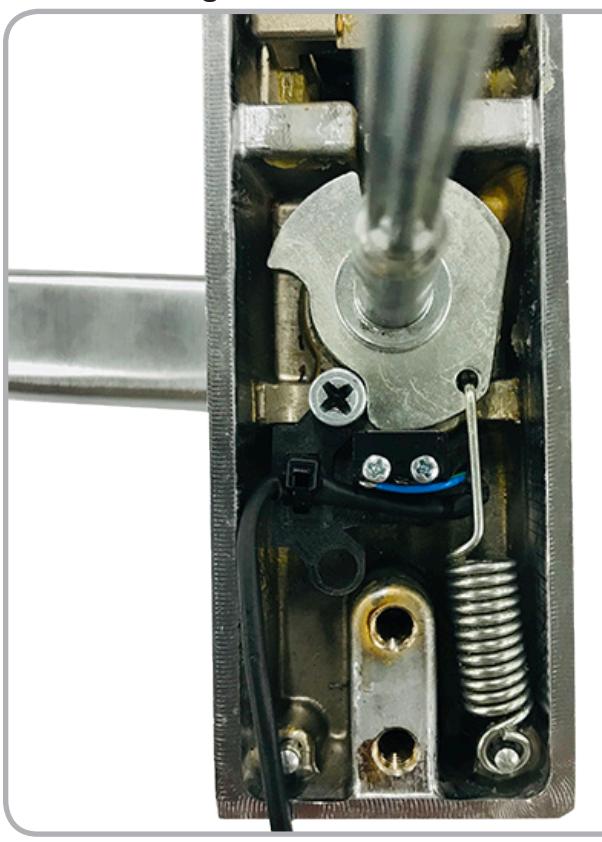
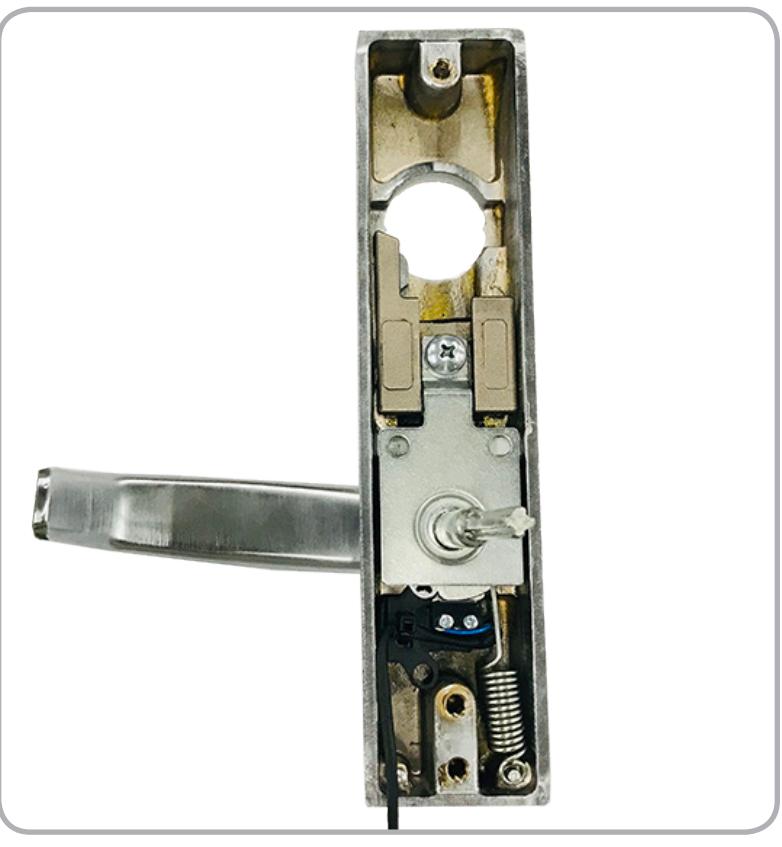
Reinstall the Spindle Plate and Spindle . Carefully slide the Spring into the Spindle Plate and install its loop onto the Spring Post . Slide the Backing Bracket over the Spindle and fasten in place with the Backing Screw and Washer .
Link to Command Access website and instructions

SPECIFICATIONS:
- Single Pole Double Throw (SPDT)
- Rating: .5A @24VAC
- Configuration: Green Common (C)
Blue - Normally Open (NO) Gray - Normally Closed (NC)