PDQ Smart Range Extender ZECHO Quick Start Guide
Open the original PDF document
View PDF

QUICK START GUIDE ZECHO RANGE EXTENDER
1 PLUG IN & POWER UP
PACKAGE CONTENTS
- 1: pdqSMART Range Extender
- 2: BLE Antenna
- 3: Power Supply 5V@1A
- 4: Quick Start Guide
Paste your Product Label here
PRODUCT LABEL
PREREQUISITES
- 1: Active pdqSMART Server Account https://portal.stp-pdqsmart.com/ Authenticate
- 2: Install pdqSMART-STP App on Smartphone
- 3: Add at least 1 pdqSMART-STP Lock to your account
Paste your QR here
QR CODE
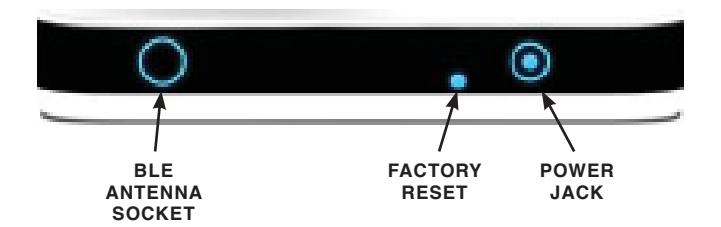
LED INDICATIONS:
| EVENT | RED | WHITE | BLUE |
|---|---|---|---|
| Power On | Blink for 3 times | Blink for 3 times | Blink for 3 times |
| Factory Reset | Blink for 3 times | Blink for 3 times | Blink for 3 times |
| Bluetooth Connection | — | — | Blinking |
| Not Connected in network | — | — | Solid |
| Connected in network | OFF | OFF | OFF |
| Network request is in process | — | Blinking | — |
|
Network request
execute successfully |
— | Solid for 3 Sec | — |
| Network request fail | Blink for 3 sec | — | — |
|
Not Getting Network ID
from Smart phone |
Solid | — | — |

QUICK START GUIDE ZECHO RANGE EXTENDER
REGISTER pdqSMART RANGE EXTENDER TO PDQ SERVER 2
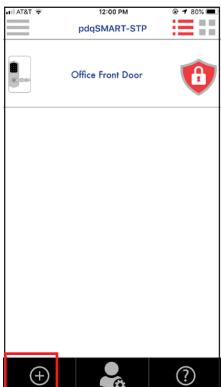
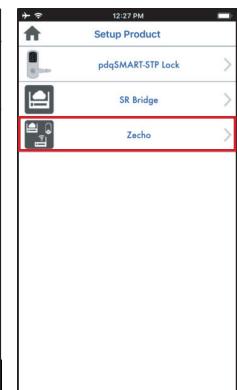
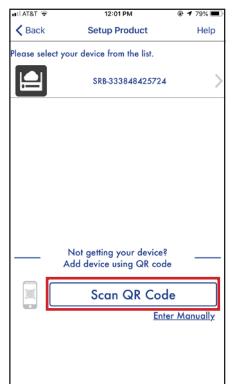
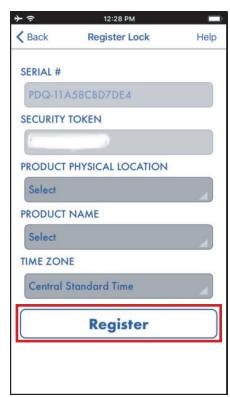

Launch pdqSMART-STP App on Smartphone. Tap Circle Plus


Tap ZECHO Tap SCAN QR CODE and scan code.
*QR code is located under the device and front of this guide

Enter user-friendly device name and device location. Tap Register
Note:
If Range Extender is not able to connect with pdqSMART Network then please restart it and wait for 1 minute

pdqSMART tech support: 866-874-3662 or smartsupport@pdqlocks.com
For more information about PDQ: 800.441.9692