PDQ KMS-XLS Installation Instructions I4704 Rev2
Open the original PDF document
View PDFKMS pdqSMART INSTALLATION INSTRUCTION
CYLINDRICAL DEADBOLT


Phone: 866-874-3662 | www.pdqlocks.com

1. PREPARE DOOR & INSTALL LATCH
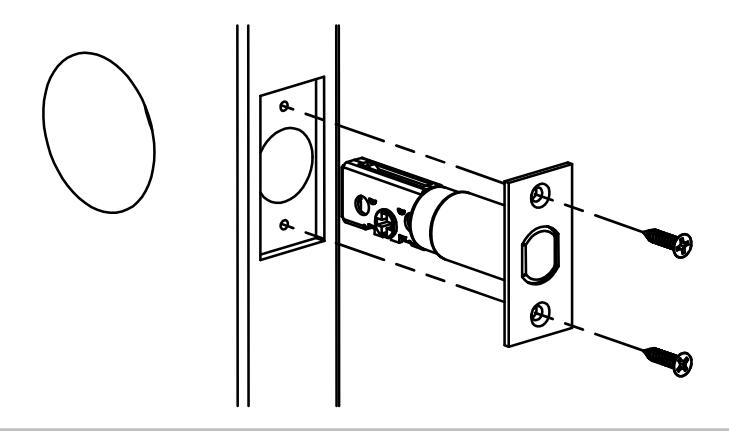
- Prepare door according to template.
- Install latch with cross slot for tailpiece toward bottom.
- Secure with (2) #8 x ¾" combo screws.
2. INSTALL OUTSIDE TRIM ASSEMBLY
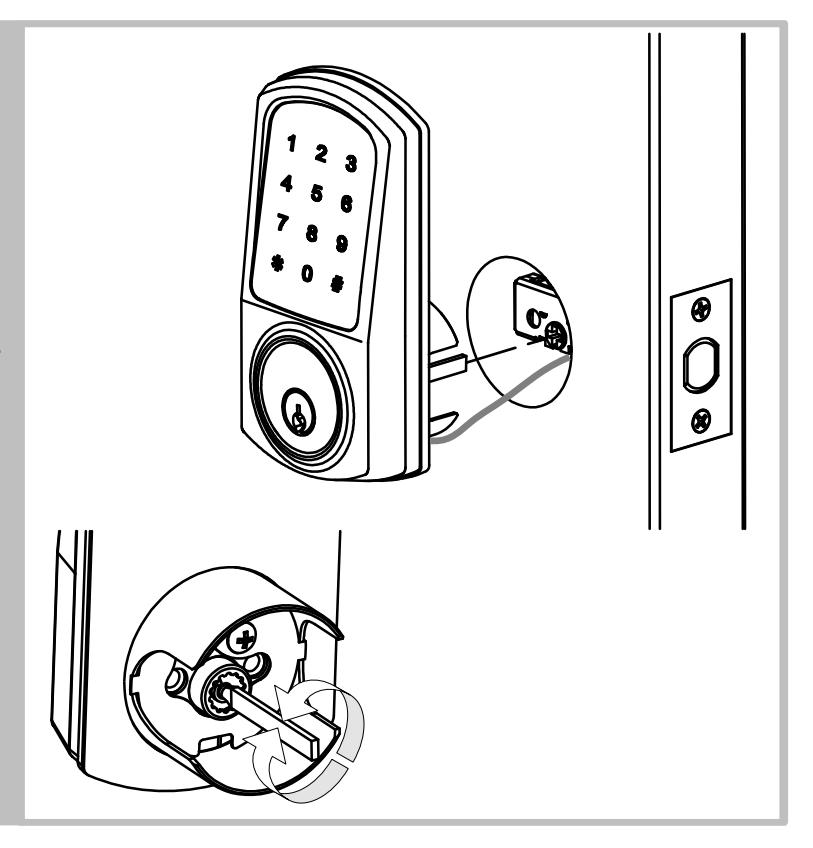
- Install escutcheon/chassis assembly from outside of door – feeding reader wire through chassis hole in door – under latch.
- Retract deadbolt -
Left Hand Door – Rotate tailpiece clockwise until it stops in the vertical orientation.
Right Hand Door – Rotate tailpiece counter-clockwise until it stops in the vertical orientation.
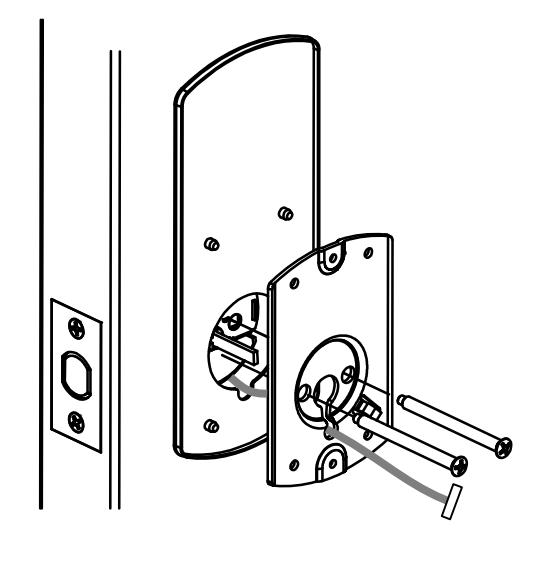

4. INSTALL GASKET & INSIDE MOUNTING PLATE
- Route wire through slot in bottom of gasket and mounting plate
- Install rubber gasket and inside mounting plate and secure with (2) #10-32 x 1-7/16" flat head screws.
KMS pdqSMART INSTALLATION INSTRUCTION

5. INSTALL INSIDE TRIM AND BATTERIES
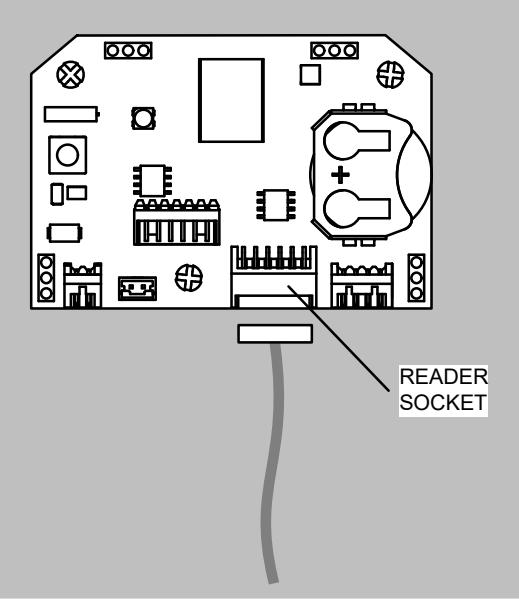
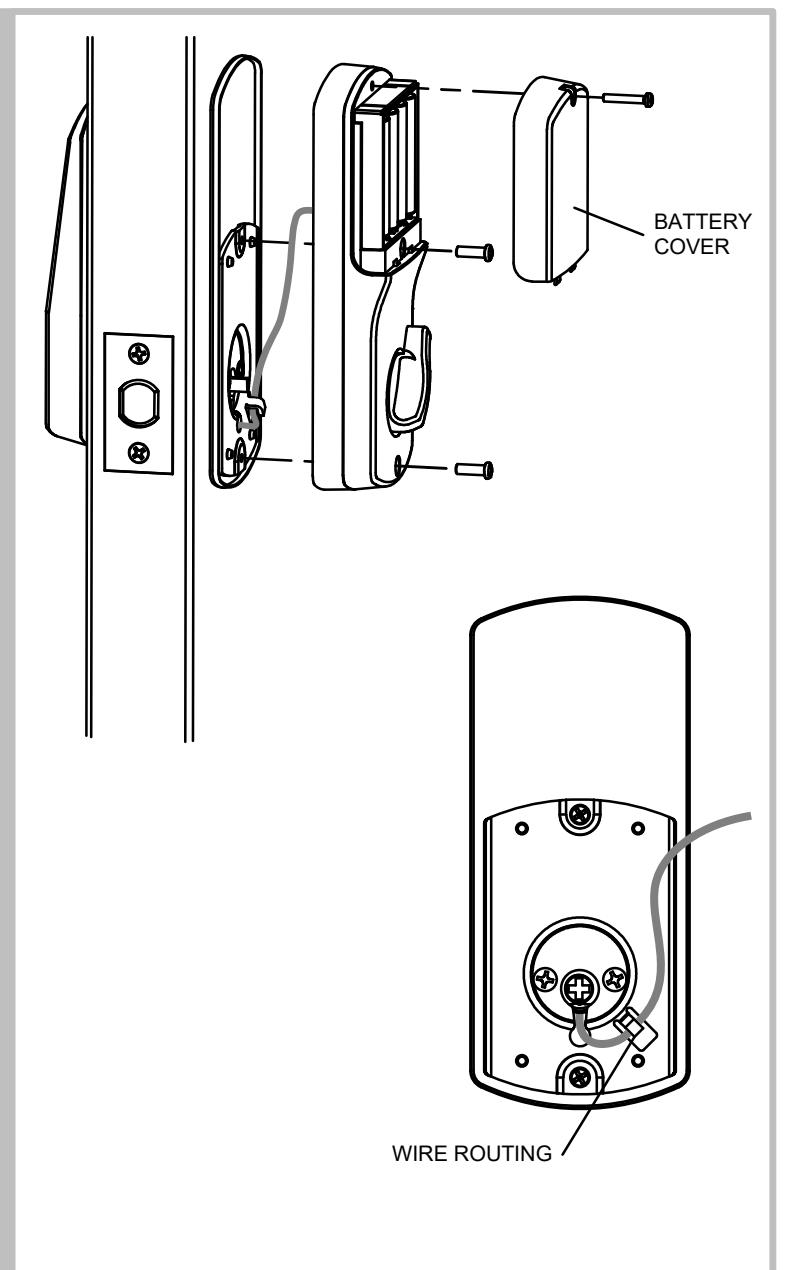
- Plug reader wire into socket on control board on back of escutcheon, route wire through hook in mounting plate as shown, install escutcheon onto door. Take care to keep from pinching wire. Verify that thumb turn properly operates deadbolt latch.
- Secure escutcheon with (2) M4x12 Pan head screws.
- Install batteries and battery cover with M3x18 pan head screw.