PDQ GTS STP Installation Instruction 88317 Rev3
Open the original PDF document
View PDFGTS pdqSMART INSTALLATION INSTRUCTION
CYLINDRICAL LOCK ALL GTS – EXCLUDING STS

Phone: 866-874-3662 | www.pdqlocks.com
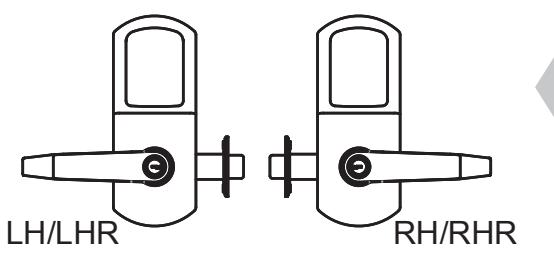

1. CHECK HANDING OF LOCK
• If handing of lock is not correct for opening, see next page for handing instructions.
2. PREPARE DOOR & INSTALL LATCH
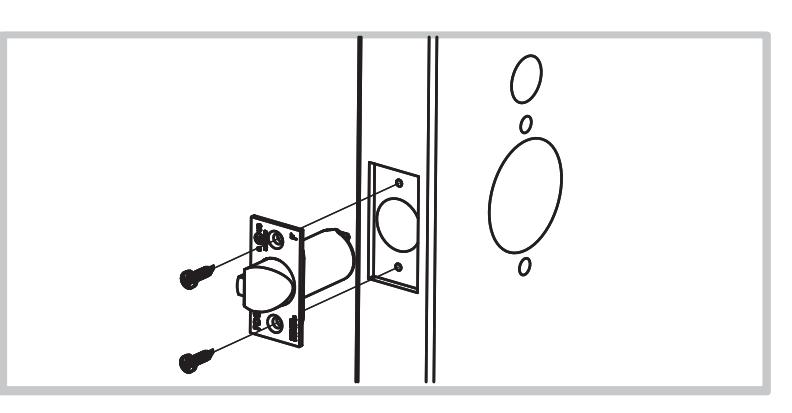
- Prepare door according to template.
- Install latch, radius toward door frame
- Secure with (2) #8 x ¾" combo screws.

3. INSTALL CHASSIS AND OUTSIDE TRIM
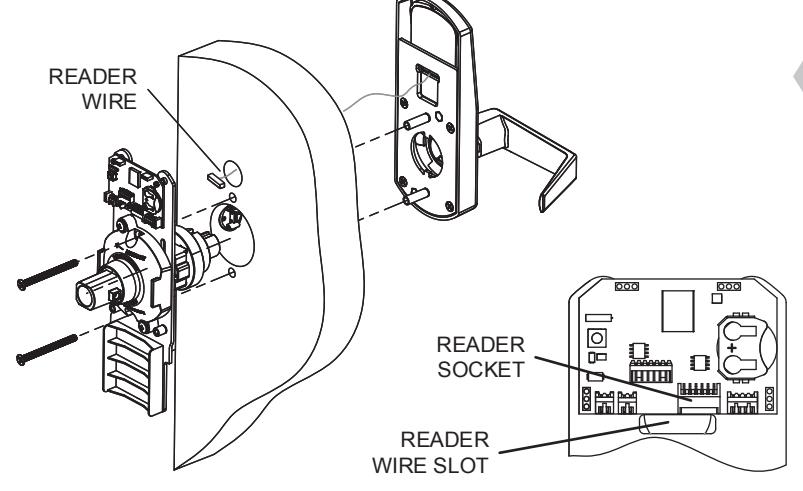
- Install chassis assembly from inside of door.
- Install outside trim assembly feed reader wire through hole and door and through slot under circuit board. Plug into board. Push extra wire into door cavity.
- Secure with (2) M5 x 0.8 x 60mm flat head screws (thru bolts).
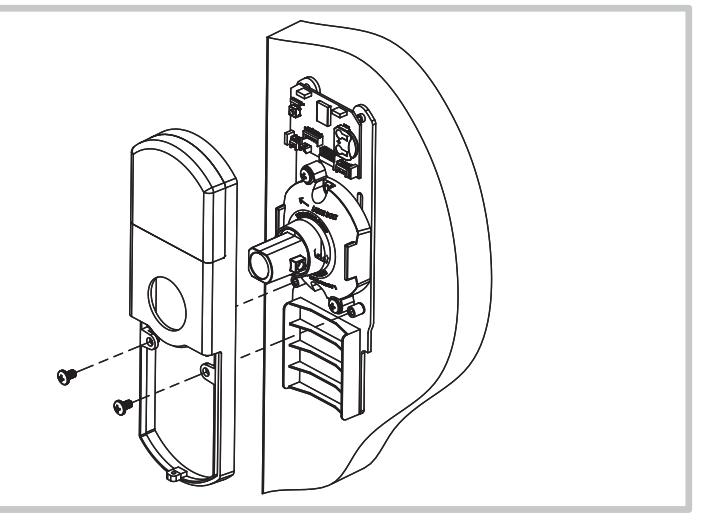
4. INSTALL INSIDE ESCUTCHEON
- Install inside escutcheon.
- Secure with (2) #10-32 x 5/16" pan head screws.
GTS pdqSMART INSTALLATION INSTRUCTION CYLINDRICAL LOCK ALL GTS – EXCLUDING STS

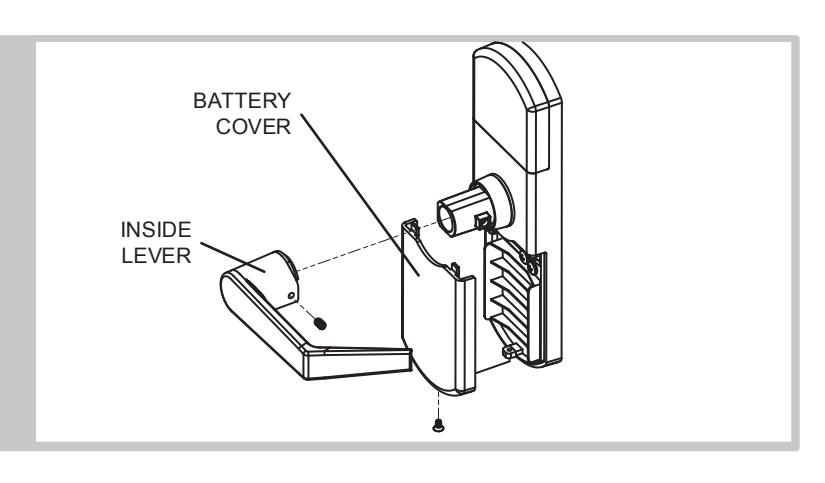
5. INSTALL BATTERIES AND INSIDE LEVER
- Install batteries and battery cover with #6-32 x ¼" flat head screw.
- Install inside lever and secure with M5 x 8mm dog point set screw.
HANDING INSTRUCTIONS
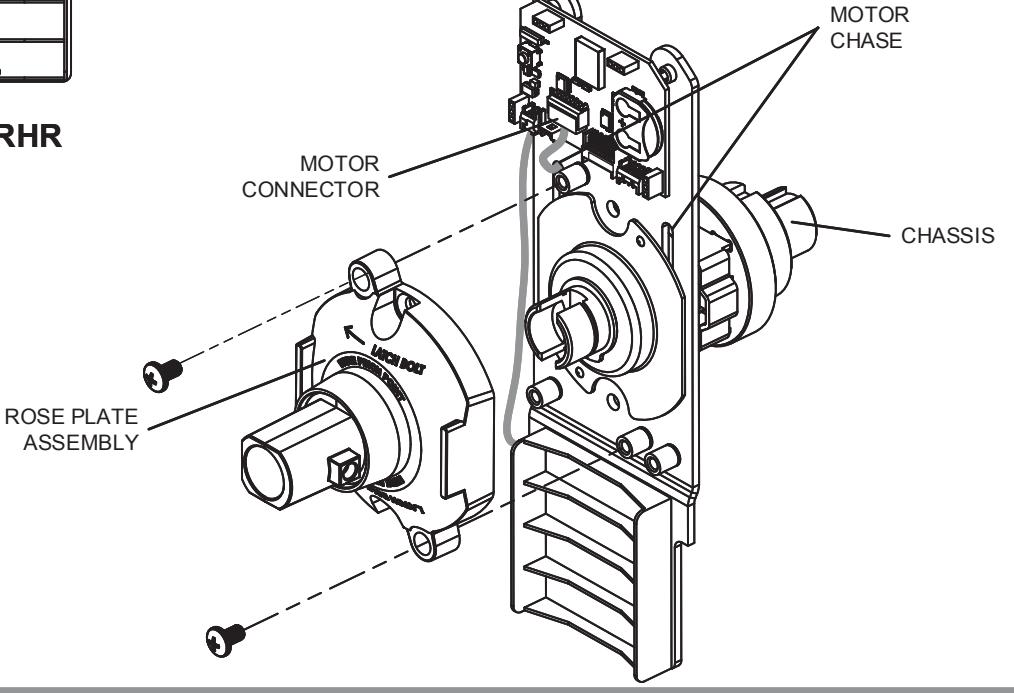
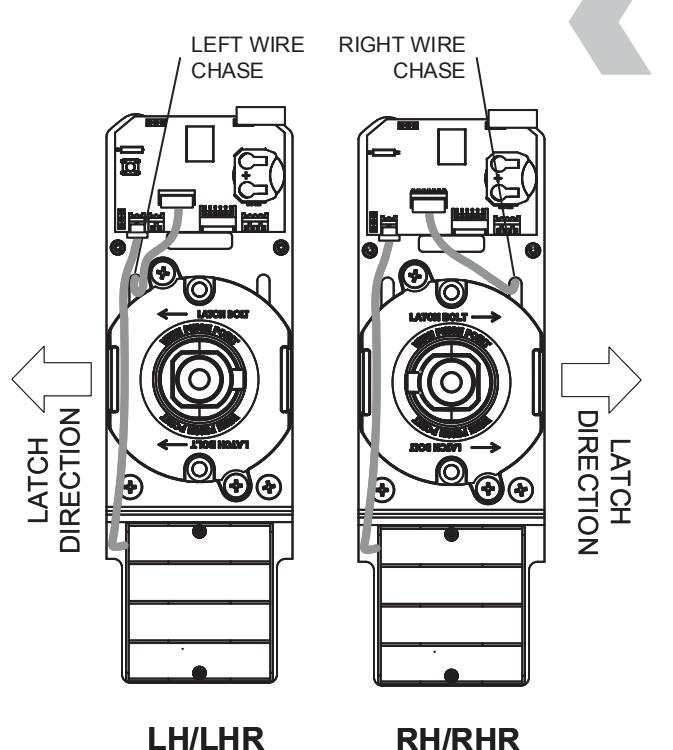
AS REQUIRED, ROTATE INSIDE ROSE PLATE AND CHASSIS TO MATCH HAND OF DOOR
TO ROTATE CHASSIS:
- 1. Remove rose plate mounting screws, then rose plate.
- 2. Unplug motor connector. Feed motor connector and wire back through wire chase slot.
- 3. Rotate chassis 1/2 turn (180°) maximum.
- Feed motor connector and wire forward through wire chase slot on other side. Re-connect motor connector.
- 5. Rotate rose plate to index with chassis. (Arrows point to latch bolt edge of door.)
- 6. Install rose plate, secure with mounting screws.