PDQ CLS-STP Installation Instruction 88340 Rev0
Open the original PDF document
View PDFCLS pdqSMART INSTALLATION INSTRUCTION INTERCONNECTED LOCK

Phone: 833-2-PDQTEC | www.pdqlocks.com
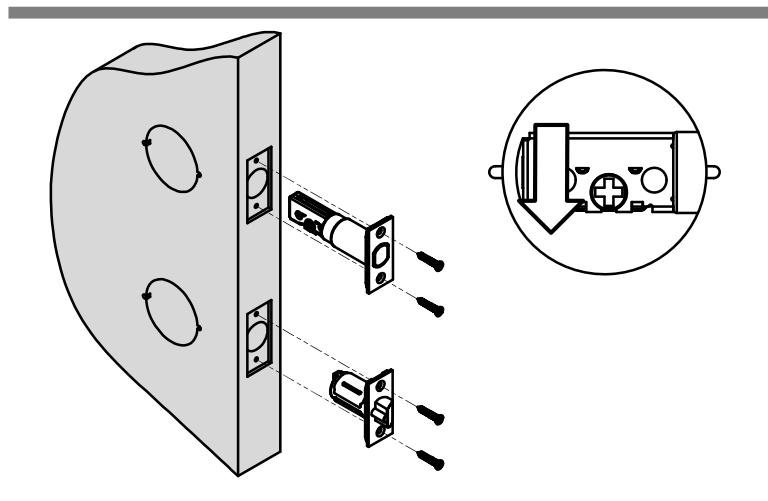

1. PREPARE DOOR & INSTALL LATCHES
- Prepare door according to template.
- Install deadbolt latch in top hole with cross slot for tailpiece toward bottom.
- Install beveled latch on bottom with bevel toward door frame.
- Secure with (4) #8 x ¾" combo screws.
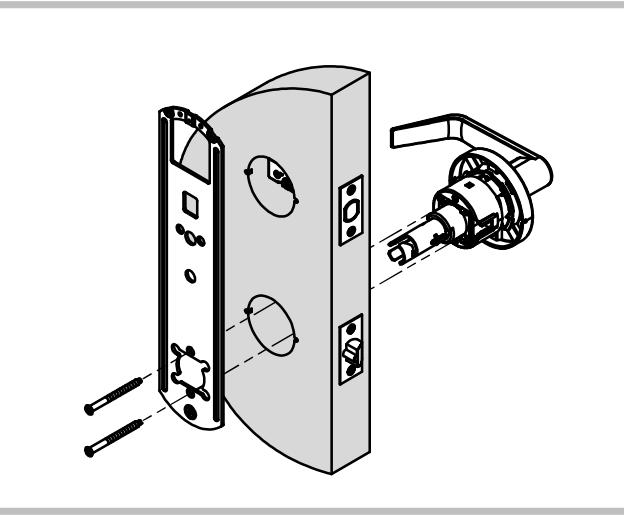
2. INSTALL LOCK ASSEMBLY
- Install lock chassis into bottom hole making sure to properly engage lock body into latchbolt.
- Install inside mounting plate and secure with (2) screws.
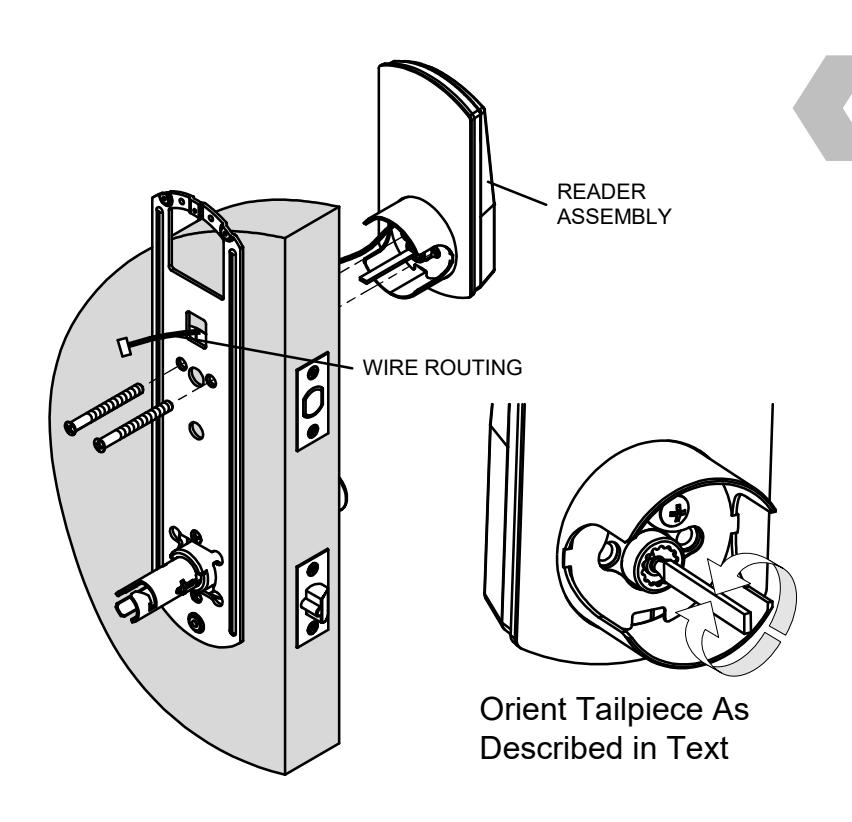
3. INSTALL READER ASSEMBLY
Install reader assembly from outside of door – feeding reader wire through chassis hole in door and through square hole in mounting plate – wire routes above deadbolt latch.
Ensure deadbolt is retracted:
Left Hand Door – Rotate tailpiece clockwise until it stops in the vertical orientation.
Right Hand Door – Rotate tailpiece counterclockwise until it stops in the vertical orientation.
CLS pdqSMART INSTALLATION INSTRUCTION INTERCONNECTED LOCK

4. PREPARE INSIDE ESCUTCHEON
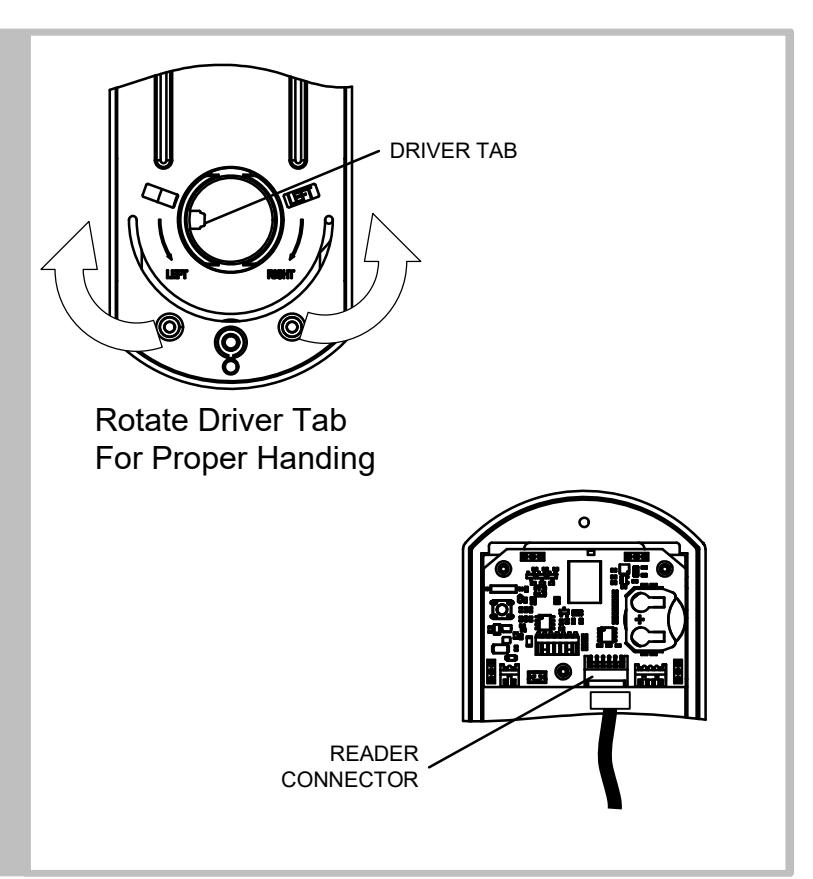
- Rotate lever driver tab to correct orientation as shown.
- Hold escutcheon up to door and connect reader wire to control board.
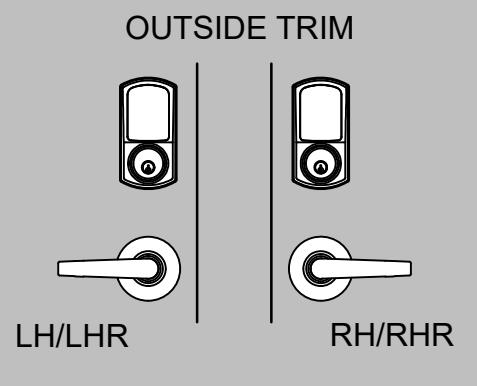
5. INSTALL INSIDE ESCUTCHEON AND LEVER
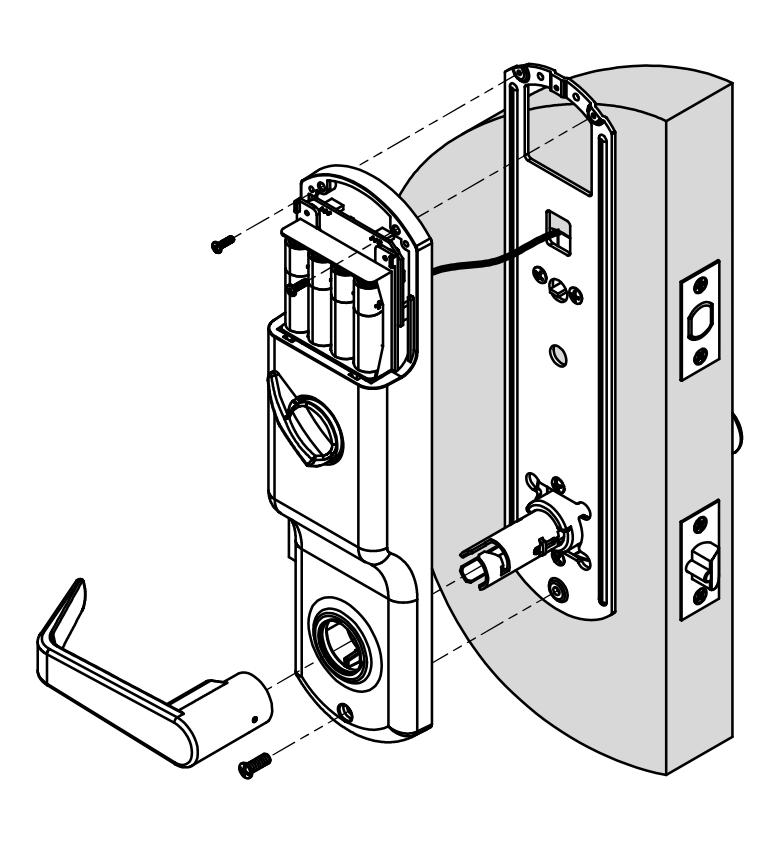
- Rotate thumb turn away from leading edge of door
- Install inside escutcheon. Push excess wire into door cavity.
- Secure escutcheon using two screws.
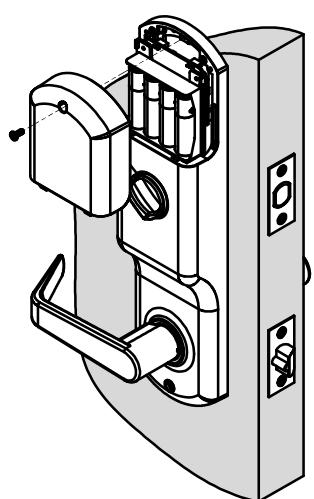
- Install batteries and battery cover.