PDQ 6S Sectional Trim Template – 6300 Series Devices – 639321 Rev0
Open the original PDF document
View PDF6S 02/08/09/14 SECTIONAL TRIM FOR 6300 SERIES EXIT DEVICES
TEMPLATE: 639321 REV. 0 2-22-22
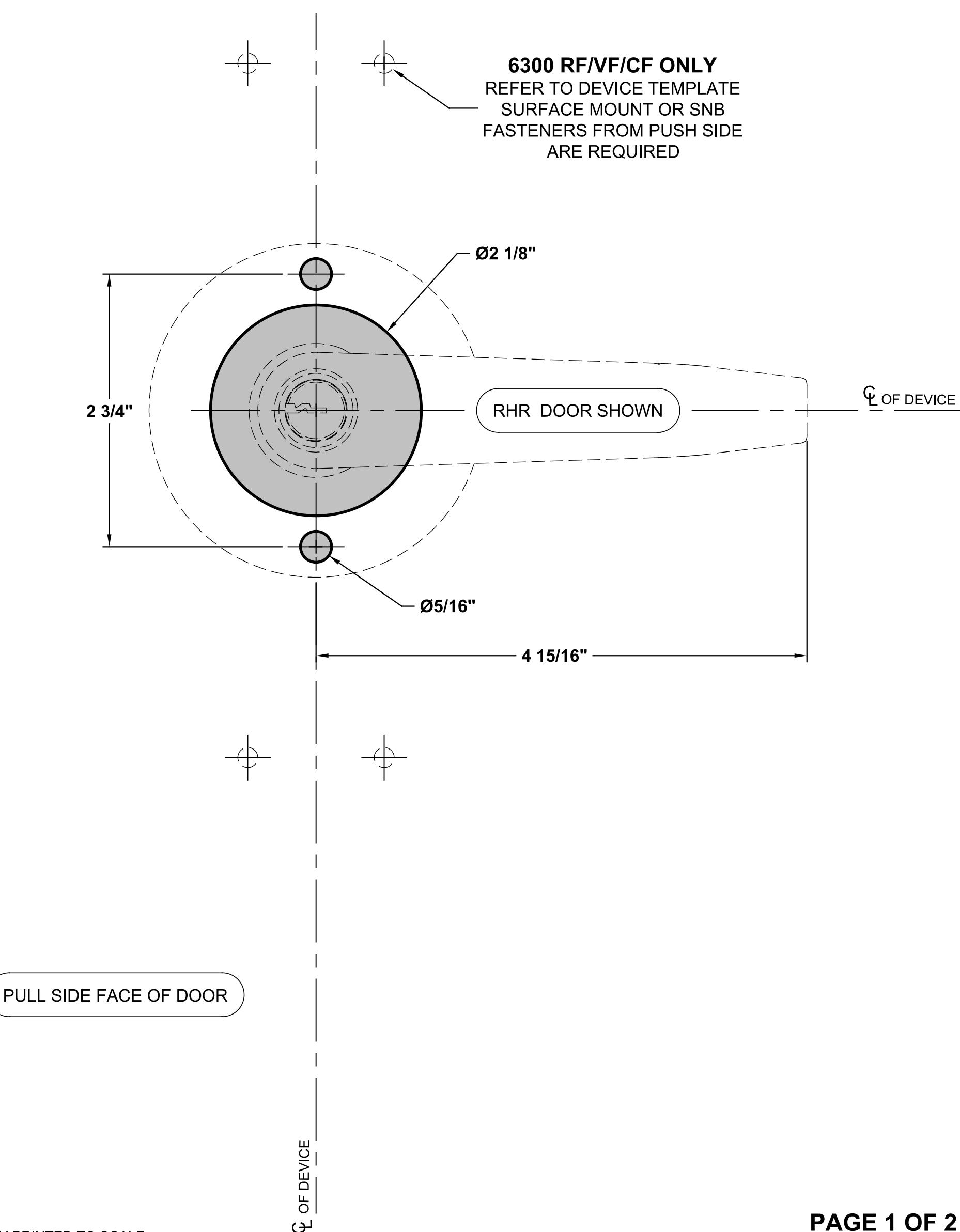
NOTES:
- 1. VERIFY PRINTED TO SCALE
- 2. REFER TO EXIT DEVICE TEMPLATE FOR BACKSET/DEVICE CENTERLINE
- 3. ROSE DIAMETER: 3 3/8" TOTAL TRIM PROJECTION: 3 1/16"
- 4. MINIMUM STILE WIDTH: 4 1/2"
- 5. CHECK PDQ WEBSITE FOR MOST RECENT REVISION WWW.PDQLOCKS.COM

PDQ Manufacturing 2230 Embassy Dr. Lancaster, PA 17603 833-273-7832 833-2 PDQTECH www.pdqlocks.com
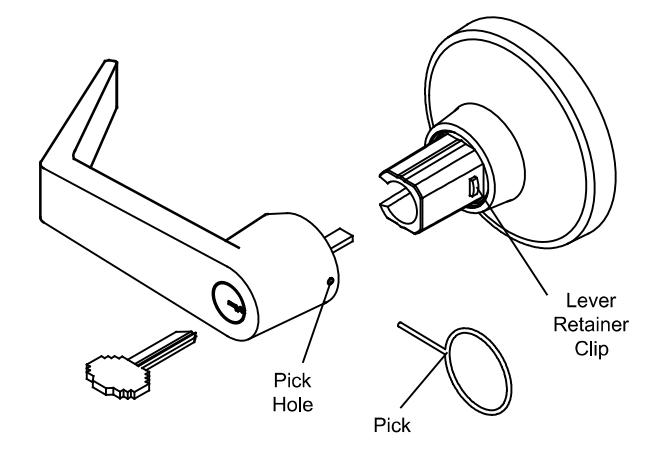
How to remove/replace the key in lever cylinder
TO REMOVE CYLINDER LEVER
- A. Insert key, rotate 45° clockwise and hold
- B. Depress retainer clip with supplied pick (or other pointed tool)
- C. Pull lever from trim
TO REMOVE CYLINDER FROM LEVER
- A. Remove cylinder stopper
- B. Slide cylinder out of lever
TO INSTALL CYLINDER INTO LEVER
- A. Slide cylinder into lever
- B. Install cylinder stopper
TO INSTALL CYLINDER LEVER
- A. Slide lever on to spindle up to lever retainer clip
- B. Insert key into cylinder, rotate 45° clockwise and hold
- C. Push lever retainer clip into spinlde then push lever passed lever retainer clip to secure lever on the spindle

A. REMOVE
Insert Control Key, rotate 45° clockwise then pull the core out of the lever
B. INSTALL
Insert Control Key, rotate 45° clockwise then push the core into the lever

A. REMOVE
Remove core
Reach into housing with fine screw driver or similar tool to move lever retainer clip toward hinge edge of door while pulling the lever from the trim
B. INSTALL
Remove core
Push lever passed lever retainer clip to secure lever on the spindle
PAGE 2 OF 2