PD10REXKIT-ED Installation Instruction
Open the original PDF document
View PDF


PD10REXKIT-ED
INSERT Instructions
The PD10REXKIT-ED is a field-installable Request to Exit switch for • PD10, Falcon 16/17 & First Choice 36/37 series exit devices

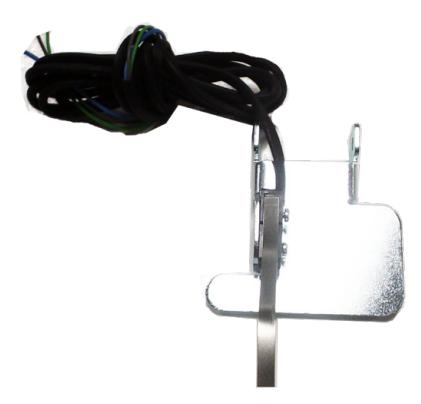
B.
Kit Includes
A. 60405 - (x1) REX Switch
B. 20015 - (x1) REX Label
Tools Required
Phillips Screwdriver
SPECIFICATIONS
- Single Pole Double Throw (SPDT)
- Rating: .5A @24VAC
- Configuration: Green Common (C)
Blue - Normally Open (NO) Gray - Normally Closed (NC)
REX Installation Instructions

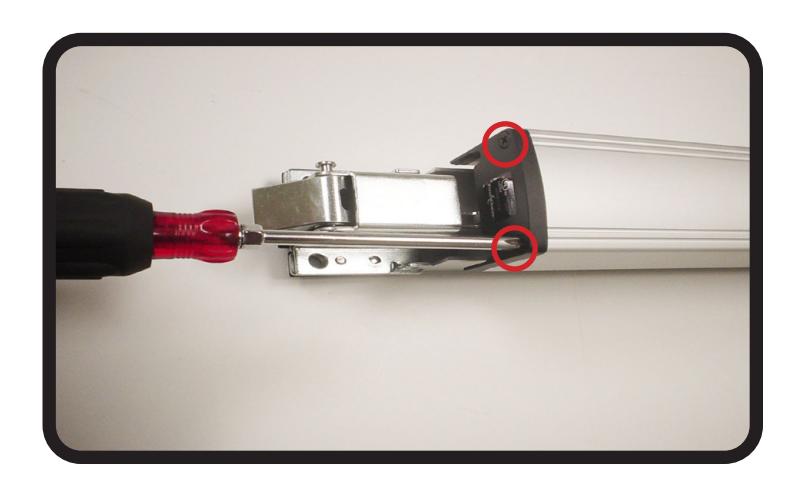
Remove (2) Screws from front end cap on Exit Device Push Pad & Remove push pad. 1.
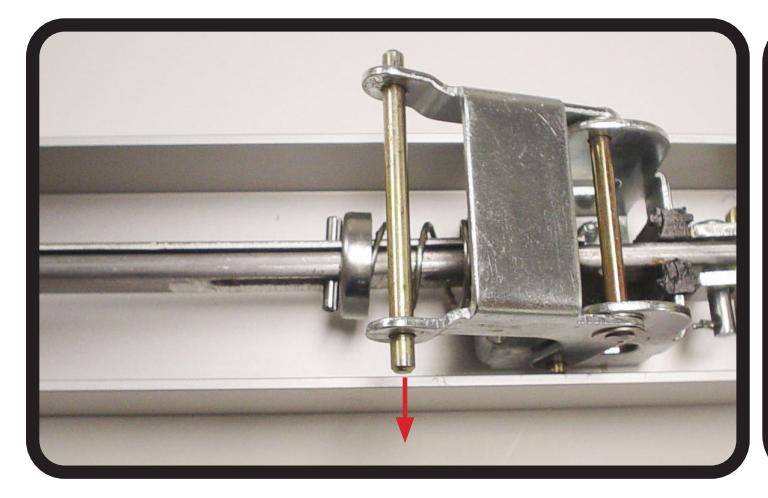
Slide push pad pin out of REAR activating bracket & set aside. Install REX switch with switch arm facing down. Re-install push pad pin. 2.
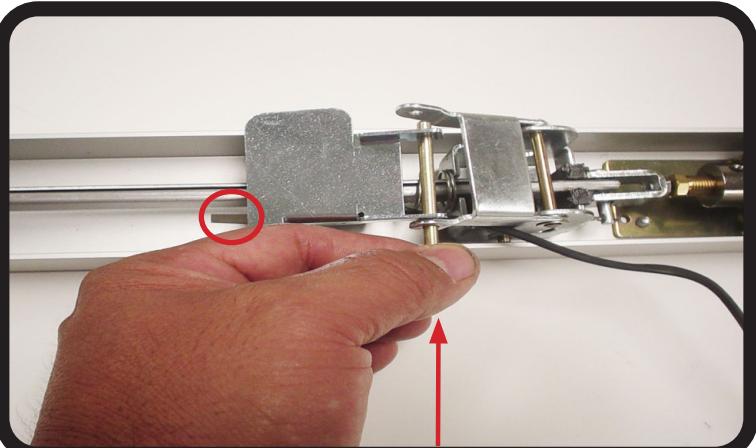
REX Installation Instructions

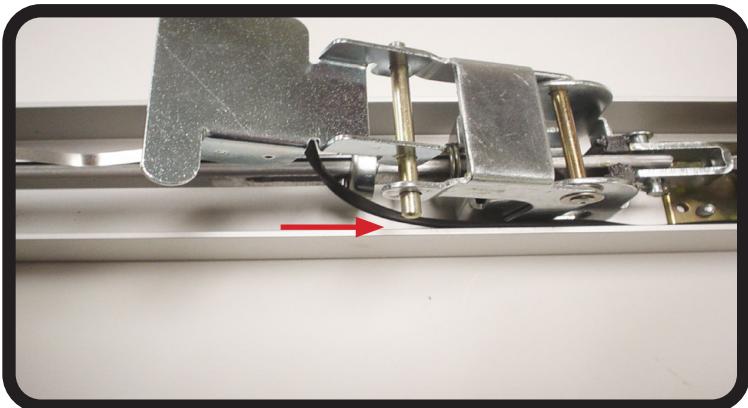
Run wires down the side of the baserail. Re-install the push pad sliding the PIN & REX bracket into the bottom channel. 3.
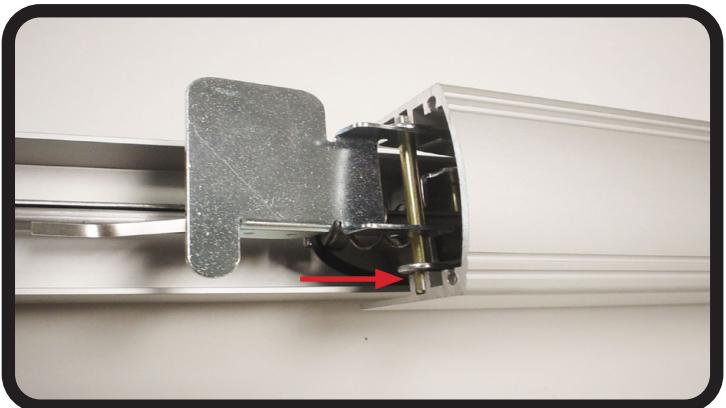
Slide over the FRONT activating bracket ensuring the pin & bracket is in the correct bottom channel. 4.
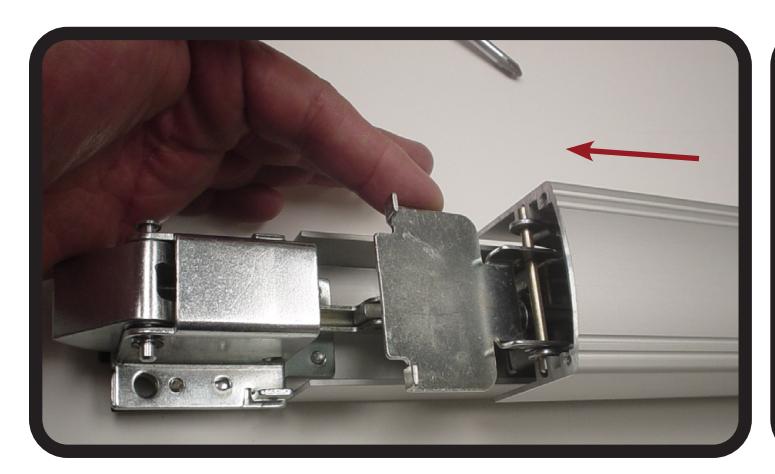
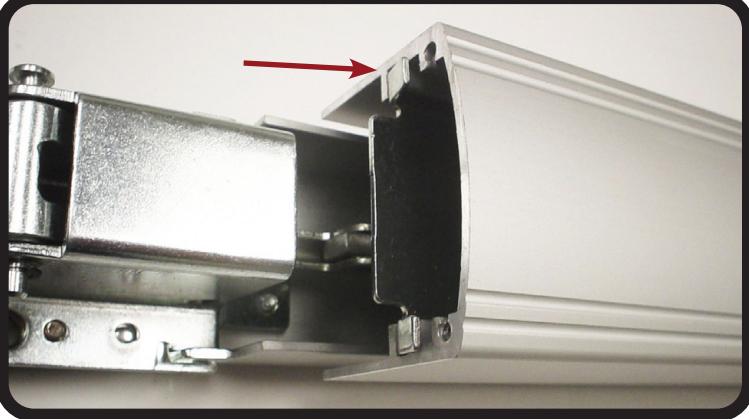
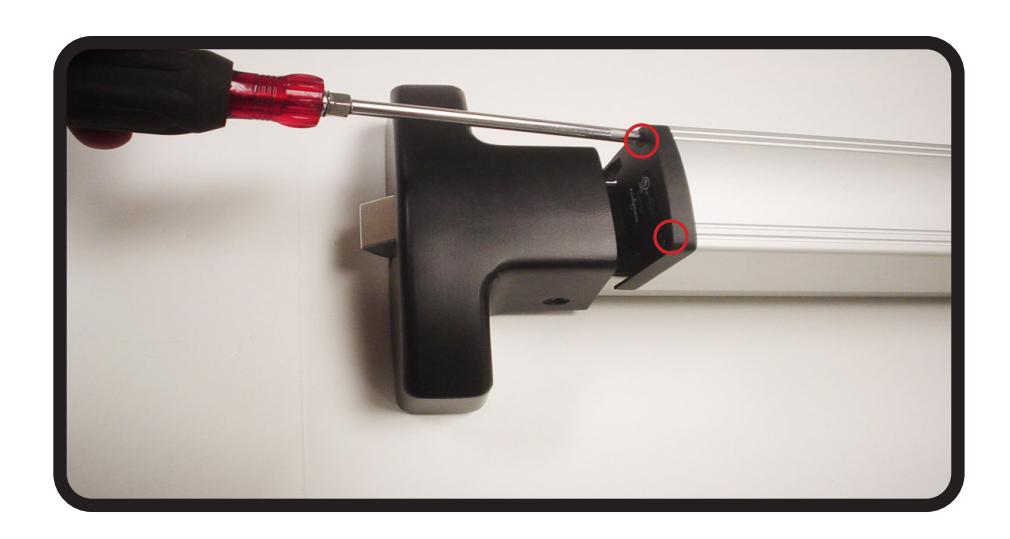
5. Re-install (2) Screws on front end cap on Exit Device Push Pad & test REX switch.
SPECIFICATIONS
- Single Pole Double Throw (SPDT)
- Rating: .5A @24VAC
- Configuration: Green Common (C)
Blue - Normally Open (NO) Gray - Normally Closed (NC)