Olympus Lock T54C Installation Instructions
Open the original PDF document
View PDF
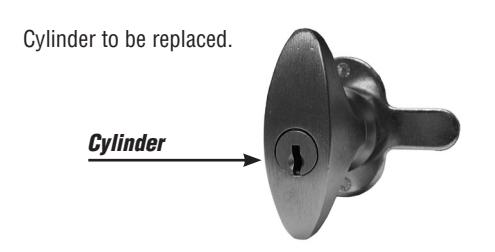
1. Remove screw and the cam assembley from the back of the handle and set aside. (Fig. 1)
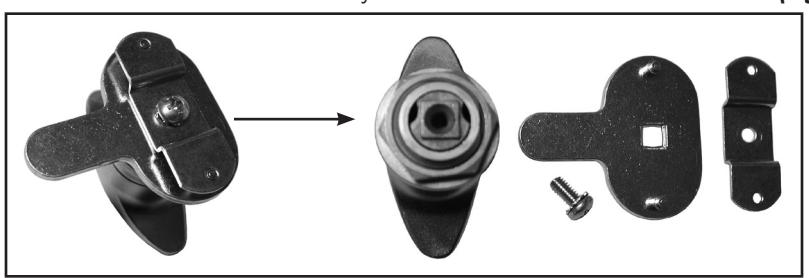
Figure 1
2. Remove the back section of the handle exposing the two philips head screws. (Fig. 2)
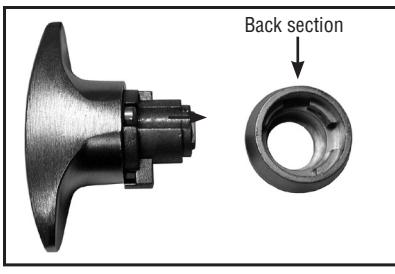
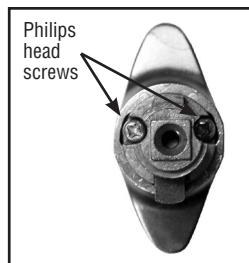
Figure 2
3. Remove the two philips head screws from the back of the lock and remove the cap exposing the small latch piece and spring. (Fig. 3)
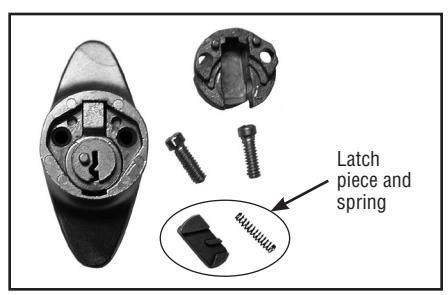
Figure 3
4. Remove the old cylinder. (Fig. 4)
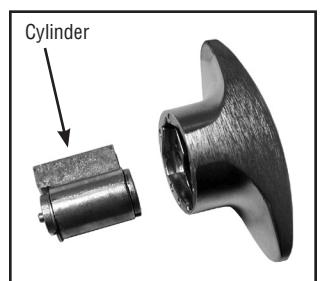
Figure 4
5. Insert the new T54C cylinder. (Fig. 5)
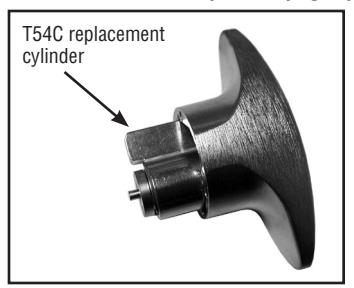
Figure 5
6. Place the spring in the channel of the cap and place the latch piece over it. (Fig. 6)
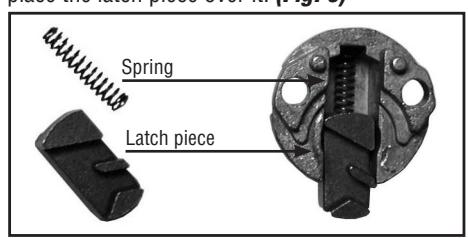
Figure 6
7. It is now time to place the cap back on the end of the handle. This can be a bit tricky. You must hold in the latch piece while placing the cap on the back of the lock. The bottom of the latch piece must fit into the small groove at the bottom of the cylinder. (Fig. 7)
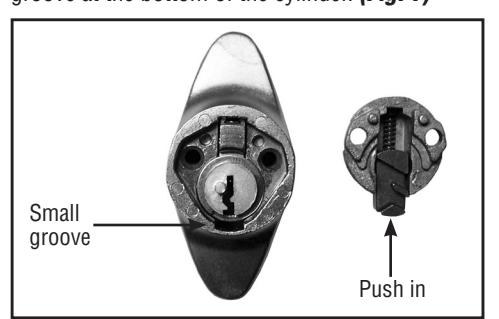
Figure 7
8. Replace the two philips head screws. (Fig. 8)
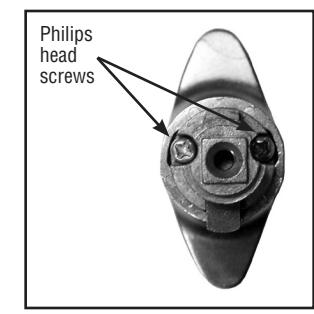
Figure 8
9. Replace the back section and cams, secure with cam screw. The assembly of the back section and cam assembly determine how the T-knob will be handed. For proper handing, refer to instructions for the T-knob lock. (Fig. 9)
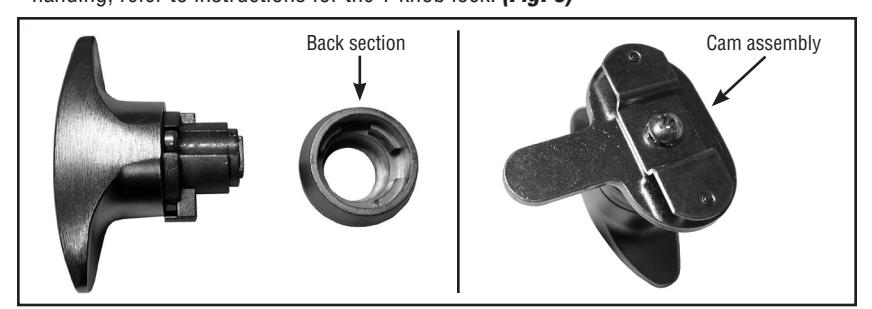
Figure 9

18424 Highway 99 • Lynnwood, WA 98037 • 800-525-0954 206-362-3290 • Fax 206-362-3569 • www.olympus-lock.com