Olympus Lock How to Install SFIC Cylinders Into SFIC Lock Bodies Instructions
Open the original PDF document
View PDFInstallation Instructions
For small format interchangeable core cylinders
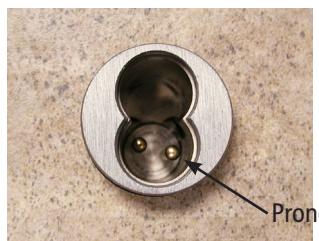
Step 1 Make sure the prongs inside the lock body are at the approximate angle indicated in Figure 1 and the lock is in the fully locked or unlocked position.
Prong position
Figure 1
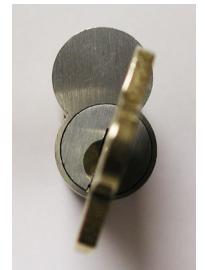
Figure 2
Step 2 Insert key labeled CONTROL into cylinder and turn slightly clockwise to the 1:00 o'clock position (Figure 2). This will retract the locking bar (Figures 3 & 4).
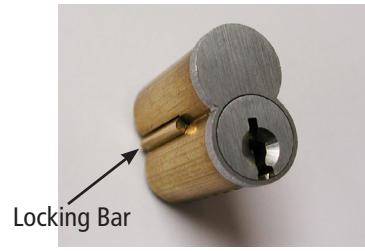
Figure 3
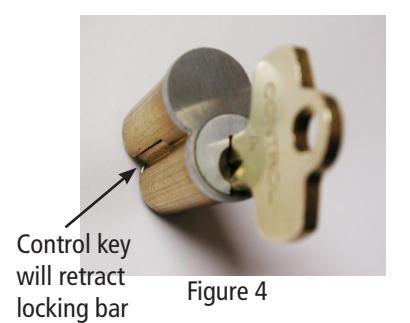
Step 4 With the CONTROL key in the 1:00 o'clock
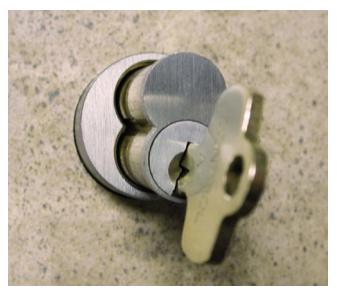
Figure 5

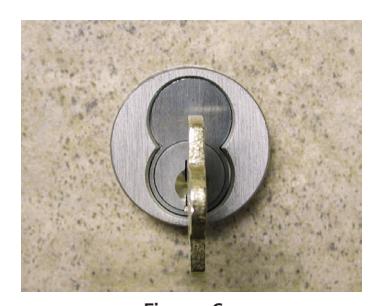
Figure 6
Step 5 Return the CONTROL key to the 12:00 o'clock position (Figure 6) and remove the key. The cylinder will now be locked into the lock body (Figure 7).
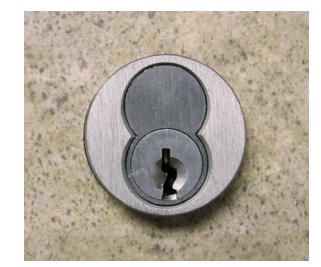
Figure 7
Step 6 Reverse the above procedure to remove the cylinder from the lock body.