Olympus Lock 800S Key-Retaining Instructions
Open the original PDF document
View PDFConverting to key-retaining function
800S :: Instructions for converting 800S to key-retaining function
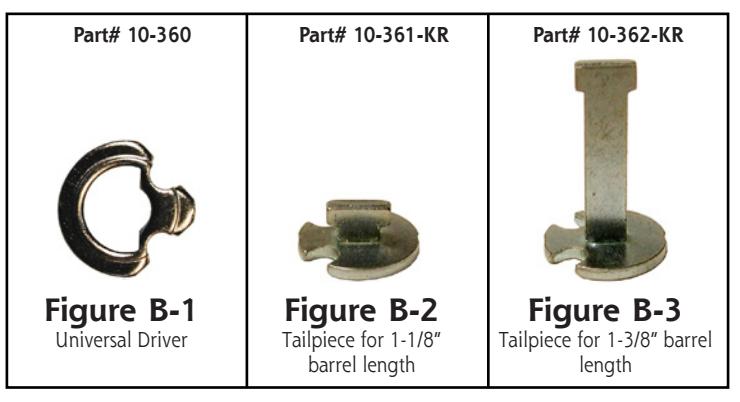
NOTE: Conversion of 800S requires additional tailpiece (Figure B-2 or B-3). The key-retaining tailpiece is not included with the standard lock and must be ordered separately.
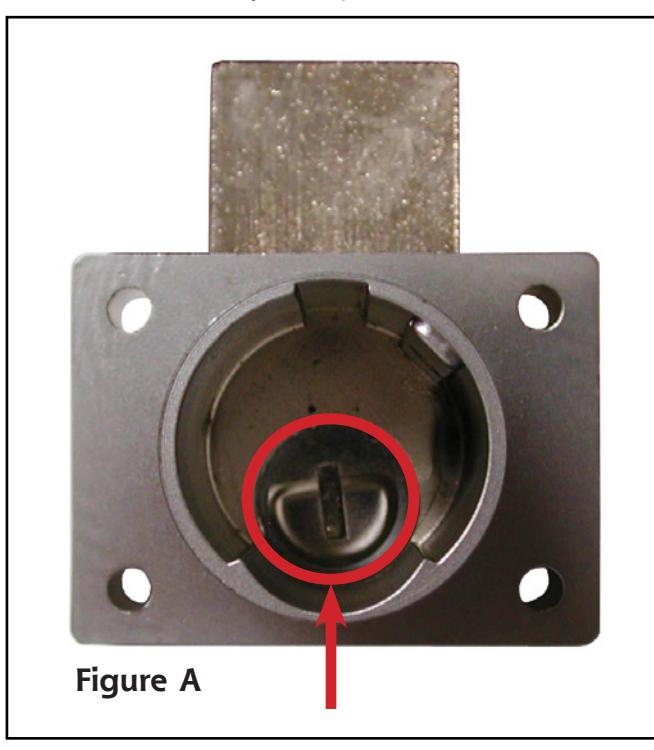
- Step 1: Cycle lock so that the deadbolt is in the desired "locked" position. The slot inside the lock case should be in a vertical (up/down) orientation ( Figure A ).
- Step 2: Remove the universal driver ( Figure B-1 ) from the back of the cylinder.
-
Step 3:
Install the key-retaining tailpiece into the back of the cylinder (for 1-1/8" barrel length locks use
Figure B-2
and for 1-3/8" barrel length locks use
Figure B-3
).
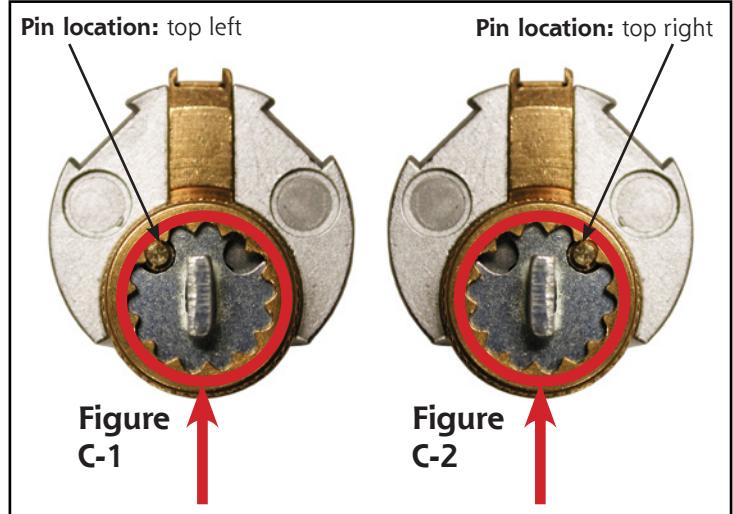
- If the pin is located on the top left, install as shown in Figure C-1 . If pin is located on top right, install as shown in Figure C-2 .
- Step 4: Pick up the lock body and slide it down over the cylinder. If the tailpiece does not immediately slip into the horizontal slot, pick up the complete assembly, put the key into the cylinder, and turn the key slightly back and forth until the tailpiece drops into the slot. Secure the cylinder housing to the lock body using the supplied set screw.
|
Title
Conversion of 800S drawer lock to key-retaining function |
|||||
|---|---|---|---|---|---|
| Series | Barrel Length | Bolt type | Mounting | Revision Date | |
| 800S-KR | 1-1/8" or 1-3/8" | Deadbolt | Surface | 08/2015 | |