Olympus Lock 700LC Cylinder Installation Instructions
Open the original PDF document
View PDFCylinder Installation Instructions
700LC :: Cylinder installation for 700LC cabinet door lock
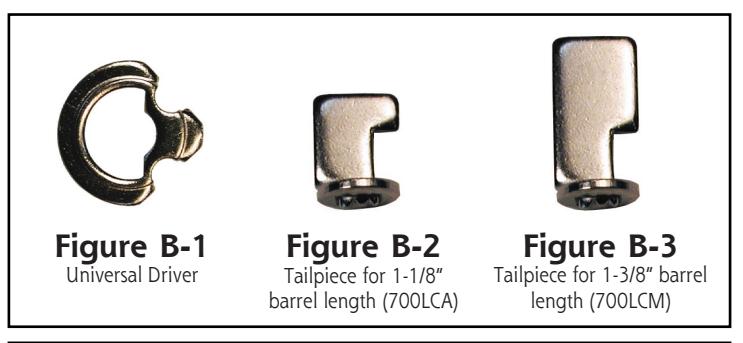
Install tailpiece such that the overhang is facing in the same direction as the bolt (left in this example).
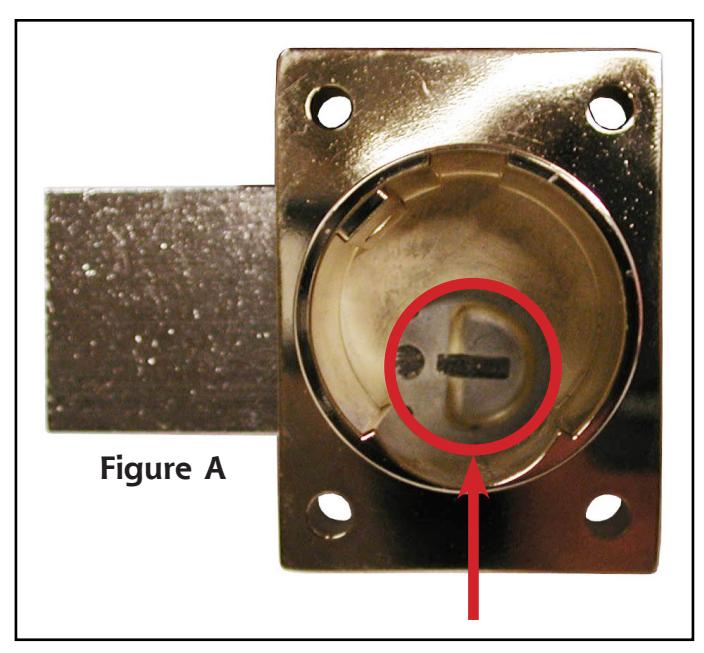
- Step 1: Cycle lock so that the deadbolt is either completely left or completely right. The slot inside the lock case should be in a horizontal (left/right) orientation ( Figure A ).
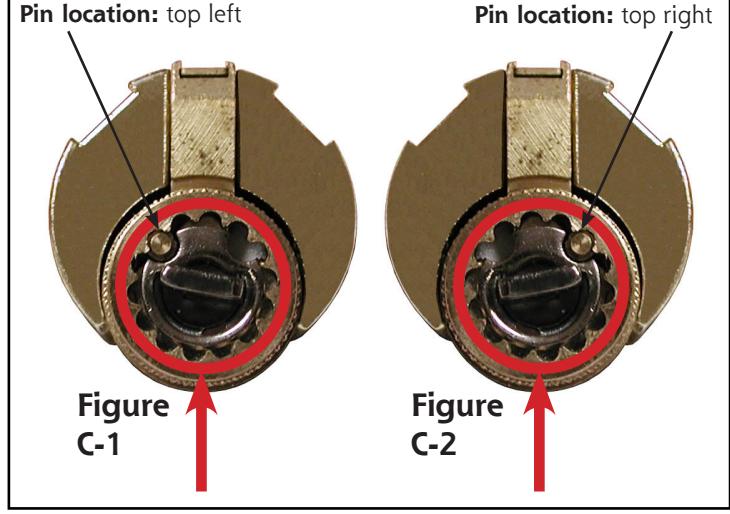
- Step 2: Install the universal driver ( Figure B-1 ) into the back of the cylinder. If pin is located on the top left, install as shown in Figure C-1 . If pin is located on top right, install as shown in Figure C-2 .
- Step 3: Install the tailpiece into the back of the cylinder in the horizontal position such that the overhang is facing in the same direction as the bolt ( Figure D ).
- Step 4: Pick up the lock body and slide it down over the cylinder. If the the tailpiece does not immediately go into the horizontal slot, pick up the complete assembly, put the key into the cylinder, and turn the key Figure D
|
Step 4:
Pick up the lock body and slide it down over the cylinder. If the the tailpiece does not immediately go into the horizontal slot, pick up the |
Figure D |
|---|---|
|
complete assembly, put the key into the cylinder, and turn the key
slightly back and forth until the tailpiece drops into the slot. Secure the cylinder housing to the body using the supplied set screw. |
|
Title
Cylinder installation instructions for 700LC series cabinet door lock |
|||||
|---|---|---|---|---|---|
| Series | Barrel Length | Bolt type | Mounting | Revision Date | |
| 700LC | 1-1/8" or 1-3/8" | Deadbolt | Surface | 11/2012 | |