Norton Rixson 704 Narrow Wave-to-Open Switch Installation Instructions_80-9370-0002-020
Open the original PDF document
View PDFModel 704 Wave to Open Switch
1-3/4" Wide Jamb Mounting Installation Instructions

Specifications:
Input Voltage: 12V to24VDC
SPDT Contact Rating: 2A @30VAC/VDC Sensor Detection Range: Up to 4" (101mm)
Operating Temperature: -13° F to 131°F (-25°C to 55°C)
Current Draw: 50mA @12VDC, 65mA @24VDC
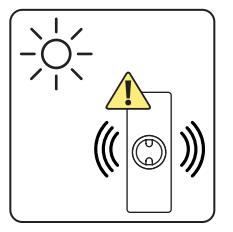
Bright light like direct sunlight can interfere with the Wave To Open signal.
Norton Radio Frequency Transmitter (P/N 548) is sold separately.
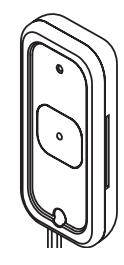
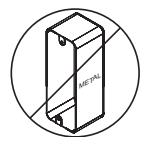
Metal enclosures can reduce signal strength and cause an intermittent or reduced signal reception when using a radio frequency transmitter. To ensure proper function, do not use metal conduit housing.

This product can expose you to lead which is known to the state of California to cause cancer and birth defects or other reproductive harm. For more information go to www.P65warnings.ca.gov.


Specifications:
Input Voltage: 12V to24VDC
SPDT Contact Rating: 2A @30VAC/VDC Sensor Detection Range: Up to 4" (101mm)
Operating Temperature: -13° F to 131°F (-25°C to 55°C)
Current Draw: 50mA @12VDC, 65mA @24VDC
Operation:
Two Modes: Standby (LED Red) Operating (LED flashing Green)
To operate switch, make a slow waving motion with hand in front of plate within 4" (101mm).
When hand movement is detected or manual override button is pressed, a tone will sound and LED circle will flash to indicate relay has been activated.
Relay will activate for amount of time as set by time delay jumpers. Manual override button can be used to activate relay at any time.
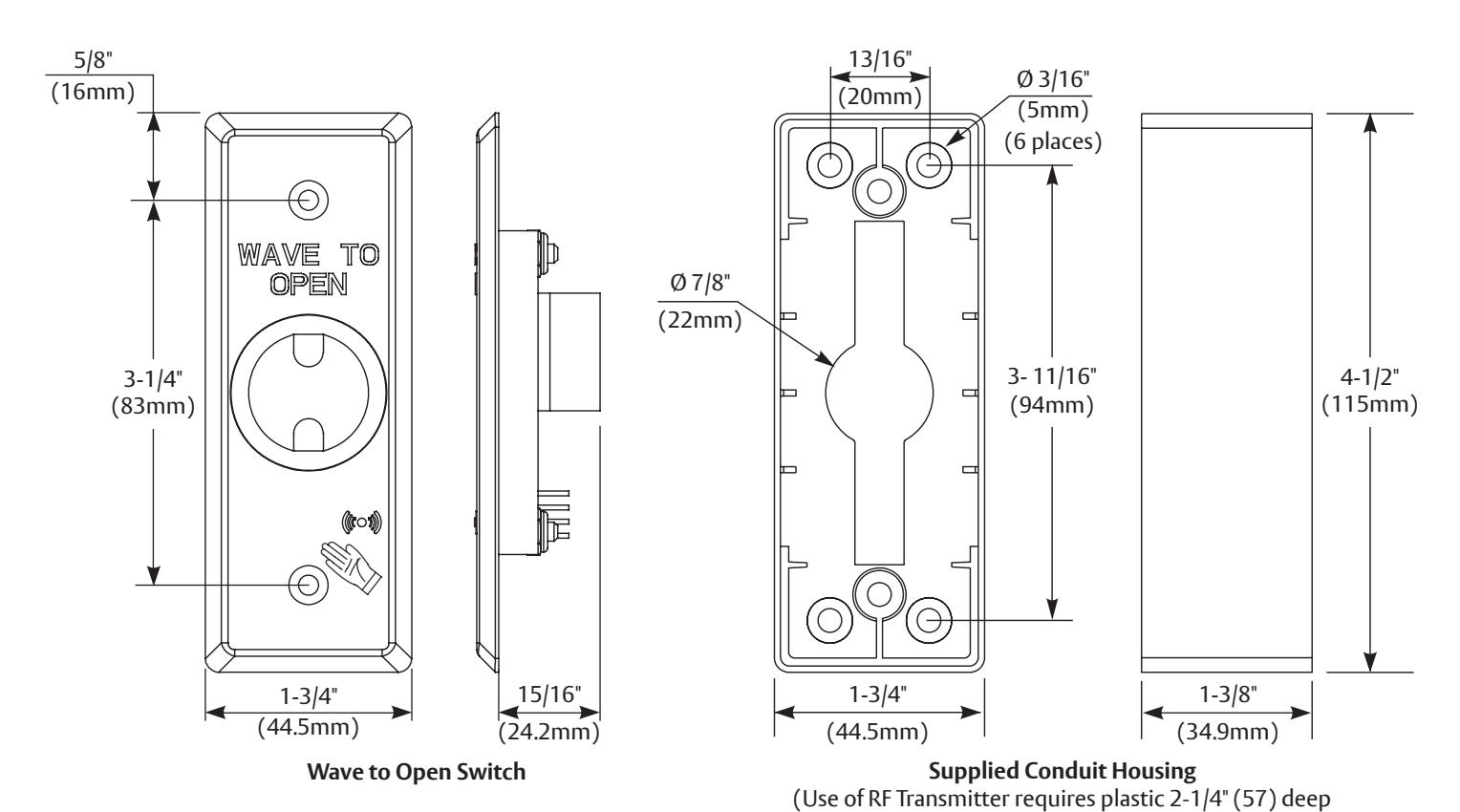
minimum housing box, supplied by others.)

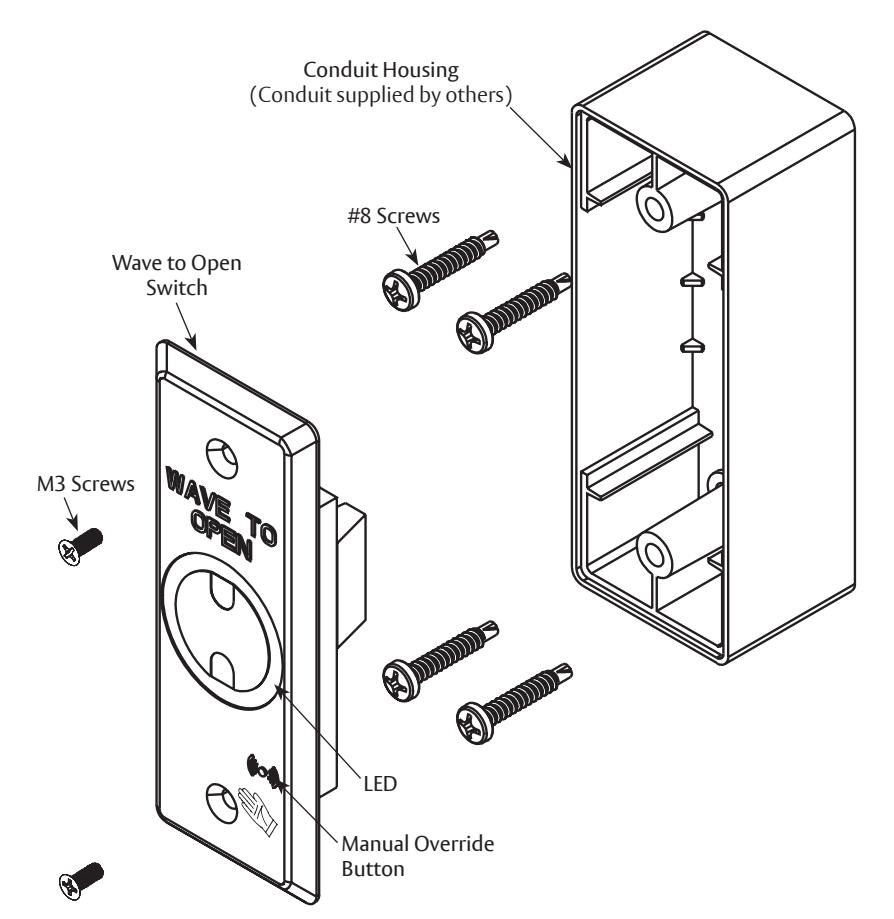
Installation With Conduit Housing
Prepare Door Jamb
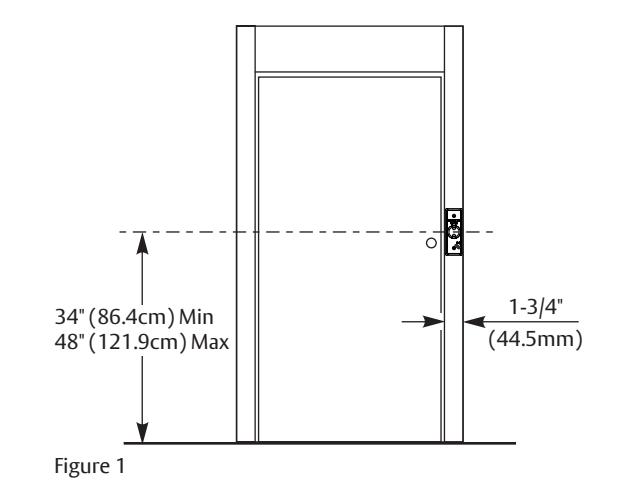
- 1. Place conduit housing on door jamb with horizontal centerline between 34" - 48" (86.4cm - 121.9cm) from floor. (Fig 1)
- 2. Using conduit housing as a template, mark and center punch four (4) mounting holes and conduit hole on door jamb.
- 3. Using 1/8" bit, drill four (4) mounting holes.
- 4. Using step drill, create a clearance hole for conduit. Smooth conduit clearance hole with deburring tool, if necessary.
Install Conduit Housing

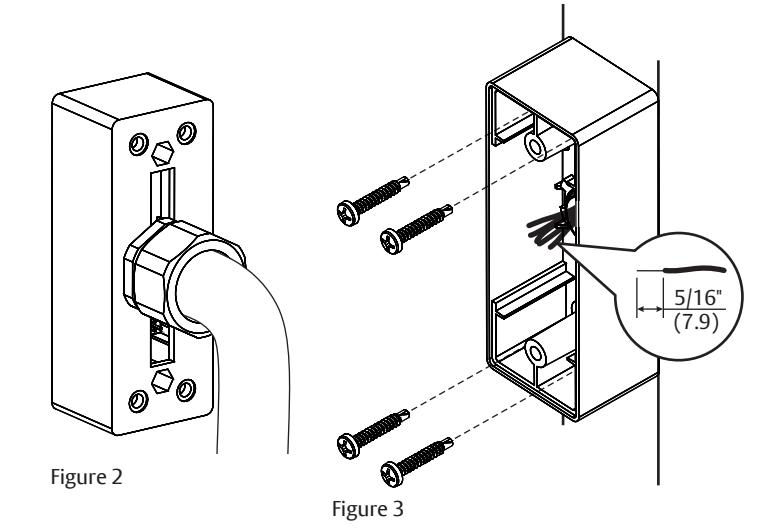
1. If required by local codes, attach wire conduit (supplied by others) to back of housing and feed wires through.
- 2. Strip sheath from each wire end exposing 5/16" (7.9) to prepare wires for connection. (Fig 3)
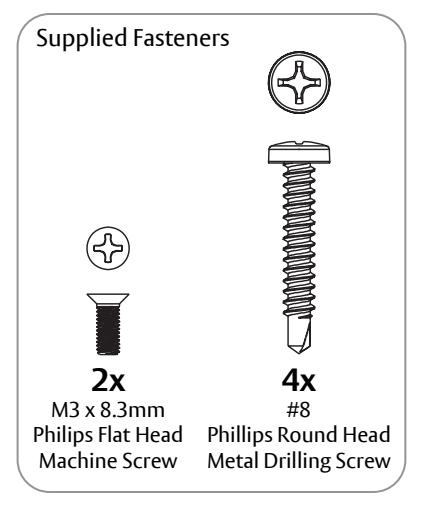
- 3. Align housing to mounting holes on door jamb and secure with four (4) #8 Phillips Round Head Metal Drilling screws. (Fig 3)
NOTE: Make sure housing is level.
Install Switch

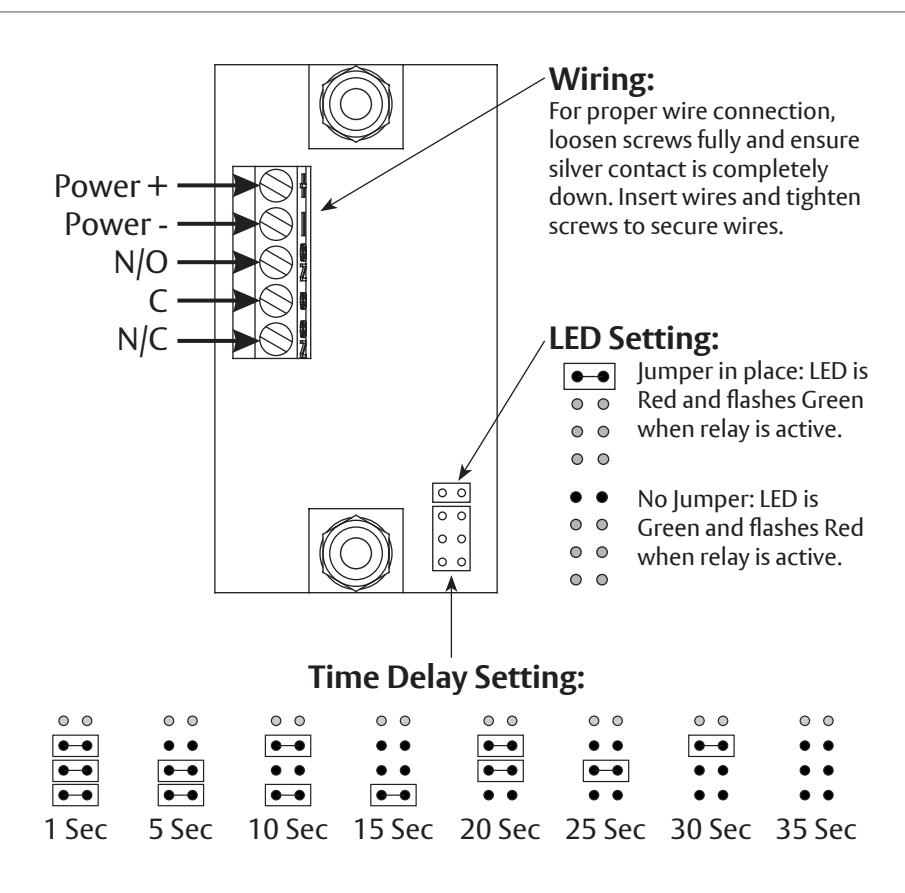
1. Set LED and Time Delay Settings as desired on Wave to Open switch. See "LED Setting" and "Time Delay Setting", page 2.
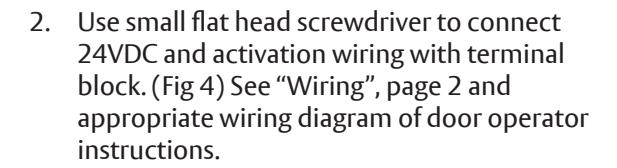
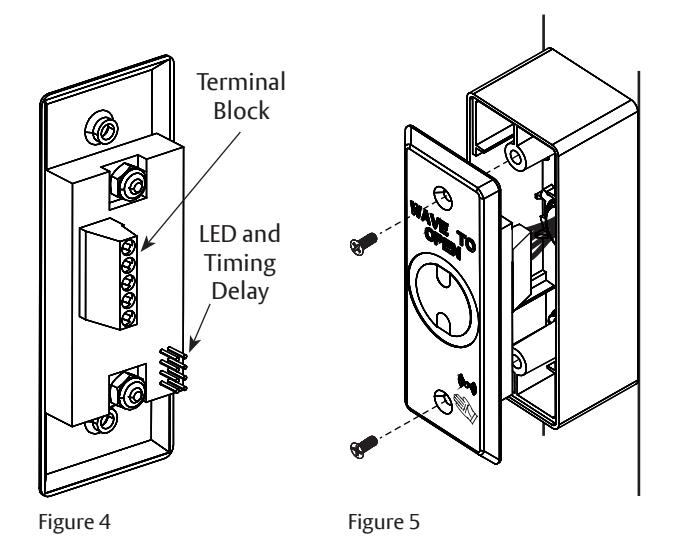
3. Attach Wave to Open switch to conduit housing using two (2) M3 x 8.3mm Philips Flat Head Machine screws. (Fig 5)

Verify all wiring is inside conduit housing before switch plate is secured.

Installation Without Conduit Housing
Prepare Door Jamb
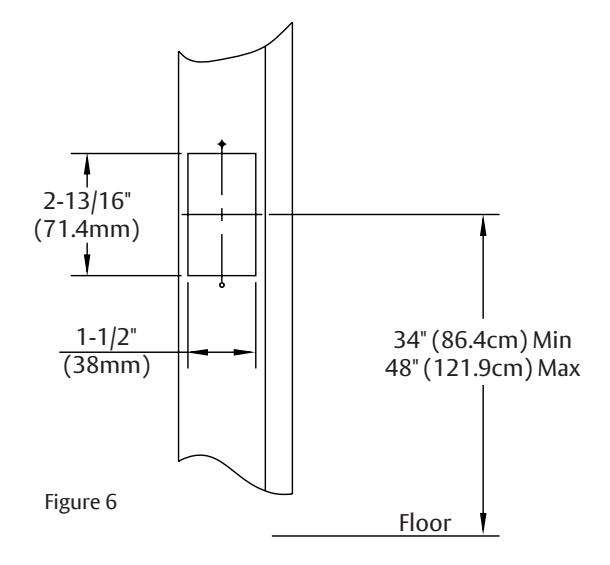
- 1. Mark cutout for switch on door jamb with horizontal centerline between 34" - 48" (86.4cm - 121.9cm) from floor. (Fig 6)
- 2. Using preferred cutting method, cut rectangular hole to allow back of switch to pass through door jamb.
- 3. Place switch into cutout to create a template. Mark two (2) mounting holes and remove switch.
- 4. Predrill holes for #6 flat head metal drilling screws using 1/16" drill bit if necessary.
Install Switch

1. Run wiring from door operator to cutout on inside of jamb.

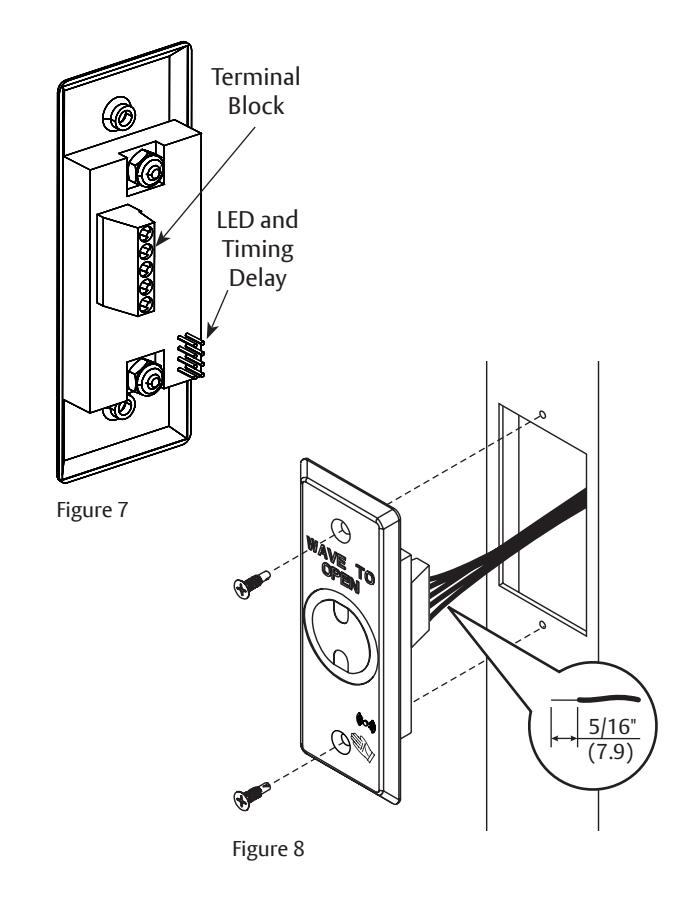
2. Strip sheath from each wire end exposing 5/16" (7.9) to prepare wires for connection. (Fig 8)

Note: RF transmitter should not be used for this application. Metal frames will cause reduced signal strength.
- 3. Set LED and Time Delay Settings as desired on Wave to Open switch. See "LED Setting" and "Time Delay Setting", page 2.
- 4. Use small flat head screwdriver to connect 24VDC and activation wiring with terminal block. (Fig 7) See "Wiring", page 2 and appropriate wiring diagram of door operator instructions.
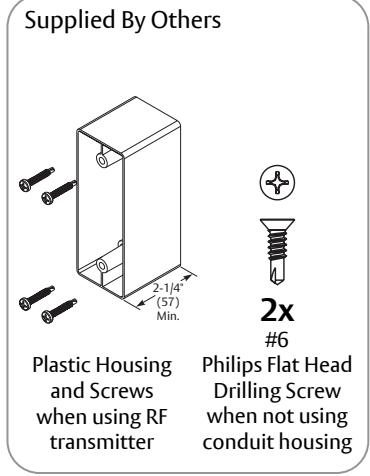
- 5. Attach Wave to Open switch to door frame using two (2) #6 Flat Head Drilling screws supplied by others. (Fig 8)
The ASSA ABLOY Group is the global leader in access solutions. Every day we help people feel safe, secure and experience a more open world.

Installation of RF Transmitter

Mhen utilizing a radio frequency transmitter:
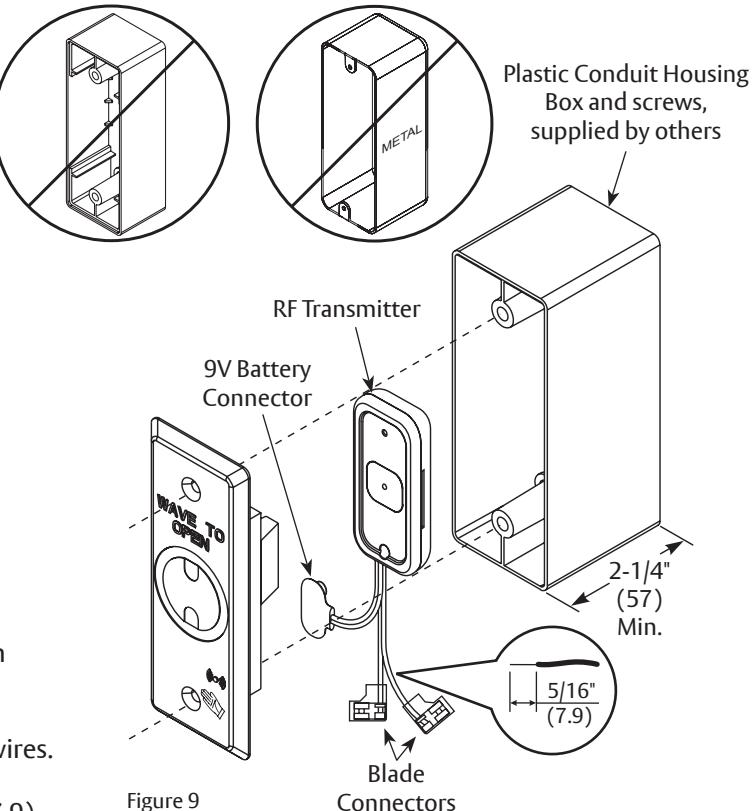
- A plastic 2-1/4" (57) deep minimum surface mounted box, supplied by others, is necessary. DO NOT use conduit housing supplied with switch. (Fig 9)
- Metal can reduce signal strength. To ensure proper function, an RF transmitter should not be used when Wave To Open switch is installed in a metal enclosure.
- A 12V to 24VDC power source is ALWAYS needed to power Wave To Open switch. Source can be an operator or a DC transformer.
- 1. Prepare door jamb and install conduit housing as outlined on page 3.
- 2. Using wire cutters, remove blade connectors from both green and white RF Transmitter wires.

DO NOT cut red and black 9V battery connector wires.
- 3. Strip sheath from each wire end exposing 5/16" (7.9) to prepare wires for connection. (Fig 9)
-
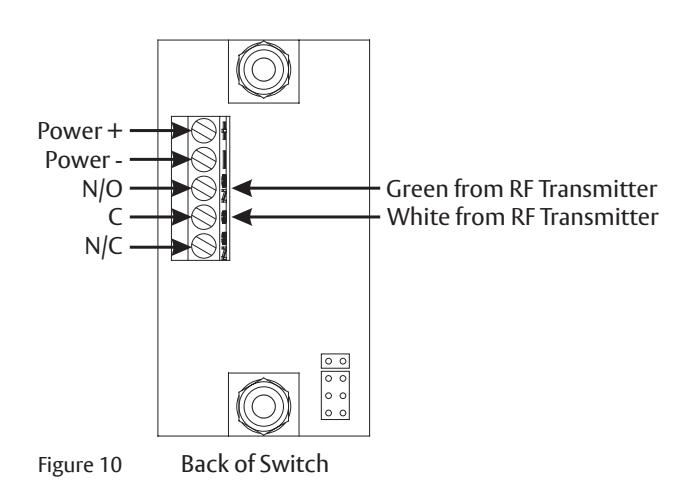
4. Wire RF Transmitter to Switch (Fig 10):
- Green wire to Normally Open (NO)
- White wire to Common (C).
- 5. Install 9V Battery to female battery connector. (Fig 9)
- 6. Install switch as outlined on page 3. Conduit housing supplied by others may require screws supplied by others. M3 x 8.3mm PFHMS are provided.

Verify all wiring is inside conduit housing before switch plate is secured.
7. Pair transmitter by activating switch while RF Receiver on door operator is in pairing mode.
Norton Technical Product Support: Monroe, NC 28112 USA Phone: 800.438.1951 ext: 6030 TechSupport.Norton@assaabloy.com nortondoorcontrols.com