Norton Rixson 6300 Series Operator, 6311, 6351 Pull Side, Double Egress Installation Instructions_80-9363-0005-020
Open the original PDF document
View PDF6300 Series Full Feature Low Energy Operator Models 6311, 6351 (Pull Side) Installation Instructions



This product can expose you to lead which is known to the state of California to cause cancer and birth defects or other reproductive harm. For more information go to: www.P65warnings.ca.gov.
Pour la version française voir Norton Rixson.com.
READ AND FOLLOW ALL INSTRUCTIONS. SAVE THESE INSTRUCTIONS.
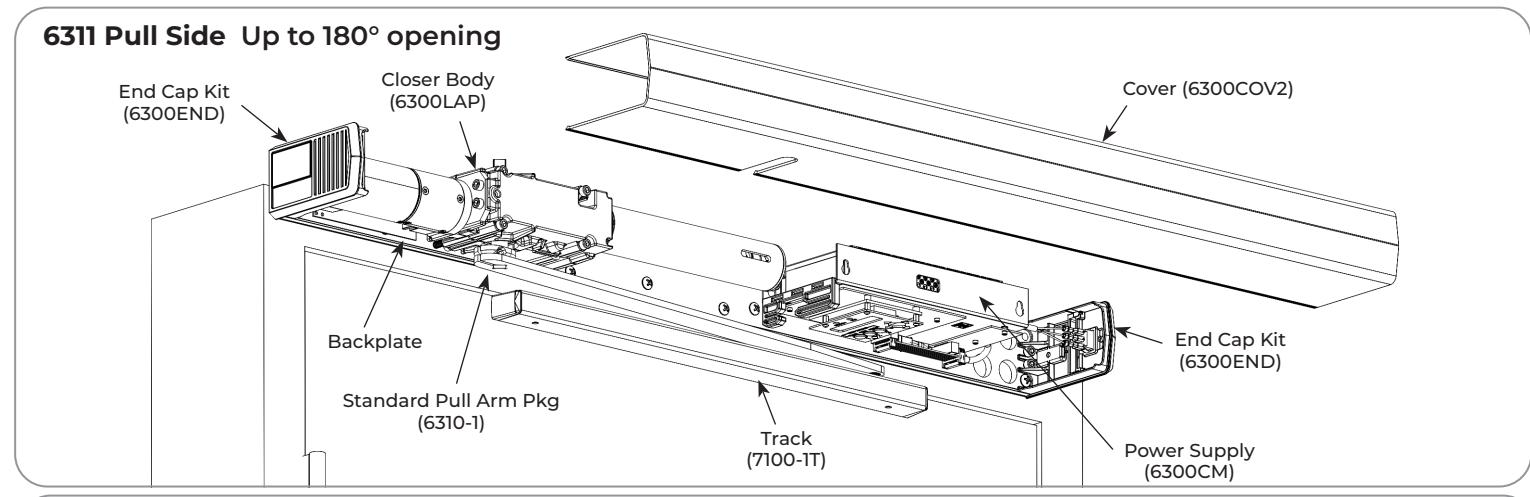
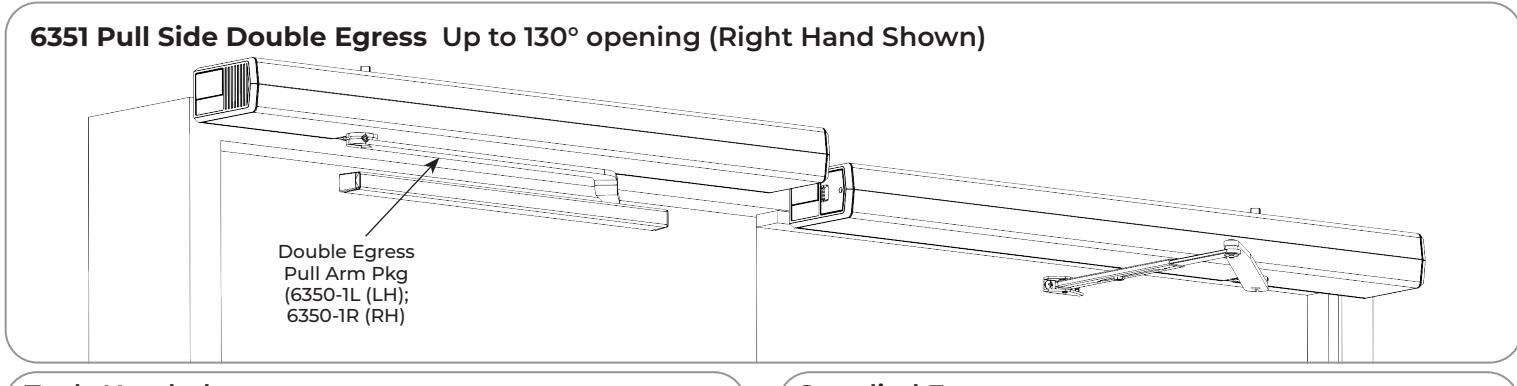
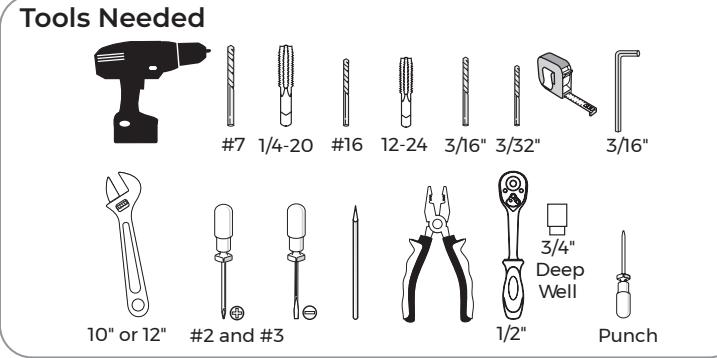
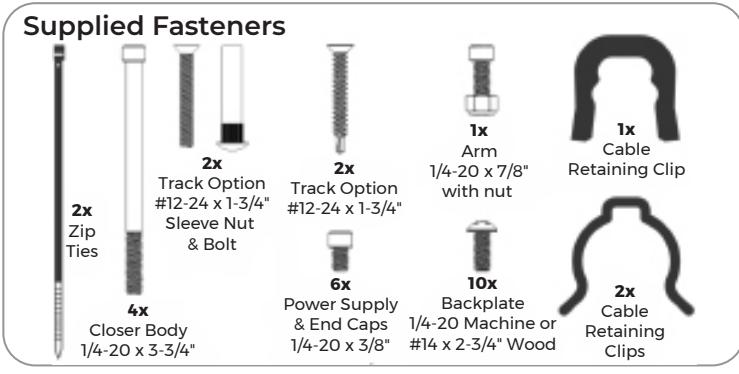
The table below provides a list of documents associated with this product. These documents are available for download from www.nortonrixson.com. If additional information or assistance is needed, contact Technical Product Support.
| Document Title | Document Number |
|---|---|
| 6300 Series Quick Start Guide | 80-9363-0014-020 |
| 6300 Series Operator Programming Guide | 80-9363-0015-020 |
| 6300 Series Operator, 6312/6352 Pull Side Double Egress Installation Instructions | 80-9363-0008-020 |
| 6311/6351 Pull Side Template, 36-48" Door Width, 90-250 lb. Door Weight, 180° Max Open Angle | 80-7363-0001-020 |

Contents
| Certifications and Standards | 2 |
|---|---|
| Technical Data | 2 |
| Product Safety Warnings . | 2 |
| Before You Begin . | 3 |
| Installation . | 3 |
Certifications and Standards
- y ETL Certified: Operator conforms to ANSI/UL standard 325 for automatic closing doors and UL10C Positive Pressure Fire Test for Door Assemblies.
- y ANSI A156.19: These products are designed to conform to this specification "for power assist and low energy power operated doors." These products are designed to exceed all the requirements for "Low Energy Power Operated Door".
- y Americans with Disabilities Act (A.D.A.): These door operators can be installed and adjusted to conform with A.D.A. regulations.
- y ANSI A117.1: These door controls permit door assemblies to conform to the requirements of this specification "for buildings and facilities - providing accessibility and usability for physically handicap people".
Technical Data
| Input power: | 120VAC, 60Hz 3.0A | NOTES: |
|---|---|---|
| Power supply: |
24 V DC, max. 6.5 Amp. ; 1.3A Available for
Acc. |
|
| Door width: | 36 - 48" (91-122 cm) | |
| Door weight: | 90-250 lb. (41-113 kg) | |
| Push min angle: | 110° with reveal of 6-3/4" max | |
| Push max angle: | 130° with reveal of 1/8" min | |
| Pull max angle: | 180° | |
| Hold open time: |
5-30 seconds (A.D.A. 5 seconds min.)
Indefinite for Hold Open Input or End Cap 3 Position Switch |
- y Permanent wiring is to be employed as required by local codes.
- y Activation devices: push plates, access control, mats, touchless wall switches, etc.
-
y Maximum wire size is:
- ‒ 12AWG at terminals LINE and NEUTRAL (120VAC; 60Hz) on Power Input Terminal
- ‒ 14AWG at all other terminals
Product Safety Warnings
WARNING: To reduce risk of injury to person, use this operator only with Pedestrian Swing doors. FOR INDOOR USE ONLY
- 1. READ AND FOLLOW ALL INSTRUCTIONS.
- 2. Install only on a properly operating and balanced door. A door that is operating improperly could cause severe injury. Have qualified service personnel make repairs to any hardware before installing the operator.
- 3. Remove, or make inoperative, all locks (unless mechanically and/or electrically interlocked to the power unit) that are connected to the door before installing the operator.
- 4. Do not connect the door operator to the source power until instructed to do so.
- 5. Never let children operate or play with door controls. Keep remote control (when provided) away from children.
- 6. Personnel should keep away from a moving door in motion.
- 7. Test door's safety features at least once a month. After adjusting either force or limit of travel, retest door operator's safety features. Failure to adjust operator properly may cause severe injury or death.
- 8. KEEP DOOR PROPERLY OPERATING. See Door Manufacturer's Owner's Manual. An improperly operating door could cause severe injury or death. Have a trained door systems technician make repairs.
- 9. SAVE THESE INSTRUCTIONS.

Before You Begin
- Thickness recommended for reinforcements in hollow metal doors and frames is charted.
- This template information based upon use of 5" maximum width butt hinges.
- Maximum frame reveal is 1/8" for 6311 units and 1/8" up to 2-3/4" maximum for 6351 units.
- Before beginning the installation, verify that the door frame is properly reinforced and is well anchored in the wall.
- Concealed electrical conduit and concealed switch or sensor wires should be pulled to the frame before proceeding.
Fasteners for Frame:
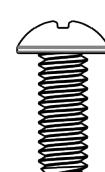
- 1/4-20 Machine screws for hollow metal and aluminum.
- No. 14 x 2-3/4" (70mm) long sheet metal screws for wood.
| Fra | ime 🗼 |
|---|---|
| Door | 1/8" |
| al Door Frame Reinforcing | |
| · |
| Hollow Metal Door Frame Reinforcing | ||||
|---|---|---|---|---|
| Forma Makanial | Reinforcing | |||
| Frame Material | Recommended | Min. Required | ||
| 12 Ga. | 12 Ga. | 18 Ga. | ||
| .1046 | .1046 | .0478 | ||
| (2.66) | (2.66) | (1.21) | ||
| 14 Ga. | 10 Ga. | 12 Ga. | ||
| .0747 | .1343 | .1046 | ||
| (1.90) | (3.41) | (2.66) | ||
| 16 Ga. | 10 Ga. | 12 Ga. | ||
| .0598 | .1343 | .1046 | ||
| (1.52) | (3.41) | (2.66) | ||
| 18 Ga. | 8 Ga. | 10 Ga. | ||
| .0478 | .1644 | .1343 | ||
| (1.21) | (4.18) | (3.41) | ||
Installation
A. Mount backplate.
- Determine right hand or left hand installation. (Figure 1)
- 2. Measure and mark first mounting hole according to template. (Figure 2)
- 3. Attach backplate to frame with screw. Do not fully tighten screw at this time.
For Metal Frames:
Use #7 drill and 1/4-20 tap for 1/4-20 machine screws.
For Wood Frames:
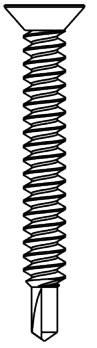
Use 3/16" drill and supplied screws for self drilling, self tapping screws.
- 4. Ensure backplate is level and aligned with door frame. (Figure 3)
- 5. Using backplate as guide, mark and drill second hole. (Figure 3)
- 6. Insert second screw and tighten both screws.
- 7. Using backplate as a guide, drill and tap remaining eight (8) holes in frame. (Figure 3)
- 8. Secure with eight (8) screws and tighten.
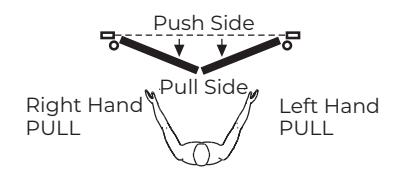
Figure 1
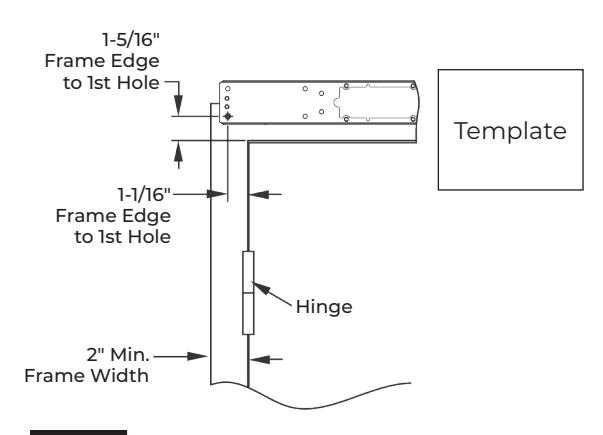
Figure 2 Right Hand Shown


OR
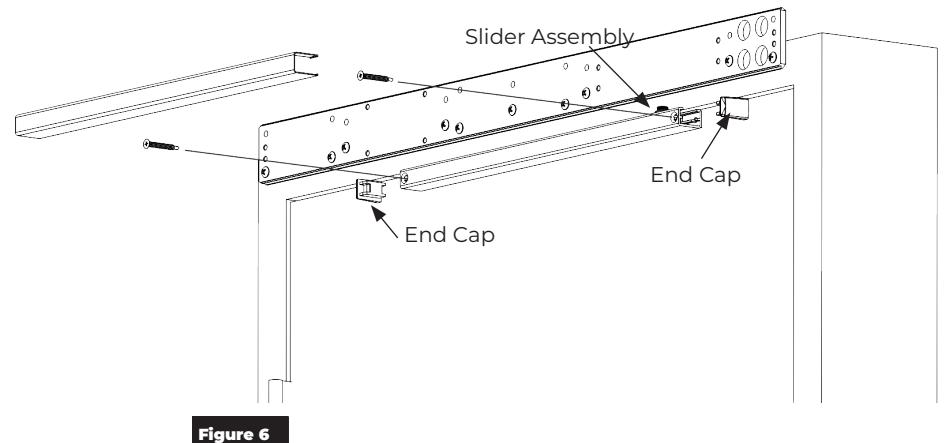
B. Mount track.
- 1. Measure and mark track mounting holes using template. (Figure 4)
-
2. Drill holes.
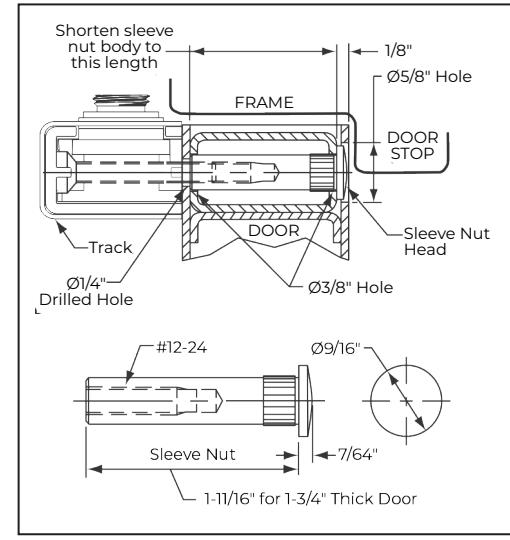
- a. For reinforced doors, drill and tap holes with #16 drill and 12-24 tap.
- b. For wood doors or self-drilling screws, use 3/32" drill.
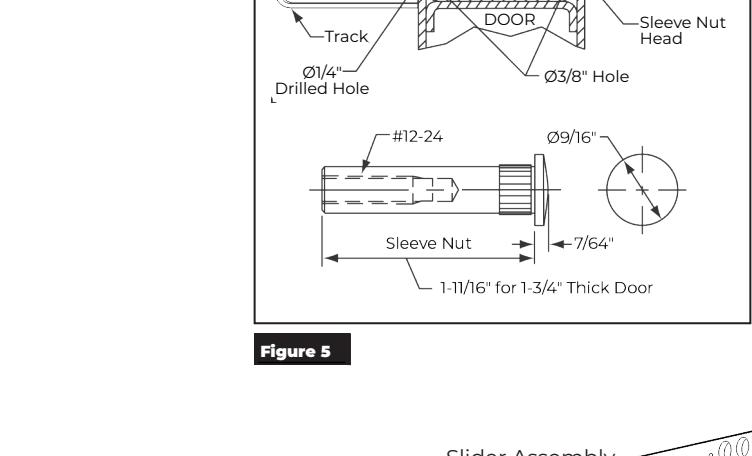
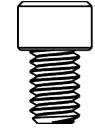
- c. For sleeve nuts and bolts, see illustration. (Figure 5)
- 3. Attach track using two (2) supplied fasteners for application.
- 4. Snap track cover into place.
NOTES:
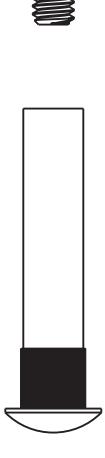
- y Slider assembly and end caps must be in track before screws can attach track to door. (Figure 6)
- y Slider must slide freely in track.
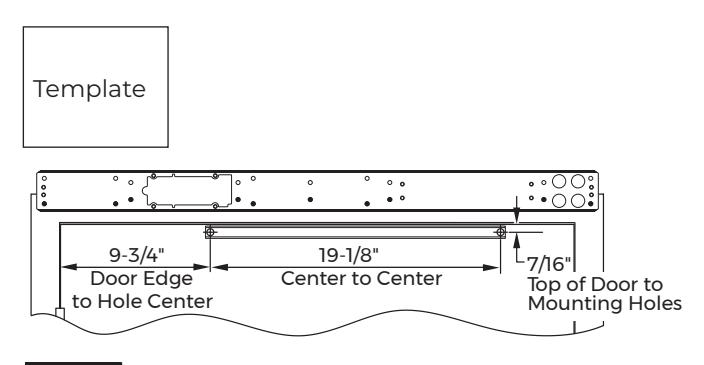
Figure 4

C. Install end caps.
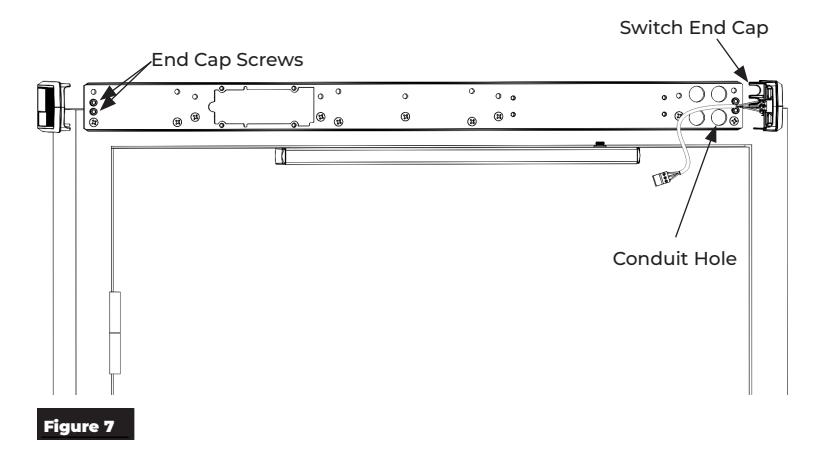
- 1. Install two (2) screws on each end of backplate leaving about 3/16" gap between head of screw and backplate. (Figure 7)
- 2. Slide end caps behind screw heads and tighten screws. (Figure 7)
NOTE: End cap with 3-position switch is always located on conduit side of backplate.
NOTE: To retrofit closer assembly to an existing operator, screws and fan inside of end cap must be removed.
D. Install closer body assembly.
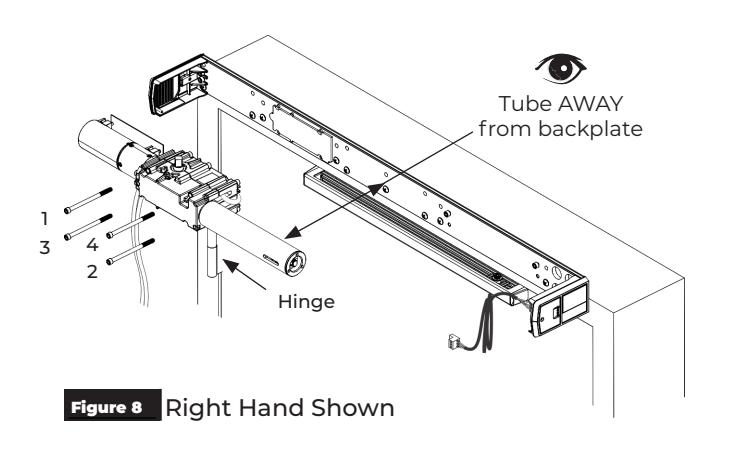
1. Using four (4) screws, install closer body to backplate. (Figure 8)
NOTES:
- y Screws must be tightened in a cross pattern until all four (4) screws are tight. (Figure 8)
- y Closer body is in proper orientation for PULL SIDE application when tube is AWAY from backplate. (Figure 8)
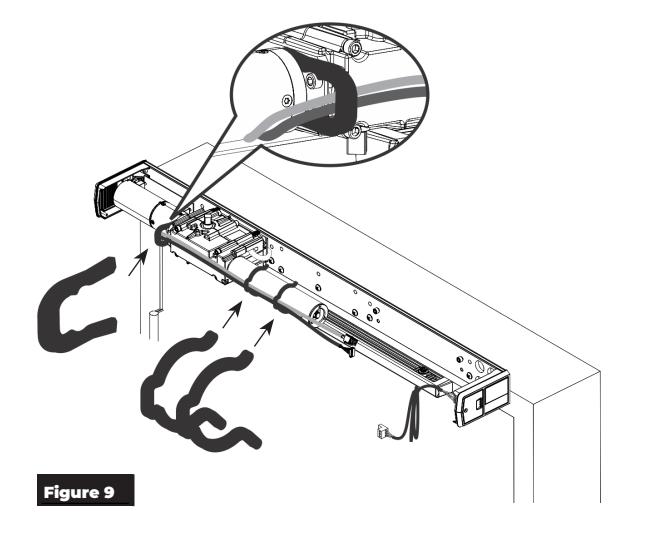
- 2. Using three (3) supplied cable management clips, secure cables along closer body. (Figure 9)


E. Install power supply assembly. Key Hole
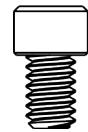
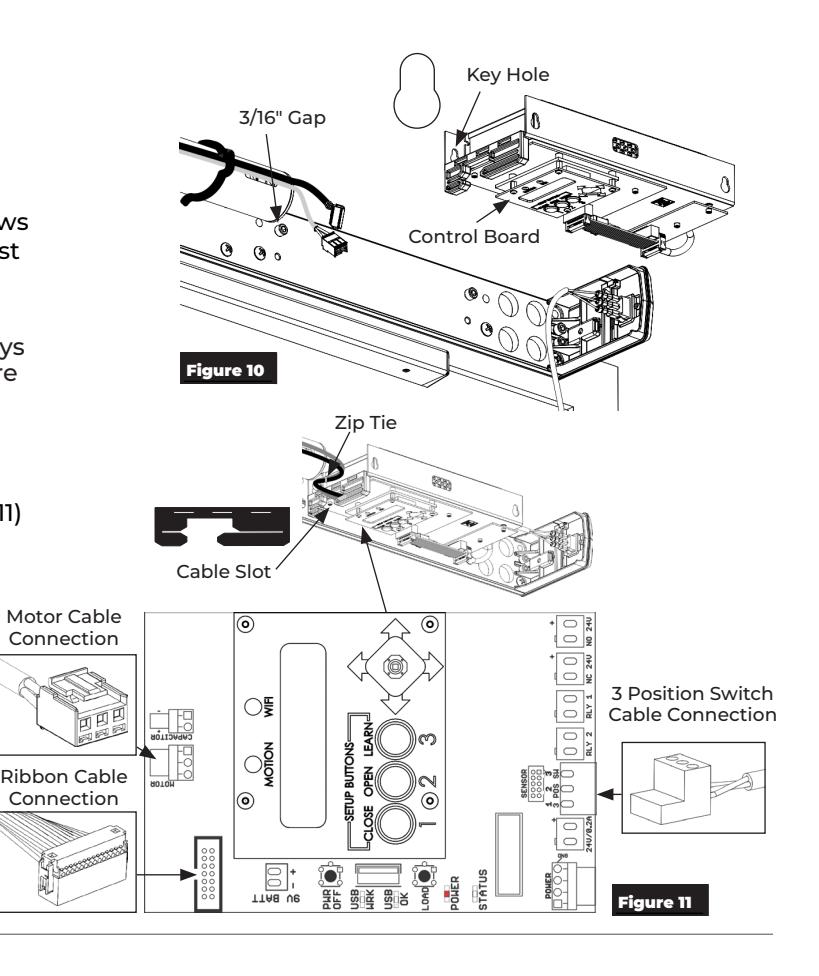
- 1. Insert two (2) screws. Leave 3/16" gap between head of screw and backplate. (Figure 10)
- 2. Slide power supply key holes over screws allowing narrow slots of key holes to rest on screws. (Figure 10)
NOTE: Narrow slots of key holes are always at top and control board is always at bottom for proper installation. (Figure 10)
- 3. Tighten screws.
- 4. Plug motor and ribbon cables from closer body into power supply. (Figure 11)
NOTES:
- y Use slot in power supply to feed connectors to board. (Figure 11)
- y Use provided zip ties to manage any excess cable between closer and power supply so that cover can be attached without damaging cables. (Figure 11)
- 5. Connect switch to power supply. (Figure 11)
F. Install arm.
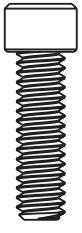
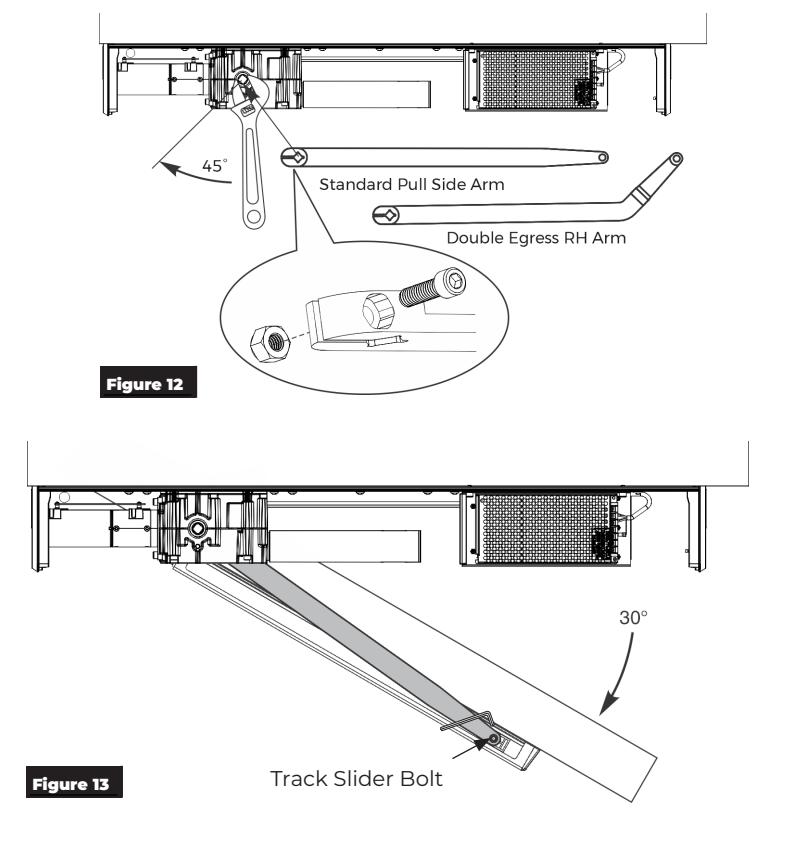
- 1. Using an adjustable wrench, rotate top pinion 45 degrees toward door hinge. You will feel resistance from spring. (Figure 12)
- 2. While holding pinion at 45 degrees , slide arm on bottom pinion at orientation shown. (Figure 12)
- 3. Using hex wrench, secure arm to pinion with screw and nut. (Figure 13)
- 4. Open door approximately 30 degrees and attach arm to slider in track. Use hex wrench to tighten slider bolt counter clockwise until slide is tight in arm. (Figure 13)
- 5. Close door.

G. Adjust closing force.
NOTE: The amount of effort to manually open or close a door is called closing force.
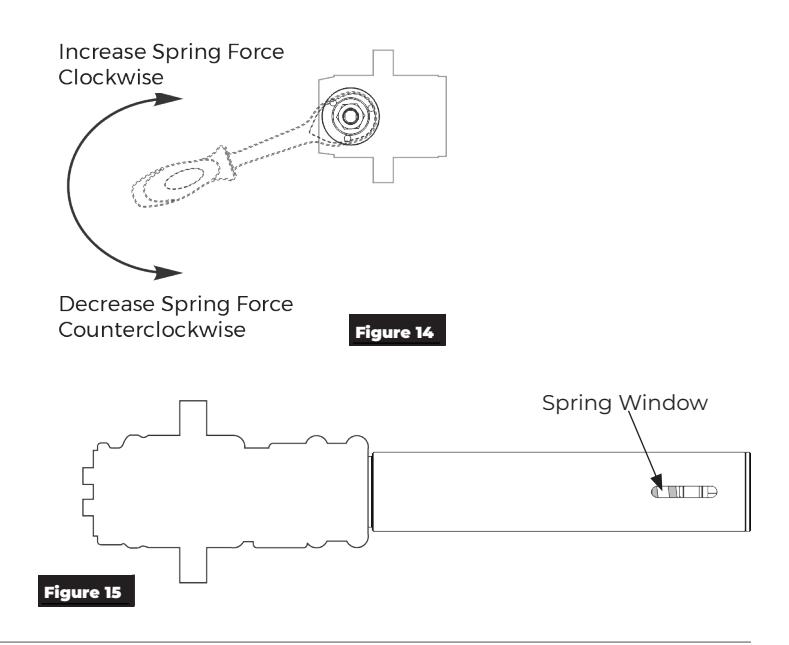
1. Using 1/2" socket wrench with 3/4" deep well socket, turn nut in end of closer body tube to desired force. (Figure 14)
NOTE: Window in closer tube shows spring. (Figure 15)
NOTE: If additional closing force is only required in latching region, see Latch Boost and Lock Release features in separate programming manual 80-9363-0015-020.
H. Attach cover and end cap label plates.
NOTE: Attach cover after initial programming has been done. See separate programming manual 80-9363-0015-020.
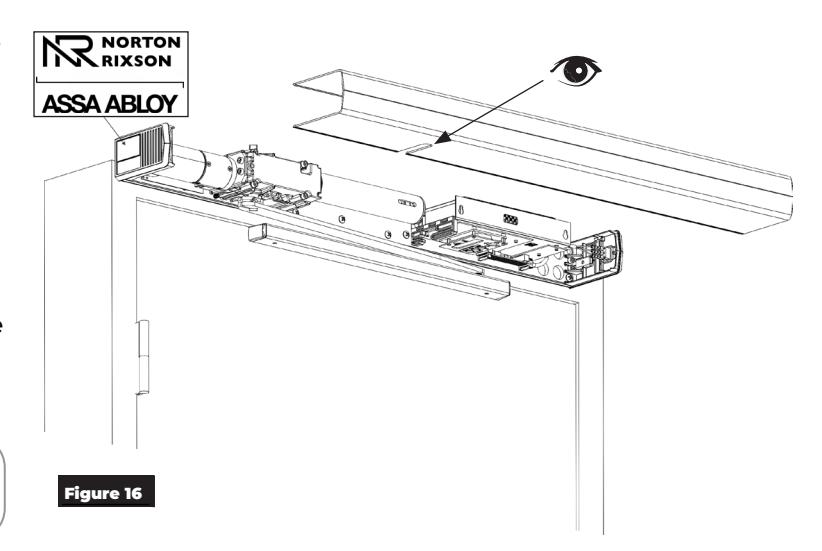
- 1. Align cut-outs in cover to pinion shafts. (Figure 16)
- 2. Slide cover onto unit using end caps as guides.
- 3. Snap cover securely to back plate.
- 4. Attach a label plate to each end cap by snapping into place by hand with gentle pressure. (Figure 16)

WARNING: Make sure no wiring is loose or can be caught by cover when it is snapped into place.
The 6311 or 6351 PULL SIDE Low Energy Operator has now been installed. Continue with separate Programming Manual 80-9363-0015-020 to set up and adjust operator.

This page intentionally left blank.