Norton Rixson 5800 Series Low Energy Operator Controls and Setup Board Replacement Instructions_700102
Open the original PDF document
View PDF

5800 Series Low Energy Operator Controls and Setup Board Replacement Instructions
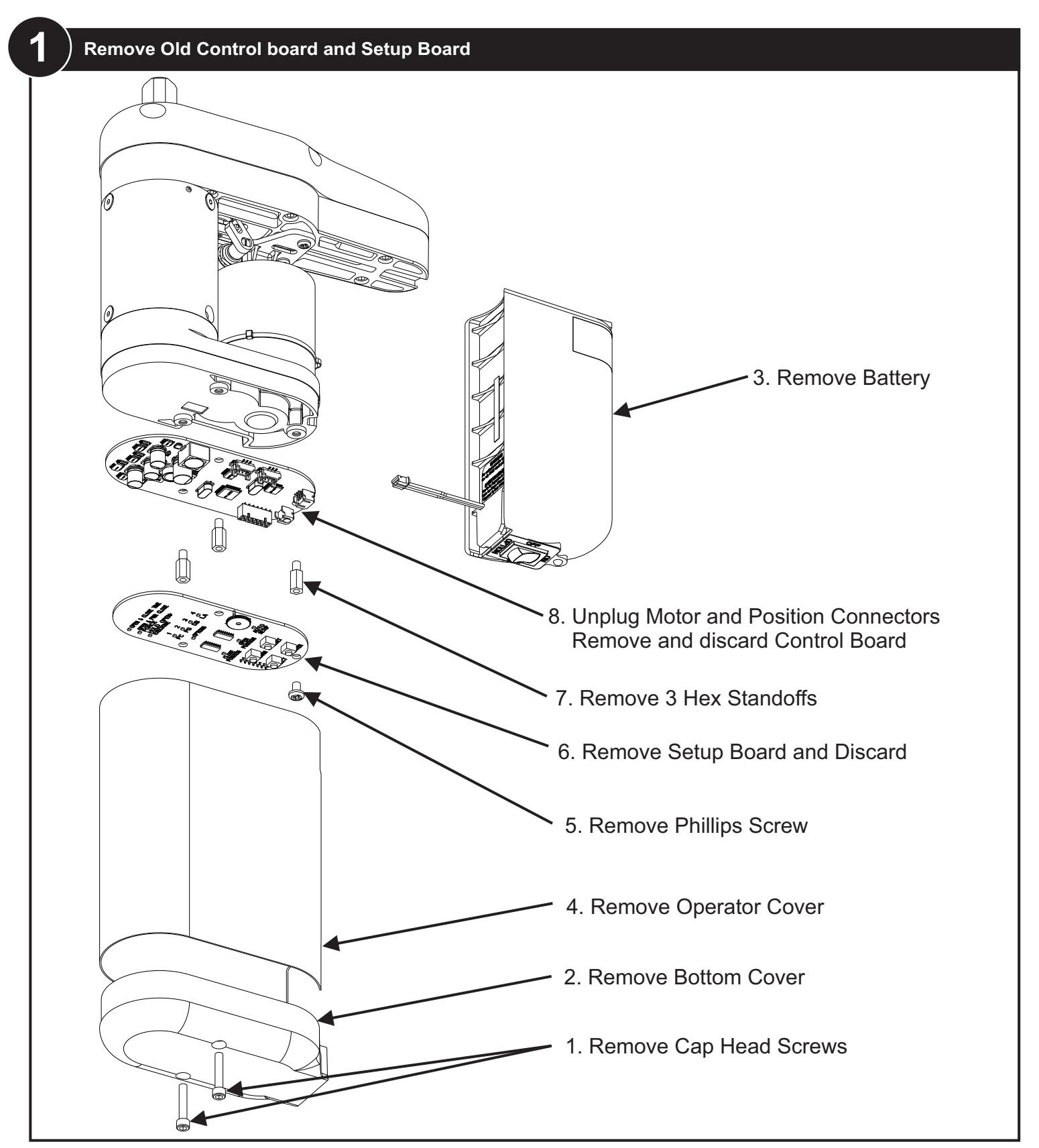

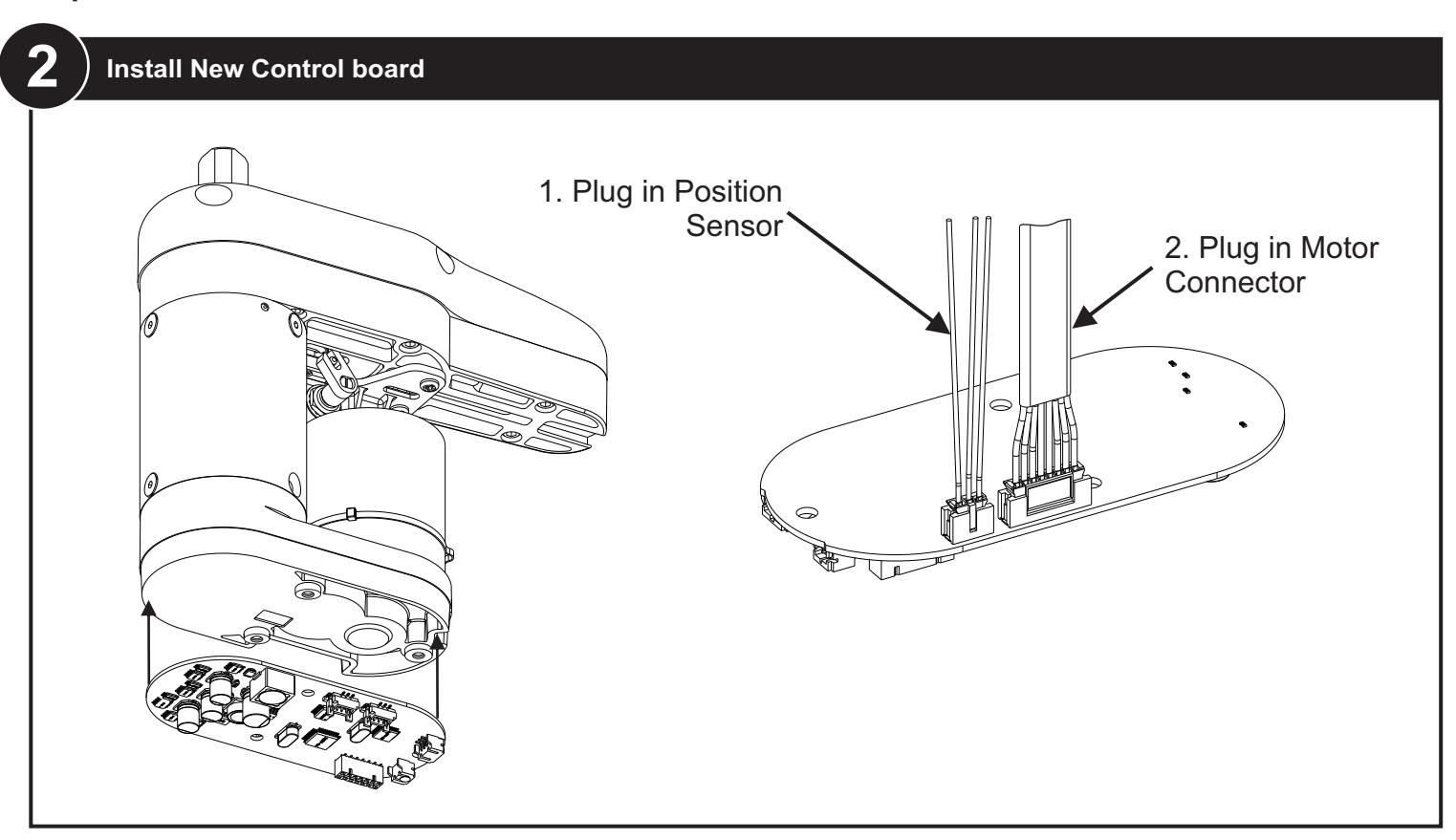
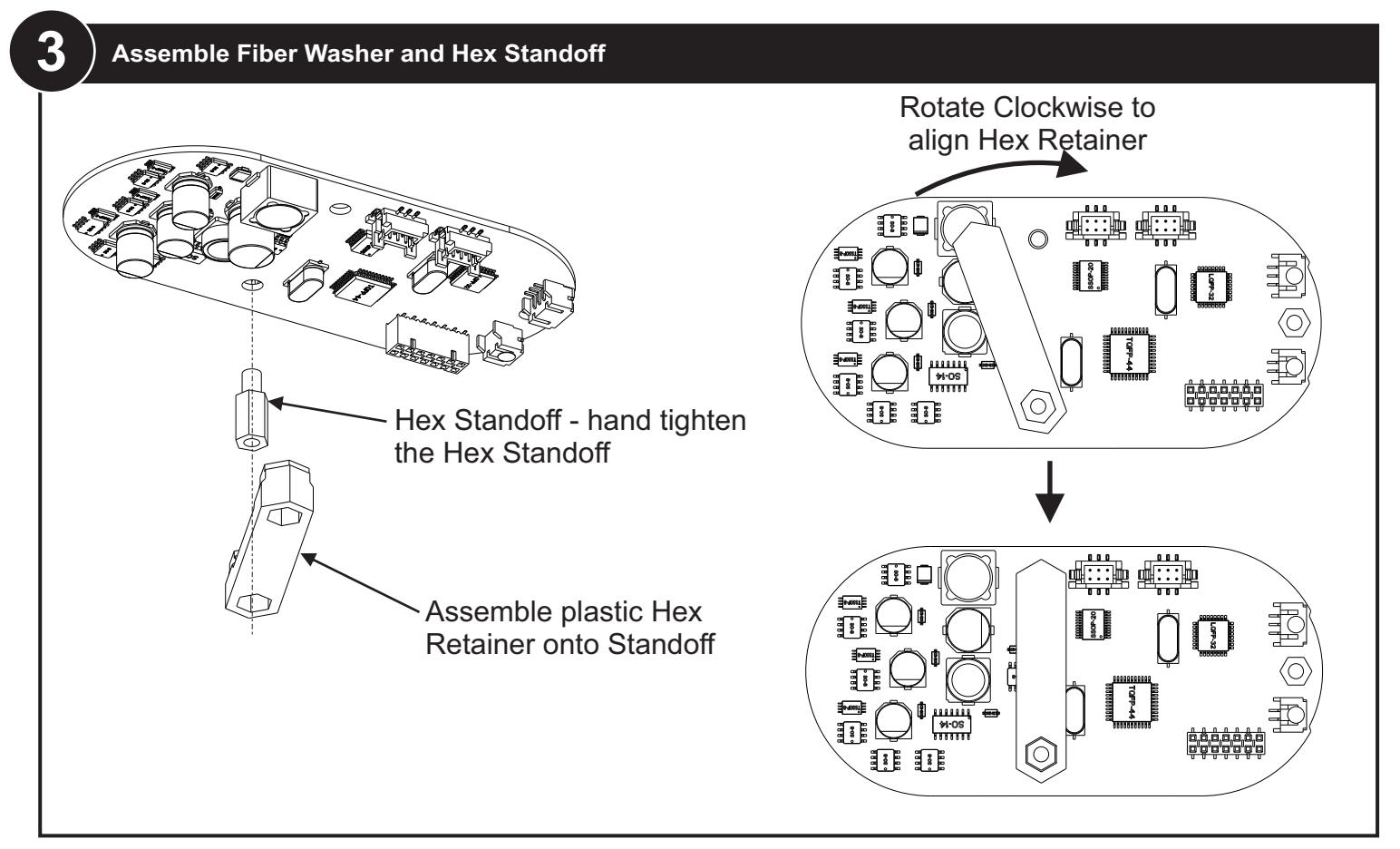

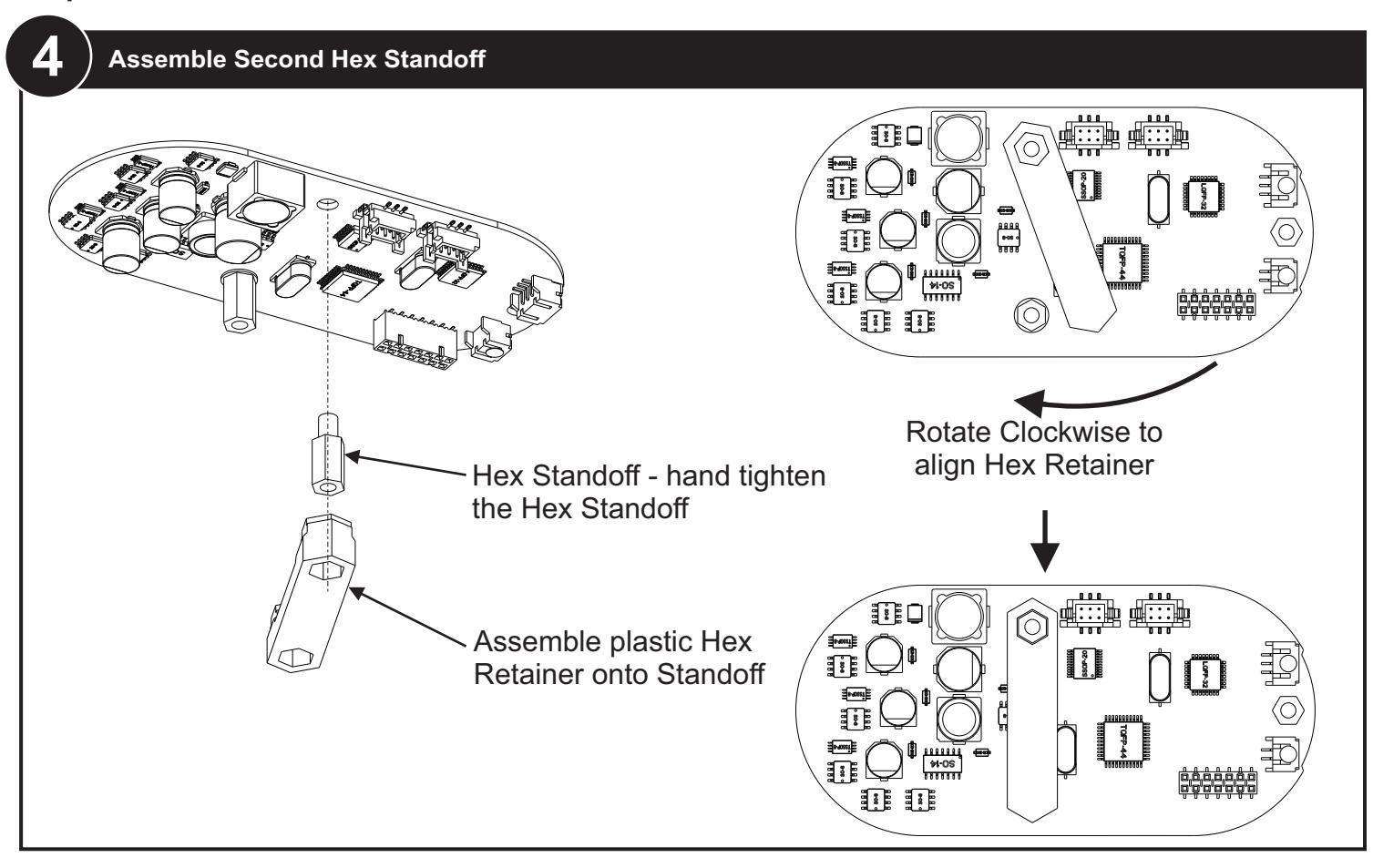

Initializing the Remote Control 7
-
1. To link an RF switch with a door controller, PERFORM the following:
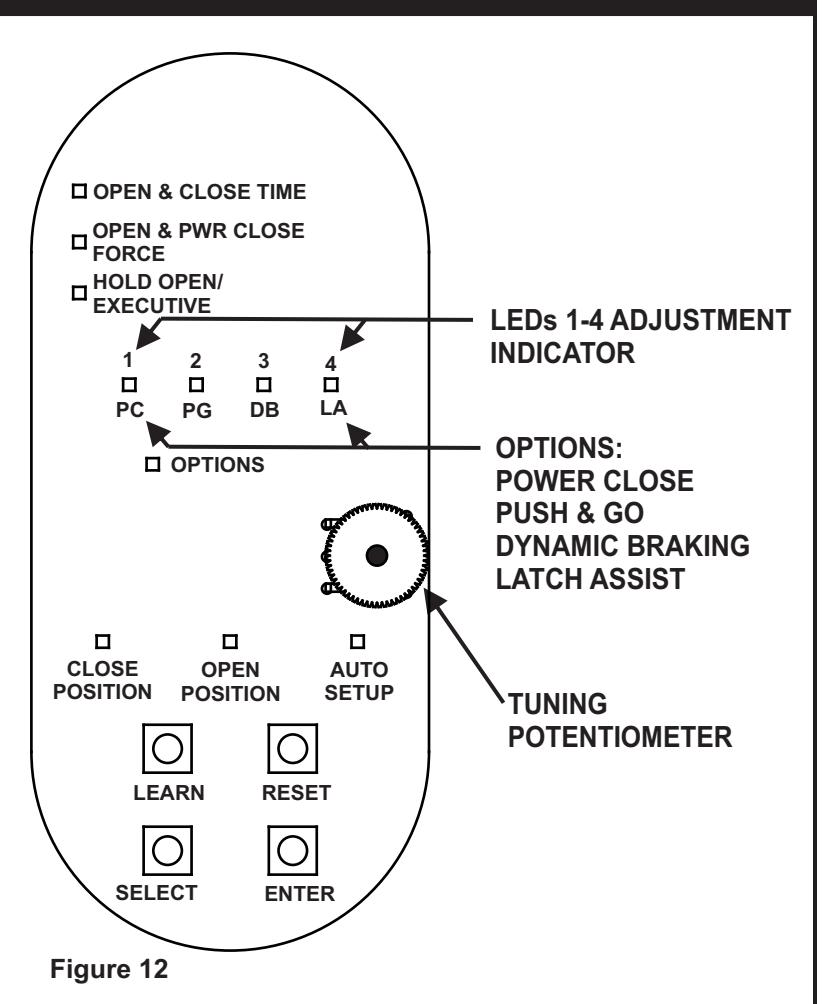
- a. PRESS and HOLD the "LEARN" push button on the controller until LEDs 1 through 4 flash green. The controller shall remain in the learn mode for 20 seconds or until the RF signal is received.
- b. PUSH the RF push button. CLOSE POSITION LED shall flash green indicating that the operator accepted this RF push button.
- c. REPEAT steps a. and b. as necessary for up to eight 5800 transmitters.
-
2. To remove all RF push buttons from memory, PERFORM the following:
- a. While pressing and holding the "LEARN" push button on the controller, PRESS and RELEASE the "RESET" push button.
8 Program the Operator
-
1. Refer to Figure 12 and, at the base of the setup board, PRESS and HOLD both "SELECT" and "ENTER" push buttons until LEDs 1 through 4 flash. The following shall occur:
- The operator shall enter program mode.
- The "CLOSE POSITION" LED shall illuminate red and remain lit.
-
2. With the door in the closed position, PRESS and RELEASE the "ENTER" push button. The following shall occur:
- The "CLOSE POSITION" LED shall flash green briefly.
- The "OPEN POSITION" LED shall illuminate red.
-
3. With the door in the fully open position, PRESS and RELEASE the "ENTER" push button. If the ENTER button is not accessible with the door in the fully open position, PRESS and RELEASE one of the activation push buttons. The following shall occur:
- The "OPEN POSITION" LED shall flash green briefly.
- The "AUTO SETUP" LED shall illuminate red.
-
4. With the door in the closed position, PRESS and RELEASE the "ENTER" push button. The following shall occur:
- The door shall rapidly open 30 to 45 degrees and then close.
- The "AUTO SETUP" led shall illuminate green.
- The Operator will exit programming mode.
- 5. If further door adjustments are desired or optional features will be enabled refer to Section 11, and PERFORM adjustments.
-
6. To reset the controller, PERFORM the following:
- PRESS and HOLD the "ENTER" button,
- While holding down the "ENTER" button PRESS and RELEASE the "RESET" button.
- LEDs 1 through 4 shall flash green briefly
NOTE: Resetting the controller does not reset the RF transmitters.
5800 Series Low Energy Operator Controls and Setup Board Replacement Instructions

Technical Product Support: Monroe, NC 28112 USA Phone: 877.974.2255 ext: 2
Techsupport.NortonRixson@assaabloy.com
NortonRixson.com
Copyright © 2017, 2024, ASSA ABLOY Accessories and Door Controls Group, Inc. All rights reserved. Reproduction in whole or in part without the express written permission of ASSA ABLOY Accessories and Door Controls Group, Inc. is prohibited.