Marks USA 5PD Hospital Push-Pull Mortise Instructions with Template
Open the original PDF document
View PDF

5PD Push/Pull Mortise Lockset Installation Instructions©
1 DOOR PREPARATION INSTALL STRIKE
1. Prepare door according to engineering template supplied.
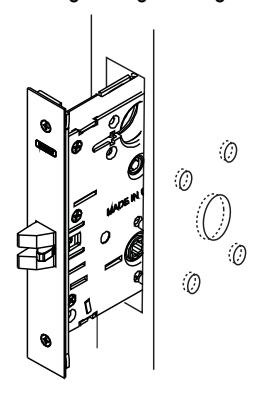
2. Insert lock and fasten with two screws.
2
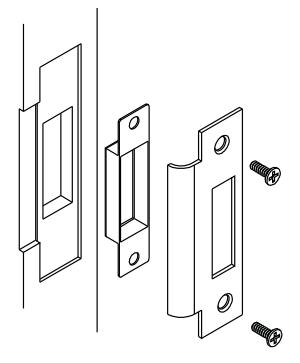
- 1. Align strike with latch.
- 2. Trace strike outline on door jamb.
- 3. Mortise jamb and install strike and dust box.
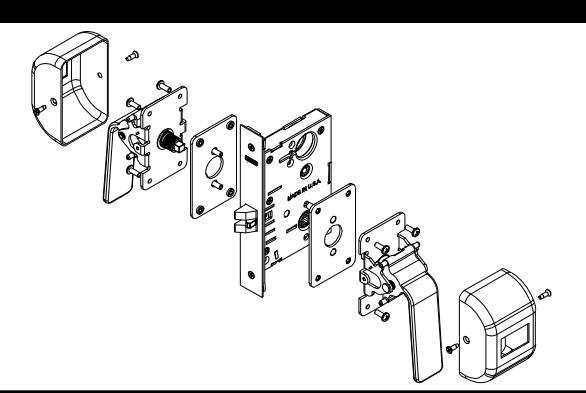
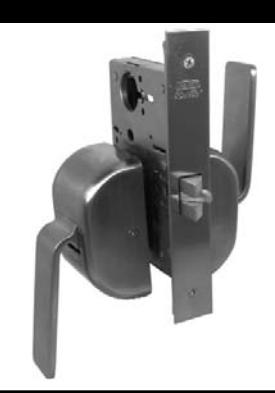
3 4 INSTALLATION OF PUSH/PULL HANDLES ASSEMBLY COVER PLATE ASSEMBLY
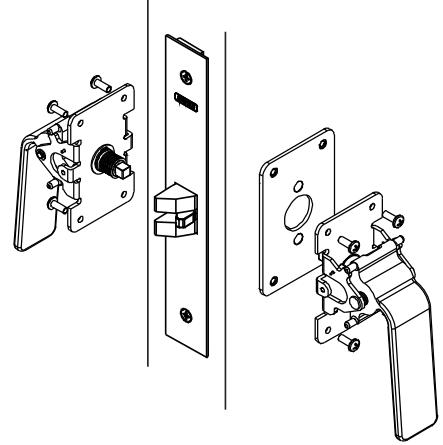
- 1. From outside of door, push outside mounting plate assembly through the door and lock body then from inside of door, place inside mounting plate on door and secure with 2 two thru-bolt mounting screws.
- 2. Align cam in push/pull assemblies for maximum spindle rotation when in contact with handle finger. With proper orientation, attach push/pull assemblies to mounting plates already on doors and secure with four screws. Make sure that spindles are properly engaged with lock body.
- 3. Check handles for proper operation before closing the door.
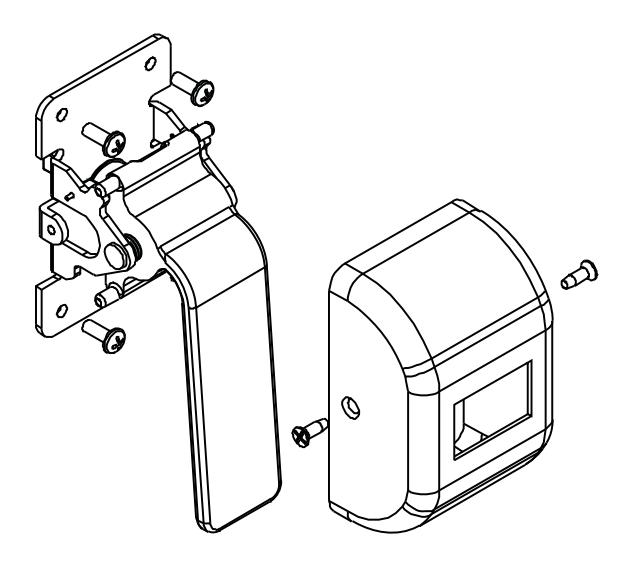
Assemble cover plates on inside and outside push/pull assemblies. Secure with two screws.

5PD Push/Pull Mortise Lockset Installation Instructions©
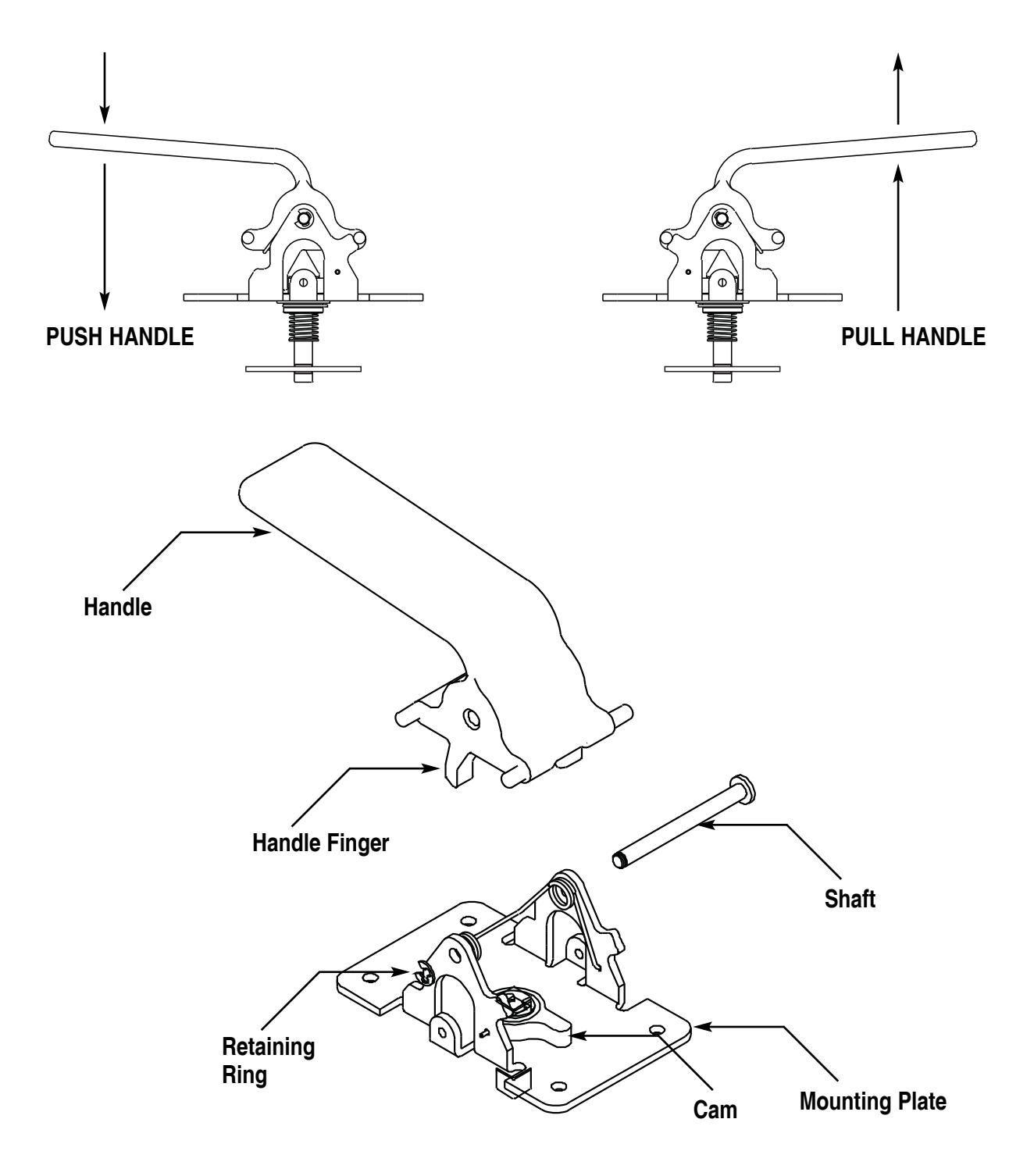
HOW TO CONVERT HANDLES FROM PUSH TO PULL:
- 1. Remove retaining ring.
- 2. Remove shaft.
- 3. Remove handle and rotate 180°. BEFORE REASSEMBLY: DO NOT REMOVE SPRING FROM MOUNTING PLATE.
- 4. Rotate cam with spindle assembly 180° before placing handle back into mounting plate.
- 5. Align all holes including spring and insert shaft back and secure with retaining ring.
BE SURE TO CHECK EACH HANDLE FOR PROPER OPERATION BEFORE INSTALLING ON DOOR.