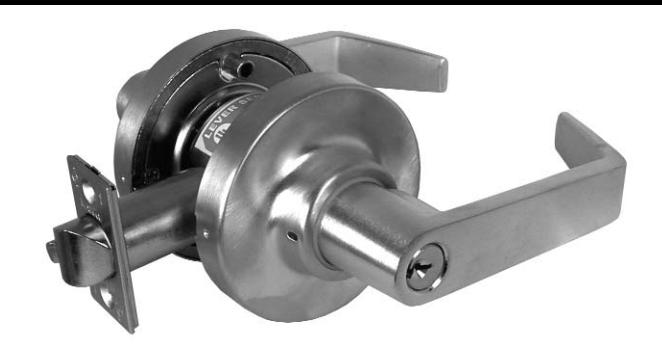
Marks USA 175BIO Installation Instructions with Template
Open the original PDF document
View PDF365 Bayview Ave., Amityville, NY 11701 631-225-5400 • 1-800-526-0233 • Fax 631-225-6136 www.marksusa.com
175 Biometric Installation Instructions®
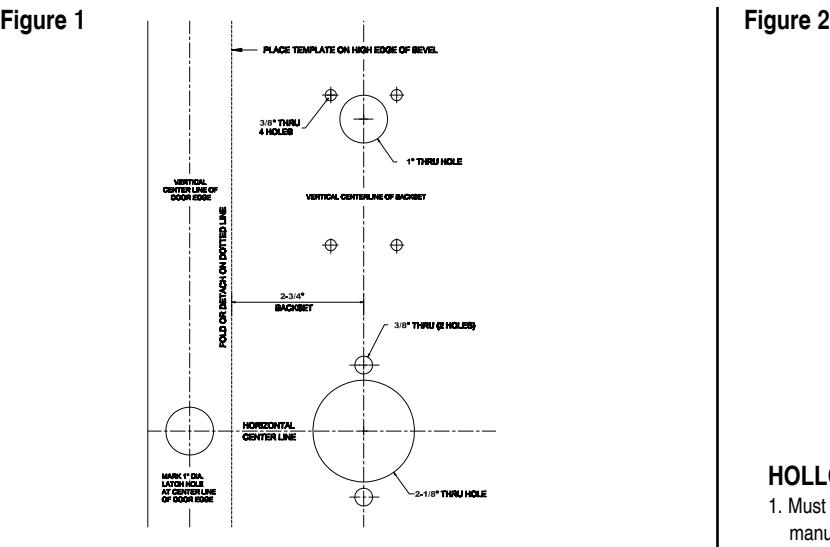
Door Preparation
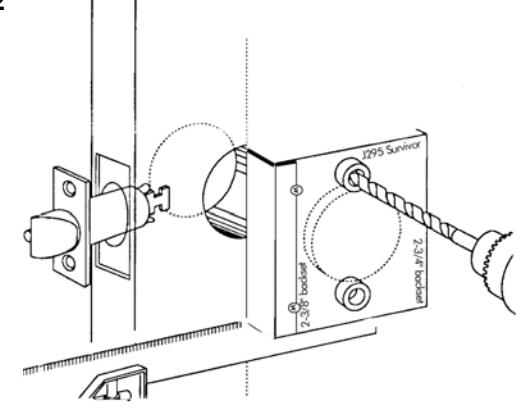
DOOR PREPARATION:
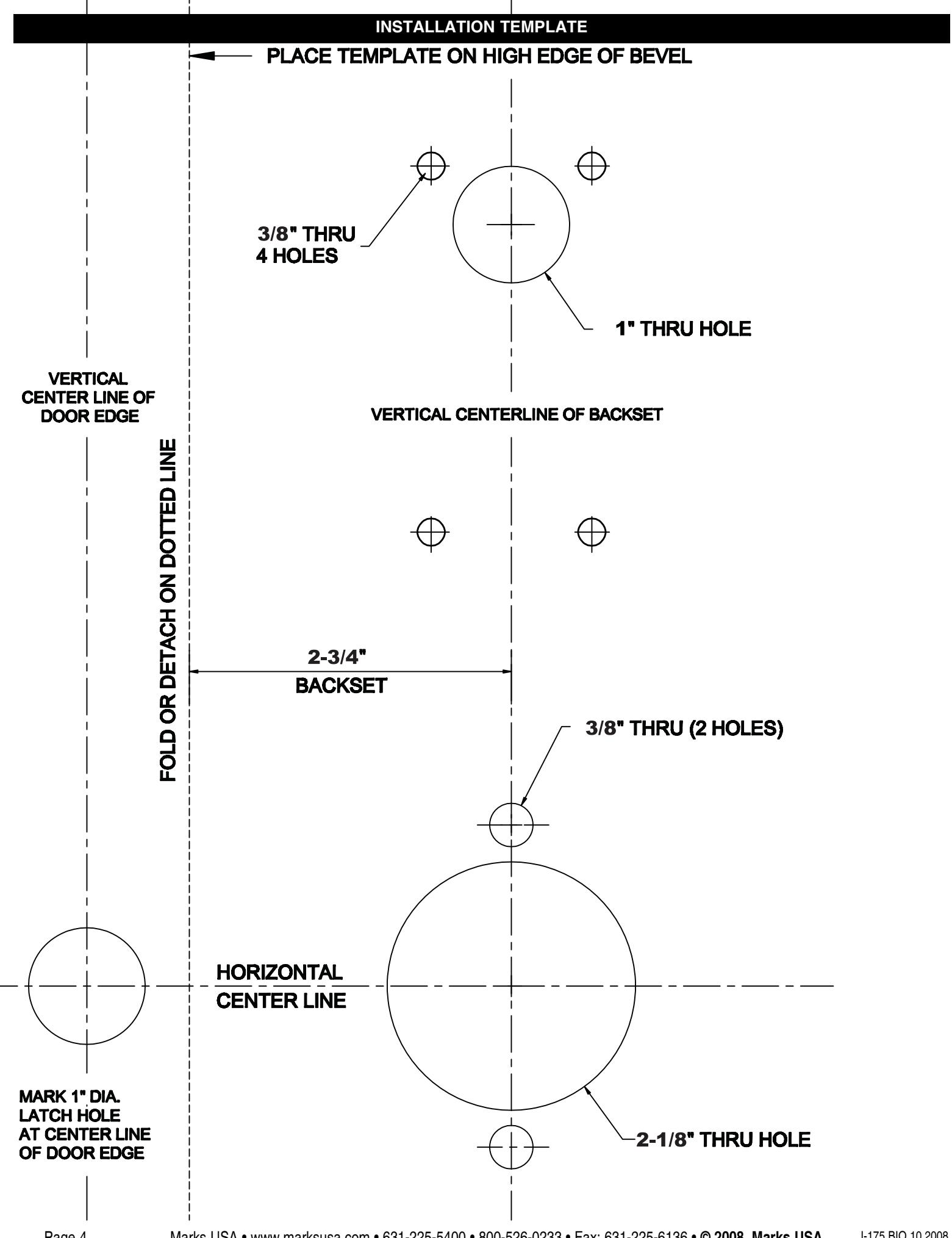
- 1. Fold and apply template to high edge of door at desired height from floor.
- 2. Mark hole centers on door and door edge.
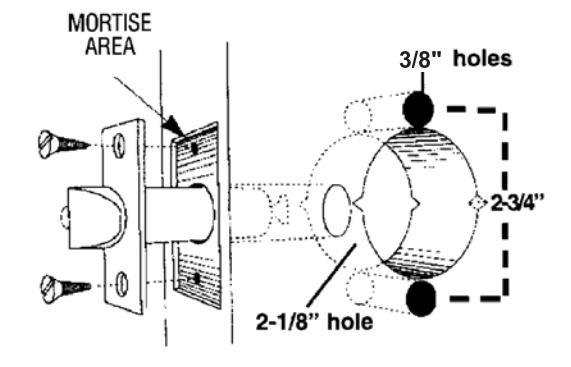
- 3. Drill 3/8" thru-bolt holes first, then drill 2-1/8" hole.
HOLLOW METAL DOORS:
- 1. Must have horizontal and vertical lock and latch support provided by door manufacturer
- 2. If 2-1/8" hole exists, use optional Marks J295 Installation Tool to ensure accurate drilling of 5/16" thru-bolt holes.
- 3. For best results, align the J295 Installation Tool to door and clamp to door before drilling.
Figure 3
INSTALL LATCH:
1. Drill 1" diameter hole for latch. Mortise for latch front. Insert latch and fasten with two screws.
NOTE:
It is important that both 1" and 2-1/8" holes be on the same horizontal center line.
Figure 4
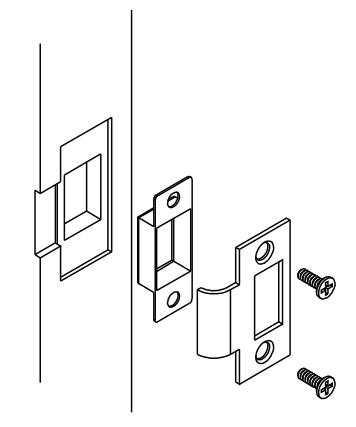
INSTALL STRIKE:
- 1. Align strike with latch.
- 2. Trace strike outline on door jamb.
- 3. Mortise jamb and install strike and dust box.
Door Thickness Adjustment
- 1. Locks are factory assembled with a ring for 1-3/4" thick door.
- 2. Before installation, use door thickness gauge on template as shown below, to check lock chassis position. Center of latch retractor should align with mark on gauge for appropriate door thickness.
If chassis is not on center, remove outside lever, screw chassis in or out to align with mark. Check that lever engages lever catch before installation.
3. Reinstall outside lever.
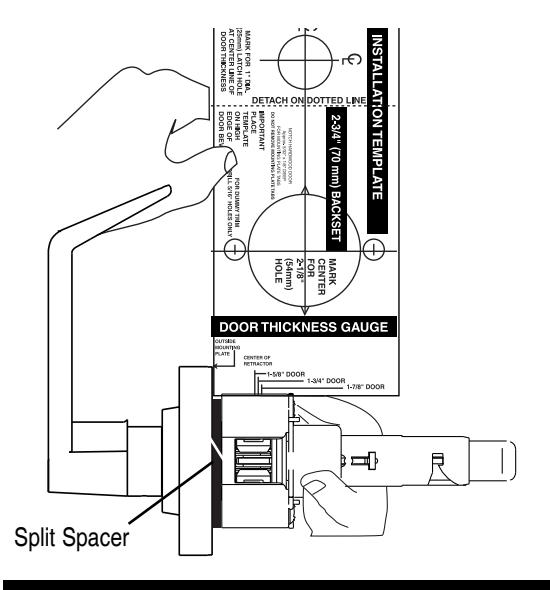
Figure 5 Figure 6
To Adjust For Other Door Thickness: Remove outside lever.
CONVENTIONAL CYLINDER
- 1. Turn key in cylinder 45° in either direction.
- 2. Depress outside lever catch with wire pin through small hole in rose/lever and pull
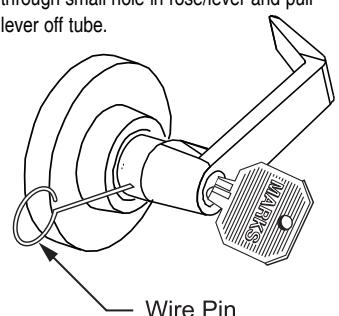
Figure 7
IC CORE CYLINDER
A. With IC core removed, use screwdriver inside lever to depress lever latch.
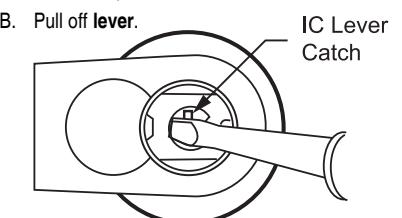
Figure 8
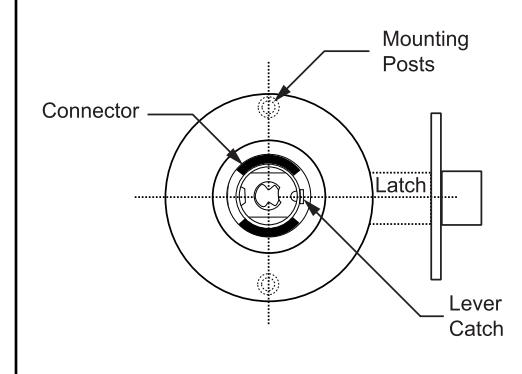
NOTE: If lock is not in door, mounting posts must be on vertical center line.
- 1. Align lever catch to face latch front.
- 2. Turn key in cylinder 45° in either direction.
Reinstalling Outside Lever
- 3. Slide lever on tube until it stops at the lever catch.
- 4. Slightly wiggle and push until lever engages lever catch & connector.
Installing The Lock Installing the Biometric Fingerprint Reader
Figure 9
PREPARE LOCK:
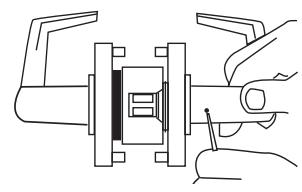
- 1. Remove inside lever . Depress the lever catch with wire pin through the small hole in the rose/lever and pull lever off the tube.
- 2. Depress lever catch again and remove the inside rose assembly.
INSTALL LOCK:
- 1. Push lock through 2-1/8" hole from the outside, so that retractor engages latch tail and both prongs as shown below.
- 2. Prongs must engage inside lock housing.
- 3. Align outside rose so rose posts enter thru-bolt holes in door.
- 4. Check from inside of door to see if latch is properly engaged.
- 5. Bring lock cable to inside of door.
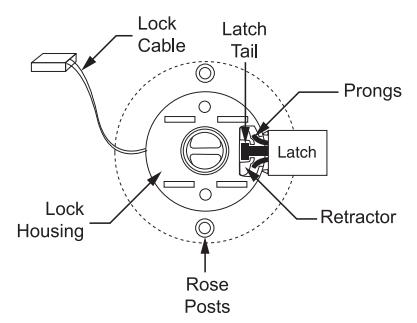
Figure 10
INSTALL BIOMETRIC FINGERPRINT READER:
1. Insert outside fingerprint reader and lock through the mounting holes with their cables extending to inside of door.
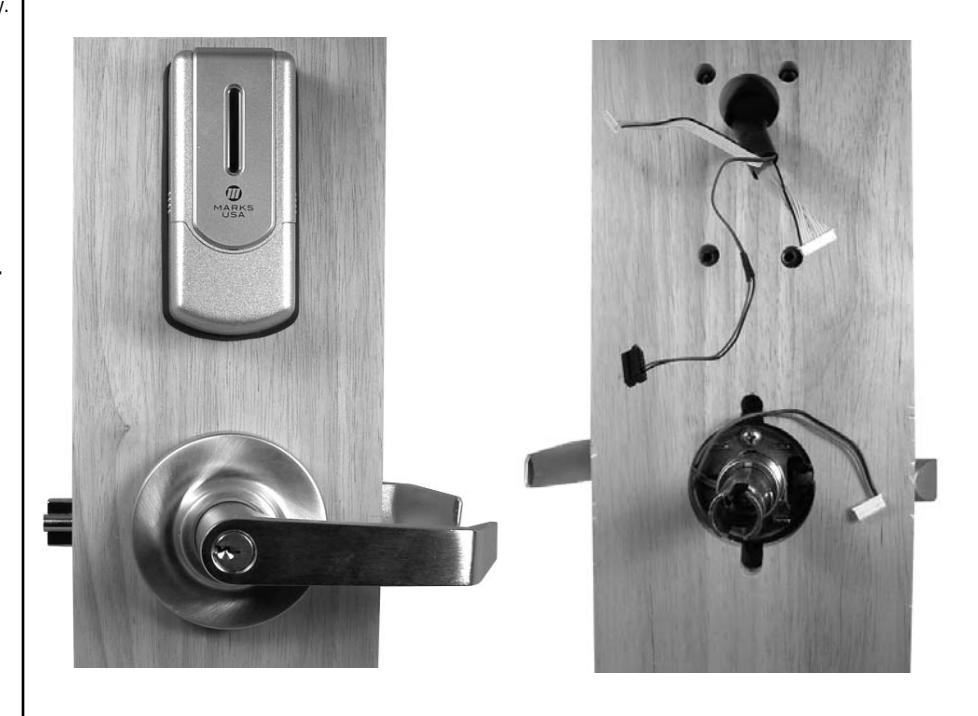
Installing the Biometric Fingerprint Reader
Figure 11 Figure 12
- 1. Place Inside back plate over lock, with all cables coming through the opening in the back plate.
- 2. Install inside rose on lock, over back plate, and fasten to outside rose lightly with its two mounting screws.
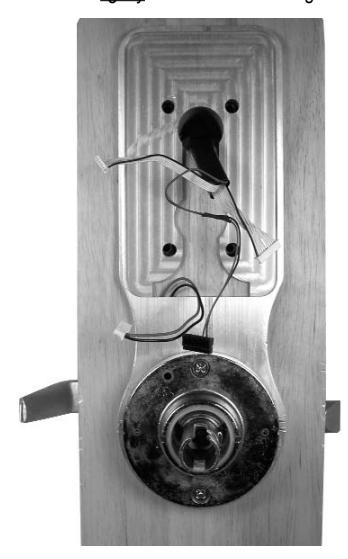
1. Attach inside support plate to outside fingerprint reader with four screws. Make sure all cables come through the opening in the support plate.
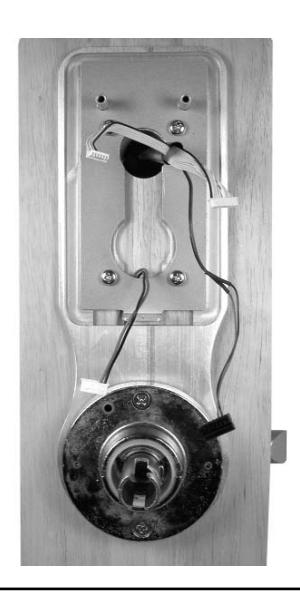
Figure 13
1. Place inside gasket over the support plate. Make sure all cables come through the opening in the gasket. Follow numbers for cable connections as you will see in step 14.
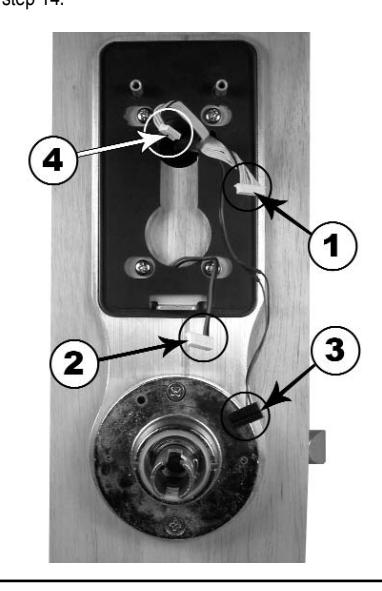
Figure 14
1. Attach all cables to inside module as shown.
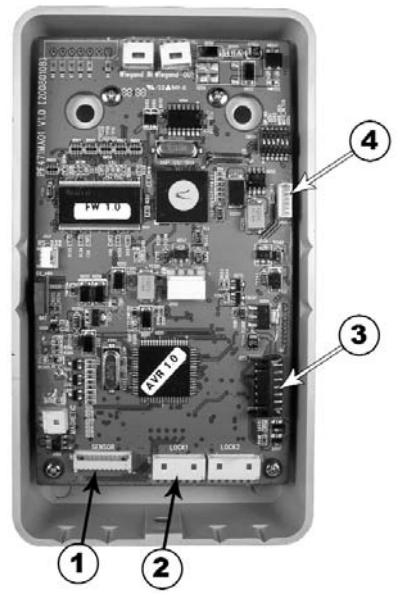
Figure 15
1. When finished, the cable connections should be connected as shown.
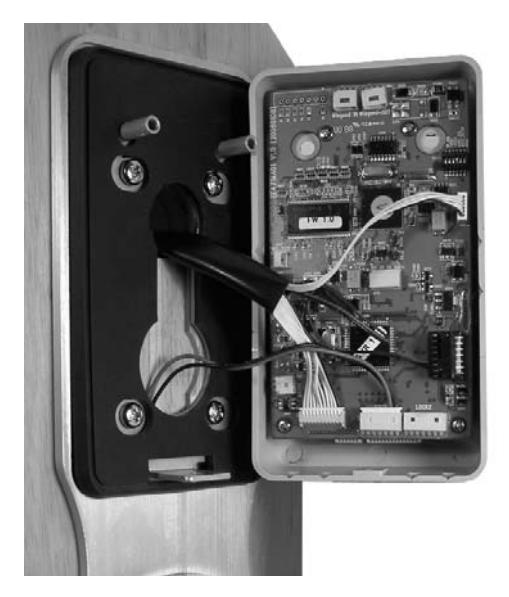
Figure 16
- 1. Install inside module onto support plate with two screws inside battery compartment, and one screw at the bottom of the module.
- 2. Tighten the two rose screws.
- 3. Snap on inside rose cover. Make sure bumps on cover align with dimples in rose.
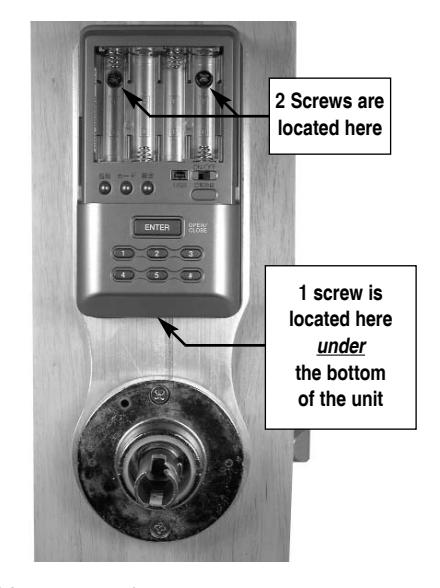
Figure 17
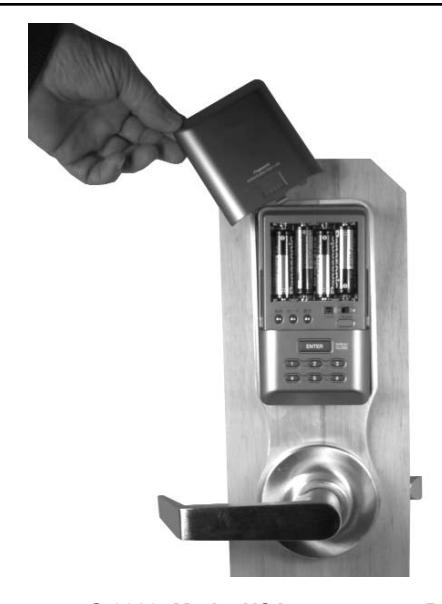
1. Install 4 "AA" batteries and battery cover. You are now ready to program the lock.