MRKREXKIT-M-ED
Open the original PDF document
View PDF


MRKREXKIT-M-ED
2020 EDITION
INSERT Instructions
The MRKREXKIT-M-ED is a field-installable Request to Exit switch for
- MLRK1-MRK Marks M9900 series devices
- MLRK1-DH Design Hardware 1000 series device
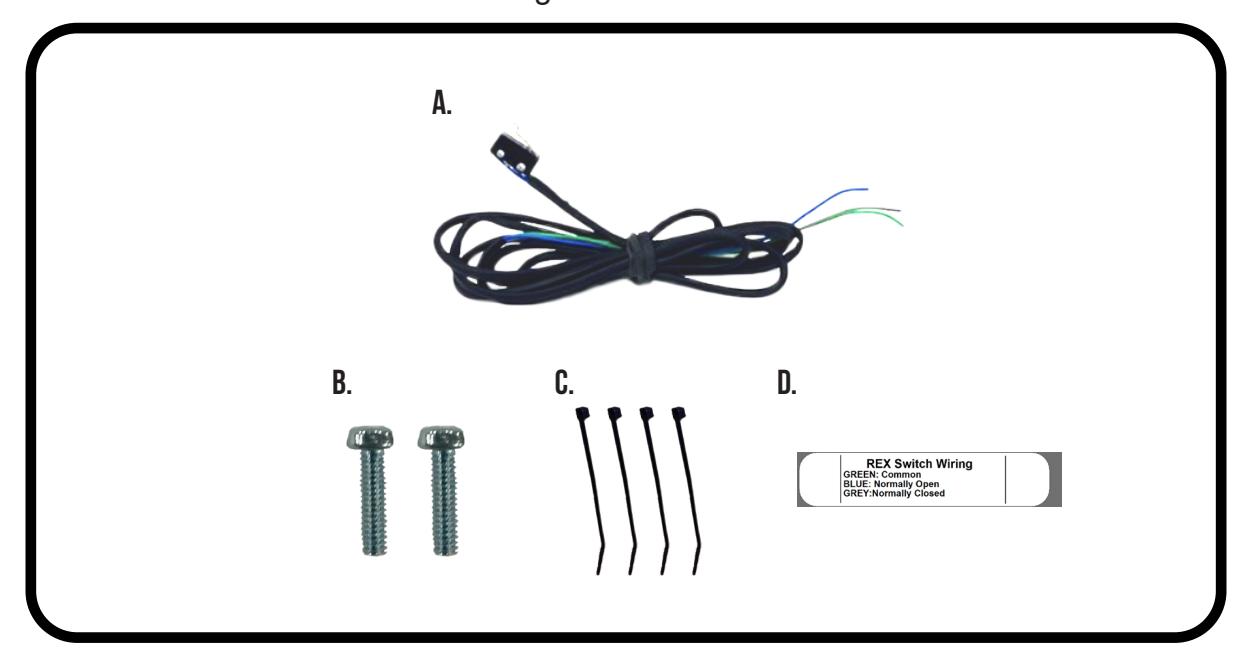
Kit Includes
- A. 60530 - (x1) REX Switch
- B. 40047 - (x2) Philips head screw
- C. 40060 - (x1) Zip Tie
- D. 20015 - (x1) REX Label
Tools Required
Phillips Screwdriver
SPECIFICATIONS
- Single Pole Double Throw (SPDT)
- Rating: .5A @24VAC
- Configuration: Green Common (C)
Blue - Normally Open (NO) Gray - Normally Closed (NC)
REX Installation Instructions

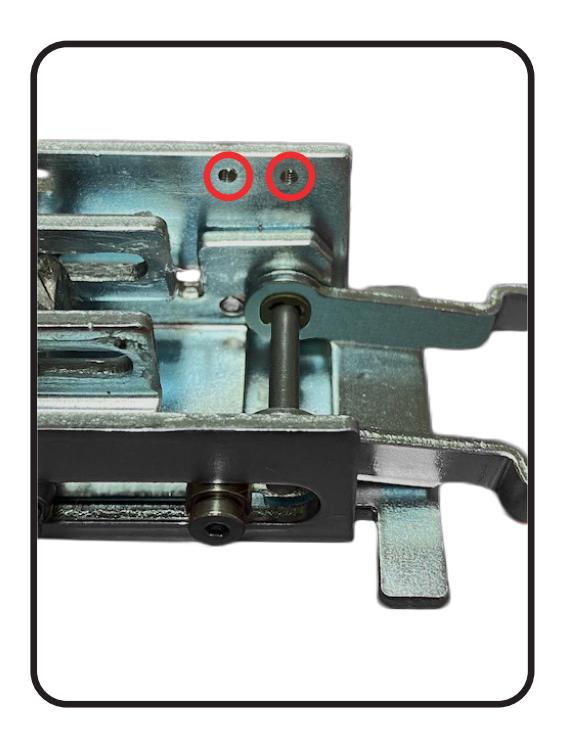
Install REX Switch onto Motor Kit using (2) Phillips Screws into tapped holes. 1.
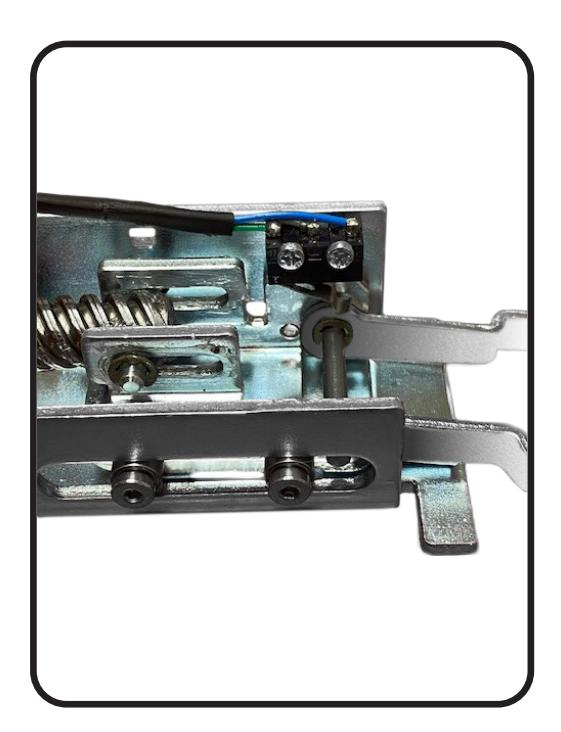
Guide REX Cable along Motor Mount and secure through cutouts using Zip Ties provided. 2.
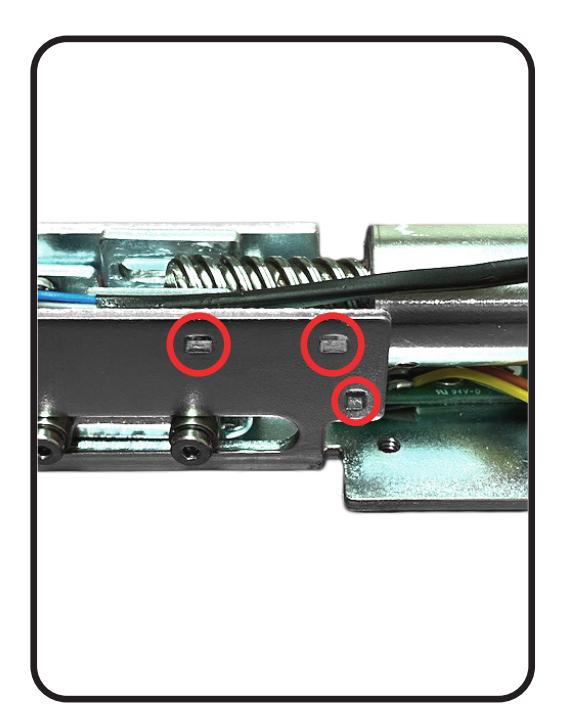
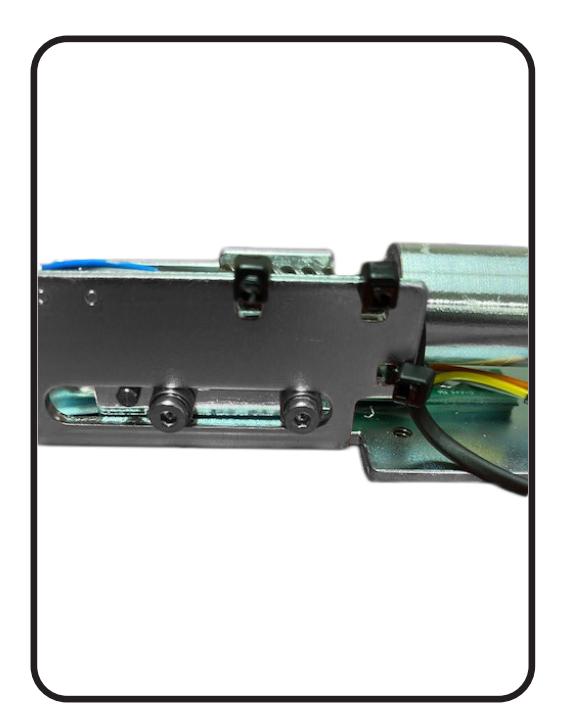
REX Installation Instructions

Using remaining Zip Tie guide remaining wire along Metal Standoff on bottom of Motor and attach. 3.
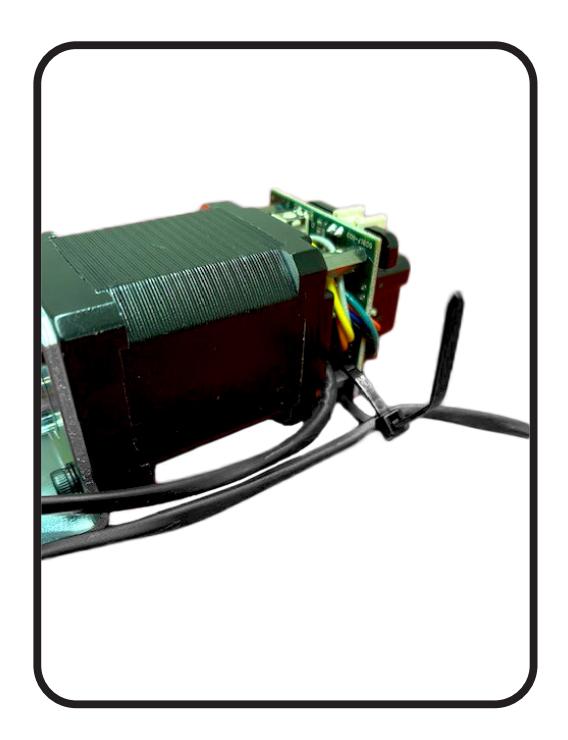
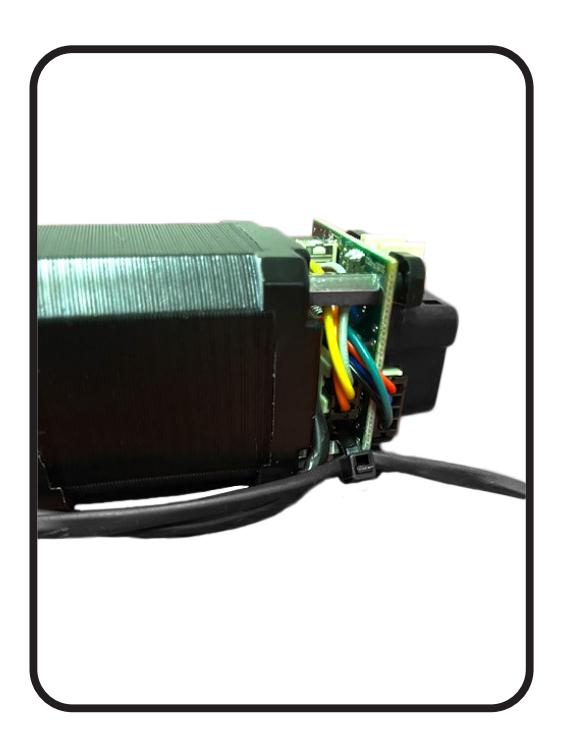
Add Label to wire leads. 4.