MRC1-Retrofit-Chassis-Insert-Instructions
Open the original PDF document
View PDFInstallation Instructions MRC1 Series

Command Access Technologies MRC1 Series: Best 35, Cal Royal 8000, Corbin 2000, & Falcon MA Series
STEP 1 : The door must be machined with a 3/8" wire raceway, mortise lock pocket & prepped for a energy transfer hinge. Make sure the mortise pocket is free of debris.
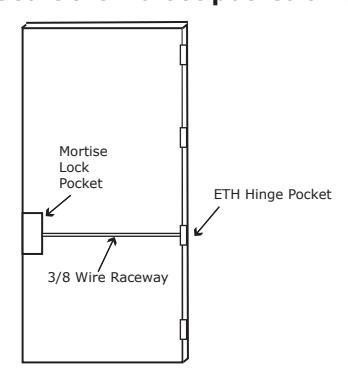
STEP 2 : Run the wires from the ETH hinge through the 3/8" raceway starting at the ETH hinge & exiting into the mortise pocket.
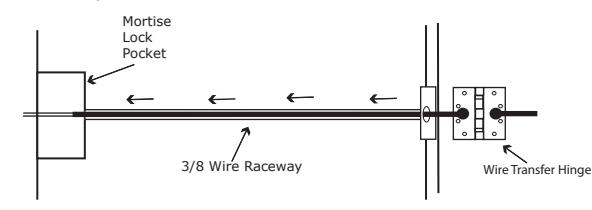
STEP 3 : Screw the ETH hinge to the door. At this time DO NOT connect the hinge wires on the jamb side to the wires coming from the power supply.
STEP 4 : Connect the wires exiting the mortise pocket to the Bridge Rectifier (included).
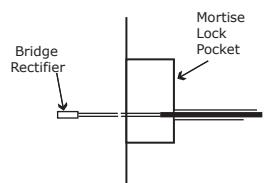
STEP 5 : Connect the Bridge Rectifier to the plug exiting the mortise chassis.
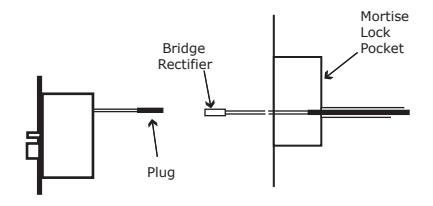
STEP 6 : Carefully slip the connected mortise lock chassis into the mortise pocket paying close attention not to pinch any wires
STEP 7 : Mount the chassis per manufacturer's instructions.
STEP 8 : Connect the wires from the power supply at the ETH hinge on the jamb side. Connect the hinge to the jamb.
LEGEND OF TERMS
EU : (Fail Secure) When power is applied, the outside trim will unlock. When power is removed, the outside trim is locked.
*EL: (Fail Safe) When power is applied, the outside trim will lock. When power is removed, the outside trim is unlocked.
REX : (Request to Exit Switch) Monitors the inside handle.
DPS : (Door Position Switch) Monitors the door position via the anti pick (Deadlatch).
LBM : (Latchbolt Monitor Switch) Monitors the position of latchbolt.
* Not Available in all locks
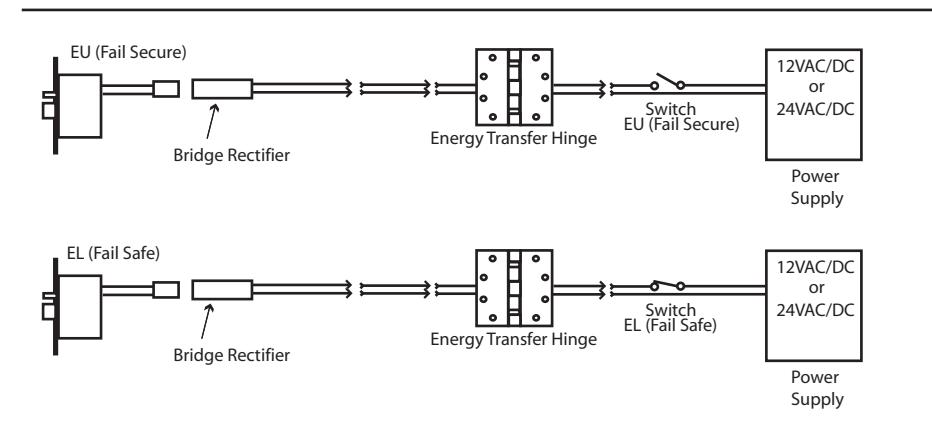
ELECTRICAL SPECIFICATIONS
SOLENOIDS:
VOLTS CURRENT COIL RESISTANCE 24VAC/DC 350mA 69 Ohms +/- 10% 12VAC/DC 700mA 18 Ohms +/- 10%
SWITCHES: .25A 24VAC/DC
REX : Green - Common (C)
Blue - Normally Open (NO) Gray - Normally Closed (NC)
LBM : Green/Black - Common (C)
Blue/Black - Normally Open (NO) Gray/Black - Normally Closed (NC)
#20299 B
Handing Instructions for Mortise Locks
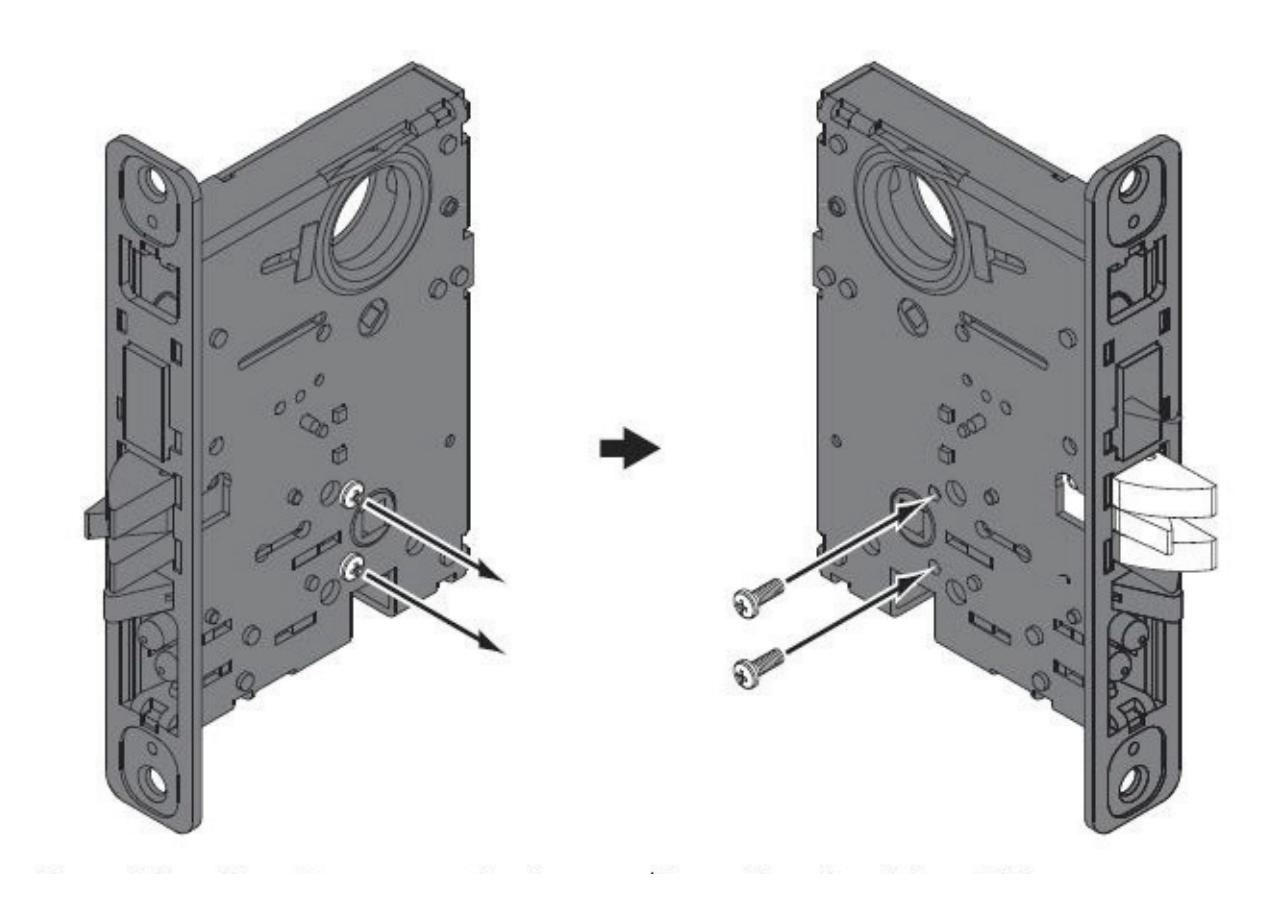
STEP 1 :Remove screw STEP 2 : Remove latchbolt and rotate 180 . Note: Figure A. Piece must sit below faceplate.
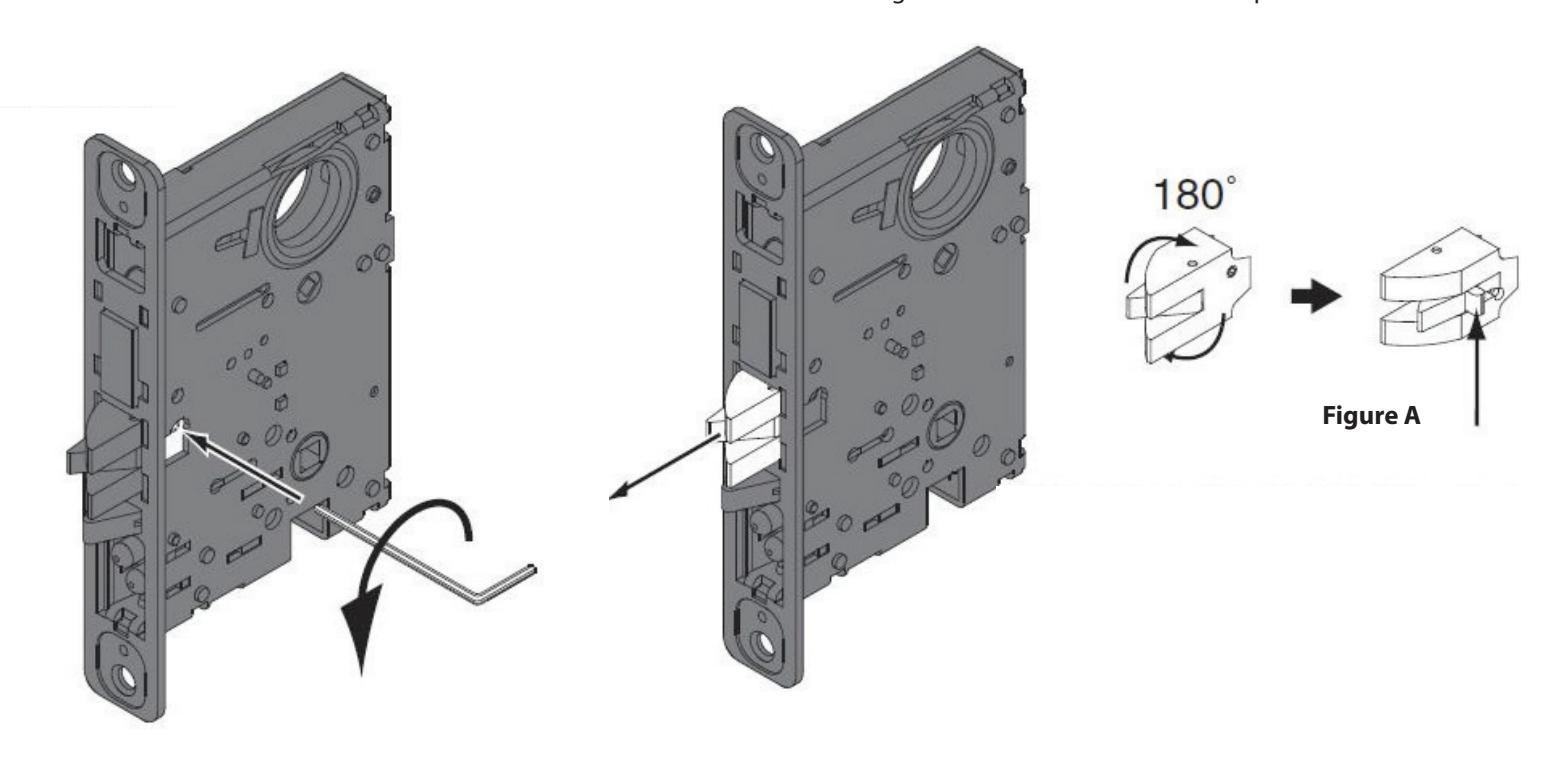
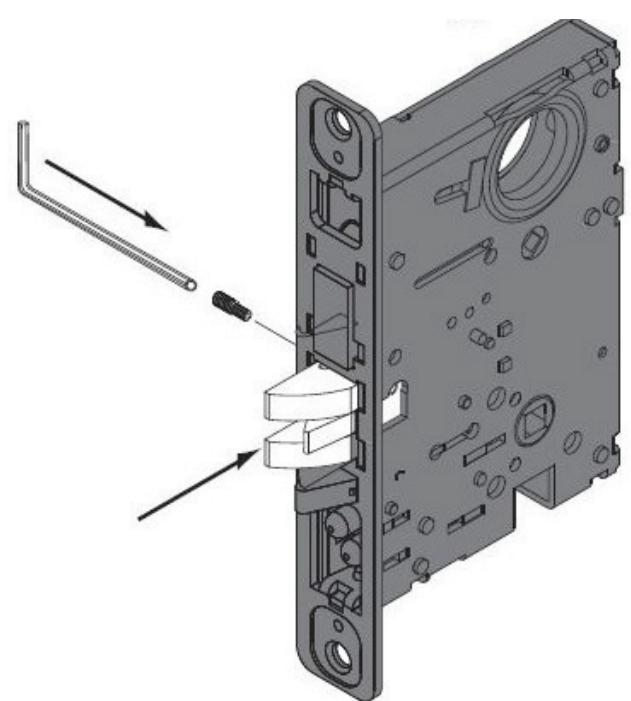
STEP 3 : Re-install latchbolt and screw.
Command Access Technologies | 22901 La Palma Ave. Yorba Linda, CA 92831 | Phone: (888) 622-2377 | www.CommandAccess.com Command Access Technologies is not a licensee, affiliated, associated or connected with Allegion, Assa Abloy, or Best any of their subsidiaries or affiliates.
STEP 4 : Move handing screws to opposite side.
Note: Handing screws should be located on the non-locking side.