MLRK1-YAL6-Insert-Instructions
Open the original PDF document
View PDF


MLRK1
I N S E R T I n s t r u c t i o n s
The Command Access MLRK1 is a field-installable motorized latch-retraction kit for: • MLRK1-YAL6 - Yale 6000 series devices
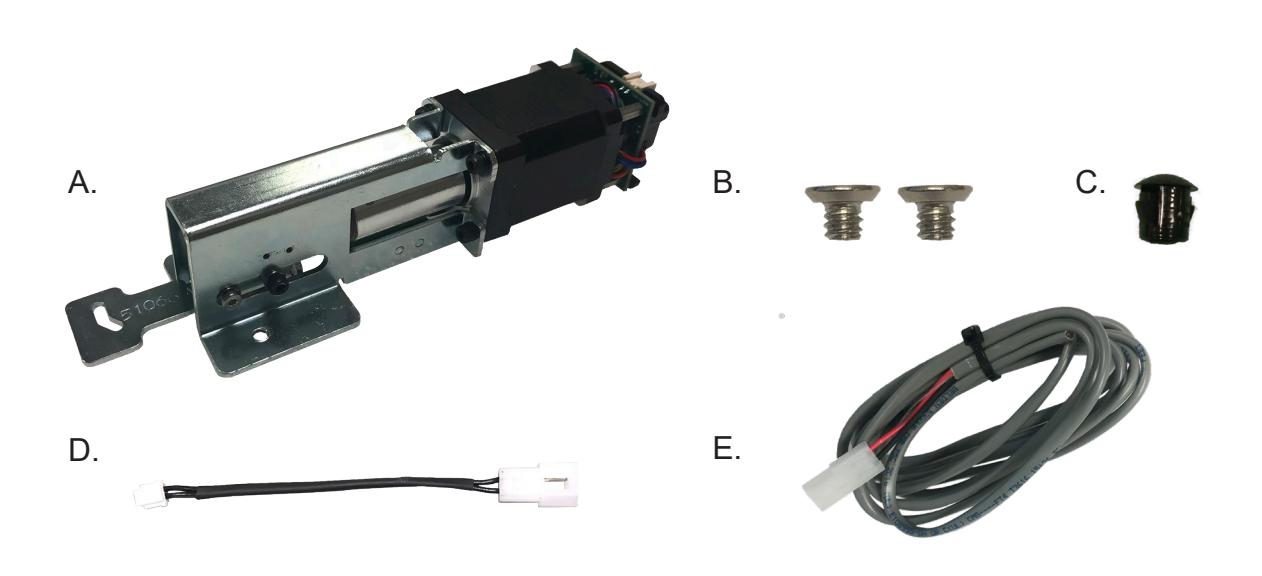
- A. 61045 Motor Mount w/ MM4 series module
- B. 40306 10-24 X 0.25 SCREW (X2)
- C. 40144 Dogging Hole Cap
- D. 50944 MM4 Socket Lead
- E. 50030 8' Power LeaD
Kit Includes Tools Required
#2 Phillips head screwdriver
SPECIFICATIONS
• Input Voltage: 24VDC +/- 10% • Wire gauge: Minimum 18 gauge
• Direct wire run - no relays or access control units in-between power supply & module
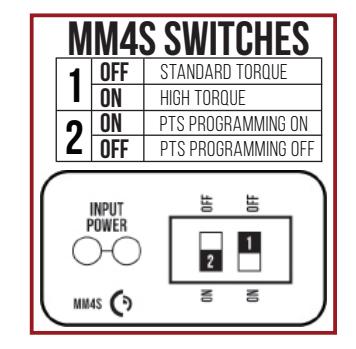
Standard Torque Mode
Average Latch Retraction Current: 900 mA Average Holding Current: 215 mA
High Torque Mode
Average Latch Retraction Current: 2 Amp Average Holding Current: 250 mA
Recommended Power Supplies:
All Command Access exit devices & field installable kits have been thoroughly cycle tested with Command Access power supplies at our factory. If you plan on using a non-Command power supply it must be a filtered & regulated linear power supply.
#20622_A
TECHNICAL INFORMATION

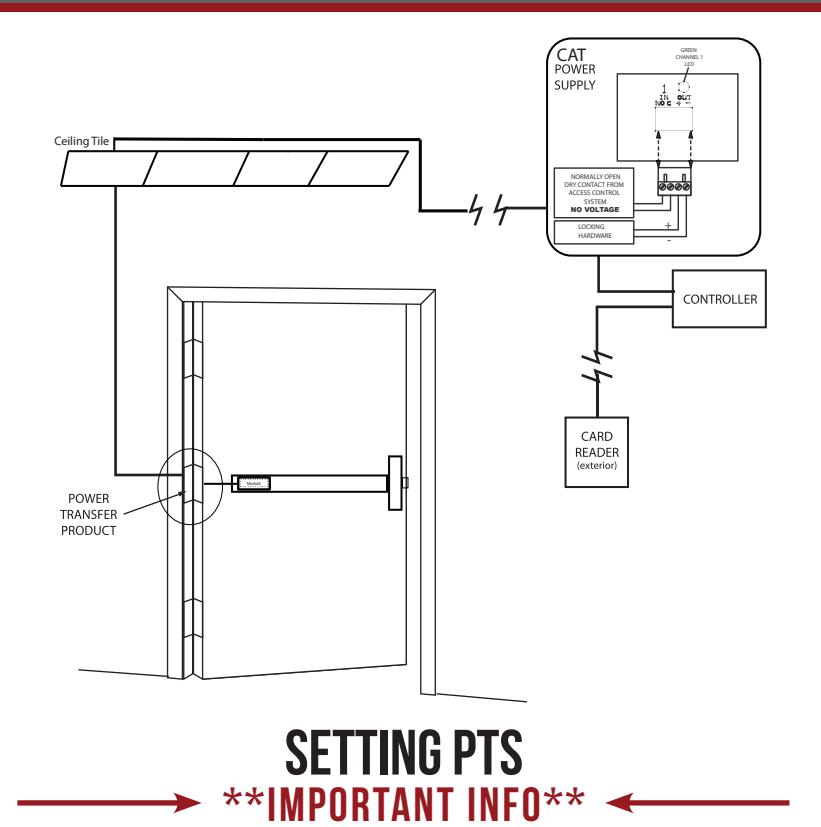

MAKE SURE TO SET PTS BEFORE FINISHING INSTALLATION
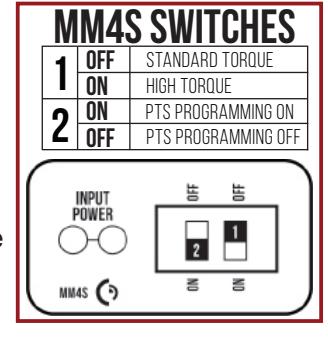
- STEP 1 - Select your preferred torque mode (ships in standard torque). Press the device push pad to the desired setting. (We recommend to fully depress and release 5%, giving the device room for changing door conditions.)
- STEP 2 - While depressing the push pad, apply power. (i.e. presenting the credential to the reader).
- STEP 3 Continue to keep the pad depressed, the device will beep 6 times. After the beeps have stopped, release the pad and the adjustment is now complete. If not to your liking repeat the 3 steps.
TROUBLESHOOTING & DIAGNOSTICS
| BEEPS | EXPLANATION | SOLUTION |
|---|---|---|
| 2 Beeps | Over Voltage | > 30V unit will shut down. Check voltage & adjust to 24 V. |
| 3 Beeps | Under Voltage | < 20V unit will shut down. Check voltage & adjust to 24 V. |
| 4 Beeps | Failed Sensor | Verify all 3 sensor wires are installed correctly. Replace sensor if problem persists by contacting office. |
| 5 Beeps | Retraction or dogging failure | After 1st fail: 5 beeps then immediately attempts to retract again. After 2nd fail: 5 beeps with pause in-between for 30 seconds then device attempts to retract again. After 3rd fail: 5 beeps every 7 minutes, device will not attempt to retract. To Reset: Depress bar for 5 seconds at any time. |
| 6 Beeps | PUSH TO SET | Device is recording it's new position and power mode after the 6th beep. |
installation instructions

1 Slide Filler Plate off the bar.
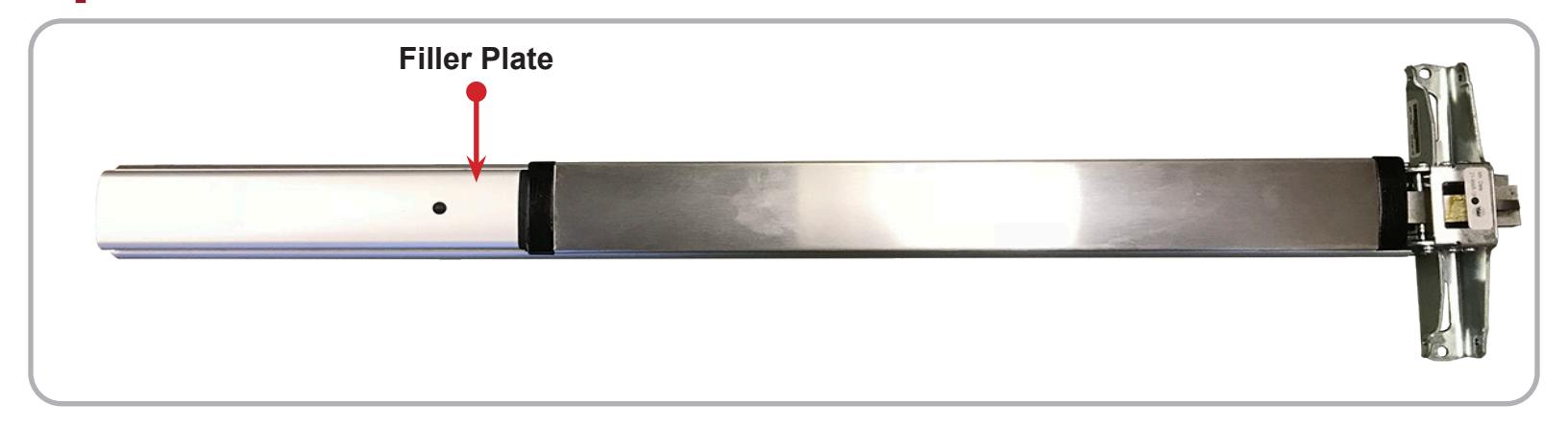
2 If the Dogging Assembly is installed, remove its two screws and discard.
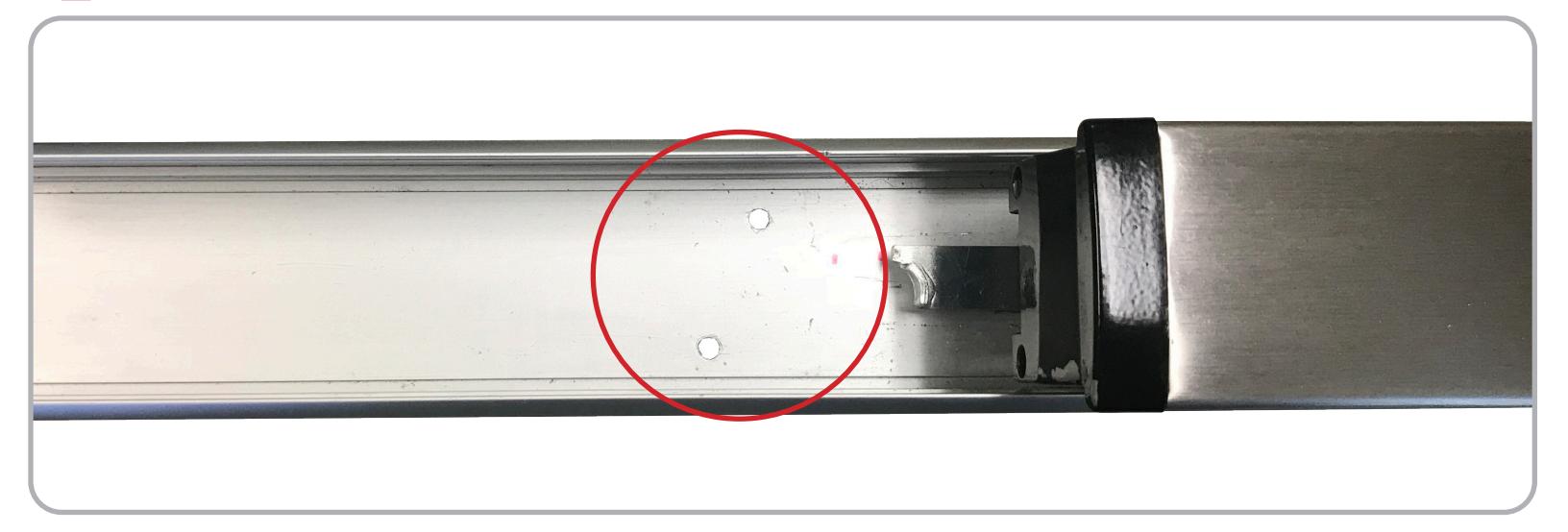
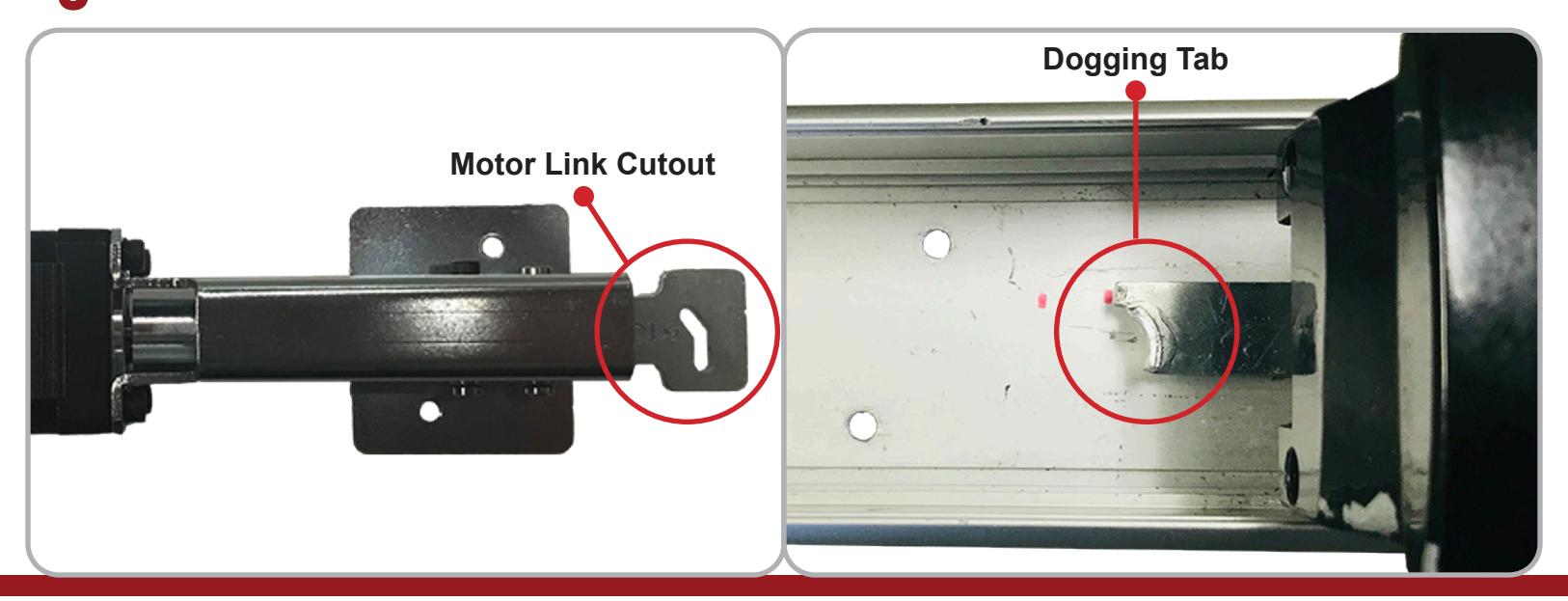
3 To install the motor, place the Motor Link Cutout over the Dogging Tab .
installation instructions

4 Once the Motor Link is installed securely on the Dogging Tab . Line up the two Mounting Holes .
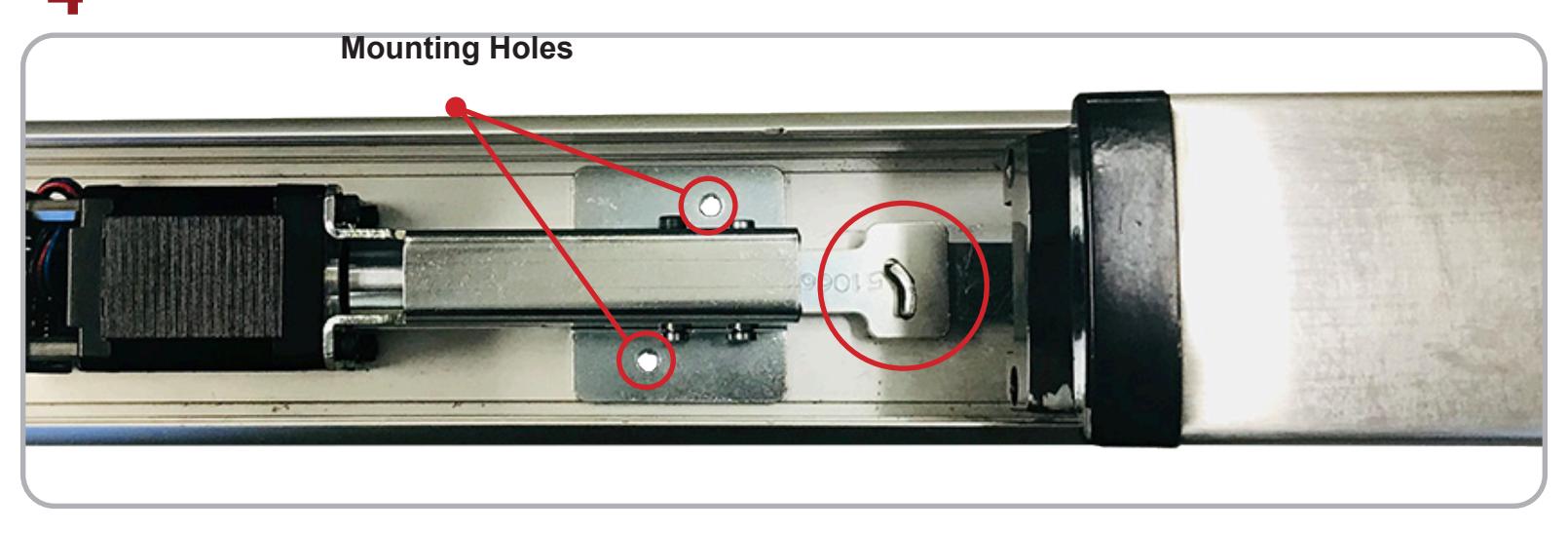
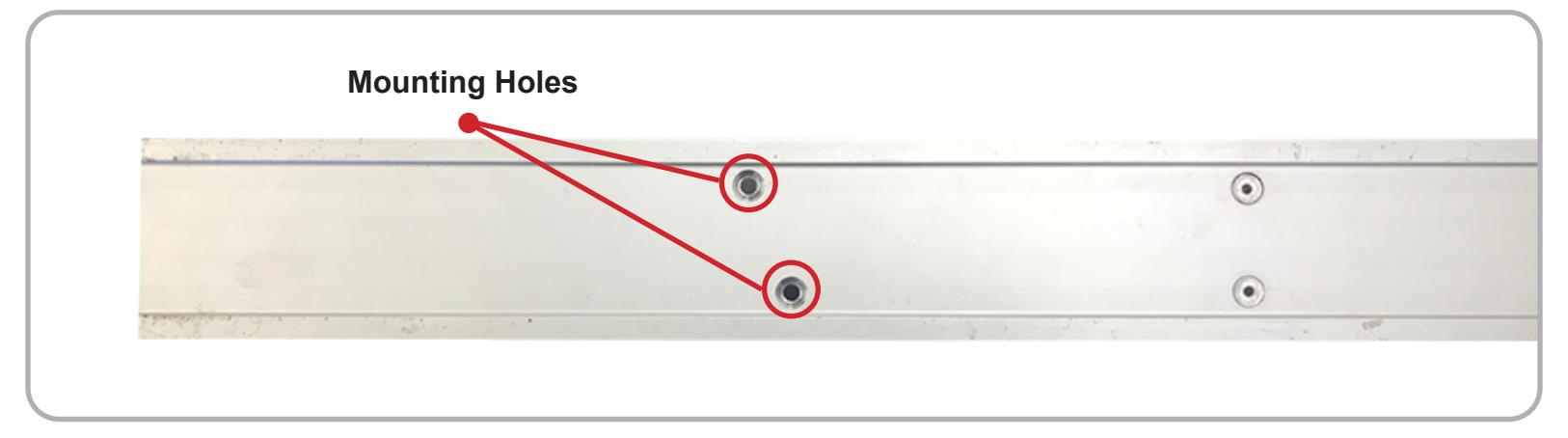
5 With one hand holding the motor in place, flip the bar over and secure the kit by installing the two provided screws into the Mounting Holes from the backside of the bar.
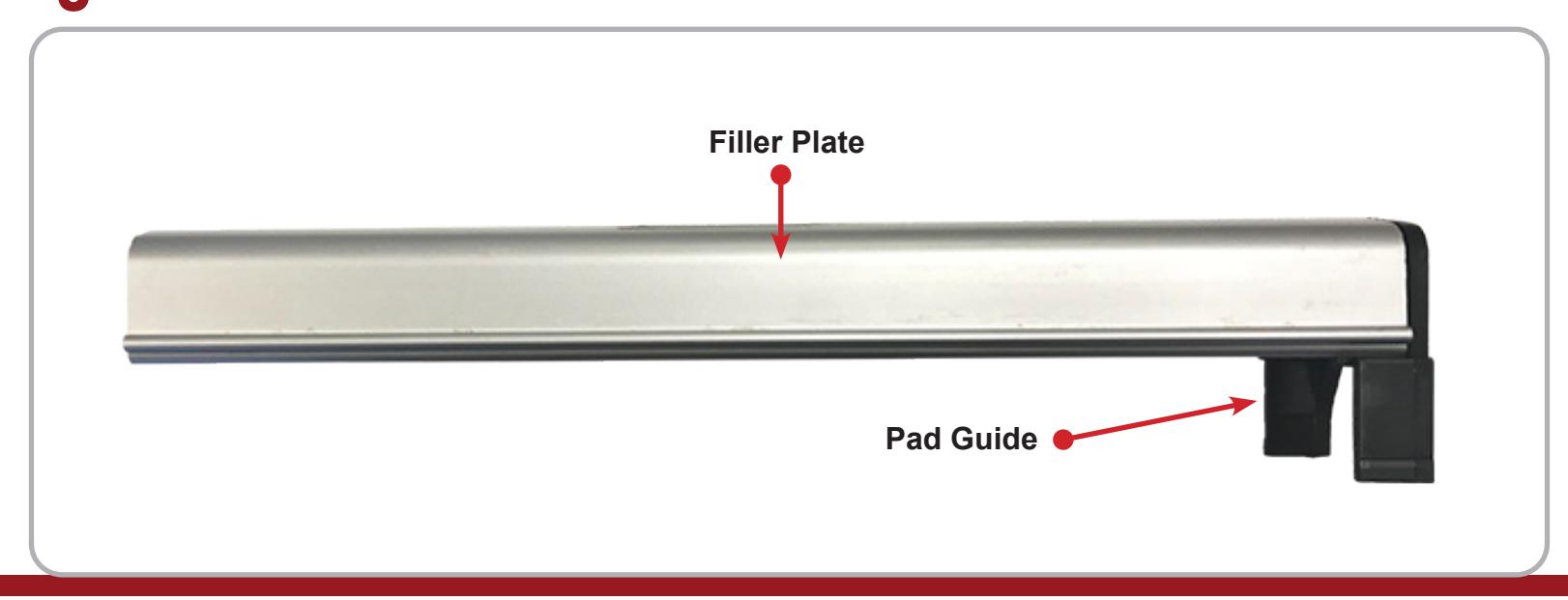
6 To reinstall the Filler Plate , you will first need to remove the plastic Pad Guide .
installation instructions

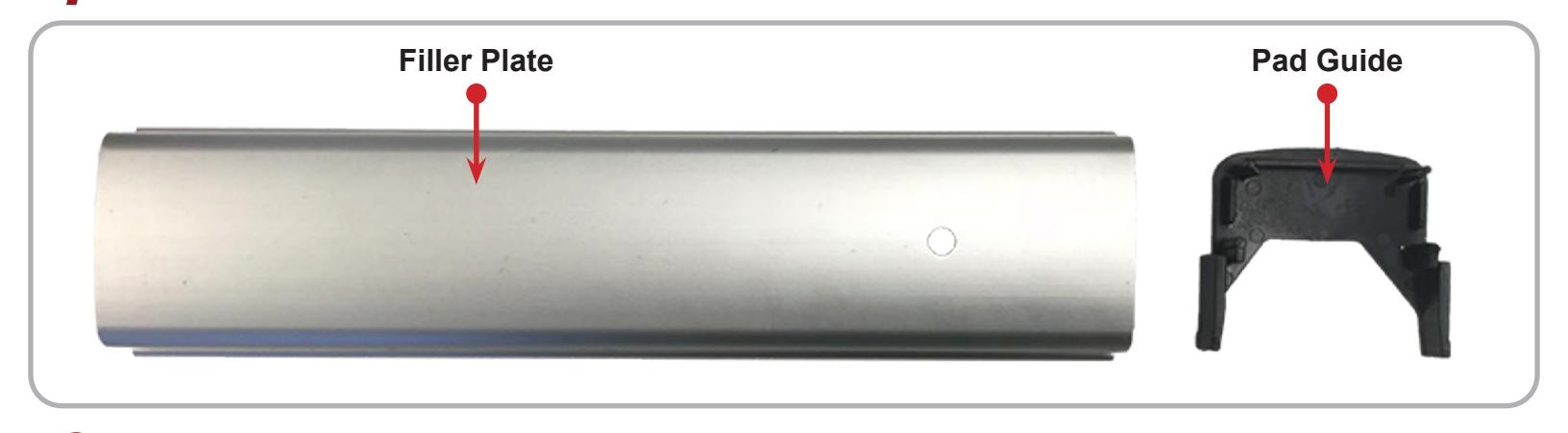
7 To remove, gently apply pressure to the back of the Pad Guide until it pops out of the Filler Plate .
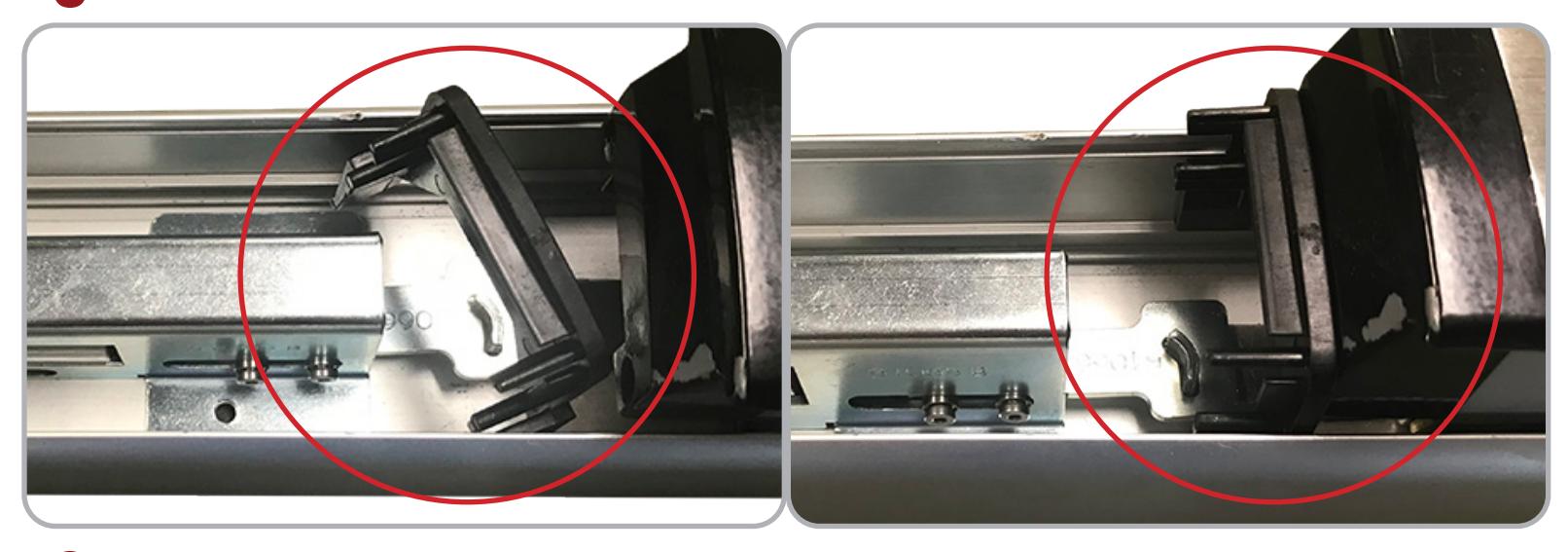
8 To install the Pad Guide turn it sideways until it clears the sides of the bar, then press it against the pad.
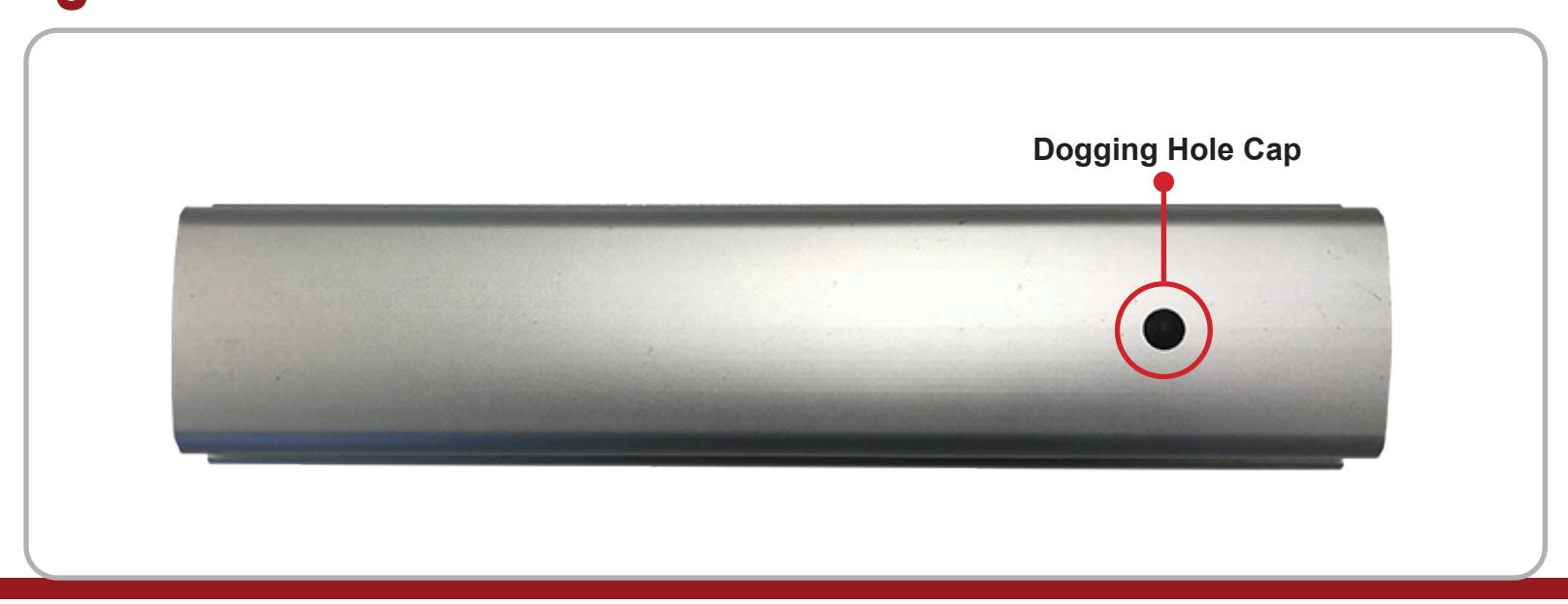
9 If needed, install the provided Dogging Hole Cap by pressing it into the dogging hole.
INSTALLATION INSTRUCTIONS

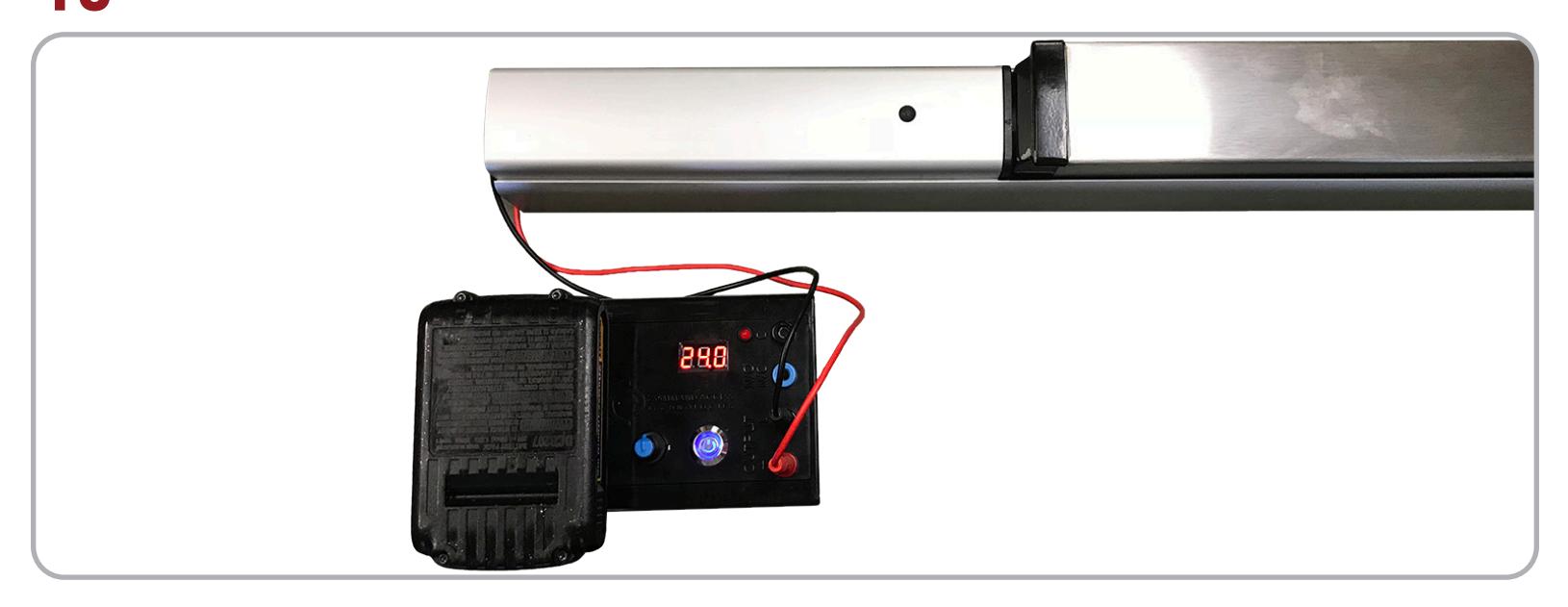
Slide on the Filler Plate and connect the motor to power. Test using the instructions below.
MAKE SURE TO SET PTS BEFORE FINISHING INSTALLATION
- STEP 1 - Select your preferred torque mode (ships in standard torque). Press the device push pad to the desired setting. (We recommend to fully depress and release 5%, giving the device room for changing door conditions.)
- STEP 2 - While depressing the push pad, apply power. (i.e. presenting the credential to the reader).
- STEP 3 Continue to keep the pad depressed, the device will beep 6 times. After the beeps have stopped, release the pad and the adjustment is now complete. If not to your liking repeat the 3 steps.
TROUBLESHOOTING & DIAGNOSTICS
| BEEPS | EXPLANATION | SOLUTION |
|---|---|---|
| 2 Beeps | Over Voltage | > 30V unit will shut down. Check voltage & adjust to 24 V. |
| 3 Beeps | Under Voltage | < 20V unit will shut down. Check voltage & adjust to 24 V. |
| 4 Beeps | Failed Sensor | Verify all 3 sensor wires are installed correctly. Replace sensor if problem persists by contacting office. |
| 5 Beeps | Retraction or dogging failure | After 1st fail: 5 beeps then immediately attempts to retract again. After 2nd fail: 5 beeps with pause in-between for 30 seconds then device attempts to retract again. After 3rd fail: 5 beeps every 7 minutes, device will not attempt to retract. To Reset: Depress bar for 5 seconds at any time. |
| 6 Beeps | PUSH TO SET | Device is recording it's new position and power mode after the 6th beep. |