LockeyUSA Websafe EC785 Installation Electronic Lock Instructions 1
Open the original PDF document
View PDF
ELECTRONIC LOCKING SYSTEM
EC-785 RFID FLUSH FIT LOCK INSTALLATION INSTRUCTIONS
IMPORTANT NOTE:
Before drilling holes, please ensure that the position of the lock when mounted will allow clearance for the cam to function.
IMPORTANT NOTE:
Before drilling fixing holes, please ensure that the position of the RFID Lock when fitted will allow clearance for the cam to function.
www.LockeyLocks.com
EC-785 RFID FLUSH FIT LOCK INSTALLATION INSTRUCTIONS
ENSURE BATTERIES ARE INSTALLED BEFORE MOUNTING
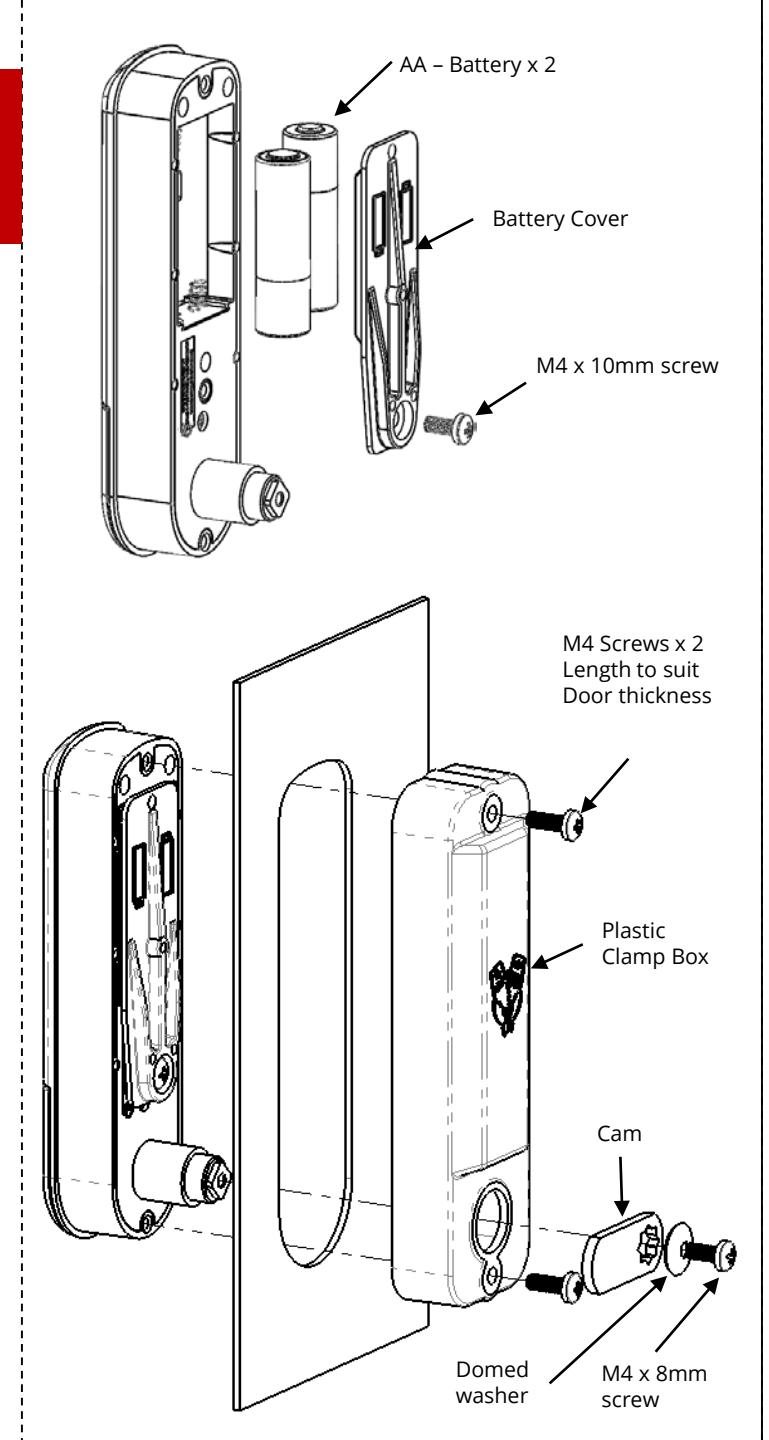
Step 1 Before installing, load the batteries and familiarize yourself with the operation and programming of the lock. Refer to the programming and operating instructions for guidance.
Step 2 Load the 2 x AA Batteries and secure Battery Cover to lock body using M4 x 10mm screw provided. Tighten. Failure to use the Battery Cover will allow the batteries to fall out of the lock if the door is slammed .
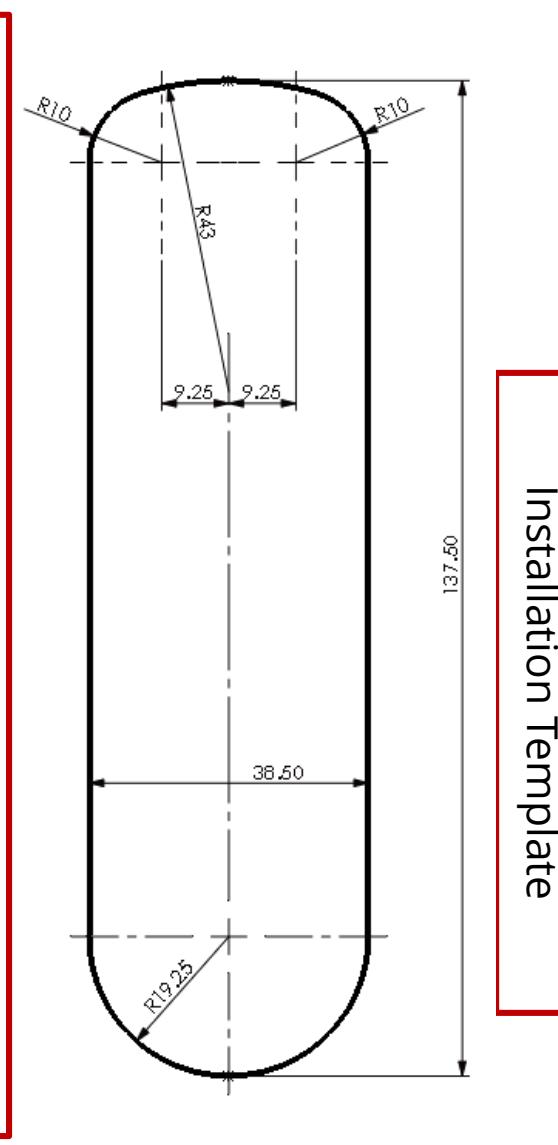
Step 3 Cut hole in door using the template or dimensional data provided, ensuring that the position of the RFID Lock will allow clearance for selected cam to work . If using the template, please ensure that it is the correct
size. Copies may be distorted. Step 4 Pass the RFID Lock through the hole from the front of
Step 5 Mount the Plastic Clamp Box over the rear of the RFID Lock.
the door.
Step 6 Using 2 x M4 Screws of the appropriate length (refer to data sheets for correct screw lengths), tighten the upper and lower screws.
Step 7 Select the desired cam and attach it to the square shaft at the end of the barrel using a M4 x 8 screw and Domed Washer.
Step 8 Now check the operation of the lock using one of the Master or User cards.
IMPORTANT Keep your Master Card safe. In the wrong hands it is a serious security risk and it is NOT possible to re-program the lock without it .