LockeyUSA E Digital Remote Control Programming Electronic Lock Instructions Manual
Open the original PDF document
View PDFNotice: The changes or modifications not expressly approved by the party responsible for compliance could void the user's authority to operate the equipment.
IMPORTANT NOTE: To comply with the FCC RF exposure compliance requirements, no change to the antenna or the device is permitted.
Any change to the antenna or the device could result in the device exceeding the RF exposure requirements and void user's authority to operate the device.
This device complies with Part 15 of the FCC Rules. Operation is subject to the following two conditions: (1) this device may not cause harmful interference, and (2) this device must accept any interference received, including interference that may cause undesired operation.
LOCKEY DIGITAL SYSTEMS INC. Mt. Pleasant Michigan www.lockeyusa.com

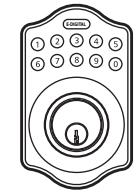
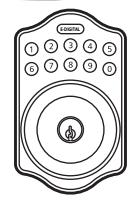
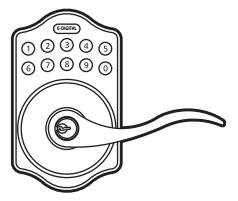
E-DIGITAL ELECTRONIC LOCK REMOTE CONTROL MANUAL
Remote is well programmed already. You may use it without programming only if you want to add more remotes or change the setting. Please refer to the following instructions.
FEATURES
1. Power & Battery
- 1-1 Power: a CR2025 lithium button cell battery needed.
- 1-2 Changing Battery: Please use slotted head screwdriver to separate the plastic cover and change the battery.
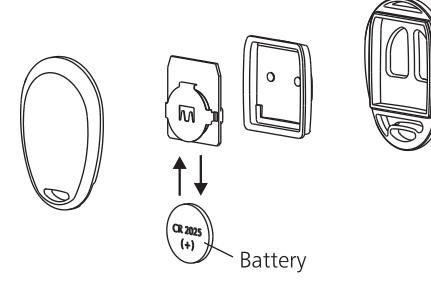
1-3 All setting will not be changed or eliminated because of battery replacement.
2. Transmission Distance
15 meters transmission distance without obstruction.
3. Lock the lockset
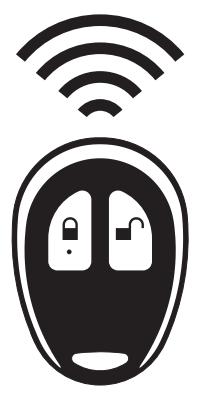
Press a on remote once
- Green light flashes twice with 2 short beep.
- The door is locked.
4. Unlock the Lockset
Press d on remote once.
- → Green light flashes twice with 2 short beep.
- → The door is unlocked.
PROGRAMMING
1. Add Remotes (under unlock status)
- (1) Enter Programming Code
- Press (E-DIGITAL)
- Enter ① ①
- Press (E-DIGITAL)
- → Press any button on remote
- → It's usable after 8 seconds
- (2) 3 short warning sounds when re-add the same remote. The remote is still valid, and won't occupy the number of available remotes.
- (3) Up to 5 remote controls available.
2. Delete All Remotes
- (1) Enter Programming Code
- Press (e-digital) Press 1 1
- → Press (E-DIGITAL)
- (2) It's not available to delete individual or specified remote. When you delete remotes, you delete all of them.
REMARK
- 1. Please do not install the battery backwards.
- 2.It might cause a breakdown of the remote if the battery is connected backwards.
- 3. The remote will not function once the low-battery warning alarms until the battery is replaced.