LockeyUSA Add a Bolt Gate Hardware Instructions and Template 1
Open the original PDF document
View PDF

Lockey ADD-A-BOLT Installation Instructions
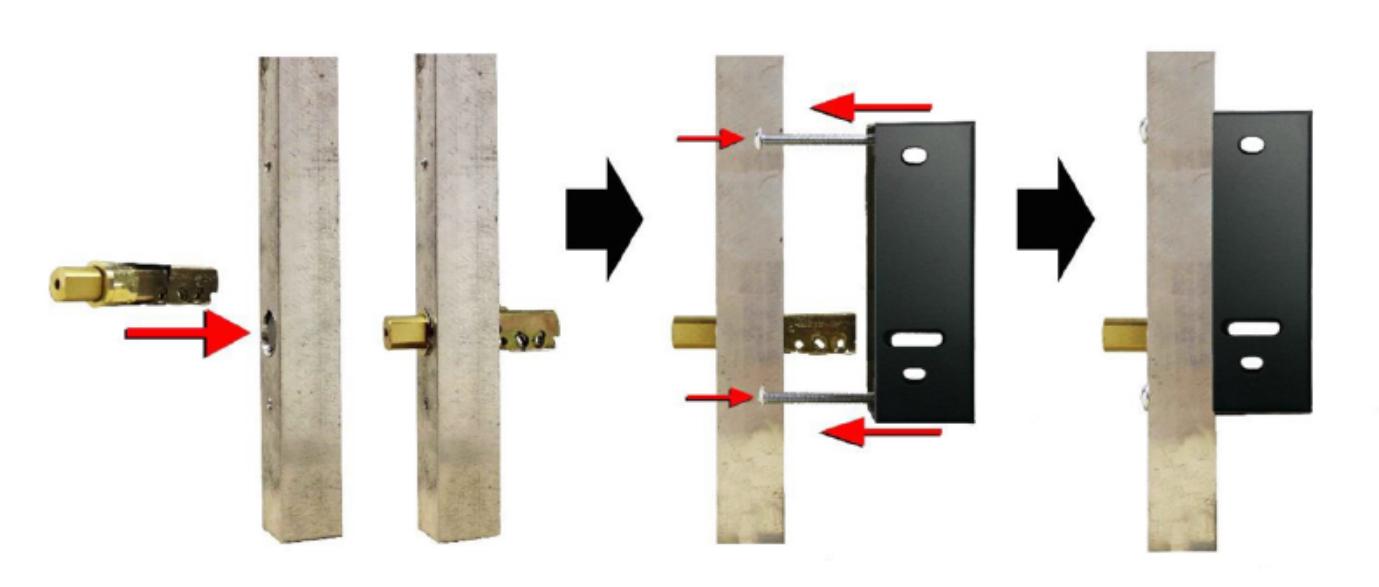
Using the provided template, determine where you want to mount the lock, and mark the proper holes.
Drill a 15/16" hole for the drive in deadbolt. File to fit.
Drill the (2) 15/64" holes
Install the drive in deadbolt, making sure it is right side up.
Using the 2 bolts provided, mount the gate box.
Proceed to follow the M210 instructions (included) on how to install the lock to the gate box
WWW.LOCKEYUSA.COM
ADD-A-BOLT
TEMPLATE FOR LOCKEY USA M210
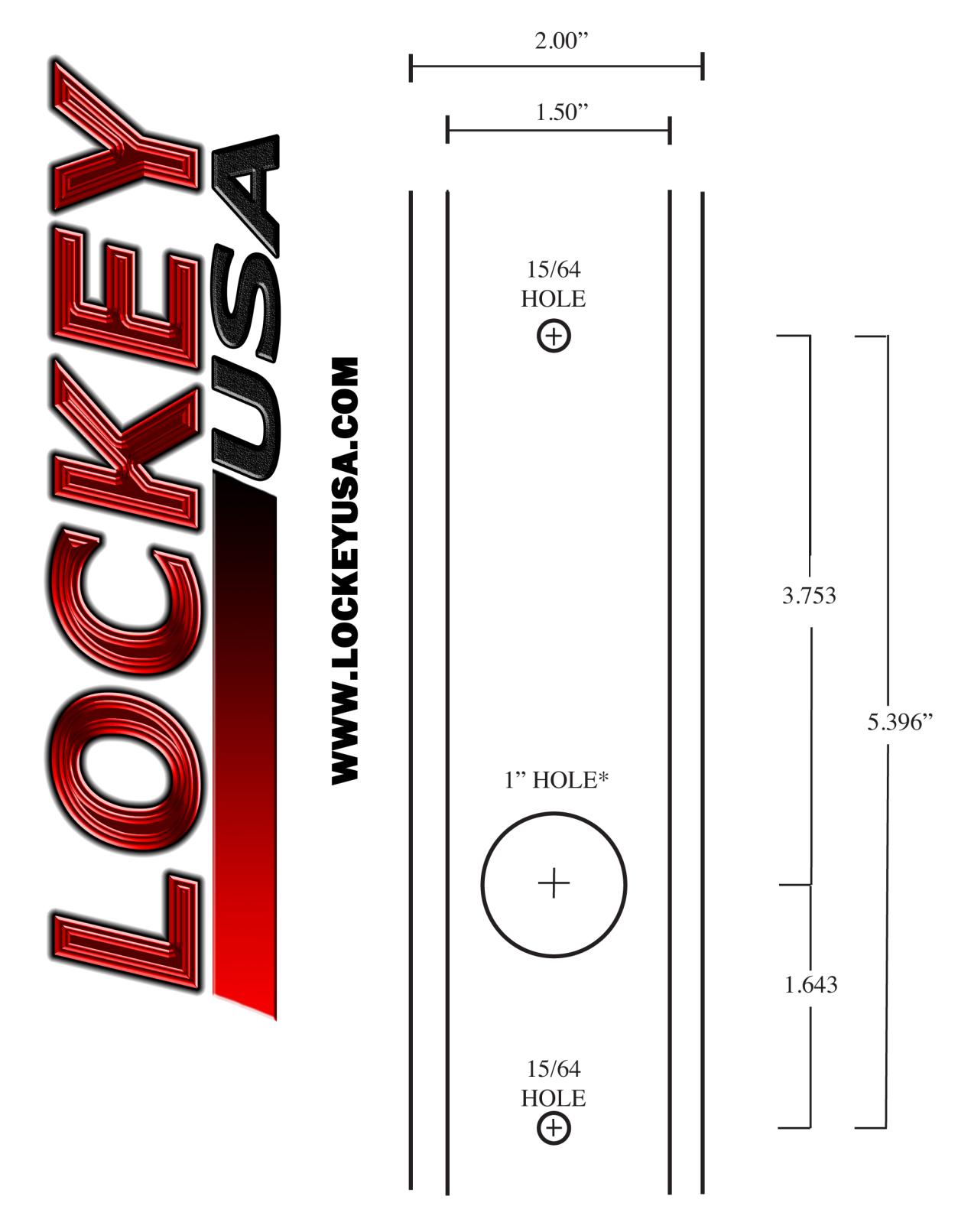
* HIGHLY RECOMMENDED TO DRILL HOLE 15/16" AND FILE TO FIT. A SLOPPY BOLT WILL NOT SEAT PROPERLY