LaGard Electronic Safe Lock LgBasic 3802 Opreating Instruction
Open the original PDF document
View PDF

LGBAS[G
3802 ELECTRONIC COMBINATION LOCK OPERATING INSTRUCTIONS
FEATURES
-
TWO COMBINATIONS
- Manager and one User combination.
- MANAGER MODE
Add/Temporarily Disable/Remove user.
• AUDIO / VISUAL SIGNAL
Double signal indicates entry is valid or accepted. Triple signal indicates invalid or not accepted.
WRONG TRY PENALTY
Four invalid combinations initiates five minute delay period.
LOW BATTERY WARNING
Repeated audio signal (beeping) during operation indicates battery low.
CHANGING COMBINATIONS (Lock signals twice after each valid entry.)
- Enter six zeros.
- 2 Enter existing combination once.
-
Enter new combination twice.
- Invalid Combination Entry Lock signals three times and old combination still valid.
ADD USER (Manager feature only.)
- Enter Manager combination and HOLD DOWN LAST DIGIT of COMBINATION until the lock signals with TWO double beeps.
- OPRESS 1 . Lock signals twice
- Enter user combination twice. (The lock signals twice after each valid entry.)
DISABLE USER (Manager feature only.)
- Enter Manager combination and HOLD DOWN LAST DIGIT of COMBINATION until the lock signals with TWO double beeps.
- OPRESS 2. Lock signals once.
- OUser is temporarily disabled.
REINSTATE DISABLED USER (Manager feature only.)
- Enter Manager combination and HOLD DOWN LAST DIGIT of COMBINATION until the lock signals with TWO double beeps.
- OPRESS 1 . Lock signals once.
- O User is reinstated.
REMOVE USER (Manager feature only.)
- Enter Manager combination and HOLD DOWN LAST DIGIT of COMBINATION until the lock signals with TWO double beeps.
- OPRESS 3 . Lock signals once.
- ❸User is permanently removed.
WRONG TRY PENALTY
-
Entry of four consecutive invalid combinations starts a 5-minute delay period.
- On any keystroke the lock will respond with three beeps.
- LED flashes red at 10 second intervals.
- At the end of the delay period, two more consecutive invalid combinations, will restart an additional 5-minute delay period.
BATTERY LOW WARNING
- Repeated Beeping during an opening indicates that the battery is low and needs immediate replacement.
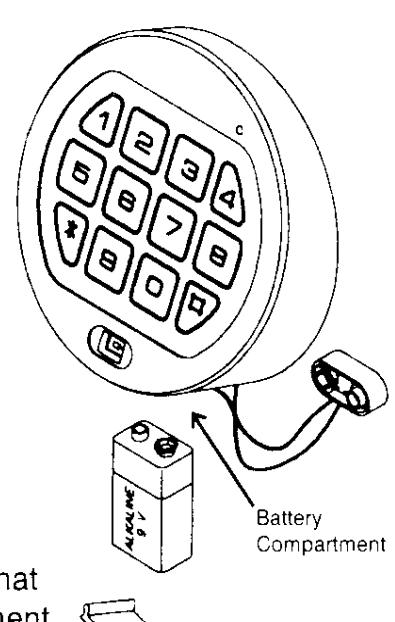
- Uses one (1) 9-Volt Alkaline Battery
INSTALLATION INSTRUCTIONS
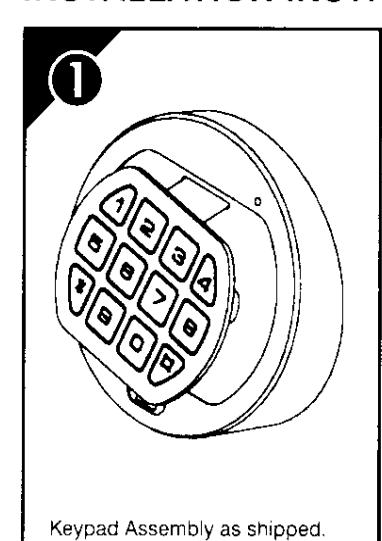
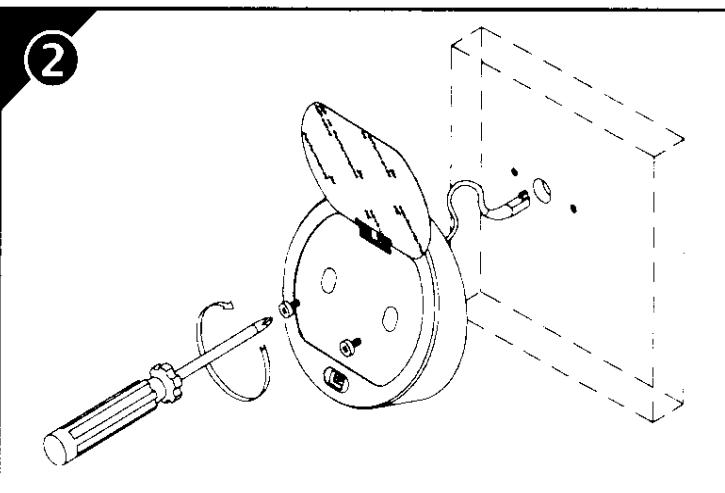
Lift keypad to position shown to expose the mounting holes. Install the 2, 8-32 screws to mount the Entry to the door. Make sure the battery cable is routed through the opening at the bottom of the housing and be careful that the wires are not pinched under the housing.
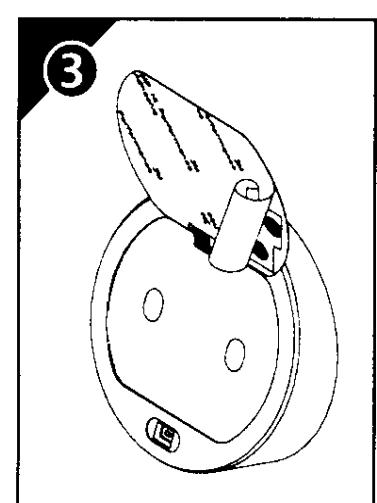
Carefully remove the protective backing layer from the keypad and align on the face of the housing before affixing in place.
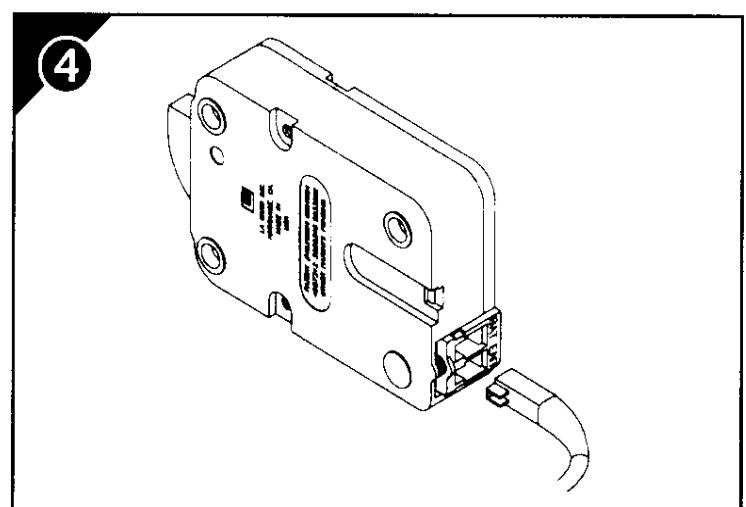
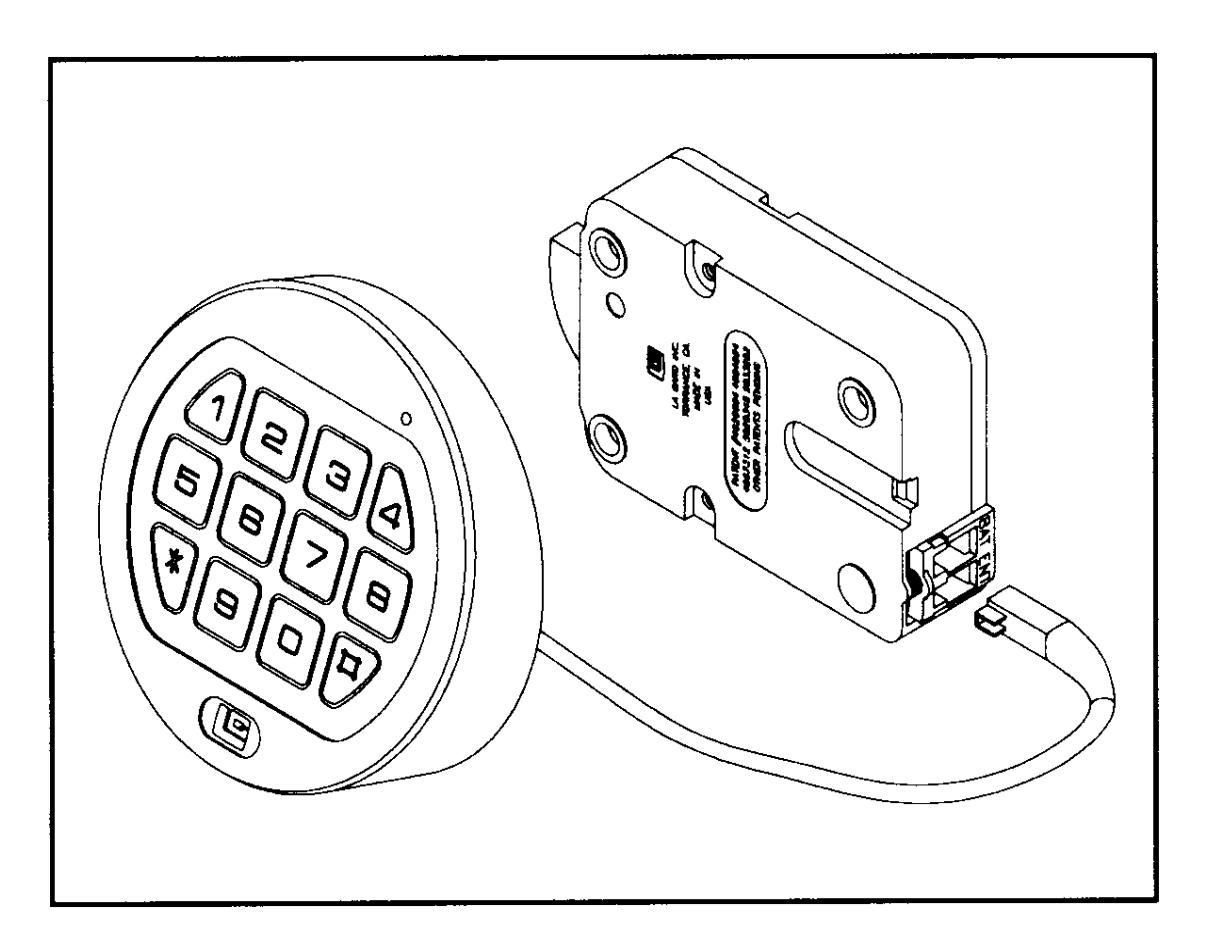
Press the lock's snap connector toward the bottom of the lock. Carefully insert the Entry Cable Plug at the 'ENT' position as shown. Note: Securely fasten the remaining cable down to avoid damage to the cable by moving parts.
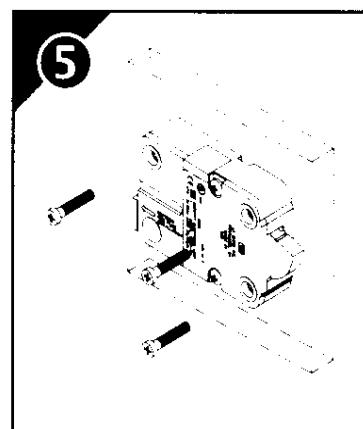
Mount lock with the (3) three US 1/4"-20 mounting screws from the hardware pack (or use M6 screws).
NOTE: All four mounting orientations are possible.
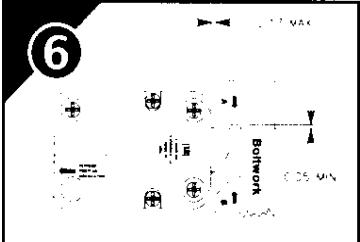
The blocking part "A" of boltwork should exert pressure on the entire width of the lockbolt. In the locked position, the boltwork MUST NOT place pressure on the lockbolt.
NOTE: In case of boltwork construction where two blocking parts are moving opposite one another, the one facing round side of the lockbolt "B" should be cut-off to avoid jamming of lockbolt.
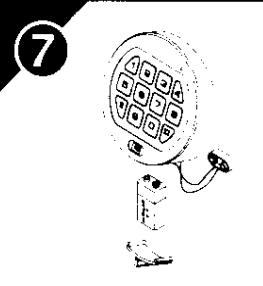
Connect a 9-Volt Alkaline Battery to the battery clip. Insert the battery into the bottom of the entry housing. Install the battery cover in place by placing one side of the cover in position and then pressing the other side into position with your finger.
Enter the combination and test the unit operation before closing the door.
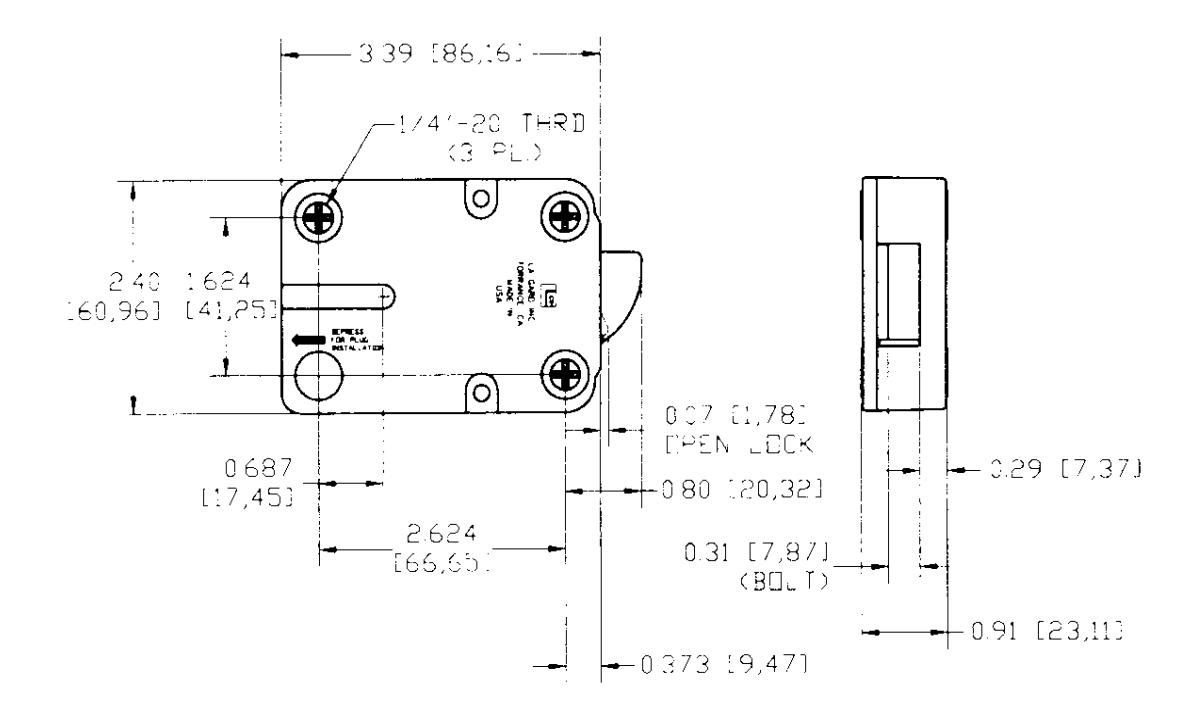
LG BASIC ENTRY SPECIFICATIONS (Metric in brackets.)
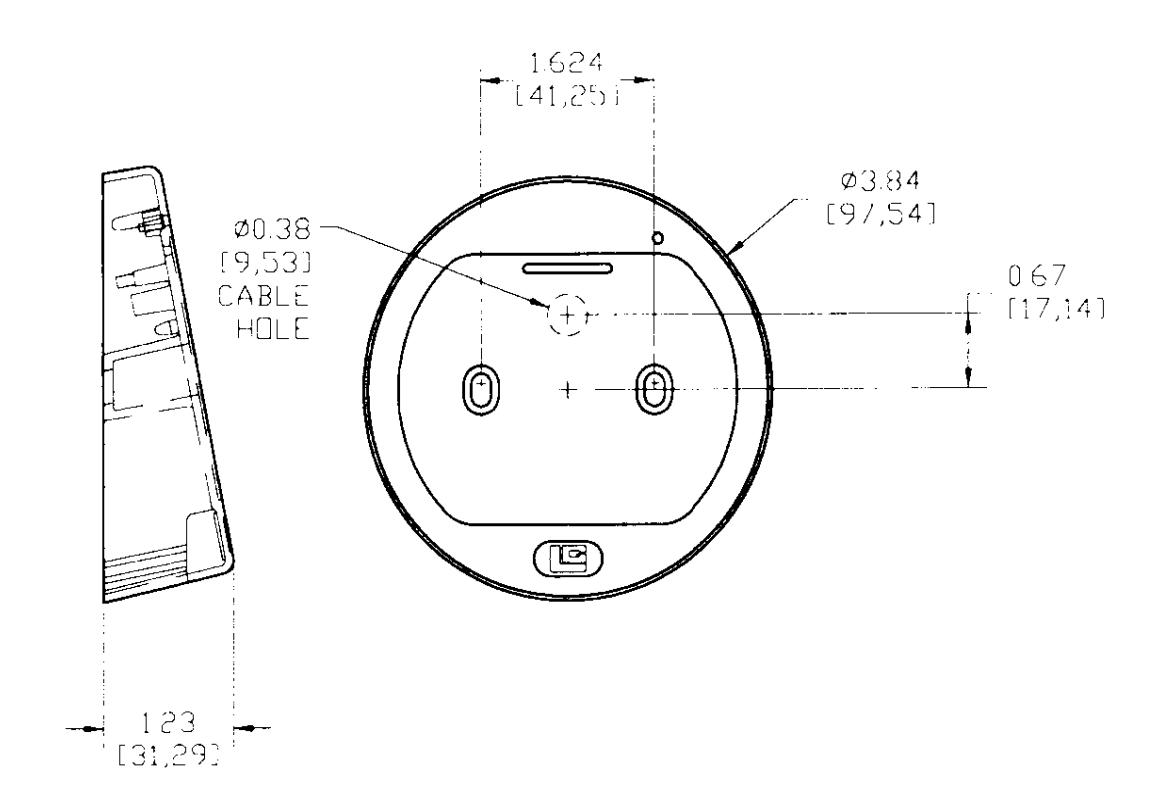
LA GARD DUAL-HANDED SWINGBOLT LOCK