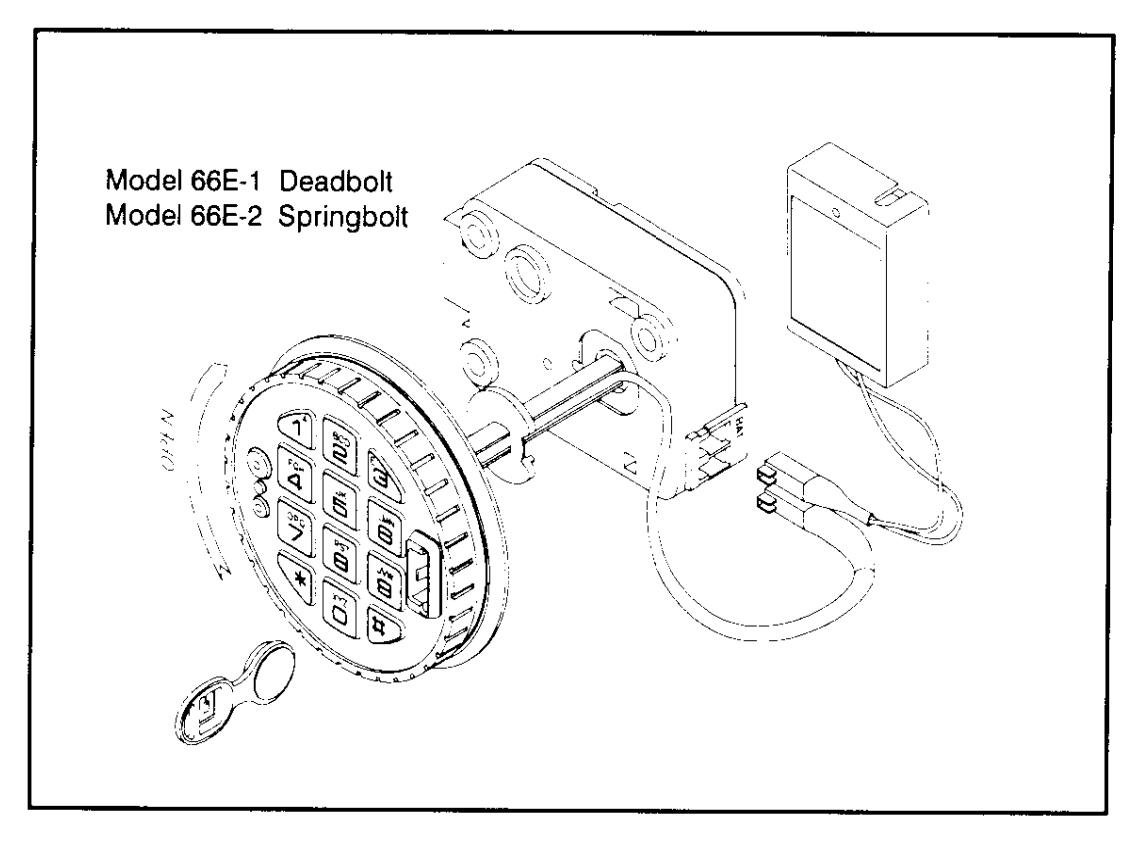
LaGard Electronic Safe Lock LgAudit 66E Audit Operating Instruction
Open the original PDF document
View PDF

LG AUDIT
66E SERIES COMBINATION LOCK OPERATING INSTRUCTIONS
| LOCK FEATURES (Code Length and Features are Pre-Set) | Active |
|---|---|
| CODE LENGTH digits | |
| MANAGER CODE Activate, Temporarily Disable, Reinstate, Delete User Code(s) | |
| • USER NUMBERS INSTALLED User # 2 3 4 5 6 7 8 9 Installed | |
|
|
|
|
| TIME DELAY Delay Period 01 to 99 minutes. (Entering valid code starts delay period) | |
| Open Period 01 to 19 minutes. (Entering valid code during period opens lock) | 1 |
|
|
|
|
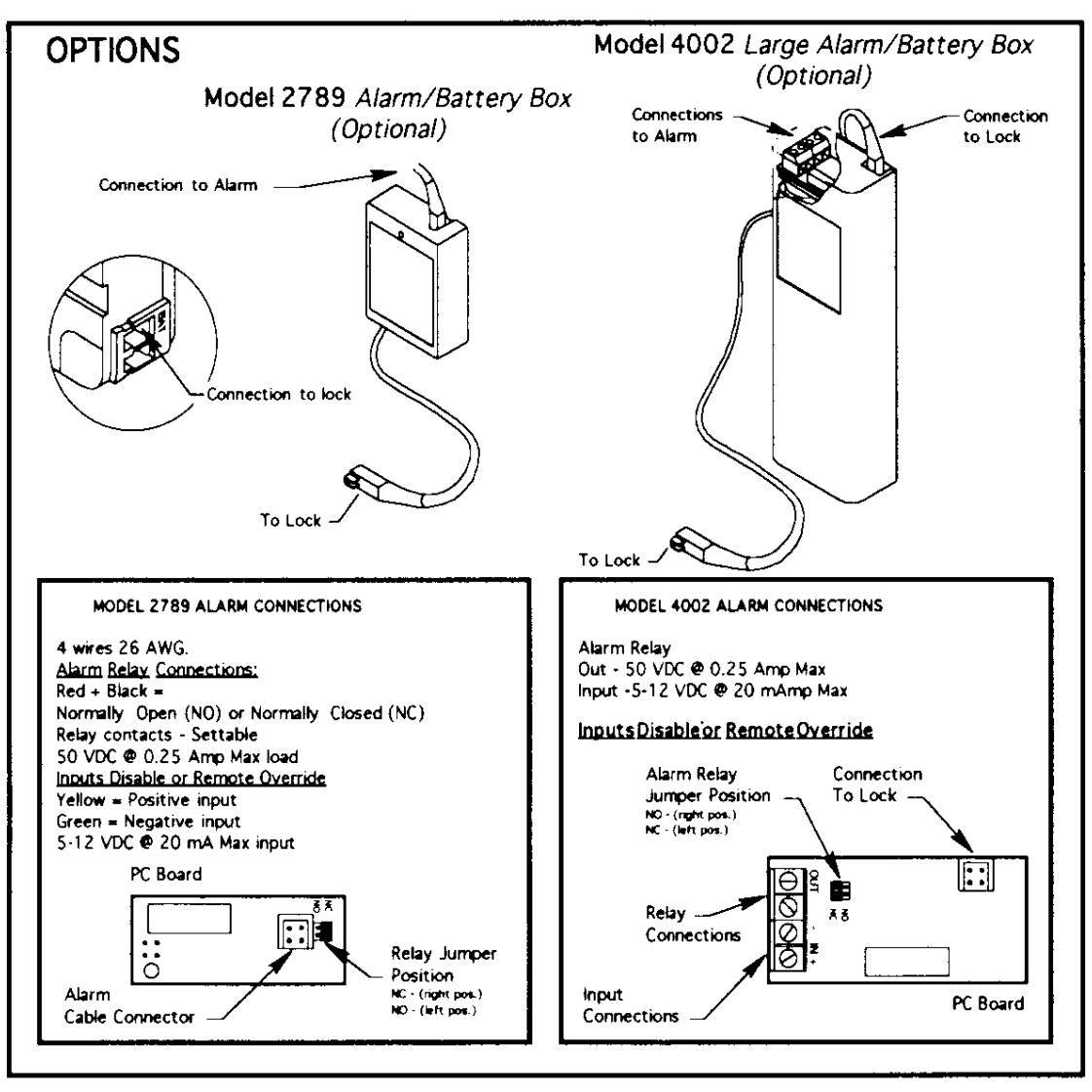
| REMOTE DISABLE (Optional Alarm/Battery Box Required) | |
| AUDIT TRAIL (For Audit Features, See LG-Audit Software Package) |
MANAGER CODE IS FACTORY SET TO 1-2-3-4-5-6 (7-8-9, Depending on code length). TO PERFORM ANY ACTION OTHER THAN OPENING, THE MANAGER CODE MUST BE CHANGED FIRST.
For all operations, double beep means entry is valid or accepted. Triple signal means entry is invalid or not accepted.
- If four consecutive invalid codes are entered, a 5-minute time penalty starts (Any Keystroke ...).
- At expiration of penalty period, 2 more consecutive invalid entries, will restart time penalty.
SPECIAL FUNCTION ENTRY PROCEDURE
If Dual Combination is Active, Valid User Code [And Key] Must Be Entered First.
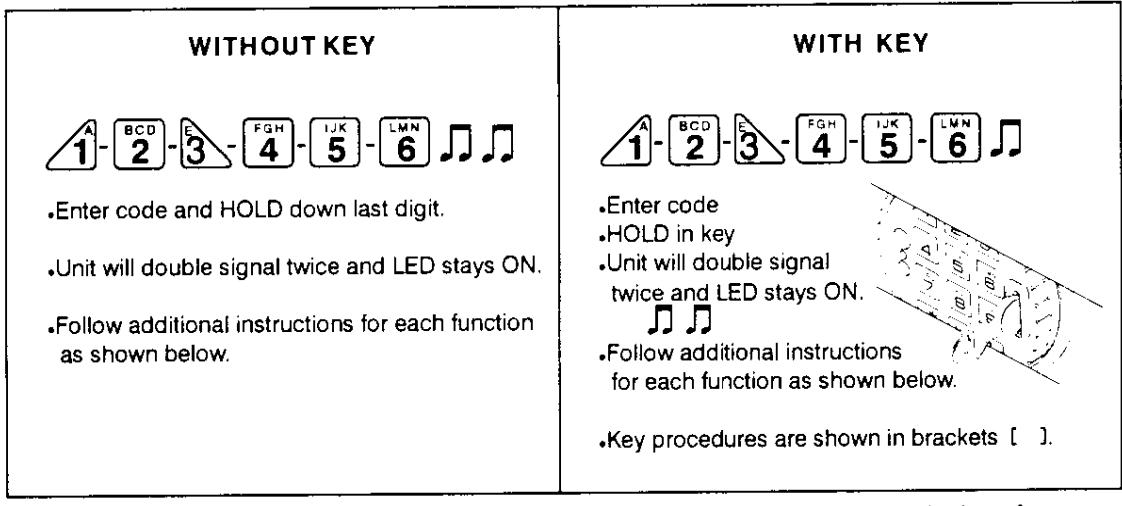
If any error occurs ( ) existing setting remains, wait 20 seconds and start at beginning of Function Entry Procedure.
CHANGING CODES - FUNCTION 0
- Follow Function Entry Procedure
- Press 0. Unit will double signal.
FOH [IJK] [LMN] [OPQ] [AST] [UVV
Enter new Code [and key]
4 5 6 7 8 9 J
• Confirm Code [and key]
4 5 6 7 8 9 J
ACTIVATE USERS - FUNCTION 1 (Manager only)
- Follow Function Entry Procedure
- Press 1. Unit will double signal.
- Press User Number, 2 to 9. i.e.
- Enter User Code [and key] 6 1 4 1 8 2 7
- Confirm User Code [and key] 6 1 4 1 8 2 J
| • | SABLE USERS - FUNCTION 2 (Manager or Follow Function Entry Procedure. Press 2 Unit will double signal. | nly) | ||
|---|---|---|---|---|
| Press User Number, 2 to 9. i.e. Unit signals once and User is disabled. | 7 | |||
| • |
EINSTATE USERS - FUNCTION 1 (Manager
Follow Function Entry Procedure. Press 1 Unit will double signal. |
r only)
イ |
||
| Press User Number, 2 to 9. i.e. Unit signals once and User is reinstated. | 7 | |||
|
||||
| • | Press User Number, 2 to 9. i.e. Unit signals once and User is deleted. | , (7) | ||
| CHECK USER STATUS - FUNCTION (HOLD DOWN) 1 (Manager only) • Follow Function Entry Procedure. | ||||
| • |
Press AND hold DOWN 1
Unit will double signal TWICE. |
⊿ிறை | ||
| • | Press User Number, 2 to 9. i.e. | 2 | ||
| • | Unit signals as follows: >> User is Active | , N | ||
| >> User is Disabled | л | |||
| >> User number is Available | л." | |||
| >> User number is Unavailable | (long b | eep) | ||
| • | To exit, Press 0 or 1 |
XYZ
O |
||
|
||||
| • | Enter Delay period value, from 00 to 99 minutes i.e. five (5) min (Note: 00 minutes de-activates Time Delay Feature) | |||
| • | Enter Open period value, from 00 to 19 minutes i.e. Two (2) min Unit will double signal. | |||
| • | Confirm values. If entries are valid, unit double signals and | d feature is active. | xx | |
| NOTE: If Time Delay is active, may only be de-activated or delay value decreased in Open Period. | ||||
| RECEIVE AUDIT - FUNCTION 7 (Manager only) This Function requires LG Audit interface and software. | ||||
| • | Follow Function Entry Procedure Press 7 Unit will signal once and Audit v | will be sent. | 7 | |