LCN_SEM_7810_Series_Extension_IS_109739
Open the original PDF document
View PDFSEM 7810 Extension ® 1-800-526-2400 Contact Plate Locking Screw
2
Contact Plate
1
(2) Plastic spacer disk

IMPROPER INSTALLATION OR REGULATION MAY RESULT IN PERSONAL INJURY OR PROPERTY DAMAGE. FOLLOW ALL INSTRUCTIONS CAREFULLY. FOR QUESTIONS, CALL LCN AT 800 - 526 - 2400
- 1. Remove contact plate locking screw.
- 2. Pull contact plate away from armature base. (Caution: the 2 plastic spacer disks on the contact plate may fall out.)
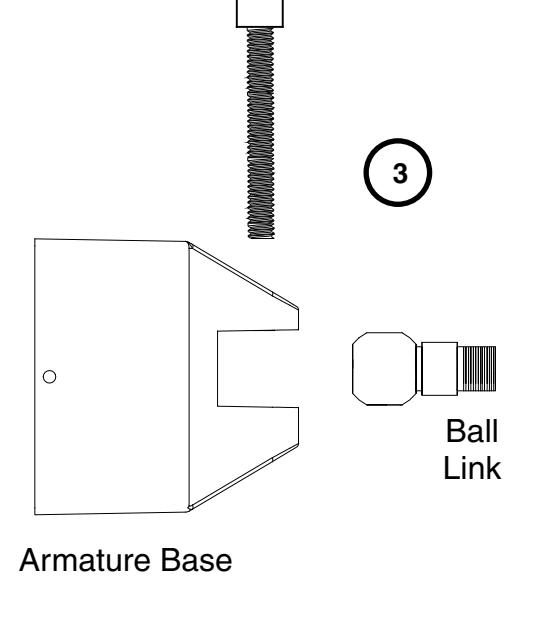
- 3. Insert ball link into armature base. Reinsert and tighten locking screw.
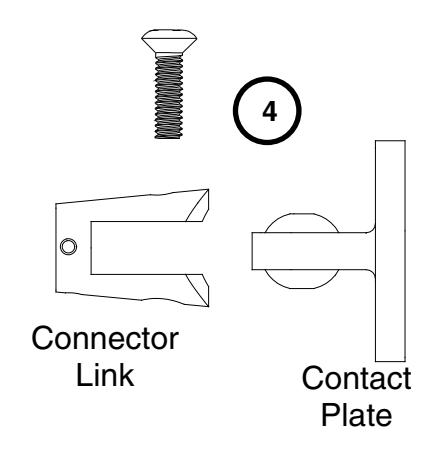
- 4. Insert contact plate with plastic spacer disks in place into connector link. Reinsert and tighten screw.
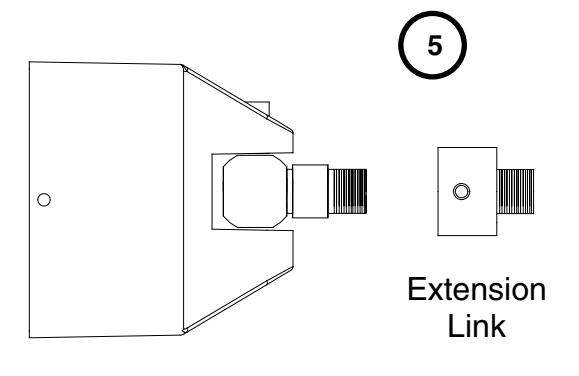
- 5. Attach extension link(s) as needed. (Note: Using just the ball link and connector link will create a 1 ½" link. Extension Links are available in different lengths and can be combined together to achieve the desired length.)
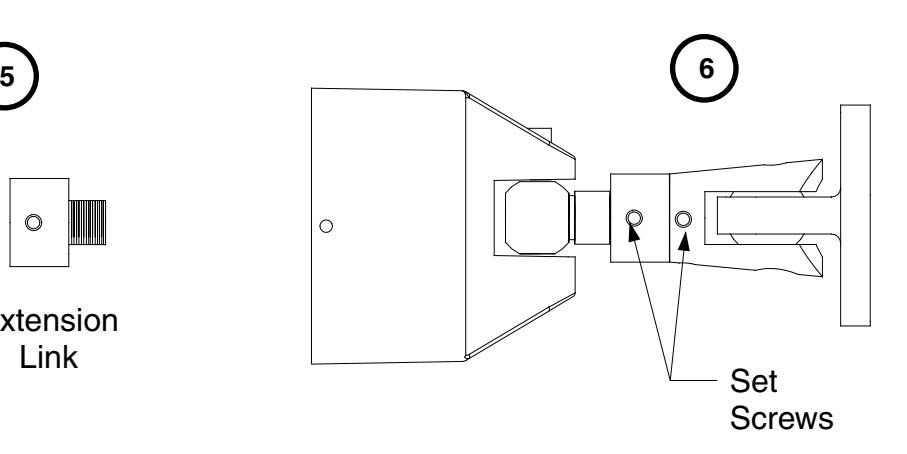
- 6. Attach contact plate and connector link assembly to extension link (s). Align contact plate with magnet and tighten all set screws.
Armature Base