LCN Header Adapter Installation Instructions 107505
Open the original PDF document
View PDF

740010
Header Adapter

Installation Instructions
1
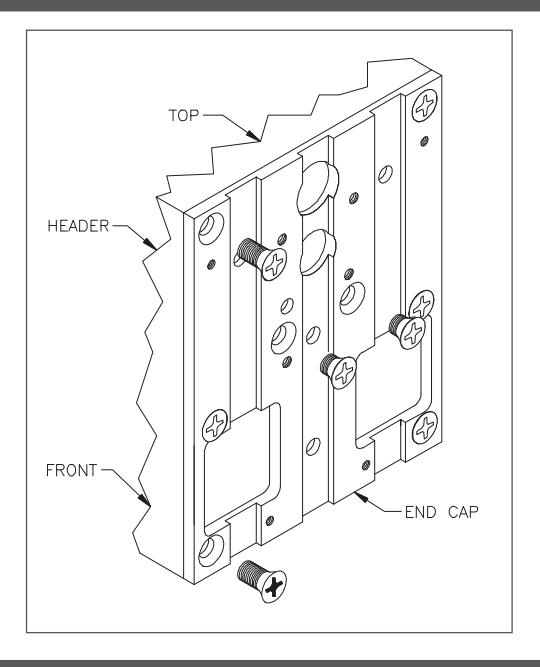
Remove, from end caps:
- (4) B\," Long Screws, two from each end.
- (2) C\," Long Screws, two from active (operator) end only on singles.
- (4) C\," Long Screws, two from each end on pairs.
2
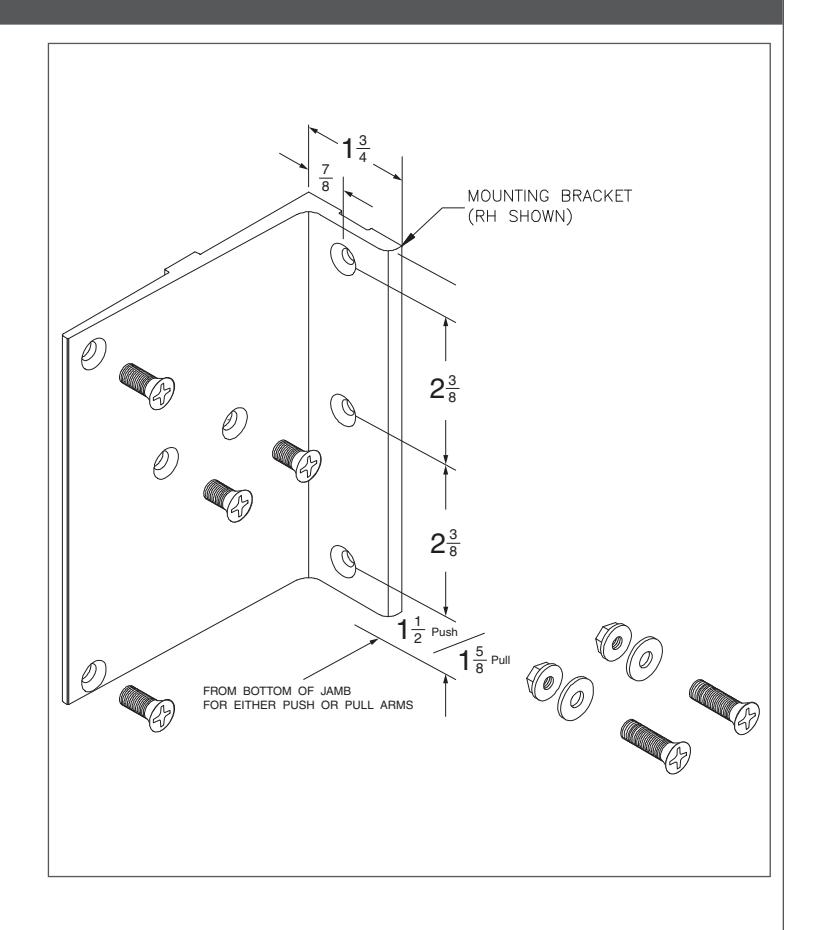
Attach mounting brackets to endcap by using: on singles and pairs:
• (4) C\v" Long Screws, two on each end.
And on pairs:
• (4) B\," Long Screws, two on each end.
Or on singles:
- (2) B\," Long Screws, used on active (operator) side.
- (2) 1" Long Screws, used on non-active side.
- (2) Washers, used on non-active side.
- (2) Locknuts, used on non-active side.
Locknuts & washers attach inside of endcap.
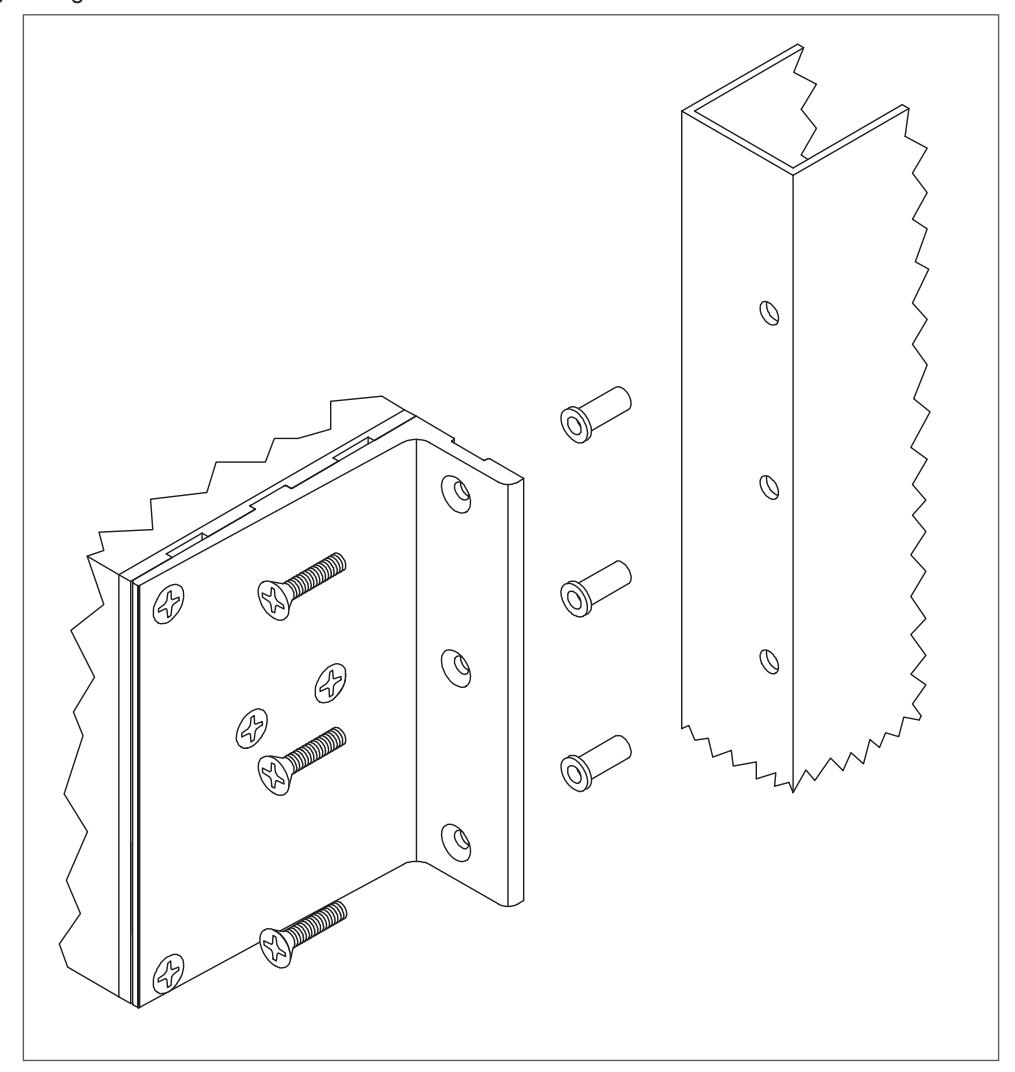
Prep jambs for riv-nut fasteners.
Attach riv-nuts to jambs (3 per side, 6 total).
Mount header using 1" long screws.
| Additional Notes: | |
|---|---|
| 1. None | |
| Revision History | Revision Description: | |||||||||
|---|---|---|---|---|---|---|---|---|---|---|
| А | В | С | D | E | F | C > Revised artwork | ||||
| N/A | N/A | 047232 | ||||||||
| Material | Edited By | Approved By | EC Number | Release Date | ||||||
| White Paper | D. Myers | M. Sasso | 047232 | 02-18-14 | ||||||
| Notes 1. printed two sides 2. printed black | Title HEADER ADAPTER INSTALLATION INSTRUCTIONS | |||||||||
|
Creation Date
08-30-08 |
Number 740010 |
Revision
C |
|||||||
| o. urawir | 5. drawings not to scale |
Created By
N/A |
Activity
3899 Hancock Expwy |
|||||||
| Software: InDesign CS6 | Security, CO 80911 | Allegion 2014 | ||||||||