Installation Instructions for 4241 Push Button
Open the original PDF document
View PDFSARGENT 4241 PUSH BUTTON INSTALLATION INSTRUCTIONS
SARGENT
ASSA ABLOY
For installation assistance call SARGENT at 1-800-727-5477 • www.sargentlock.com
ASSA ABLOY, the global leader in door opening solutions
1. GENERAL INFORMATION
The 4241 Push Button provides access primarily for electric locking devices requiring dry contact switching. The red LED can be wired to monitor lock status.
2. SPECIFICATIONS
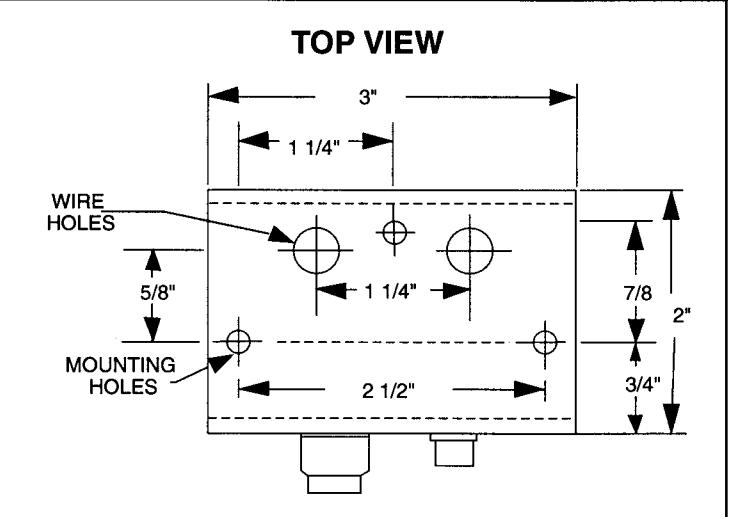
Mounting Box:Clear anodized aluminum(US28) Outside Dimensions:1 1/16"h x 3 1/8"w x 2"d Mounting screws: 3 ea.#8-32 x 3/4" Pan Head M.S.and #8 -1" Pan Head Self Tapping Screw.
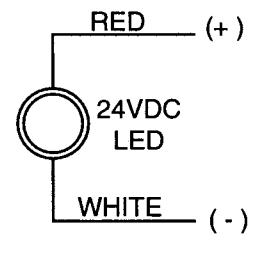
Red LED: 24VDC, @ 20MA
Momentary Control: Snap action push button. Control Output: SPDT dry, 6A @ 28VDC.
3. SWITCH ASSEMBLY AND INSTALLATION
- A. Select desired mounting location. Examples: Surface mount on wall, under desk, or counter.
- B. Drill three holes for mounting.
- C. Drill one or two holes for wire passage as required.
- D. Fasten box to mounting location with #8 screws provided.
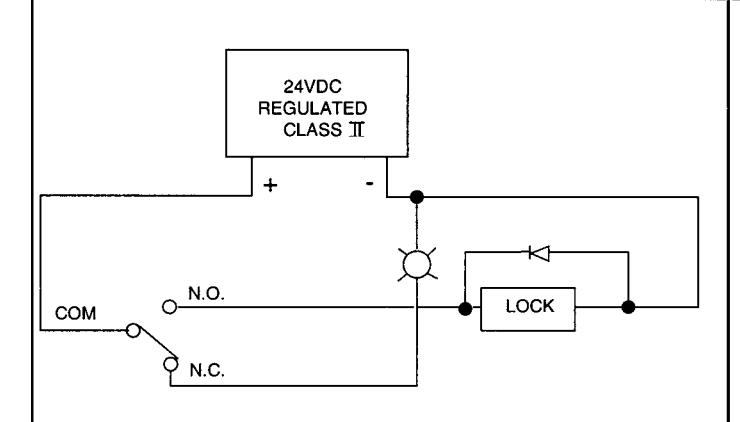
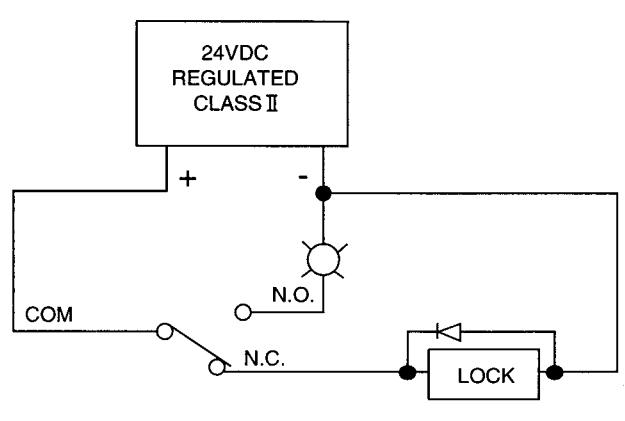
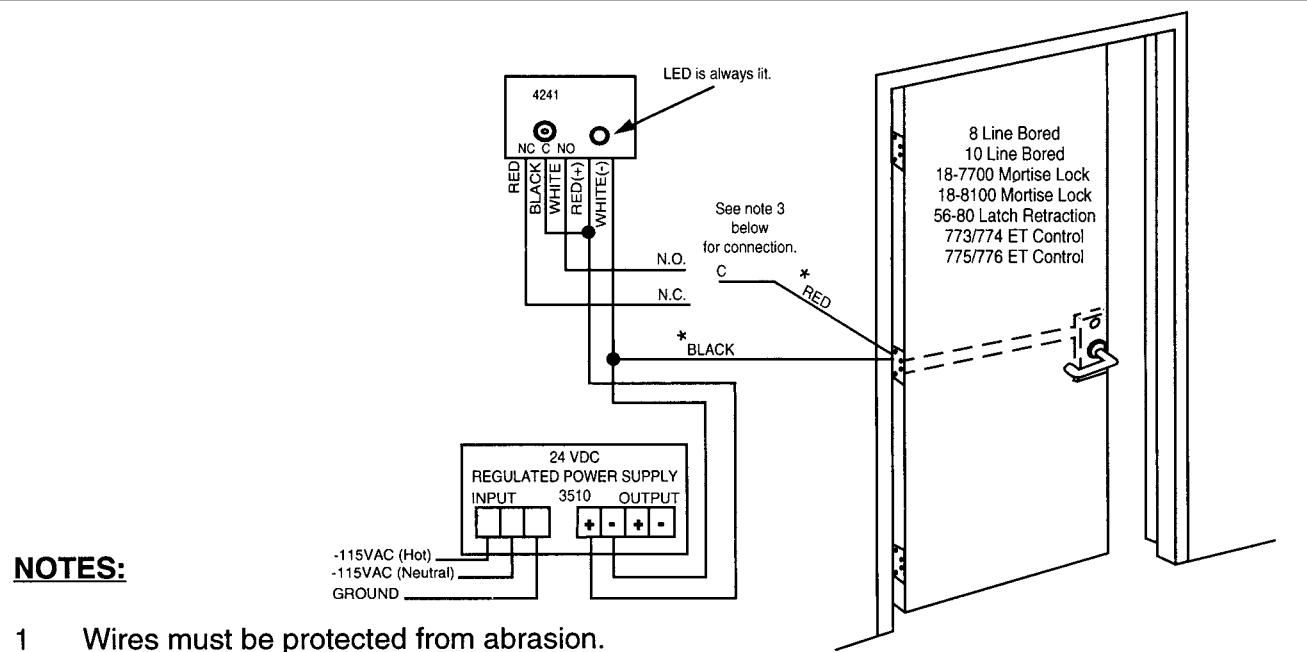
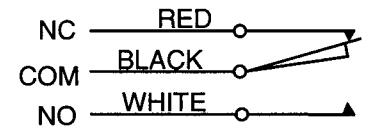
- Connect appropriate wires for desired operation (switching).
F. Connect red lead of LED to (+) and the white lead to (-). The LED is polarity sensitive and operates on DC voltage only.
FRONT VIEW
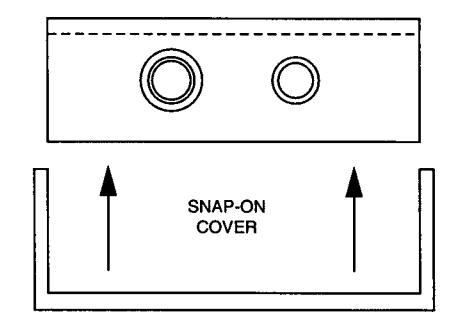
G. Snap cover over mounting box.
Sargent 4241 Push button Installation instructions
For installation assistance call sargent at 1-800-727-5477 • www.sargentlock.com