Installation Instructions – S6000-101 All In One Delayed
Open the original PDF document
View PDF

801 Avenida Acaso, Camarillo, Ca. 93012 • (805) 494-0622 • www.sdcsecurity.com • E-mail: service@sdcsecurity.com
ALARM BOARD INSTALLATION INSTRUCTIONS
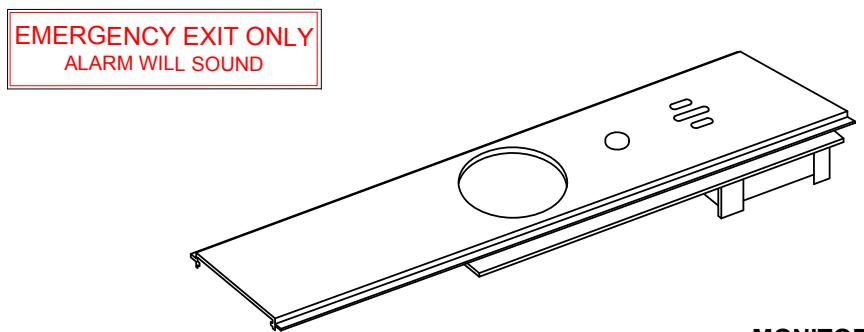
FEATURES
LED (field selectable Active or Off)
Bypass – No LED
Armed – Blinks every 4 seconds (GREEN when armed,
RED when in alarm mode)
Low battery Alert – Siren will beep every 45 seconds
Arming Delay - 15 or 60 second arming delay
Field selectable alarm modes include:
Continuous alarm with manual key reset Alarm automatically rearms 2 minutes after door closes and may be retriggered. May be manually rearmed by key before automatically rearmed.
OPTIONS:
AR6 – 6 or 10 minute alarm with auto rearm and manual key reset. AR20 – 20 minute alarm with auto rearm and manual key reset.
AD1 – 1 second arming delay
B – Hard wire cable with monitoring.
SPECIFICATIONS
Input Voltage – 12/24vdc @ 20ma.
Alarm output – 1 amp SPDT form "C" relay contact
Remote Inhibit – N/O dry contact
Siren Level db – @90db
MONITOR LED OPERATION
FLASHING GREEN – Arming Delay Mode The device will arm after the delay on arm
time expires.
BLINKING GREEN – Armed Mode
The unit is armed. Pressing on the push pad will sound the alarm.
RED SOLID – Alarm Mode
The alarm has been activated. The alarm will sound.
BLINKING RED – Re-Armed Mode .
The has been triggered at least once and has automatically reset and has returned to the armed mode. Pressing on the push pad bar will sound the alarm Manually resetting the device will clear this mode.
FLASHING ORANGE Low Battery.
You will also hear an intermittent beep.
FACTORY DEFAULT IS SET TO ALL ON POSITION
| JUMPER | FUNCTION | JUMPER POSITIONS | |
|---|---|---|---|
| ON | OFF | ||
| J1 | ALARM TIMER | 2 MIN | 6 MIN |
| J2 | RESET MODE | MANUAL | AUTO |
| J3 |
DELAY ON ARM
TIME |
15 SEC | 60 SEC |
| J4 | MONITOR LED | ACTIVE | NOT ACTIVE |
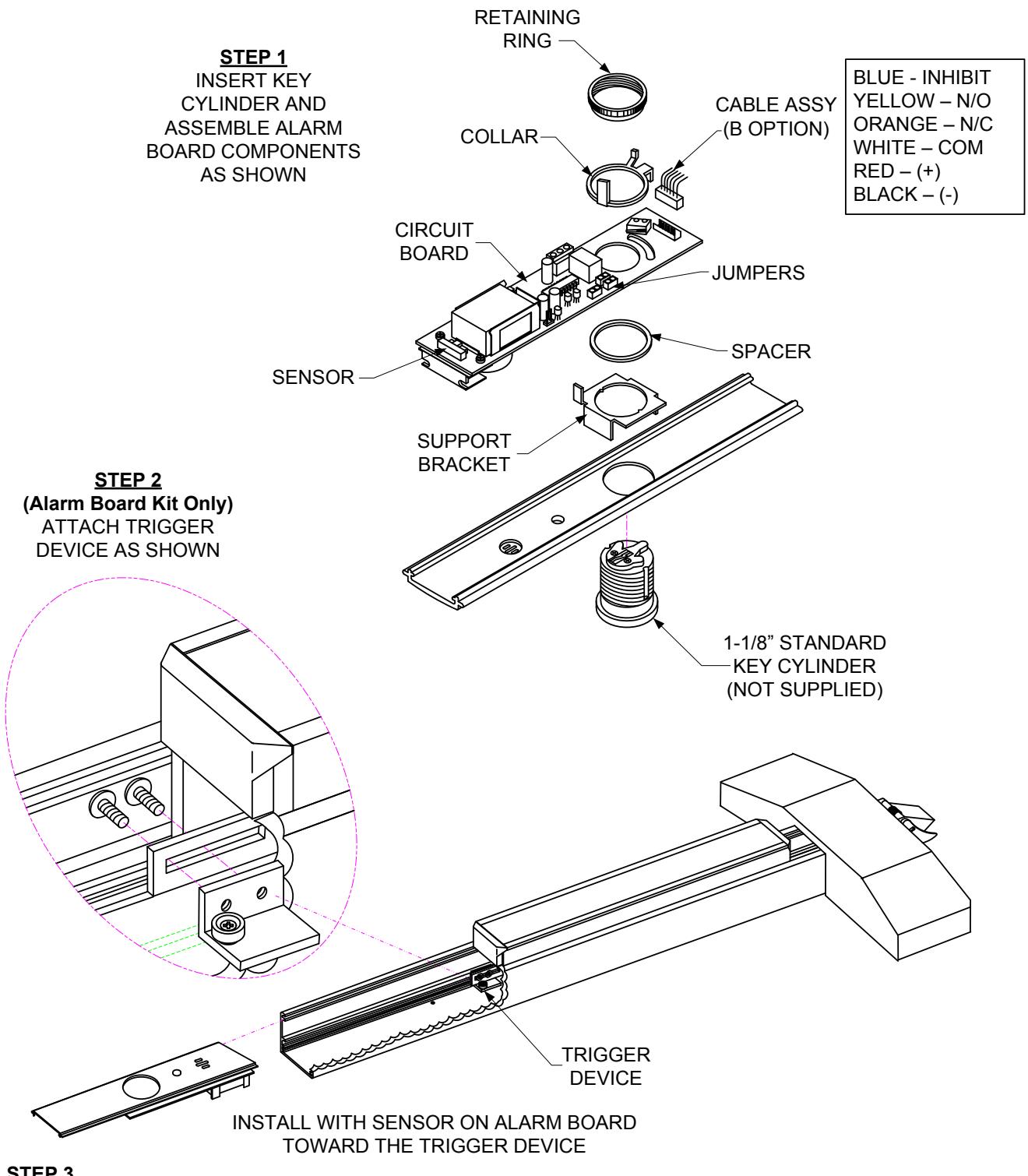
STEP 3 SLIDE ALARM BOARD ASSEMBLY INTO EXIT DEVICE
STEP 4 MOUNT SIGN ON DOOR
EMERGENCY EXIT ONLY ALARM WILL SOUND