INSTALLATION INSTRUCTIONS LR100TSK-EM TOWNSTEEL EXIT DEVICES ELECTRIC LATCH RETRACTION KIT MODELS ED1100, ED1200 & ED1300 32 INCH OPENING
Open the original PDF document
View PDF

801 Avenida Acaso, Camarillo, Ca. 93012 • (805) 494-0622 • www.sdcsecurity.com • E-mail: service@sdcsecurity.com

INSTALLATION INSTRUCTIONS LR100TSK-EM ELECTRIC LATCH RETRACTION KIT MODELS: ED1100, ED1200 & ED1300
Step 1
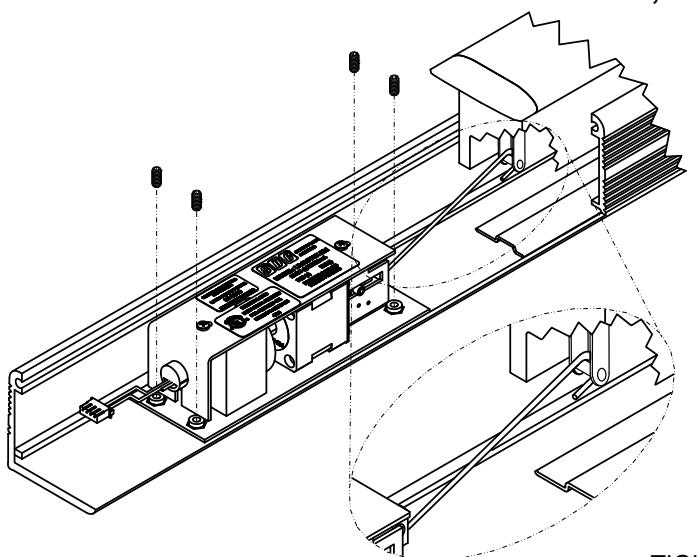
Attach the shorter end of link to the clevis of the Electric Latch Retraction assembly, then slide the assembly into the device and attach the larger open end of the linkage to the rod inside at the bottom of the Push Bar.
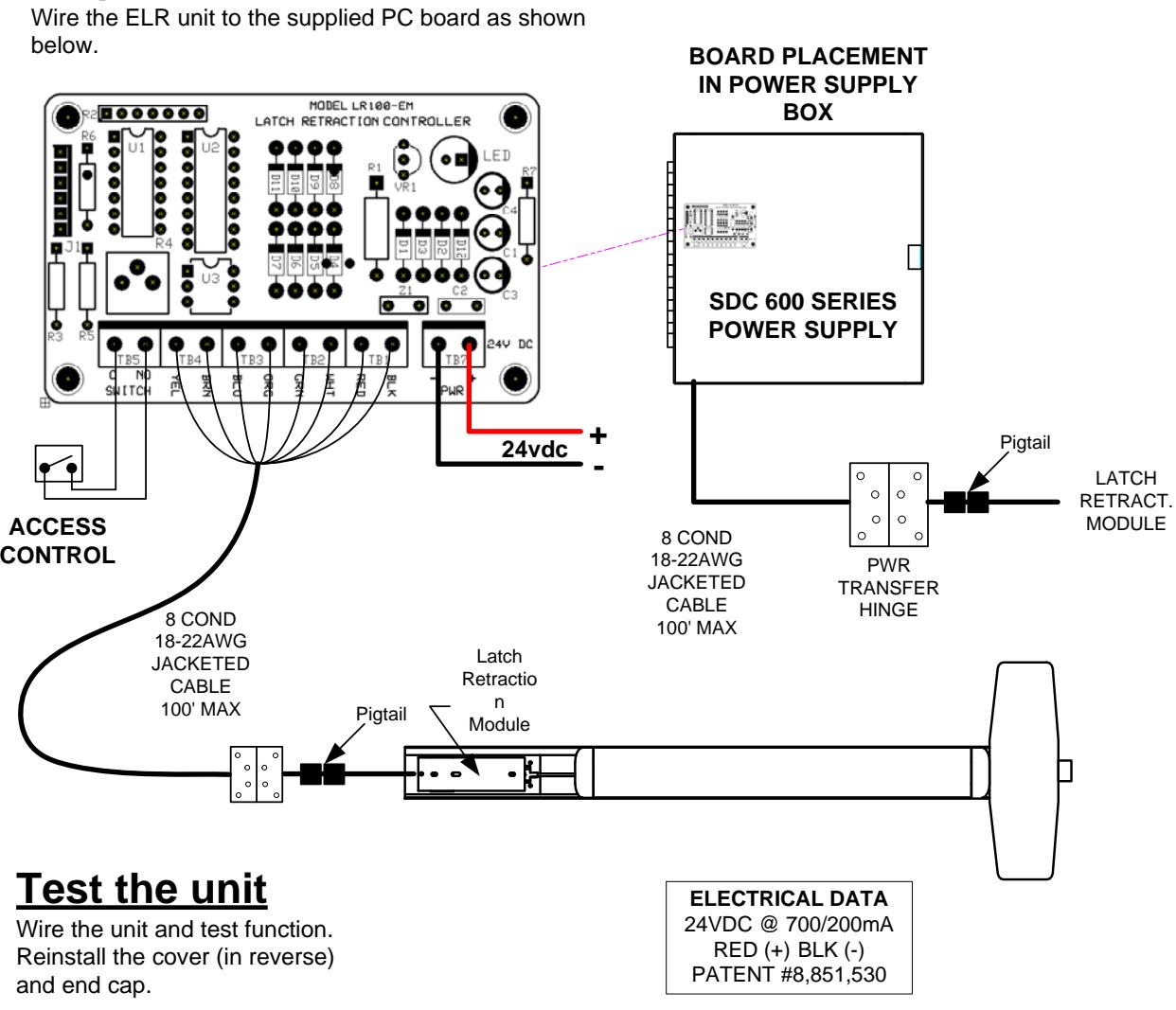
ELECTRICAL DATA 24VDC @ 700/200mA RED (+) BLK (-) PATENT #8,851,530
Step 2
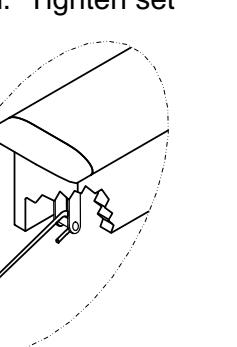
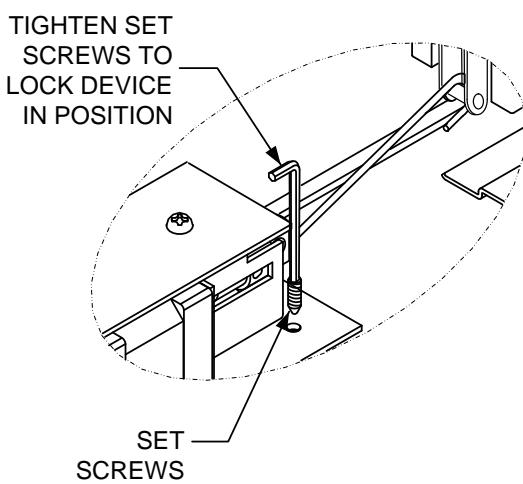
Carefully slide the assembly back out until the linkage JUST makes contact with the latch retraction rod. Tighten set screws.
Retrofit Installation Note: 42" or 48" exit devices that have been modified to fit a 36" or smaller opening, may not have the required space to fit the standard E. L. R. assembly. Always verify the distance from the end of the touchpad to the end rail, and if necessary, consult with the factory for appropriate selection.
NOTE Retro-Fitting Vertical Rod Devices:
Before retro-fitting an electric latch assembly into a vertical device, the following must be done to ensure proper alignment. Disconnect the vertical rods from the device. Install the electric latch assembly as shown above. Once the ELR is properly installed energize it so that the push pad is dogged down, by doing so it will allow for proper alignment for the vertical rods. Finally reconnect the vertical rods to the device and make the proper adjusments.
Step 3