INSTALLATION INSTRUCTIONS LR100KWK-EM KAWNEER ELECTRIC LATCH RETRACTION DEVICE KIT MODEL 1786 RIM DEVICE
Open the original PDF document
View PDF

801 Avenida Acaso, Camarillo, Ca. 93041 • (805) 494-0622 • Fax: (805) 494-8861 www.sdcsecurity.com • E-mail: service@sdcsecurity.com
INSTALLATION INSTRUCTIONS LR100KWK-EM KAWNEER ELECTRIC LATCH RETRACTION DEVICE KIT MODEL: 1786 RIM DEVICE
STEP 1
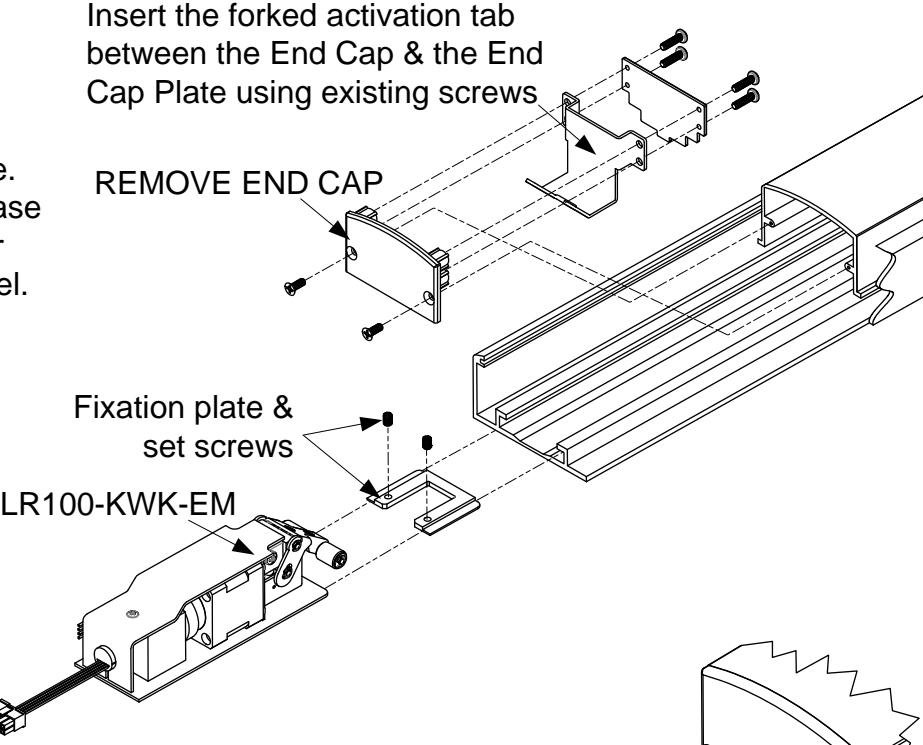
Remove End Cap, attach forked activation tab where shown and replace End Cap.
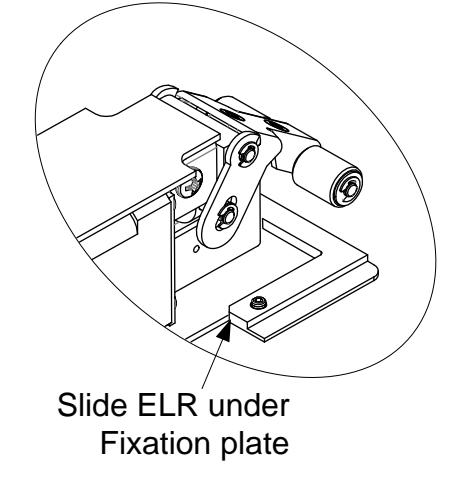
Insert Fixation Plate into the device. Slide the ELR assembly into the base channel raising it to allow for motor clearance above the device channel.
STEP 2
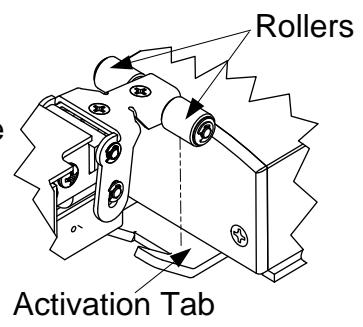
Depress the touchpad completely and slide the ELR unit in over the forked activation tab.
STEP 3
Energize the ELR unit which will bring the rollers down towards the activation tab.
STEP 4
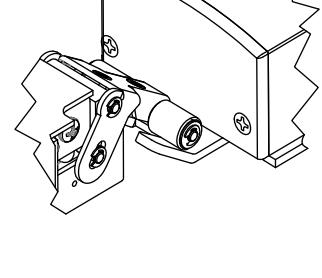
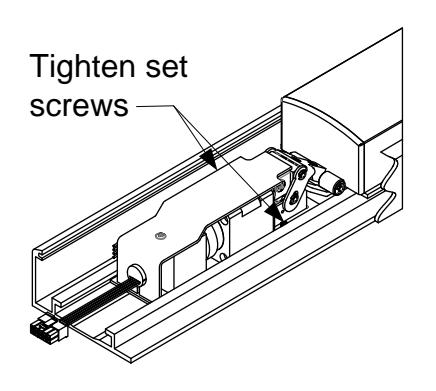
Slide the ELR unit outwards till the rollers just make contact with the forked activation tab. Slide the fixation plate against the ELR unit and tighten the set screws.
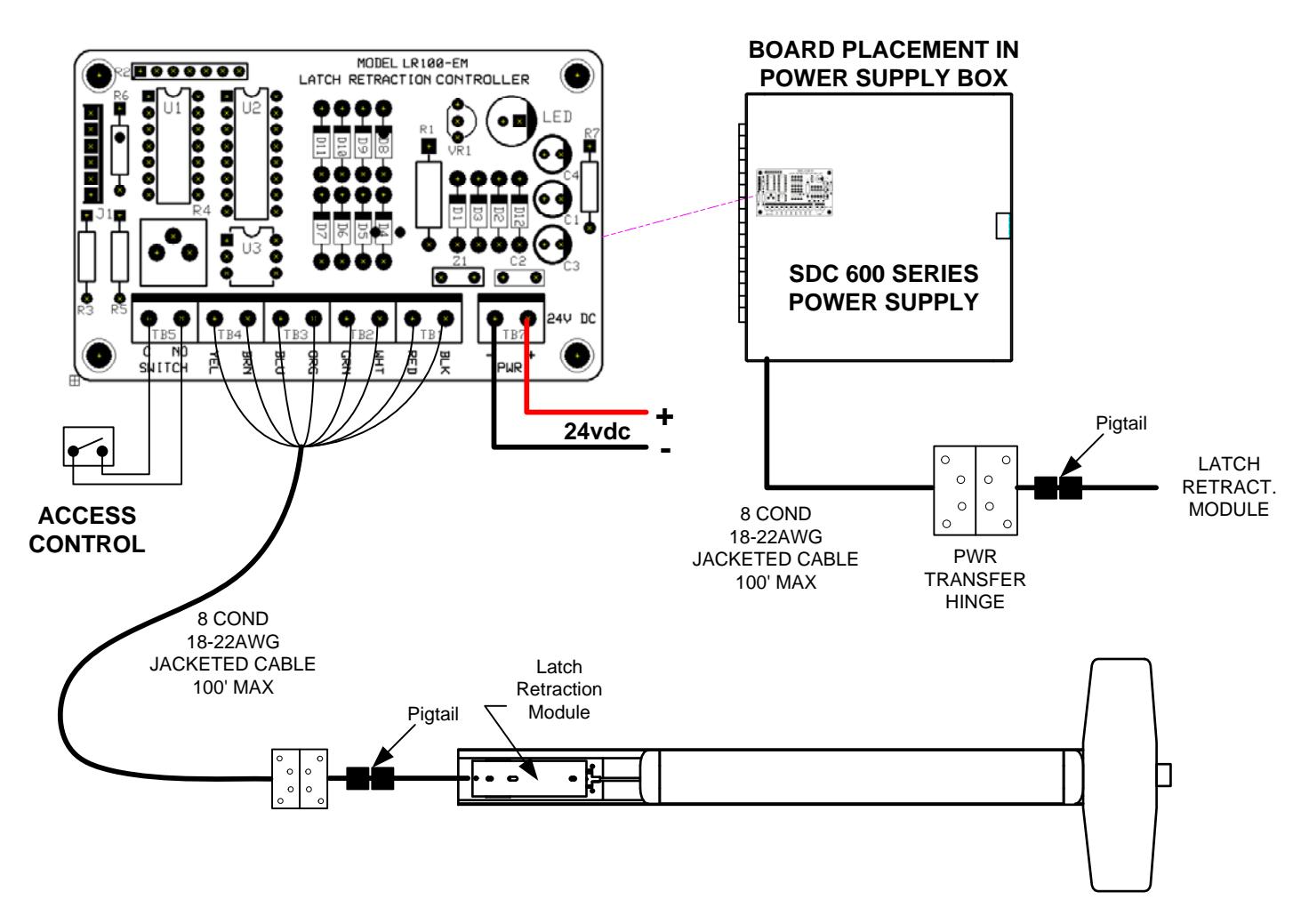
INSTALLATION INSTRUCTIONS EXTERNAL ELECTRIC LATCH RETRACTION DEVICE CIRCUIT BOARD
Retrofit Installation Note: 42" or 48" exit devices that have been modified to fit a 36" or smaller opening, may not have the required space to fit the standard E. L. R. assembly. Always verify the distance from the end of the touchpad to the end rail, and if necessary, consult with the factory for appropriate selection.