INSTALLATION INSTRUCTIONS LR100FAK FALCON (Dor-O-Matic) ELECTRIC LATCH RETRACTION KIT MODELS 1690 & 1790
Open the original PDF document
View PDF[t] 800.413.8783 8 805.494.0622 E E-mail: service@sdcsecurity.com 8 801 Avenida Acaso, Camarillo, CA 93012 P PO Box 3670, Camarillo, CA 93011
INSTALLATION INSTRUCTIONS
LR100FAK FALCON (Dor-O-Matic) ELECTRIC LATCH RETRACTION KIT MODELS: 1690 & 1790
Remove Push Bar. Remove Dogging Assembly. Slide the ELR unit into the device base. Align the first set of two holes over the two base unit holes and attach with the two #10-32 flat head screws supplied. Attach the Linkage to the device as shown. Re-attach the Push Bar.
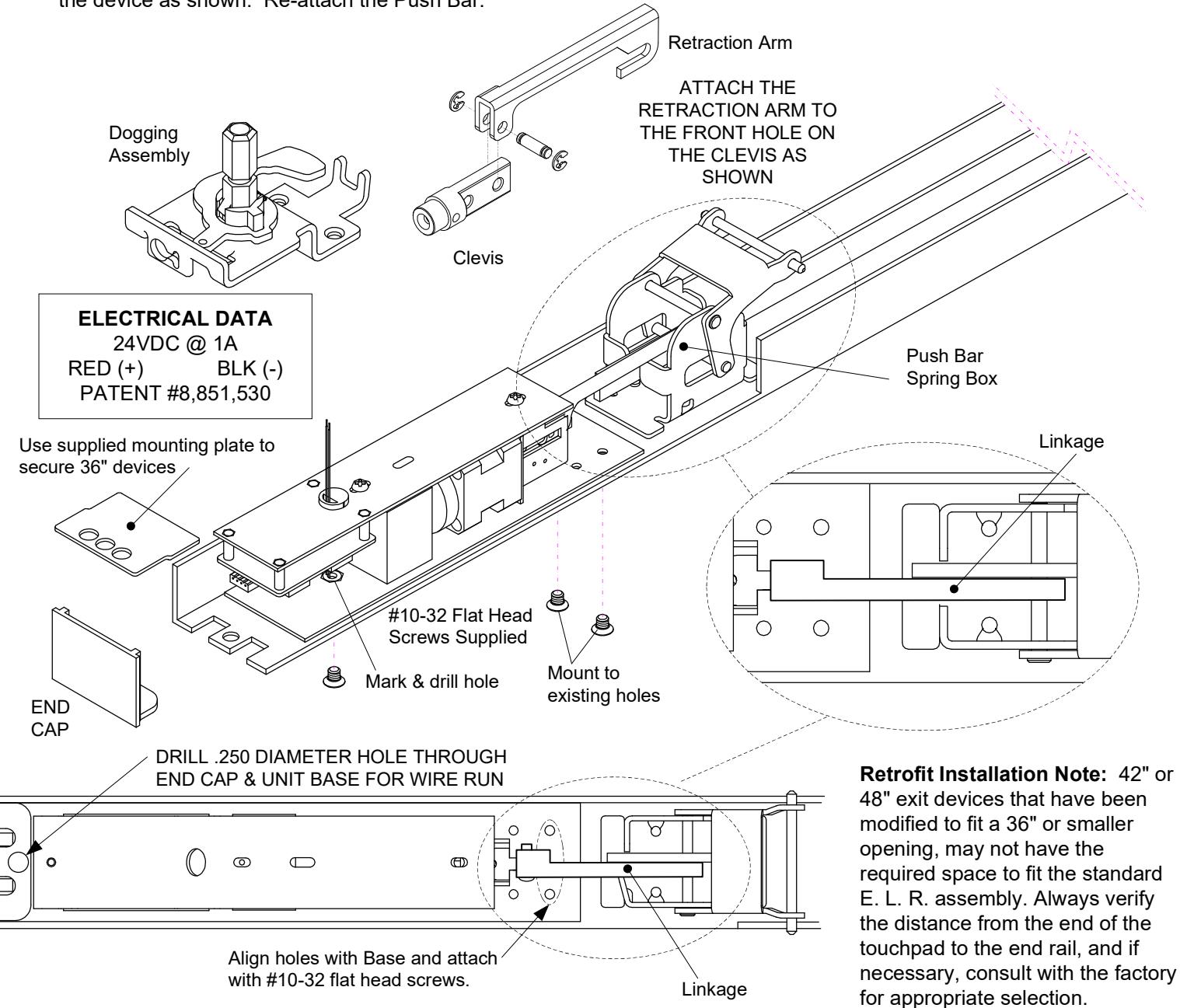
When retrofitting to existing vertical rod devices, adjustment of the rods is required for proper operation of the Electric Latch Retractor. Once the unit is properly installed, energize it so the push pad is dogged down, then reconnect the vertical rods to the device and make the proper adjustments.

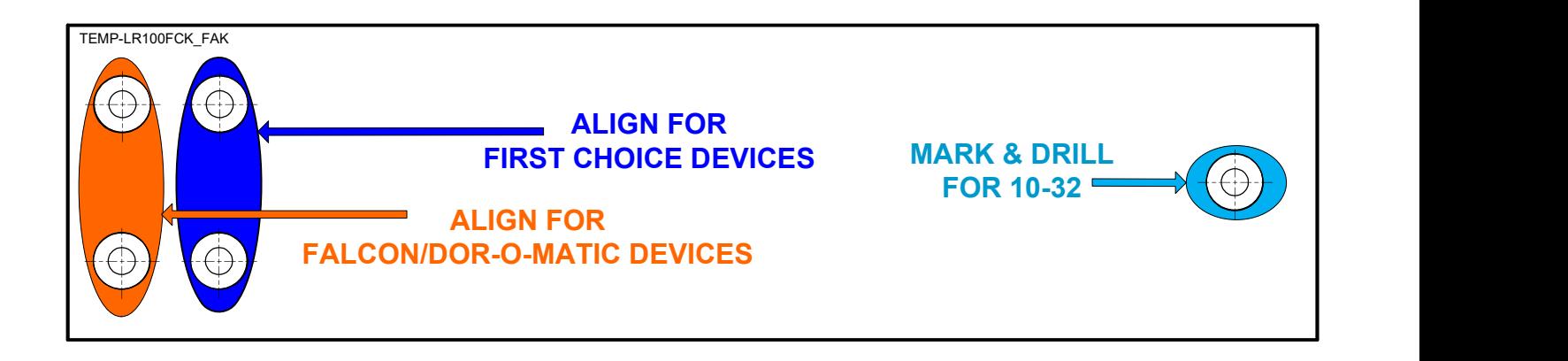
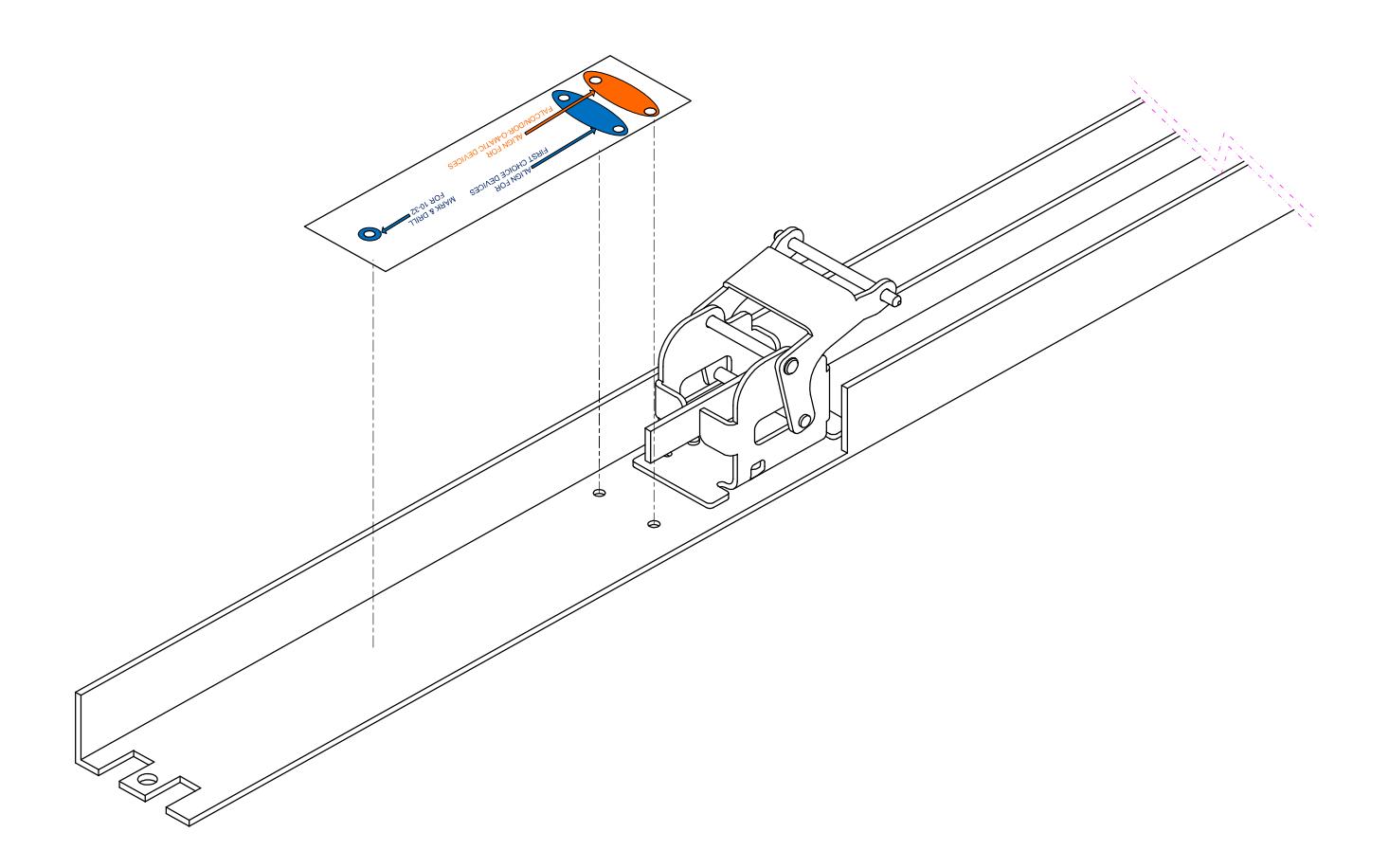
USE TEMPLATE WHEN DEVICES ARE LONGER THAN 36" FOR ADDED STABILITY OF KIT.
ALIGN TEMPLATE TO EXISTING HOLES, FALCON/DOR-O-MATIC or FIRST CHOICE. MARK AND DRILL 1 HOLE FOR 10-32 FLT HD