HS4 ProAccess Space Database Backup and Migration – I-EA00178
Open the original PDF document
View PDF

ProAccess Space Database Backup
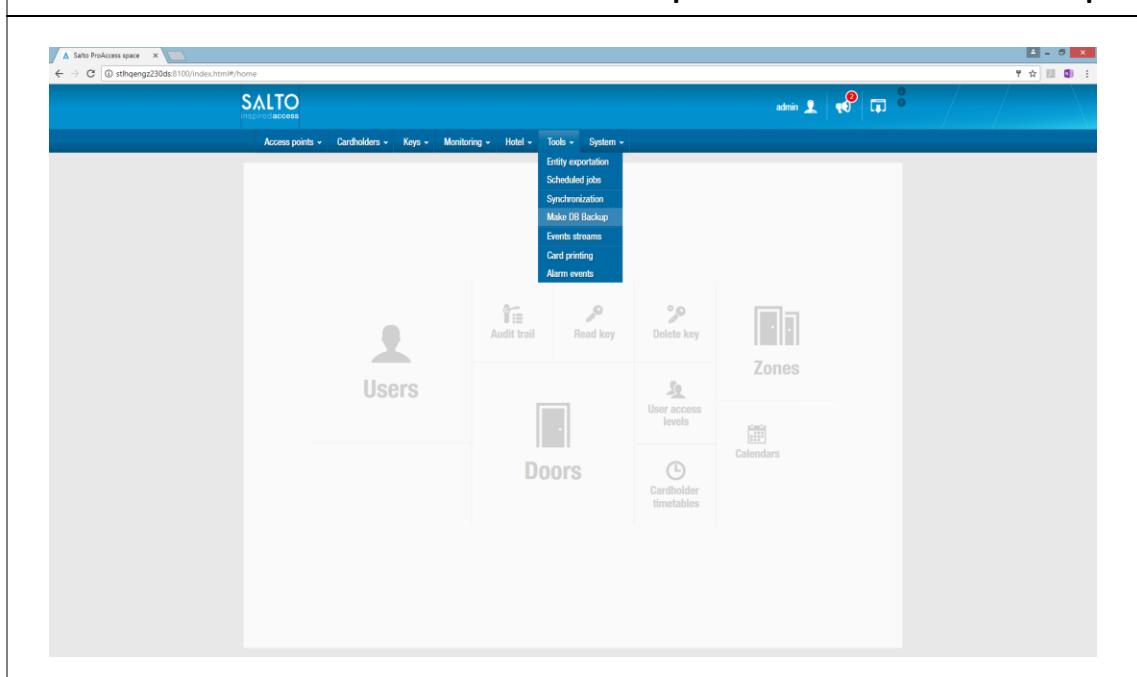
1. In ProAccess Space, go to Tools à Make DB Backup
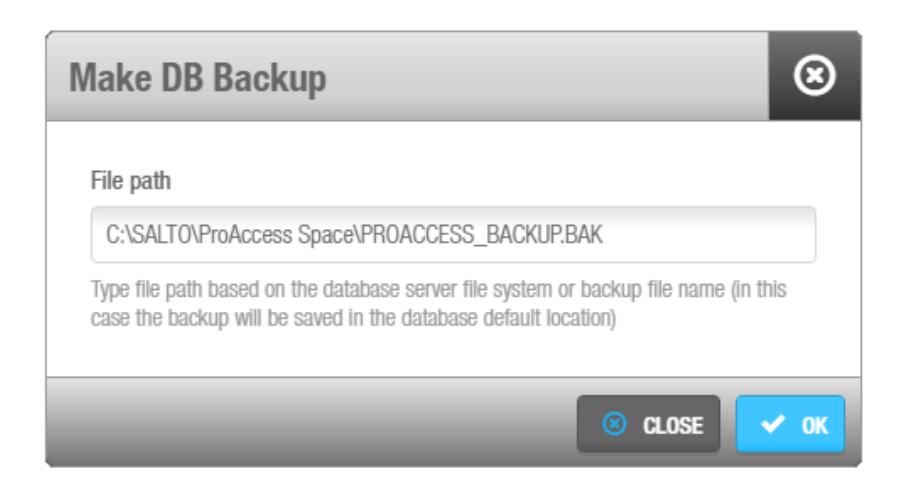
2. Manually enter a file location and file name for a location that can be accessed by the SQL virtual server. The backup file type is a '.BAK'.
The recommended location is 'C:\SALTO\ProAccess Space\'
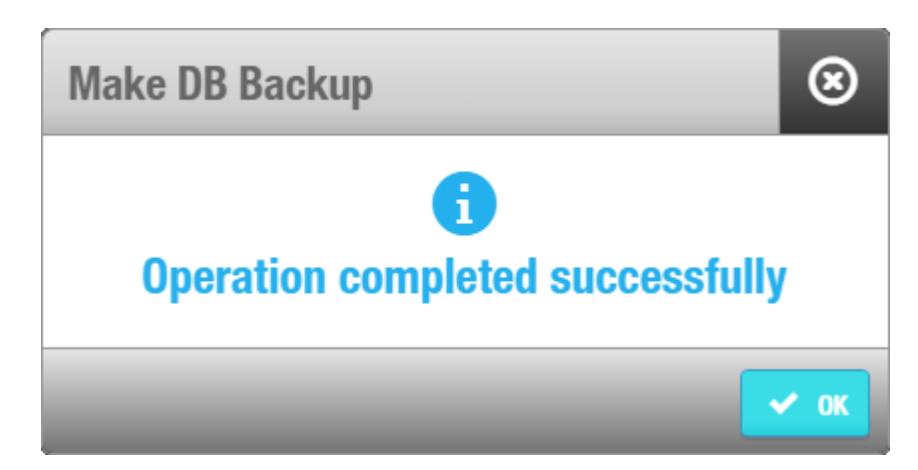
If the backup is successful the above message will be displayed
ProAccess Space Database Migration
A database backup is required for database migration
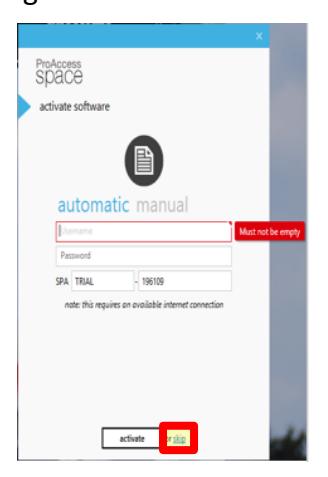
1. Install the ProAccess Space software following instructions I-EA00177 skipping the Activation step.
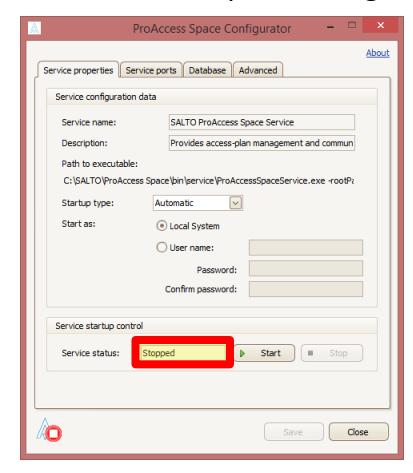
2. Verify that the SQL server is 'stopped' in the 'ProAccess Space Configurator'.
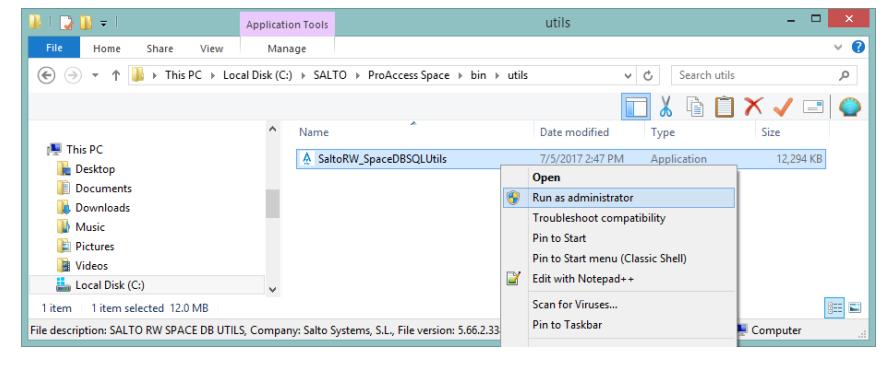
3. In Windows Explorer go to 'C:\SALTO\ProAccess Space\bin\utils', right click on SaltoRW_SpaceDBSQLUtils file, and click Run as administrator .
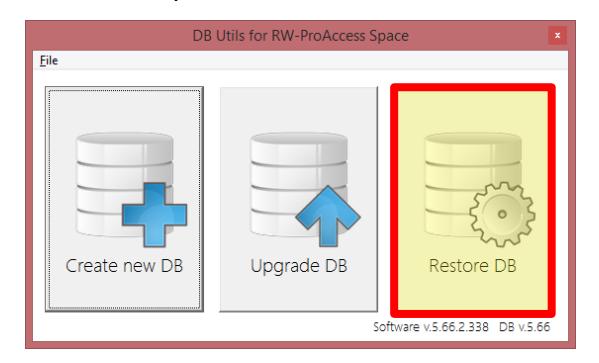
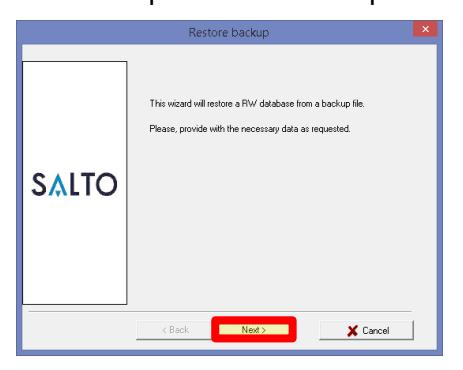
4. Click the Restore DB option and then click Next in the 'Restore Backup' window that opens.

ProAccess Space Database Migration (Cont.)
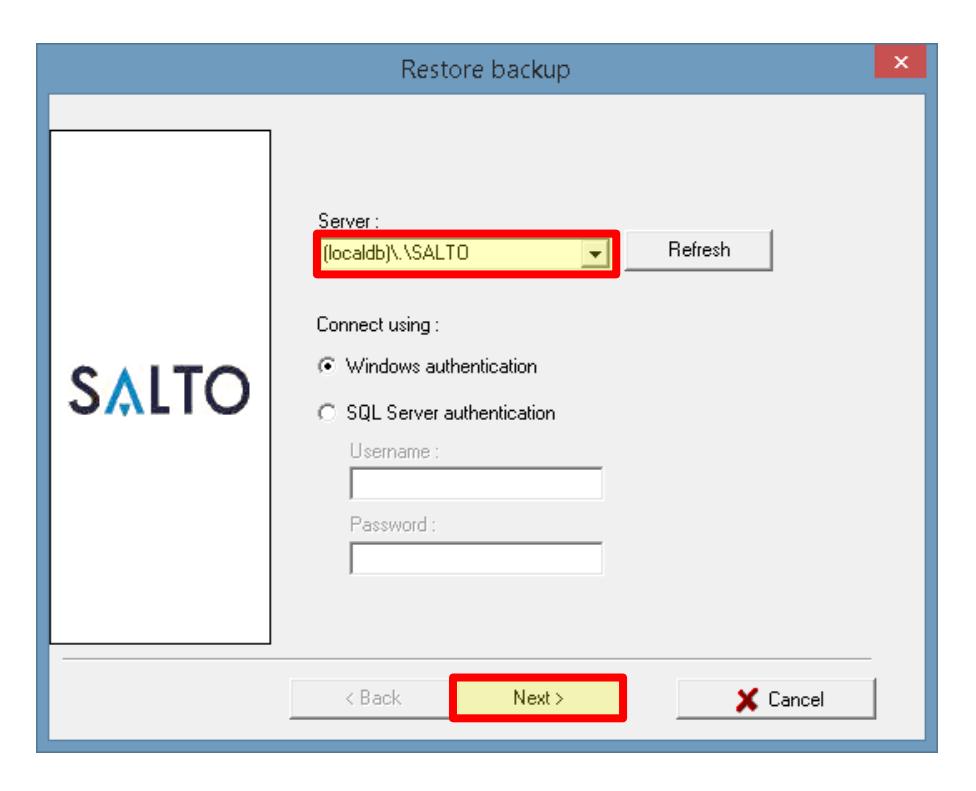
5. Change the server to (localdb)\.\SALTO and then click Next .
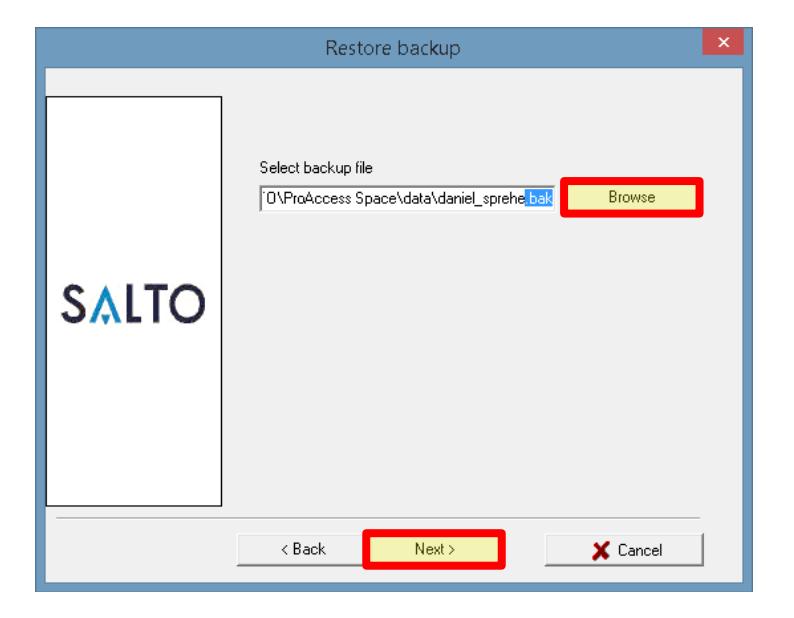
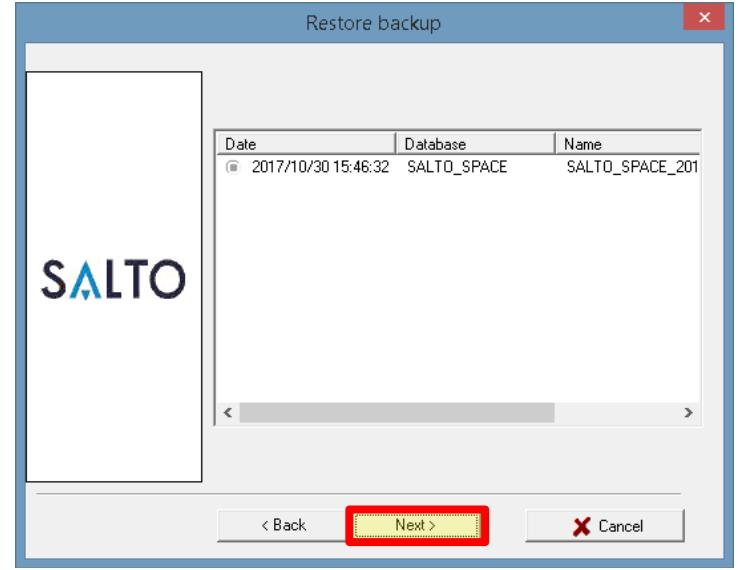
6. Click Browse to find and select the database backup created in page 1 and then click Next twice. The backup should be a '.bak' file type.

ProAccess Space Database Migration (Cont.)
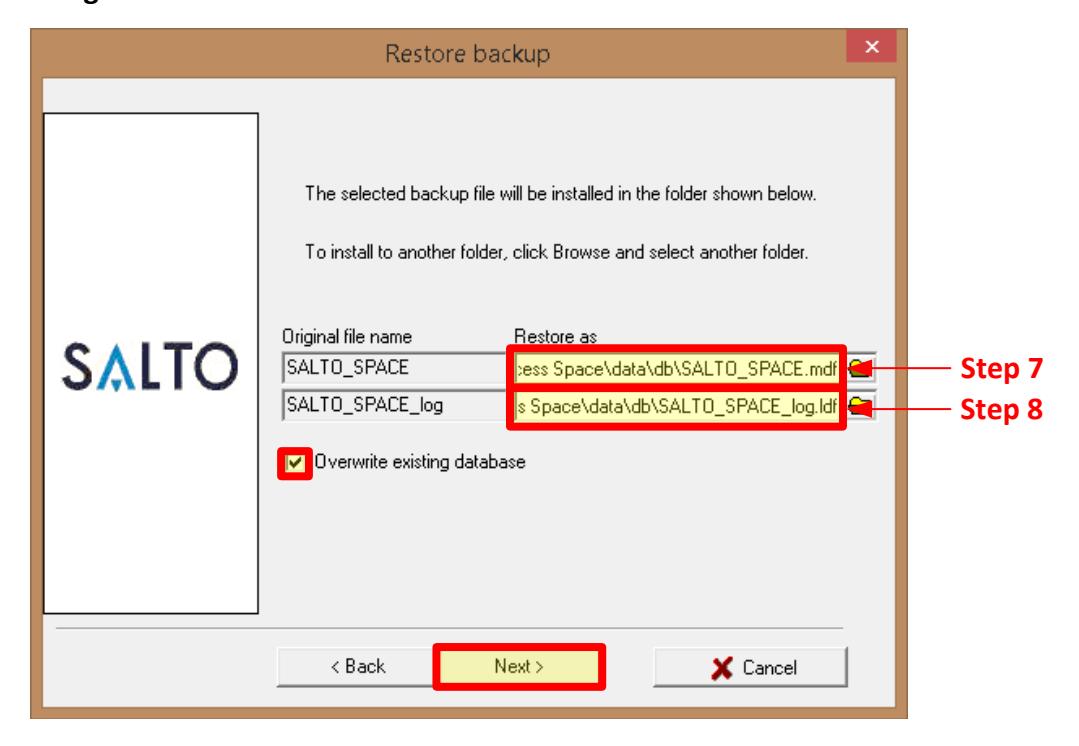
- 7. Enter C:\SALTO\ProAccess Space\data\db\SALTO_SPACE.mdf into the 'SALTO_SPACE' location.
- 8. Enter C:\SALTO\ProAccess Space\data\db\SALTO_SPACE_log.ldf into the 'SALTO_SPACE_log' location.
- 9. Click the Overwrite existing database check box and click Next twice.
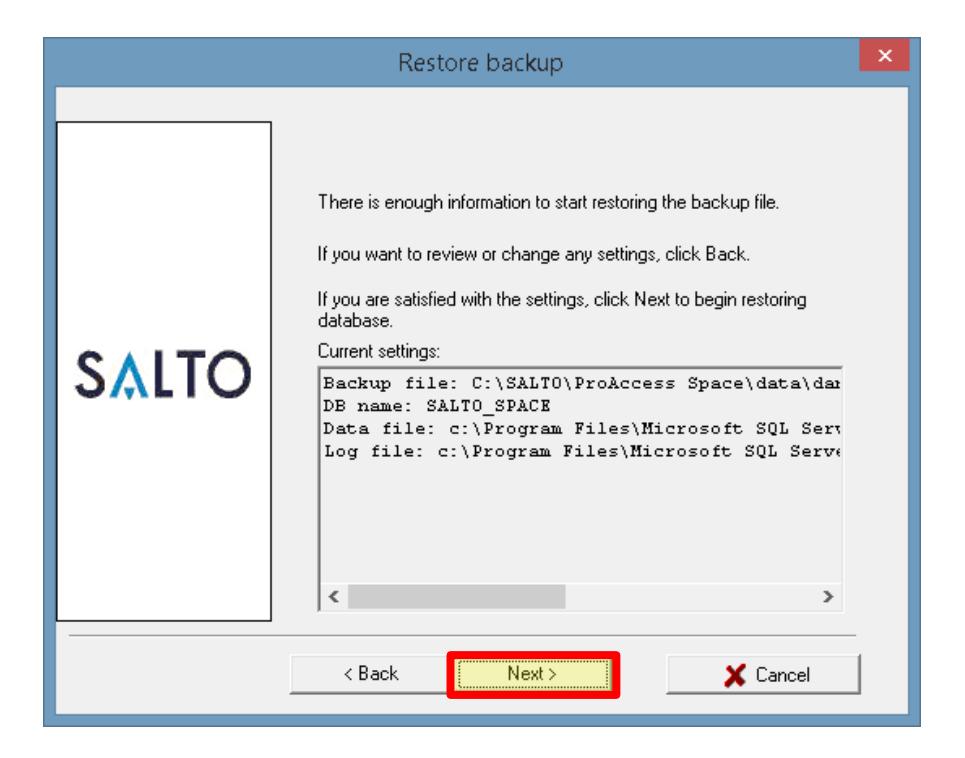
Database Update Complete.
Restart the SQL server that was stopped in step 2 before opening ProAccess Space software.