HID-Reader-Manager-Desktop-Data-Sheet
Open the original PDF document
View PDF

CREDENTIAL COMPATIBILITIES
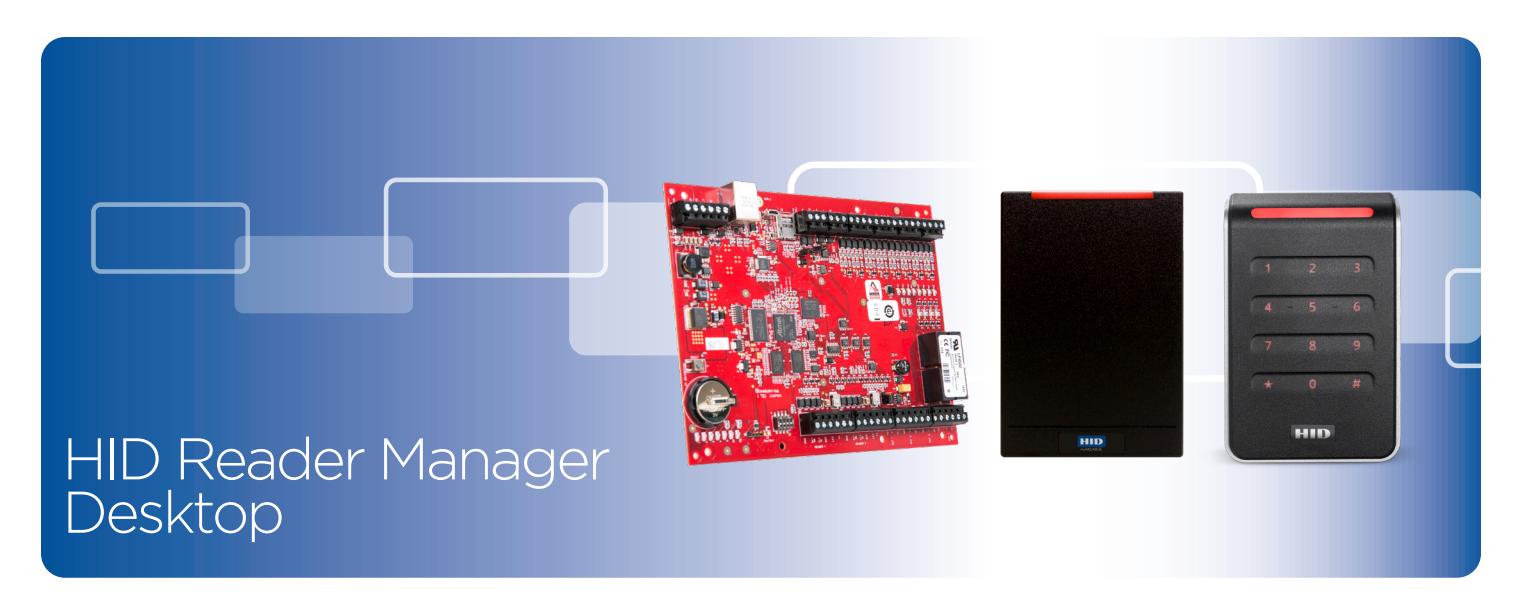
The application supports HID Signo ™ and iCLASS SE® OSDP readers. The application toggles the following credential compatibilies:
13.56 Mhz
- iCLASS® Seos®
- iCLASS®
- iCLASS SE
- iCLASS SR
- FIPS-201 CHUID
- MIFARE® DESFire® Secure Identity Object and CSN
- MIFARE Classic® Secure Identity Object and CSN
125 kHz
- HID/AWID Proximity
- EM Proximity
The above technologies are compatible and can be connected with the following HID Mercury™ controllers:
- LP4502
- LP1502
- LP2500
- LP1501
- MR50-S3
- MR52-S3
- MR62e
CARD COMPATIBILITY CONFIGURATION IN ONE SIMPLE STEP
- Seamlessly change credential configurations Turn on and off credential compatibilities at the touch of a button using the HID Manager Desktop interface. Connect to Mercury™ Intelligent Controllers through setup webpages and turn off legacy credential technology.
- Reduce installation labor Remove the need to walk to readers and use field tools in order to change credential compatibility. Populating and upgrading the credential compatibility is simple to do using the web interface from any network connected location.
- Push configurations to multiple readers at once Read a configuration from a known working reader, modify that configuration (if needed), then push that configuration to all connected readers.
The lifecycle of credential solutions within an enterprise is dynamic in nature. Whether acquisitions are driving compatibility needs for multiple credential technologies or a company is taking steps to migrate to more secure credential platforms, organizations will find that there will always be a need to modify which credentials a reader will read.
With unidirectional and less secure Wiegand readers, an installer must walk to individual readers with configuration cards, cycle power to the readers and hope the configuration card works. HID has eliminated this step with the release of its HID® Reader Manager ™ Mobile Application which enables a bi-directional interface with a reader to inspect and push configurations. However, if the adminstrator doesn't want to walk or travel to remote locations to inspect and change credential compatibilities, then HID Reader Manager Desktop is the solution.
HID streamlines the management of HID OSDP readers and virtually reconfigures credential compatibility in the field without physically being at each reader location. Simply connect to a given intelligent controller and configure connected readers attached to either on-board intelligent controller IO or through IO modules. An administrator can easily adjust card compatibilities with a click of a button.
With HID Reader Manager Desktop running on Mercury panels, an administrator is able to inspect all HID OSDP readers connected to a given intelligent controller (via onboard IO or IO modules) without the need of being onsite and in front of each reader.

HOW IT WORKS
Streamlining the process of reconfiguring credential compatibility has never been easier. HID's Reader Management Desktop interface with Mercury panels can be done in four simple steps:
- 1. Connect to a Mercury Intelligent Controller using the Mercury setup webpages.
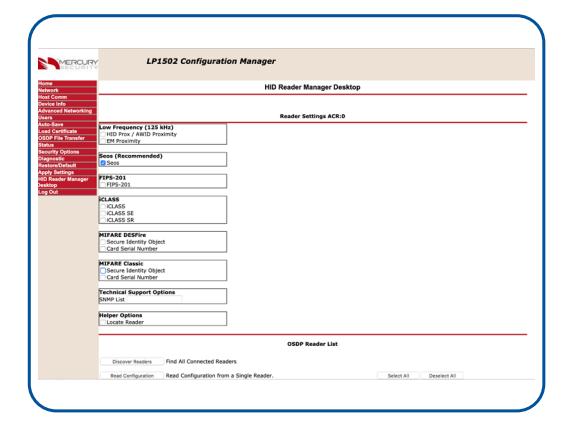
- 2. Navigate to the "HID Reader Manager Desktop" webpage and discover all HID OSDP-Enabled readers connected to the intelligent controller and its IO modules.
- 3. Select one of the readers and "Read Configuration" to populate the card compatibility checkboxes.
- 4. Set and clear checkboxes to turn on and off credential compatibilities; select all the readers to which you want to push the configuration, choose and "Configure Selected."
SPECIFICATIONS
Credential Compatibilities
The application supports HID Signo and iCLASS SE OSDP readers. The application toggles the following credential compatibilies:
- 125 kHz
- HID/AWID Proximity
- EM Proximity
- 13.56 Mhz
- Seos
- iCLASS
- iCLASS SE
- iCLASS SR
- FIPS-201 CHUID Free Reads
- MIFARE DESFire Secure Identity Object and CSN
- MIFARE Classic Secure Identity Object and CSN
NOTE: Some special configuration strings that come from HID technical support can be inserted into the webpage and downloaded to readers instantly. No more waiting for a configuration card to be shipped. Just call HID technical support; receive an email with the configuration command; copy it into the setup webpage for easy configuration
change downloads. The following intelligent controllers (and firmware) and IO modules can support this feature:
- LP4502 (FW 1.29 and higher)
- LP1502 (FW 1.29 and higher)
- LP2500 (FW 1.29 and higher)
- LP1501 (FW 1.29 and higher)
- MR50-S3 (FW 3.21.7 and higher)
- MR52-S3 (FW 3.21.7 and higher)
- MR62e (FW 3.21.7 and higher)
NOTE: The HID Reader Manager package is an add-on package that is not installed by default onto the intelligent controller. Contact your solution provider to obtain the addon firmware for the intelligent controller. IO module firmware 3.21.7 is currently in pre-release with limited availablility
HID Reader Compatibilities
Mercury Controller Compatabilities
The application supports HID Signo and iCLASS SE Rev E OSDP readers. All firmware required to run the enabled credential applications must be previously loaded on the reader.
Interface Capablities
At this time, this solution toggles credential compatibilities ONLY from within individual setup webpages. This solution does not download new credential applications or key material to the attached readers. To download configurations to an enterprise with multiple intelligent controllers, the administrator must visit each setup webpage to push configurations.
© 2019-2020 HID Global Corporation/ASSA ABLOY AB. All rights reserved. HID, HID Global, the HID Blue Brick logo, the Chain Design are trademarks or registered trademarks of HID Global or its licensor(s)/supplier(s) in the US and other countries and may not be used without permission. All other trademarks, service marks, and product or service names are trademarks or registered trademarks of their respective owners.
2020-02-26-pacs-mercury-reader-manager-desktop-ds-en

hidglobal.com
North America: +1 512 776 9000 Toll Free: 1 800 237 7769 Europe, Middle East, Africa: +44 1440 714 850 Asia Pacific: +852 3160 9800 Latin America: +52 55 5081 1650
An ASSA ABLOY Group brand