HES KP20 Series Stand-Alone Cabinet Lock Instruction Manual
Open the original PDF document
View PDFInstruction Manual
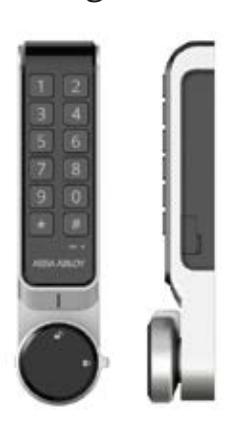
HES KP20 (12-button keypad) stand-alone cabinet lock
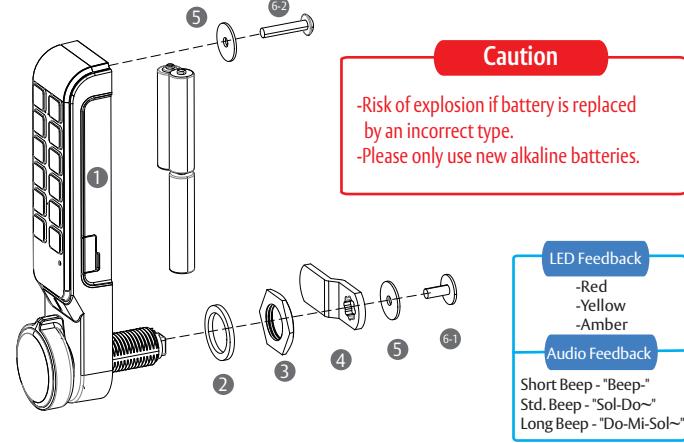
Package contents
- 1 One (1) HES KP20 cabinet lock
- One (1) Rubber washer
- One(1)M6 nut
- 4 One(1) Flat and one(1) Offset Locking Cam
- Two(2)M4 washers
-
6 Five (5) Pan Head Phillips Screws
- M4x10mm locking cam screw
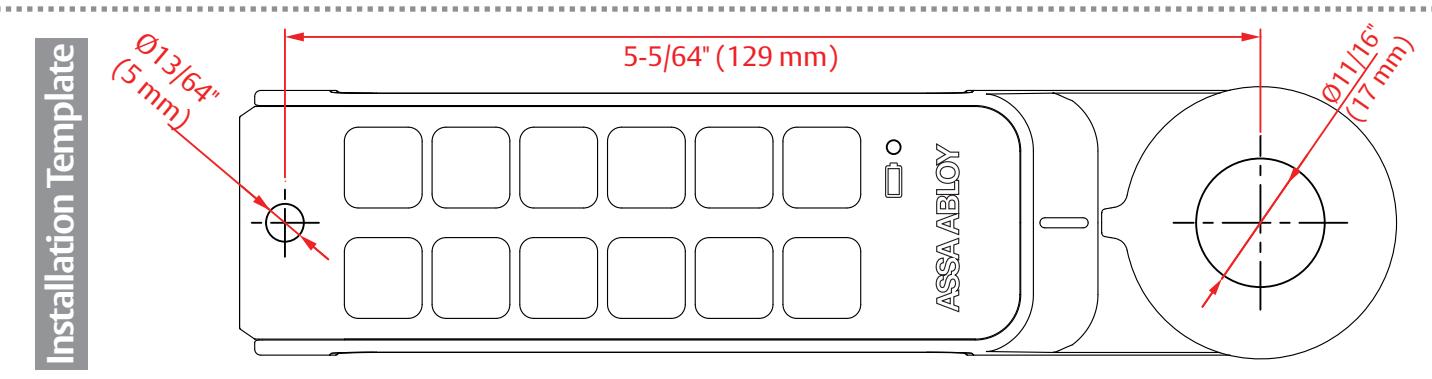
- M4x20 mm (10-15mm thick door) M4x25 mm (15-20mm thick door) M4x30 mm (20-25mm thick door)
* Power : 4.5V --- (Alkaline AAA 1.5V x 3)
Hardware installation
Private Mode (On-going Use)
Lock the door
Public Mode (One -time Use)
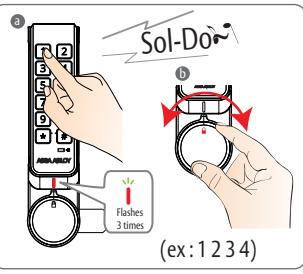
- a Close the cabinet door and enter your passcode a Enter the passcode you used to lock the door - this is confirmed by three red flashes followed by a standard beep (Sol-Do~)
- Rotate the knob to the locked position
| Passcode length | How to configure | |
|---|---|---|
| 4 Digit | Press any four digits | |
| 5 to 12 Digits | Press 35 to 12 Digits + | # |
Unlock the door
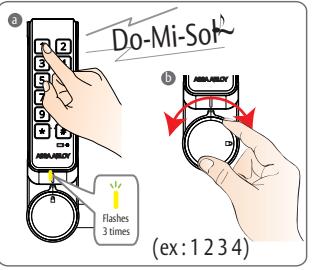
- -this is confirmed by three yellow flashes followed by a long beep (Do-Mi-Sol~)
- Rotate the knob to the unlocked position and open the door
- Public Mode (One-Time use) - Previously used passcode will be erased after unlock and stay open for next user.
Unlock the door
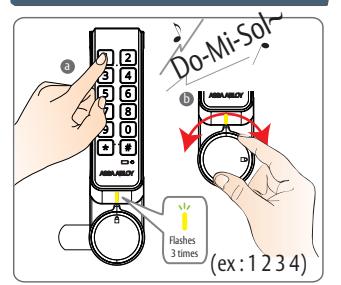
- a Enter the registered pass code -this is confirmed by three yellow flashes followed by a long beep (Do-Mi-Sol~)
- Rotate the knob to the locked position and open the door
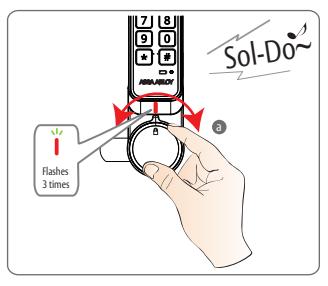
-
a Close the door and turn the knob to the locked position
- -this is confirmed by three red flashes followed by a standard beep (Sol-Do~)
- The cabinet lock will automatically lock in 3 seconds
-
Private Mode (On-going Use)
- when the knob is rotated to the locked position the cabinet lock will lock in 3 seconds.
Using the Master Code

Master Step 1
· Factory Master Code "3526'
An existing user code is deleted when a valid Master Code is
The User Code will need to be se again during programming of rivate mode
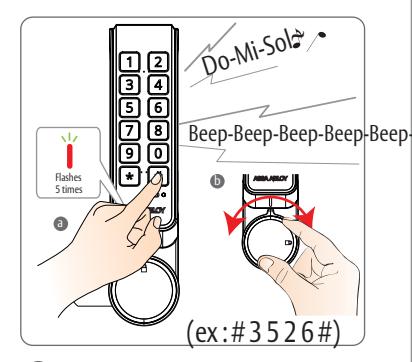
-
a Press # + "Master Code" + [#]
- Listen for extended beep
- Unlock the lock with short beep 5x followed by 5x flashing Red LED's
- Botate the knob to the unlocked position and open the door.
Emergency Power
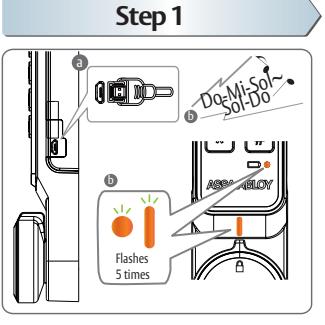
- a Connect a standard 5 pin Micro USB cable to the USB port on the right side of the lock
- b When power is applied, both LED's flash 5x followed by an extended beep
Step 2
-
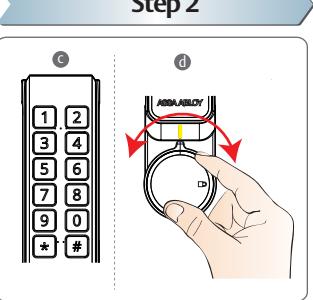
Enter a valid User Code or Master Code to unlock the cabinet
- -An existing user code is deleted when a valid Master Code is entered.
- -The User Code will need to be set again during programming of private mode.
- Open the door and change the batteries
Change the User Code
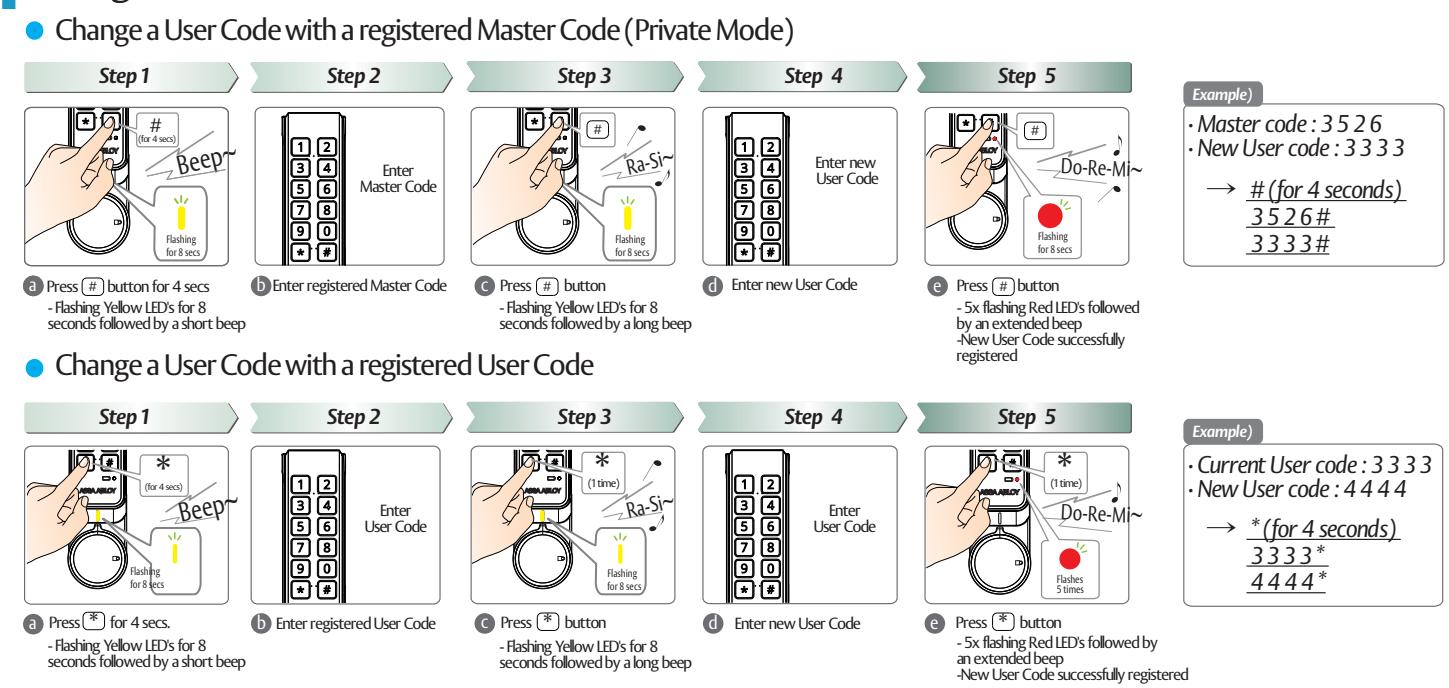
Change the Master Code

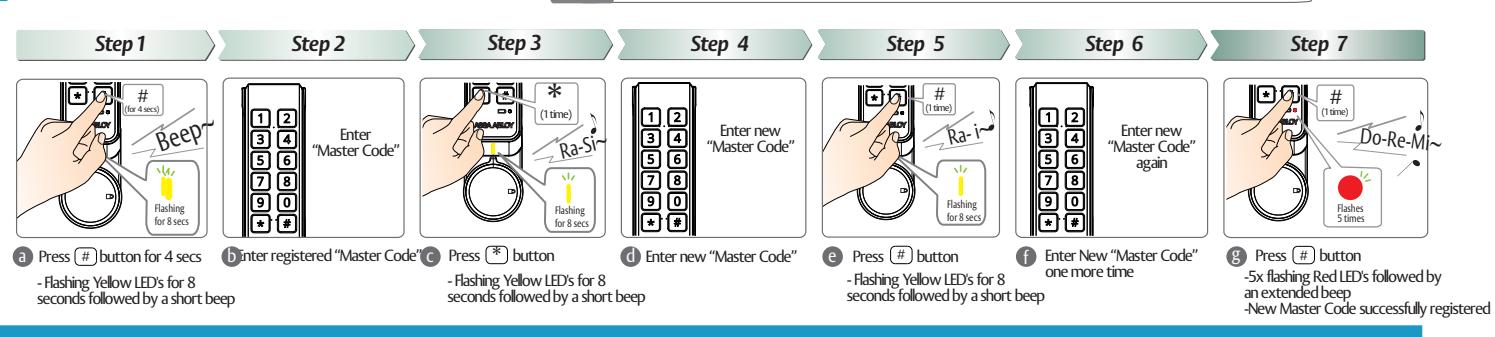
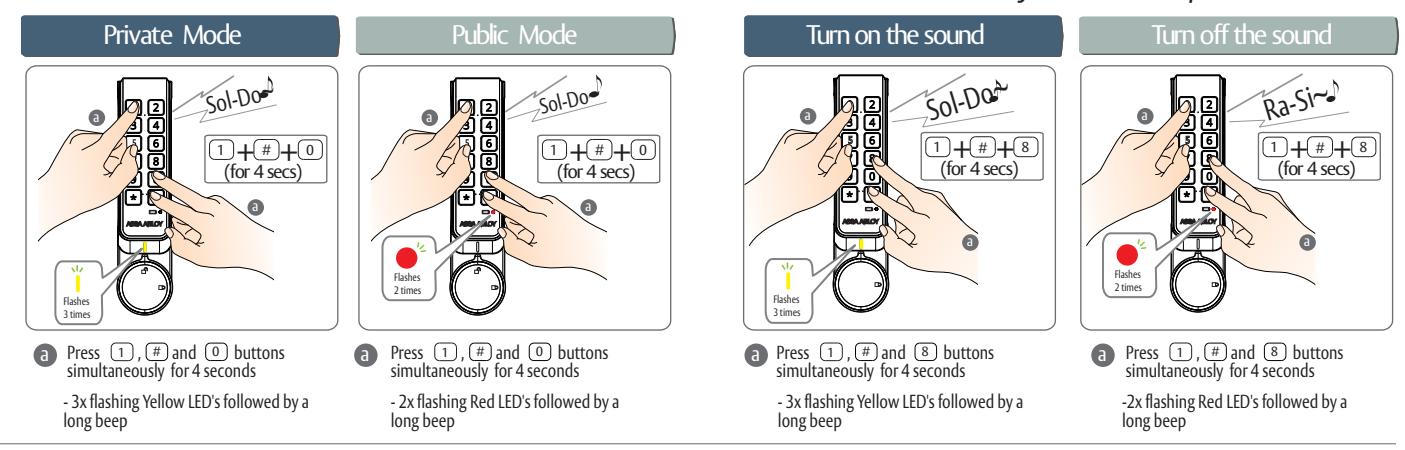
How to set other functions of HES KP20
Enter registered Master Code; an existing user code is deleted when a valid Master Code is entered
• How to switch between Public & Private Mode
How to turn Melody Sound On / Off
* FCC statement
This device complies with Part 15 of the FCC Rules. Operation is subject to the following two conditions:
- (2) this device must accept any interference received, including interference that may cause undesired operation.
- Caution: Changes or modifications not expressly approved by the party responsible for compliance could void the user's authority to operate the equipment.
- *This appliance and its antenna must not be co-located or operation in conjunction with any other antenna or transmitter.
- This equipment should be installed and operated with minimum distance 20cm between the radiator & your body.
ASSA ABLOY is the global leader in door opening solutions, dedicated to satisfying end-user needs for security, safety and convenience
ASSA ABLOY
ELECTRONIC SECURITRY HARDWARE
HES | Securitron
assaabloyesh.com | 800.626.7590 | 10027 S. 51st Street Phoenix, AZ 85044 USA